Thursday, 22 October 2026 · 11 Jumada I 1448 AH Sun – Thu · 9:00 – 18:00
+971 56 914 9477 العربية
WhatsApp
This model is discontinuedThe manufacturer no longer makes it. Request a quote and we will propose the closest current replacement.
Suggested replacements ↓

C5518QT

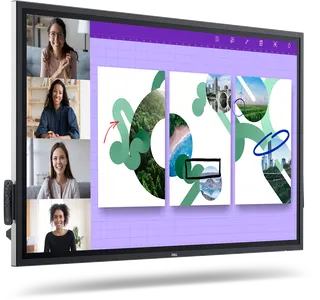
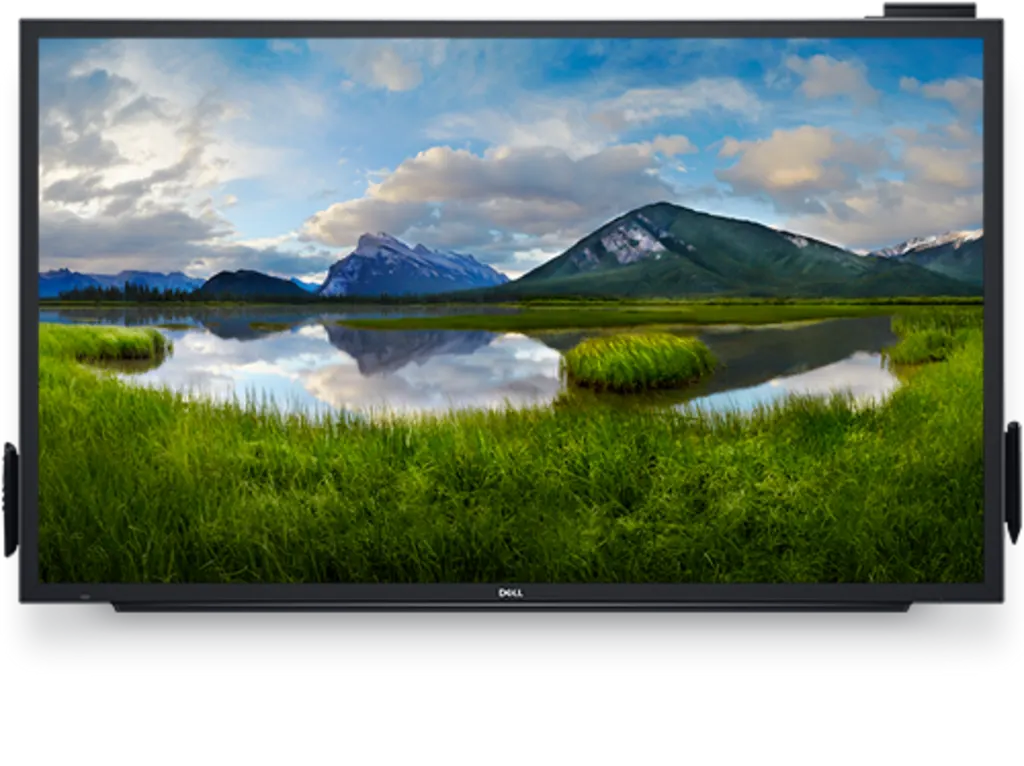
Dell C5518QT 55-inch 4K Interactive Touch Monitor

WhatsApp
Priceon request
QuotationWithin 1 working day
DeliveryConfirmed with your quote, based on stock
PDFDownload datasheet (Dell C5518QT - Display Control User Guide.pdf)
Overview

The Dell C5518QT is a 55-inch 4K interactive touch monitor from the Dell C Series, suited to classrooms, seminar rooms and meeting rooms where people write and annotate directly on screen. Dell has discontinued this model, so organisations in Qatar that already run it, or are comparing options, should request a quote for a current equivalent or compatible replacement from SmartRooms Qatar.

What the Dell C5518QT is and why its status matters

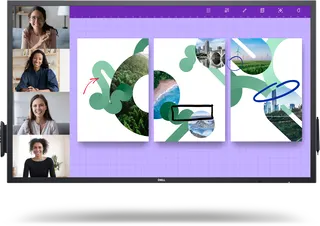
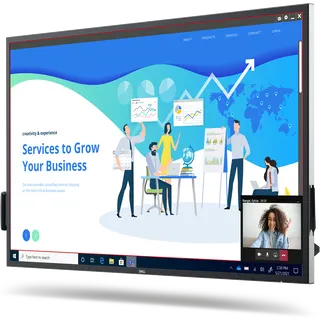
The Dell C5518QT is a 55-inch interactive touch monitor from the Dell C Series, with 4K resolution and touch input directly on the screen. Dell has discontinued this model, so the manufacturer no longer offers this exact unit for new purchase. If your organisation already runs one, or you are comparing it with other 55-inch touch displays, the practical route for expansion or replacement is a current equivalent or a compatible model.

The facts that define this unit

Four facts from the product data shape how this monitor fits a room. It is 55 inches, a mid-size format suited to classrooms, seminar rooms and small meeting rooms. It carries the 4K label, a resolution class with considerably more pixels than full HD, so small text, spreadsheets and detailed diagrams stay readable at this size. It is a touch monitor, so a presenter can write, annotate and tap directly on the glass. It belongs to the Dell C Series, and that series name helps you identify it on an existing asset list.

The source data for this model does not list brightness, ports, operating temperature, mounting options or bundled software, so this page does not state them. Confirm those details with the SmartRooms Qatar team before you commit to a layout, a system integration or a replacement order.

Where it fits in Qatar

  • A classroom refresh at a private school in Al Wakrah: a 55-inch touch screen lets a teacher and a small group work at the board while the rest of the class follows from their seats.
  • A meeting room in a West Bay or Lusail office: teams working in Arabic and English side by side can mark up shared documents during a call with colleagues abroad.
  • A training room at a university or training centre in Education City: a presenter can annotate course material on screen during a hands-on session.

What to plan before ordering

Measure the room and the wall before choosing a position. A 55-inch panel needs a sensible viewing distance from the furthest seat and enough wall space for the mounting method you choose. Our free site survey covers sightlines, wall condition and the location of power and network points. Qatar mains is 240 V at 50 Hz with BS 1363 (Type G) sockets, so check the unit's power requirements against the manufacturer documentation when planning the socket position.

Rooms with large windows deserve particular care. Summer temperatures in Qatar can pass 45°C, and the source data gives no operating temperature range for this model. Ask the SmartRooms Qatar team to confirm the environment before installation, especially for a lobby or any room with direct sun.

Replacing or expanding an existing installation

If you already own Dell C5518QT units, record the Dell support product code, dell-c5518qt-monitor, on your asset list so the team can match it when preparing a quotation. For a failed unit or an expansion, share the room size, the number of screens and the connection requirements so the quotation covers a current equivalent or a compatible replacement.

Request a quote

Send SmartRooms Qatar the room size, the number of units, the mounting requirement and whether the purchase runs through a purchase order (LPO) or a government tender, including Monaqasat. Quotations usually follow within one working day, and the quote can include delivery to all eight municipalities of Qatar and professional installation. Request a quote for a current equivalent or compatible replacement today.

Highlights

  • 55-inch interactive touch monitor in the Dell C Series
  • 4K resolution with touch input directly on the screen
  • Discontinued by Dell; quotes for current replacements available
  • Suited to classrooms, seminar rooms and training rooms
  • Free site survey to check wall space and viewing distance

Classroom fit

At 55″ the farthest student should sit within about 4.1 m (6× the screen height).

Estimated timeline

Quotation within 1 working day · delivery timing depends on stock availability, and we confirm it with your quotation.
Specifications

Source: manufacturer · checked Oct 2026
The full specification and datasheet for this model are available on request; we send them with your quotation.

Downloads

14 files from the manufacturer
PDF Manuals & guides Dell C5518QT - Display Control User Guide.pdf 923 KB Dell C5518QT manuals & guides (PDF, 923 KB) PDF Manuals & guides Dell C5518QT - Quick Setup Guide.pdf 2.5 MB Dell C5518QT manuals & guides (PDF, 2.5 MB) PDF Manuals & guides Dell C5518QT - RS232 Protocol Guide.pdf 175 KB Dell C5518QT manuals & guides (PDF, 175 KB) PDF Manuals & guides Dell C5518QT - Users Guide.pdf 5.6 MB Dell C5518QT manuals & guides (PDF, 5.6 MB) PDF Manuals & guides Dell C5518QT Dell Display Manager Users Guide.pdf 831 KB Dell C5518QT manuals & guides (PDF, 831 KB) PDF Manuals & guides Dell C5518QT Monitor Teardown Instructions.pdf 4.2 MB Dell C5518QT manuals & guides (PDF, 4.2 MB) PDF Manuals & guides Dell C5518QT Users Guide (2).pdf 5.7 MB Dell C5518QT manuals & guides (PDF, 5.7 MB) PDF Manuals & guides Dell C5518QT Users Guide (3).pdf 5.6 MB Dell C5518QT manuals & guides (PDF, 5.6 MB) PDF Manuals & guides Dell C5518QT Users Guide (4).pdf 5.3 MB Dell C5518QT manuals & guides (PDF, 5.3 MB) PDF Manuals & guides Dell C5518QT Users Guide.pdf 5.8 MB Dell C5518QT manuals & guides (PDF, 5.8 MB) PDF Drawings & CAD Dell C5518QT Outline Dimension.pdf 2.1 MB Dell C5518QT drawings & cad (PDF, 2.1 MB) EXE Software & firmware · Opens on manufacturer site DELL_C5518QT-MONITOR_A00-00_DRVR_54N0G.exe Dell C5518QT software & firmware (EXE) ZIP Software & firmware · Opens on manufacturer site DELL_C5518QT_Firmware.zip Dell C5518QT software & firmware (ZIP) PDF Other documents Dell C5518QT - Statement of Volatility.pdf 123 KB Dell C5518QT other documents (PDF, 123 KB)

Questions about C5518QT

Is the Dell C5518QT still sold by Dell?
Dell has discontinued the C5518QT, so the manufacturer no longer offers this exact model for new purchase. SmartRooms Qatar can prepare a quotation for a current equivalent or a compatible replacement that matches your room size, number of screens and connection needs. Tell us which model you already run, and we will confirm the closest option in the quotation.
What is the Dell C5518QT used for?
The Dell C5518QT is a 55-inch interactive touch monitor with 4K resolution. Presenters can write, annotate and tap directly on the screen, which suits classrooms, seminar rooms and small meeting rooms where a few people need to work on the same display. Because it is a touch model, the room layout should keep the screen within easy reach of the presenter.
What does the 4K resolution mean on this 55-inch model?
4K is a resolution class with considerably more pixels than full HD, so small text, spreadsheets and detailed diagrams stay readable on a 55-inch panel. The model name confirms the 4K label, but exact pixel dimensions are not listed in the data we hold, so ask the SmartRooms Qatar team to confirm them before you compare panels.
Which Qatar schools would suit a 55-inch touch monitor?
A private school in Al Wakrah fitting out a classroom, or an Arabic-curriculum school in Doha refreshing a science room, may find a 55-inch touch screen a good size for a class where the teacher and a small group work at the board. Everyone needs a clear view of the screen from their seats, and a site survey can check this before you order.
Is this model suitable for a meeting room in West Bay or Lusail?
It can suit a smaller meeting room in West Bay or Lusail where teams working in Arabic and English side by side need to mark up shared documents during a video call. Confirm the seating distance and the wall position first, because the table and the screen have to work together in the room. SmartRooms Qatar can survey the room and advise.
How large a room does a 55-inch touch monitor suit?
A 55-inch screen generally suits small to medium rooms, such as classrooms, seminar rooms and meeting rooms for a handful of people, rather than large lecture halls. The best size for your room depends on the furthest seat and the wall space available. A free site survey from SmartRooms Qatar can check both before a quotation is finalised.
Can it be wall mounted in a training room in Education City?
Wall mounting is planned in many training rooms, but the source data for this model does not list its mounting options. Before you choose a wall or stand position, the free site survey from SmartRooms Qatar checks the wall, the fixing method and nearby power and network points, and installation can be included in the quotation.
Will it cope with a room that gets direct sun in summer?
The data for this model does not give an operating temperature range, so we cannot confirm one. Summer temperatures in Qatar can exceed 45°C, and rooms with large windows or direct sun need a check before installation. Ask the SmartRooms Qatar team to confirm the environment for lobbies and sunlit rooms before you order.
What power supply does it need in Qatar?
Qatar mains is 240 V at 50 Hz, and sockets follow the BS 1363 (Type G) standard. The source data for this model does not list its power input, so confirm the requirements with the manufacturer documentation and plan the socket position with the installer during the site survey, before ordering.
Which ports and connections does it have?
The source data does not list the ports on this model, so this page does not state them. Before you commit, ask the SmartRooms Qatar team to confirm the video and touch connections, and check how they match your laptops, PCs and any room control system you already use.
Can a government ministry or school order several units?
Yes. Ministries, authorities, schools and other government bodies can order through a purchase order (LPO) or a government tender, including Monaqasat. Payment is accepted by bank transfer, cheque or purchase order. State the total quantity in your request so the quotation covers every unit, with delivery to all eight municipalities of Qatar.
What should I do if one of my Dell C5518QT units fails?
Since the model is discontinued, plan the replacement carefully and request a quotation for a current equivalent or compatible replacement rather than waiting for the same unit. Share the Dell support product code dell-c5518qt-monitor, the number of units and the room layout so the team can match the replacement to your existing installation.

Suggested replacements

Dell P5524QT Dell P5524QT 55-inch 4K UHD Interactive Touch Monitor
55″ 3840 x 2160 350 cd/m²
Dell C6522QT Dell C6522QT 65-inch 4K Interactive Touch Monitor
65″ 3840 x 2160 350 cd/m²
Dell P6524QT Dell P6524QT 65-inch 4K Interactive Touch Monitor
65″ 3840 x 2160 350 cd/m²
Dell C7520QT Dell C7520QT 75-inch 4K Interactive Touch Monitor
75″ 3840 x 2160 350 cd/m²
Dell D7523QT Dell D7523QT 75-inch 4K Interactive Touch Monitor
75″ Interactive displays

Similar models

BenQ CM7505 BenQ Board CM7505 75-inch Interactive Display
75″ UHD 3840 × 2160 pixels Ultra Precision IR
SMART SBID-6286S-V3 SMART Board 6086S-V3 86-inch Interactive Display with iQ
86″ 4K UHD (3840 × 2160) HyPr Touch with InGlass
SMART SBID-6286S-V3-P SMART Board 6086S-V3 Pro 86-inch Interactive Display with iQ
86″ 4K UHD (3840 × 2160) HyPr Touch with InGlass
Clevertouch Clevertouch Edge 65" Clevertouch Edge 65" 4K Interactive Display with Camera and Speakers
65″ 4K UHD (3840x2160 @60Hz) Android 15
Clevertouch Clevertouch Edge 86" Clevertouch Edge 86" 4K Interactive Flat Panel
86″ 4K UHD (3840x2160 @60Hz) Android 15
Email Call