Thursday, 22 October 2026 · 11 Jumada I 1448 AH Sun – Thu · 9:00 – 18:00
+971 56 914 9477 العربية
WhatsApp
This model is discontinuedThe manufacturer no longer makes it. Request a quote and we will propose the closest current replacement.
Suggested replacements ↓

INF7002WB

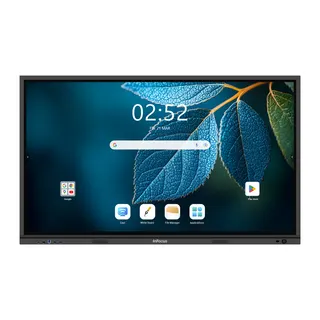
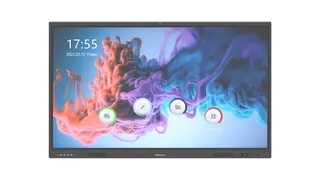
InFocus INF7002WB Legacy Interactive Display (Discontinued)

WhatsApp
Priceon request
QuotationWithin 1 working day
DeliveryConfirmed with your quote, based on stock
PDFDownload datasheet (INF7002WB-User-Guide-02.pdf)
Overview

The InFocus INF7002WB is a legacy interactive display listed on the manufacturer's support page for interactive displays, where its user guide is published. InFocus has discontinued this model, so it suits organisations that already own one, buyers comparing it with newer equipment, and teams matching an existing installation. SmartRooms Qatar can quote a current equivalent or a compatible replacement for schools, offices and meeting rooms across Qatar.

What the InFocus INF7002WB is

The InFocus INF7002WB is a legacy interactive display from InFocus. It is listed on the InFocus Global Support page for interactive displays, where its user guide is published. The product data available to us identifies the unit by model code only, so screen size, resolution, connectivity and mounting options should be confirmed in the user guide before any decision is made.

InFocus has discontinued this model. That status matters for planning. Parts, firmware and manufacturer support for a discontinued unit may differ from what is available for current products, so ask about these points before committing to repairs or extensions.

Who still needs this model

Three groups usually search for a discontinued display like this one. The first is an organisation that already owns the unit and needs its user guide, a like-for-like replacement, or advice on keeping it in service. The second is a buyer comparing the INF7002WB with newer interactive displays before raising a purchase order or preparing a tender response. The third is a facilities or IT team asked to match an existing installation in a classroom, meeting room or training room.

Where it fits in Qatar

  • A private school in Al Wakrah extending a room that already uses InFocus displays and needs a matching unit.
  • A government office in Doha documenting an installed InFocus display for asset and maintenance records before a equipment refresh.
  • A training centre in Education City comparing this legacy panel with current models for a new teaching room.

What to check before you buy or replace

  • Download the user guide from the InFocus support page and confirm the model specifications.
  • Review the mounting method and the wall or stand requirements described in the guide.
  • Check power and connection points in the room. Qatar mains supply is 240 V, 50 Hz with BS 1363 (Type G) sockets, and the unit's own requirements should be confirmed in the guide.
  • Confirm the environmental conditions the guide allows. Avoid placing the unit near windows or in unconditioned spaces until its suitability is confirmed, since Qatar summer temperatures exceed 45°C.
  • Request a site survey before wall-mounting any large panel, to check the wall structure and cable routes.

Next step with SmartRooms Qatar

Send us the model code, the room details and what the display needs to do, and our team will quote a current equivalent or a compatible replacement. Quotations are usually provided within one working day. We supply and deliver to all eight municipalities of Qatar, arrange professional installation, carry out free site surveys, and accept purchase orders (LPOs) and government tenders, including Monaqasat. Payment is accepted by bank transfer, cheque or purchase order, and products are covered by the manufacturer's warranty. Request a quote today and our team will confirm the best route for your room.

Highlights

  • Legacy InFocus interactive display, model INF7002WB
  • Discontinued by the manufacturer; quotes available for current equivalents
  • User guide published on the InFocus Global Support page
  • Listed under interactive displays in InFocus support archive
  • Full specifications to be confirmed from the user guide

Estimated timeline

Quotation within 1 working day · delivery timing depends on stock availability, and we confirm it with your quotation.
Specifications

Source: manufacturer · checked Oct 2026
The full specification and datasheet for this model are available on request; we send them with your quotation.

Downloads

1 file from the manufacturer

Questions about INF7002WB

What is the InFocus INF7002WB?
The InFocus INF7002WB is a legacy interactive display listed on the InFocus Global Support page for interactive displays, with its user guide published there. Our product data identifies it by model code only, so screen size and full specifications should be confirmed in the user guide. SmartRooms Qatar can help you decide whether to keep the unit in service or move to a current model.
Has InFocus discontinued the INF7002WB?
Yes. InFocus lists this model as discontinued, so it is no longer part of the manufacturer's current interactive display range. Organisations that already own one can request a quote for a compatible replacement, while buyers comparing options can ask for a current equivalent to be quoted alongside it. Quotations are usually provided within one working day.
Where can I find the user guide for the INF7002WB?
The user guide is published on the InFocus Global Support page for interactive displays, under the INF7002WB entry. Download it before planning any work, because it is the main reference for the unit's connections, mounting requirements and operating conditions. If you cannot locate the guide, send the model code to the SmartRooms Qatar team and we will help you identify the next step.
Can I still order a new INF7002WB in Qatar?
The INF7002WB is discontinued and is no longer in the manufacturer's current range, so the practical route is a quote for a current equivalent or a compatible replacement. Send the room size, mounting arrangement and intended use, and we will prepare a quotation based on those details. Purchase orders (LPOs) are accepted for government and private buyers.
Is the INF7002WB suitable for a classroom in Doha?
It can suit a classroom where an existing InFocus display is already installed, particularly when a school needs a matching unit for an extension. Before reusing or matching it, check the user guide for environmental and mounting requirements, and confirm that the room has suitable sockets. A free site survey from SmartRooms Qatar can check wall structure, cable routes and power positions.
Can the INF7002WB be used in a boardroom or meeting room in West Bay?
A boardroom in West Bay that already has this display may keep it in service if the user guide confirms it meets the room's needs. Check the screen size, connection options and mounting method in the guide against how the room is used for presentations and video calls. If it does not match, a current equivalent can be quoted to fit the same wall position.
Does the INF7002WB support Arabic on-screen menus?
Our source data does not state language support for this model, so we cannot confirm Arabic on-screen menus. Check the user guide for the available menu languages. Arabic-curriculum schools and bilingual offices in Qatar should confirm this before ordering a replacement or additional units.
What are the operating temperature limits of the INF7002WB?
Our source data does not give operating temperatures for this model. Qatar summer temperatures can exceed 45°C, so do not place the unit near windows, in lobbies or in unconditioned rooms until the user guide and the SmartRooms Qatar team have confirmed it is suitable for that environment. Always follow the limits written in the manufacturer's guide.
Can the INF7002WB be wall-mounted, and what should I plan for?
Our data does not list mounting specifications for this model, so check the user guide for the mounting method and any bracket requirements. For wall mounting, plan a site survey to inspect the wall structure, the height and viewing position, and the cable routes behind the panel. SmartRooms Qatar offers free site surveys before installation and can quote professional installation.
What connections does the INF7002WB offer?
Our source data does not list the ports or inputs for this model. Use the user guide to confirm the video inputs, touch connection and any computer or network options before planning cables. Mapping these connections early helps avoid delays when a replacement or additional unit is installed in a Doha office or school.
Can a government office buy a replacement through an LPO or tender?
Yes. Government offices and public schools can issue a purchase order (LPO) for a replacement, or respond to a tender on Monaqasat. A quotation for a current equivalent or compatible replacement can be issued against either route, and payment can be made by bank transfer, cheque or purchase order. Include the model code INF7002WB in your request so the quotation references the unit it replaces.
What should I plan when replacing an existing INF7002WB?
Measure the existing mounting position, power outlet and cable runs, and keep the user guide and model code available. These details show whether the current bracket and sockets can be reused for a current model. A site survey from SmartRooms Qatar can confirm the fit, and a quotation is usually provided within one working day, with installation arranged across Qatar.

Suggested replacements

InFocus IN5513e InFocus JTouch Series 13e IN5513e 55-inch Interactive Flat Panel
55″ 4K (UHD) 3840 × 2160 Infra-Red
InFocus IN6513 InFocus JTouch Series 13 IN6513 65-inch Interactive Display
65″ 4K UHD 3840 x 2160 Infra-Red
InFocus IN6513e InFocus JTouch Series 13e IN6513e 65-inch Interactive Flat Panel
65″ 4K (UHD) 3840 × 2160 Infra-Red
InFocus IN6513H InFocus IN6513H 65-inch 4K Interactive Display (JTouch Series 13H)
65″ 4K UHD 3840 x 2160 Infra-Red
InFocus IN65JTP-01 InFocus JTouch Pro-01 IN65JTP-01 65-inch Interactive Flat Panel
65″ 4K UHD / 3840 x 2160 Capacitive

Similar models

BenQ CM7505 BenQ Board CM7505 75-inch Interactive Display
75″ UHD 3840 × 2160 pixels Ultra Precision IR
SMART SBID-6286S-V3 SMART Board 6086S-V3 86-inch Interactive Display with iQ
86″ 4K UHD (3840 × 2160) HyPr Touch with InGlass
SMART SBID-6286S-V3-P SMART Board 6086S-V3 Pro 86-inch Interactive Display with iQ
86″ 4K UHD (3840 × 2160) HyPr Touch with InGlass
Clevertouch Clevertouch Edge 65" Clevertouch Edge 65" 4K Interactive Display with Camera and Speakers
65″ 4K UHD (3840x2160 @60Hz) Android 15
Clevertouch Clevertouch Edge 86" Clevertouch Edge 86" 4K Interactive Flat Panel
86″ 4K UHD (3840x2160 @60Hz) Android 15
Email Call