Thursday, 22 October 2026 · 11 Jumada I 1448 AH Sun – Thu · 9:00 – 18:00
+971 56 914 9477 العربية
WhatsApp
This model is discontinuedThe manufacturer no longer makes it. Request a quote and we will propose the closest current replacement.
Suggested replacements ↓

INF7011

InFocus INF7011 Interactive Flat Panel (Discontinued)

WhatsApp
Priceon request
QuotationWithin 1 working day
DeliveryConfirmed with your quote, based on stock
PDFDownload datasheet (INF7011_Hardware_Guide.pdf)
Overview

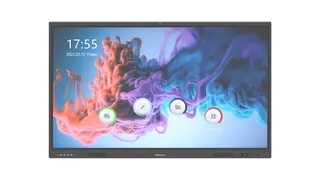
The InFocus INF7011 is a legacy interactive flat panel listed by InFocus under interactive displays. The manufacturer has discontinued this model, so it mainly concerns organisations in Qatar that already run one and need support material, plus buyers comparing it with current models. SmartRooms Qatar can quote a current equivalent or a compatible replacement for schools, offices and meeting rooms across Qatar.

What the InFocus INF7011 is

The InFocus INF7011 is a legacy interactive flat panel from InFocus, filed under interactive displays in the manufacturer's support listings. Its model code is INF7011, and the support listing references the user guide for this model. Many organisations in Qatar may already have units like this installed in classrooms, meeting rooms or training spaces, and this page is written for those owners as well as for buyers who are comparing options before they buy.

InFocus has discontinued the INF7011. The manufacturer no longer lists it as a current product, so buyers should plan around a current equivalent or a compatible replacement rather than treating this model as a standard for new rooms.

Facts that matter when you assess this model

The information published for the INF7011 is limited to its identity, category and support material. We have not added screen sizes, resolutions, brightness or port details that the manufacturer data does not confirm, so the best way to check a unit is to read the label and the support guide that match its exact model code.

  • Model code: INF7011, the same as its series name.
  • Category: interactive flat panel, legacy interactive display subcategory.
  • Status: discontinued by InFocus.
  • Documentation: user guide listed on the InFocus Global Support page.

If your room depends on a particular function, such as a specific operating system, a fixed wall bracket or a connection to a campus network, write that requirement down before you ask for a quote. Because the model is legacy, the easiest way to compare it with current hardware is to check each requirement against the replacement's published specification.

Where legacy interactive displays fit in Qatar

A private school in Al Wakrah refreshing a few classrooms may have one INF7011 in a room that still needs a display for lessons. When a unit fails or the room is redesigned, the facilities team usually needs a replacement that matches the existing mount, sockets and teaching software. Qatar mains power runs at 240 V, 50 Hz through BS 1363 (Type G) sockets, so confirm that the replacement and its power cable suit the sockets already on the wall.

In West Bay, a company boardroom might have an older interactive panel that the team still uses for presentations. Here the decision often comes down to keeping the room layout and replacing only the display, or planning a wider refit. A site visit helps answer that question before any hardware is ordered.

A government office in the Industrial Area might also keep older equipment in a training room. Before replacing it, the team should check whether the room is air-conditioned and how the existing unit is mounted, because the manufacturer data does not give an operating temperature range for this model.

Planning a replacement order

Start by listing how many units you need, where they will sit and the mounting method. Send the model code INF7011 with photographs of the mount and the room layout. The SmartRooms Qatar team can then quote a current equivalent or a compatible replacement, with professional installation if you want it. Free site surveys are available before wall mounting, which helps with heavier panels and with rooms where the wall type is unclear.

Schools, ministries and other public bodies often order several units through a purchase order or a Monaqasat tender. Ask for one quotation that covers every room, so the replacements match in layout, software and support. Payment can be made by bank transfer, cheque or purchase order.

Request a quote from SmartRooms Qatar with the model code INF7011 and your room details, and we will recommend a current equivalent or compatible replacement for your site.

Highlights

  • Legacy InFocus interactive flat panel, model code INF7011
  • Discontinued by the manufacturer
  • Listed on InFocus Global Support under interactive displays
  • User guide referenced in the manufacturer support listing
  • Request a quote for a current equivalent or compatible replacement

Estimated timeline

Quotation within 1 working day · delivery timing depends on stock availability, and we confirm it with your quotation.
Specifications

Source: manufacturer · checked Oct 2026
The full specification and datasheet for this model are available on request; we send them with your quotation.

Downloads

1 file from the manufacturer

Questions about INF7011

What is the InFocus INF7011?
The InFocus INF7011 is a legacy interactive flat panel, listed by InFocus under interactive displays on its Global Support page. Its model code is INF7011. InFocus has discontinued the model, so this page is mainly for owners who need support material and for buyers who want a current equivalent.
Is the INF7011 still sold by InFocus?
No. The manufacturer has discontinued the INF7011, so it should not be treated as a current standard for new rooms. SmartRooms Qatar can quote a current equivalent or a compatible replacement for schools, offices and meeting rooms in Doha and across Qatar, based on the room you are fitting out.
Who should consider an INF7011 replacement quote?
Three groups usually ask about it: facilities teams in Doha or Al Rayyan maintaining a legacy display already installed, school leaders in Al Wakrah or Al Khor planning a like-for-like swap, and procurement staff comparing the model with current interactive displays. Send the model code with your requirements so we can match the right replacement.
Where can I find documentation for the INF7011?
The manufacturer's support listing for the INF7011 includes its user guide, reached through the InFocus Global Support page for interactive displays. Search for the exact model code INF7011 there. If you cannot locate the guide, send the model code to our team and we will help you identify the right current replacement for your room.
What specifications are confirmed for the INF7011?
The manufacturer data available for this model confirms its model code, category, legacy status and the existence of a user guide. Screen size, resolution, brightness, port layout and operating temperature are not confirmed in the data, so we do not list them. Check the label on your unit and the user guide before comparing it with a replacement.
How do I compare the INF7011 with a current interactive display?
Start with the requirements you already use: screen size for the room, number of simultaneous touch points, ports for laptops and video sources, the software your teachers or staff use, and the mounting method. Then check each point against the replacement's published specification. This avoids buying a panel that fits the wall but not the lesson or meeting.
Will a replacement fit the existing wall mount?
It depends on the mount's dimensions and the new panel's size and weight, which the INF7011 data does not provide. Measure the existing bracket, note the wall type and send photographs with the model code. Free site surveys are available before wall mounting, so a technician can confirm fixings and clearances before installation is scheduled.
Can the INF7011 or its replacement be used in an unairconditioned hall or outdoors?
The manufacturer data does not give an operating temperature range for the INF7011, so we cannot confirm its suitability for hot or dusty areas. Summer temperatures in Qatar often exceed 45°C. Keep legacy displays in air-conditioned rooms, and tell us about any lobby or window-facing location so we can confirm the right environment for the replacement.
What power and socket details should I check in Qatar?
Qatar mains power is 240 V at 50 Hz, delivered through BS 1363 (Type G) sockets. Before ordering, confirm the sockets near the display, the length of the power cable and where any connected equipment will sit. The INF7011 data does not list its power rating, so this check should rely on the actual unit label.
How many units can I order for a school or ministry?
The quantity is agreed in the quotation. Schools and government bodies often order several panels for one project, so ask for a single quotation that covers every room. Matching models and mounts keeps training, software and support consistent. Purchase orders (LPOs) are accepted, and government tenders including Monaqasat can be supported.
What payment methods apply to a replacement order?
Payment can be made by bank transfer, cheque or purchase order. For a replacement of a discontinued model, we recommend confirming the exact replacement, quantity and installation scope in the written quotation before you raise a purchase order, so that your LPO matches the agreed items.
Can SmartRooms Qatar install a replacement in a West Bay meeting room?
Yes, professional installation is available for replacements, including offices in West Bay. The team usually begins with a free site survey to check the wall, power sockets, cable routes and mount, then provides a quotation. Installation timing is confirmed in the quotation, so ask about it when you request a quote.

Suggested replacements

InFocus IN5513e InFocus JTouch Series 13e IN5513e 55-inch Interactive Flat Panel
55″ 4K (UHD) 3840 × 2160 Infra-Red
InFocus IN6513 InFocus JTouch Series 13 IN6513 65-inch Interactive Display
65″ 4K UHD 3840 x 2160 Infra-Red
InFocus IN6513e InFocus JTouch Series 13e IN6513e 65-inch Interactive Flat Panel
65″ 4K (UHD) 3840 × 2160 Infra-Red
InFocus IN6513H InFocus IN6513H 65-inch 4K Interactive Display (JTouch Series 13H)
65″ 4K UHD 3840 x 2160 Infra-Red
InFocus IN65JTP-01 InFocus JTouch Pro-01 IN65JTP-01 65-inch Interactive Flat Panel
65″ 4K UHD / 3840 x 2160 Capacitive

Similar models

BenQ CM7505 BenQ Board CM7505 75-inch Interactive Display
75″ UHD 3840 × 2160 pixels Ultra Precision IR
SMART SBID-6286S-V3 SMART Board 6086S-V3 86-inch Interactive Display with iQ
86″ 4K UHD (3840 × 2160) HyPr Touch with InGlass
SMART SBID-6286S-V3-P SMART Board 6086S-V3 Pro 86-inch Interactive Display with iQ
86″ 4K UHD (3840 × 2160) HyPr Touch with InGlass
Clevertouch Clevertouch Edge 65" Clevertouch Edge 65" 4K Interactive Display with Camera and Speakers
65″ 4K UHD (3840x2160 @60Hz) Android 15
Clevertouch Clevertouch Edge 86" Clevertouch Edge 86" 4K Interactive Flat Panel
86″ 4K UHD (3840x2160 @60Hz) Android 15
Email Call