





MAXHUB EasiClass
MAXHUB EasiClass Classroom Teaching Software
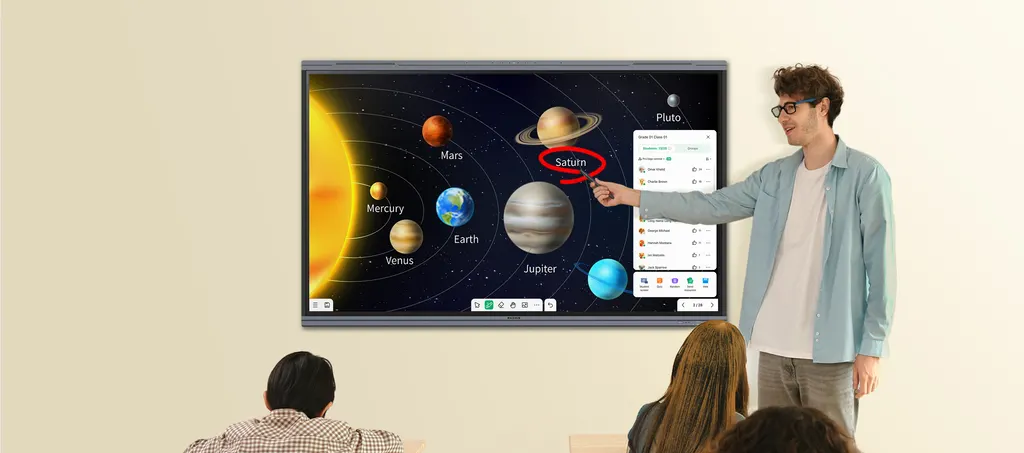
MAXHUB EasiClass is classroom teaching software offered by SmartRooms Qatar for schools and training centres that run lessons in the room, online or in a mix of both. It uses AI to build lesson material from uploaded content, generates classroom exercises, and locks student Android tablets with one click to keep attention on the lesson. Teachers also get quizzes, interactive activities and note-taking tools. Request a quote to confirm compatibility with your classrooms.
MAXHUB EasiClass is teaching software from the MAXHUB range, offered through SmartRooms Qatar for schools, colleges and training centres that want one set of tools for lessons held in the room, online or in a combination of both. Instead of separate apps for planning, quizzes and live classes, teachers work from a single platform.
AI lesson planning and exercise generation
According to the manufacturer, the AI lesson planner can produce 20 to 30 pages of lesson material in about two minutes once a teacher supplies the source content. The exercise generator is described as producing more than 100 classroom exercises in about two minutes from an uploaded lesson. For a teacher preparing a week of Sunday-to-Thursday lessons, that turns hours of preparation into a short review task. Teachers should still check AI output against curriculum requirements before using it with students.
Keeping students focused during class
The one-click Android tablet locking feature lets a teacher lock student devices so that students cannot carry out other operations until the teacher releases them. In a primary classroom where tablets can pull attention away from the lesson, this supports a more focused session. Interactive whiteboard activities, real-time quizzes and dynamic simulations keep the group involved while devices are locked.
Hybrid and online teaching from one platform
EasiClass is designed to run the same lesson whether students sit in the room, join from home or split between the two. Live sessions support screen sharing, voice and face-to-face views of several participants through what the manufacturer calls intelligent focus technology. For a university or training centre in Education City or Lusail whose trainees join from other sites, this reduces the need to switch between tools. Note-taking helps learners capture key points during class and review them whenever they need to.
Teacher resources and self-study
- Teacher toolkit: interactive activities, quizzes, 3D graphics and similar resources for building lessons.
- Student review: saved notes support self-study after class, useful in the weeks before assessments.
- Content coverage: confirm which subjects, languages and curricula the materials cover before rollout.
Planning a rollout in Qatar
- Confirm the tablets, panels and operating systems your classrooms use before purchase.
- Tell the SmartRooms Qatar team how many classrooms and devices are involved so the quotation matches your plan.
- Ask for a free site survey if the software will be used alongside new interactive panels.
- Government schools and ministry-funded programmes can order through a purchase order (LPO) or a tender, including Monaqasat.
To confirm compatibility with your devices and classrooms, request a quote from SmartRooms Qatar. The team usually responds within one working day.
Highlights
- AI lesson material from uploaded content in about two minutes
- Exercise generator producing 100+ classroom exercises in two minutes
- One-click locking of Android tablets to keep students on task
- Live sessions with screen sharing, voice and multi-participant focus
- Note-taking for review and self-study after class
- Supports online, offline and hybrid teaching from one platform
Estimated timeline
Quotation within 1 working day · delivery timing depends on stock availability, and we confirm it with your quotation.




