





Thursday, 22 October 2026 · 11 Jumada I 1448 AH Sun – Thu · 9:00 – 18:00
+971 56 914 9477 العربية
WhatsApp

MAXHUB Pivot+

MAXHUB Pivot+ Centralised Management Software

WhatsApp
Priceon request
QuotationWithin 1 working day
DeliveryConfirmed with your quote, based on stock
PDFDownload datasheet (Software-Pivot Plus-Leaflets.pdf)
Overview

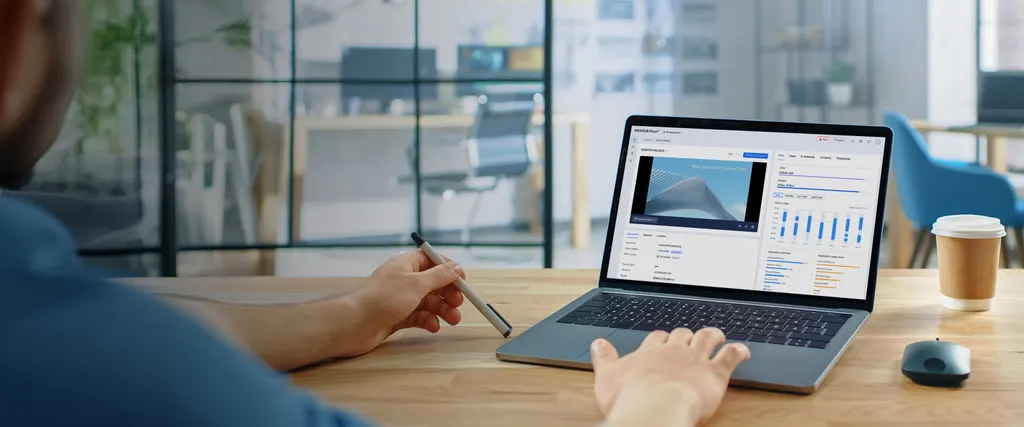
MAXHUB Pivot+ is a centralised management platform for MAXHUB devices, bringing device control, software management, content distribution and resource management into one console. Zero-touch enrolment lets you pre-register serial numbers or MAC addresses, and detected devices on the local network can be enrolled in one batch. It suits IT and facilities teams in Qatar's schools, ministries and hotels that run several screens across more than one site. Request a quote to plan your deployment.

What MAXHUB Pivot+ manages

MAXHUB Pivot+ is management software rather than a display. It sits above a fleet of MAXHUB devices and gives administrators one console for controlling screens, keeping software consistent, pushing content and tracking resources. Instead of visiting each room to change a playlist or check a device, a team working from one office can look after the whole estate.

Enrolment without visiting every screen

Zero-touch enrolment is the detail that matters most for larger rollouts. Serial numbers or MAC addresses can be imported before devices reach site, so each unit registers automatically once it connects. Where panels are already on the network, the platform detects them on the local network and enrols them in one batch action. For a school fitting out forty classrooms, that replaces forty separate setup visits.

Content distribution built for scheduled messaging

The content tools cover the full cycle. A central asset library sorts images, videos and documents automatically. A canvas lets staff combine media into new layouts, playlists sequence stored assets, and a drag-and-drop calendar sets time slots and playback schedules. A hotel in West Bay can change lobby welcome messages for a conference weekend without touching a single screen.

Maintenance, logs and updates

The product data lists smart firmware updates, centralised log management, custom incident handling and intelligent support among its maintenance features. Together these help IT teams spot problems across several sites from one place. The exact update workflow, log retention and alert methods are not detailed in the data, so confirm them before you commit to a plan.

Where it fits in Qatar

  • A government building in Msheireb with interactive displays on several floors, where one central team publishes approved notices and keeps software versions consistent.
  • A private school in Al Wakrah fitting out new classrooms, which can enrol every panel in one batch and schedule timetable and announcement content by time slot.
  • A hotel or serviced apartment in Lusail running digital signage for breakfast menus, conference agendas and evening welcome messages from the same console.

What to plan before you order

Confirm which MAXHUB devices your installed base includes, because compatibility should be checked against your exact models before deployment. Decide whether the devices sit on one network or several sites, since that shapes how enrolment and scheduling are arranged. Agree who publishes content and who may change device settings. SmartRooms Qatar confirms the plan level in your quotation, usually within one working day, and offers a free site survey to review the network and room layout first. Public bodies can order by LPO and tender through Monaqasat.

Request a quote from SmartRooms Qatar and tell us how many devices and sites you manage, and we will recommend the right setup.

Highlights

  • Centralised control of device settings, software and content
  • Zero-touch enrolment using pre-imported serial numbers or MACs
  • Batch enrolment of devices detected on the local network
  • Drag-and-drop calendar for time-slot playback schedules
  • Central asset library with automatic categorisation
  • Plan level and device compatibility confirmed in your quotation

Estimated timeline

Quotation within 1 working day · delivery timing depends on stock availability, and we confirm it with your quotation.


Specifications

Source: manufacturer · checked Oct 2026
The full specification and datasheet for this model are available on request; we send them with your quotation.

Downloads

5 files from the manufacturer

Questions about MAXHUB Pivot+

What is MAXHUB Pivot+ and who is it for?
MAXHUB Pivot+ is a centralised management platform for MAXHUB devices, not a display itself. It combines device control, software management, content distribution and resource management in one place. It suits IT and facilities teams that run several panels across a campus, office or event venue in Qatar and want to administer them from a single console rather than room by room. Request a quote to confirm the right plan for your estate.
Which MAXHUB devices does it support?
The source data does not publish a list of compatible models, so we do not state one here. Before ordering, send SmartRooms Qatar your device models and quantities, and we will confirm compatibility in writing as part of the quotation. This matters most for organisations that already own a mixed fleet of older and newer MAXHUB units.
How does zero-touch enrolment work?
Zero-touch enrolment lets you pre-import device serial numbers or MAC addresses before the panels reach site. Once a registered unit connects to the network, it enrols automatically, with no manual setup at each screen. This suits a ministry or school receiving a delivery of units that must be ready for the first day of term.
Can it find devices already connected to our network?
Yes. The platform can auto-detect devices on the local network, and administrators can enrol the detected units in one batch action. This is useful when panels are already installed in a building and were never registered centrally. Review your existing network layout during the free site survey so every floor and network segment is covered before enrolment begins.
How would a private school in Al Wakrah use the content tools?
A school can store timetable graphics, event posters and video clips in the central asset library, which sorts them automatically. Staff then build playlists and set time slots on the drag-and-drop calendar, so morning announcements, exam notices and sports results appear on the right screens at set times. Teachers do not need to visit each classroom to change content.
Can a hotel in Lusail change signage by time slot?
Yes. The release calendar uses drag-and-drop time slots and one-click playback schedules. A hotel or serviced apartment in Lusail can run breakfast menus in the morning, conference agendas through the day and welcome messages in the evening, all from the same console. Prepare playlists before a busy weekend so changes can be made quickly.
How would a government ministry in Msheireb manage displays across several floors?
Administrators can see and control every panel from one console, so a central team can keep notices consistent across floors without sending staff to each screen. A small publishing group can handle content approval. The product data also lists smart firmware updates among its maintenance features, which helps keep devices on consistent versions. A site survey helps plan the floor-by-floor rollout.
How does it help with software and firmware updates?
The product data lists smart firmware updates among its maintenance features, so updates can be managed from one place rather than device by device. This reduces the chance of mixed software versions across a campus or building. The detailed update workflow, scheduling options and rollback behaviour are not described in the source data, so confirm them with SmartRooms Qatar before relying on them for a rollout.
Does it provide logs and support tools for IT teams?
The source lists centralised log management and intelligent support among its maintenance features, alongside custom incident handling. Together these are intended to help IT teams spot faults across several sites from one console. Because the data does not describe log retention periods or alert methods, ask SmartRooms Qatar to walk through the exact tools included in your chosen plan.
Is there a plan choice, and how is it decided?
The product range includes a plan selection step, but the source data does not list the plan tiers or what each contains. SmartRooms Qatar confirms the right plan in your quotation based on the number of devices, the number of sites and the level of content and maintenance you need. Send us your device count and locations to receive a plan recommendation.
Do you offer a site survey before a rollout?
Yes. SmartRooms Qatar offers free site surveys, which are useful before a centralised rollout. We check where each device sits, how the network runs across buildings and which rooms will be enrolled first. For a multi-site school or hospital in Qatar, the survey confirms the enrolment plan before any purchase order is raised.
Can government and public bodies buy it through an LPO or tender?
Yes. SmartRooms Qatar accepts purchase orders (LPOs) and handles government tenders, including those published on Monaqasat. Payment can be made by bank transfer, cheque or purchase order. Send your device list and tender requirements, and our team will issue a quotation usually within one working day, with the plan level and device compatibility stated clearly.

Similar models

Clevertouch CleverLive Suite Clevertouch CleverLive Suite Digital Signage Software
Software
Clevertouch CleverMDM Clevertouch CleverMDM Mobile Device Management Software
Yes
Clevertouch Clevershare Clevertouch Clevershare Screen Sharing Software for Interactive Displays
Software
Clevertouch CleverStore Clevertouch CleverStore Educational App Store Software
Software
Email Call


