M491 PCAP
NEC MultiSync M491 PCAP 49-inch Interactive Touch Display
- Screen size
- 49 / 123.2
- Resolution
- 3840 x 2160
- Touch
- PCAP
- Storage
- USB 2.0 / FAT16
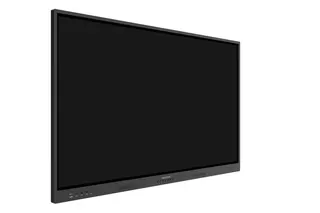
The NEC M491 PCAP is a 49-inch 4K interactive touch display with PCAP touch technology that tracks up to 20 touch points for finger and pen input. Its edge-to-edge glass has no bezel, and it includes 10 W + 10 W speakers and a 3-year warranty covering the backlight. NEC has discontinued this model, so SmartRooms Qatar quotes a current equivalent or compatible replacement for meeting rooms and classrooms.
What the NEC M491 PCAP is and who it suits
The NEC M491 PCAP is a 49-inch interactive display with projected-capacitive (PCAP) touch, recognising up to 20 touches from a finger or a conductive passive stylus. Its IPS panel delivers a native 3840 x 2160 resolution, 500 cd/m² brightness without glass and a contrast ratio above 8,000:1. NEC has discontinued this model. This page serves organisations that already run one, buyers comparing it with newer displays, and anyone who needs a replacement for a room that depends on touch.
Touch, glass and picture quality
The protective glass is 4.45 mm thick, transmits 85% of light (plus or minus 5%), has a haze level between 5% and 10%, and carries a hardness rating of 6. The glass runs edge to edge with no bezel, so the front reads as one flat surface. Touch accuracy is plus or minus 1.5 mm. Windows Ink and palm rejection are not supported, so the panel suits presenting, pointing and annotating better than handwriting with a palm resting on the glass.
Connectivity, control and built-in options
The inputs include one DisplayPort and two HDMI ports, all with HDCP, plus a USB 2.0 port for the MediaPlayer and a powered USB port rated at 10 W. Control runs over LAN at 100 Mbit, RS232 and a 3.5 mm remote control wire. The touch interface is listed for Android, Linux, Raspberry Pi and Windows. The panel accepts Intel Smart Display Modules (Large and Small) up to 66 W and has a slot for a Raspberry Pi Compute Module 4.
- Audio: integrated 10 W + 10 W speakers, a 3.5 mm audio output and HDMI ARC.
- Control: Crestron Connected, AMX NetLinx, PJLink, SNMP and HDMI CEC support.
- Sensing: three temperature sensors with programmable triggered actions.
Where it fits in Qatar
A 49-inch screen suits a meeting room for six to ten people, a classroom where students sit close, or a reception desk. Three typical situations:
- A government reception in Msheireb running visitor check-in or wayfinding around the clock, using the 24/7 operating rating and the USB media player for looping content.
- A training centre in Education City where instructors annotate with a pen during sessions, using the 20-point touch.
- A consultancy meeting room in West Bay where Doha staff share screens with colleagues abroad. The source lists the panel as tested compatible with Barco ClickShare (Conference).
Planning the installation and the environment
The operating temperature range is 0 to +35 °C, with operating humidity of 20% to 80%. Summer temperatures in Qatar exceed 45 °C, so install the display in an air-conditioned room, keep it out of direct sunlight and away from dusty airflow, and confirm the location with the SmartRooms Qatar team before work begins. The front is rated IP5x and the back IP2x.
The panel weighs 30.3 kg and measures 1,139.9 x 669.9 x 65.08 mm. Its VESA pattern is 300 x 300 mm with four M6 holes, so the wall mount or trolley must match those dimensions and the load. A free site survey before wall mounting is worth booking for a panel this size. The internal power supply accepts 100-240 V AC at 50/60 Hz, which covers Qatar's 240 V, 50 Hz mains. Check the supplied power cable against your BS 1363 sockets when you request a quote.
Warranty, purchasing and next step
The manufacturer's warranty runs for three years and includes the backlight. Organisations buying through an LPO or a government tender can send the model and quantity in one request. Because NEC has discontinued the M491 PCAP, request a quote for a current equivalent or compatible replacement. SmartRooms Qatar will confirm specifications, delivery to all 8 municipalities and installation, usually within one working day.
Highlights
- Up to 20 touch points with finger or conductive passive stylus input
- 49-inch 4K (3840 x 2160) IPS panel with 500 cd/m² brightness
- Edge-to-edge glass with no bezel and PCAP touch accuracy of ±1.5 mm
- Integrated 10 W + 10 W speakers and powered USB port rated 10 W
- Operating temperature 0 to +35 °C; 24/7 operating hours
- 3-year warranty including the backlight; Crestron Connected certified
Classroom fit
At 49″ the farthest student should sit within about 3.7 m (6× the screen height).
Estimated timeline
Quotation within 1 working day · delivery timing depends on stock availability, and we confirm it with your quotation.
Specifications
Product Information3
- Product Name
- NEC MultiSync® M491 PCAP
- Product Group
- LCD 49" PCAP Touch Display
- Order Code
- 60005080
Display10
- Panel Technology
- IPS with Edge LED backlights
- Screen Size [inch/cm]
- 49 / 123.2
- Aspect Ratio
- 16:9
- Brightness (without glass) [cd/m²]
- 500
- Contrast Ratio (default)
- > 8000:1
- Viewing Angle [°]
- 178 horizontal / 178 vertical (typ. at contrast ratio 10:1)
- Colour Depth [bn]
- 1,076 (10bit)
- Response Time (typ.) [ms]
- 8
- Panel Refresh Rate [Hz]
- 60
- Supported Orientation
- Face Up 1; Landscape; Portrait
Touch8
- Touch Technology
- PCAP
- Number of Touches
- Real multi-touch up to 20 touches
- Touch Method
- Conductive Passive Stylus; Finger
- Supported Operating System
- Android; Linux; Raspberry Pi; Windows
- Data Interface
- USB-HID
- Accuracy [mm]
- +/- 1.5
- Windows Ink
- No
- Palm Rejection
- No
Protective Glass4
- Thickness [mm]
- 4.45
- Light Transmission [%]
- 85 (+/- 5 %)
- Haze Level [%]
- 5 ~ 10
- Hardness [H]
- 6
Resolution2
- Native Resolution
- 3840 x 2160
- Supported Resolutions
- 1024 x 768; 1280 x 1024; 1280 x 720; 1360 x 768; 1366 x 768; 1400 x 1050; 1440 x 900; 1600 x 1200; 1650 x 1050; 1900 x 1200; 1920 x 1080; 1920 x 2160; 2560 x 1440; 2560 x 1600; 3840 x 2160; 4096 x 2160
Synchronisation Rate2
- Horizontal Frequency [kHz]
- 26 - 135
- Vertical Frequency [Hz]
- 23 - 86
Connectivity6
- Input Video Digital
- 1 x DisplayPort (with HDCP); 2 x HDMI (with HDCP)
- Input Audio Digital
- 1 x DisplayPort; 2 x HDMI
- Input Control
- LAN 100Mbit; remote control wire (3,5mm jack); RS232
- Input Data
- 1 x USB 2.0 (MediaPlayer)
- Output Audio Analogue
- 1 x 3,5 mm jack
- Input Detect
- Custom; First; Last
Open Modular Intelligence2
- Intel® SDM
- accepts Intel® Smart Display Modules Large and Small up to 66 W
- Compute Module Slot
- RPi Compute Module 4
Sensors1
- Temperature Sensor
- Integrated, 3 sensors, triggered actions programmable
Electrical4
- Power Consumption [W]
- 80 shipping
- Power Savings Mode [W]
- < 0.5; < 2 (Networked Standby)
- Power Management
- VESA DPMS
- Power Supply
- 100-240 V AC; 50/60 Hz; internal
Environmental Conditions4
- Operating Temperature [°C]
- +0 to +35
- Operating Humidity [%]
- 20 to 80
- Storage Humidity [%]
- 10 to 90
- Storage Temperature [°C]
- -20 to 60
Mechanical7
- Dimensions (W x H x D) [mm]
- 1,139.9 x 669.9 x 65.08
- Weight [kg]
- 30.3
- Bezel Width [mm]
- Edge-to-edge flush design (no bezel)
- VESA Mounting [mm]
- 300 x 300 (FDMI); 4 holes; M6
- Ingress Protection
- IP5x (front); IP2x (back)
- Packaging Dimensions (W x H x D) [mm]
- Box 1: 1,298 x 860 x 224
- Packaging Weight [kg]
- Box 1: 37.5
MediaPlayer4
- Supported File Storage / File System
- USB 2.0 / FAT16, FAT32
- Supported Image Formats
- JPG (baseline, progressive, RGB, CMYK); max. resolution 15360 x 8640
- Supported Video Formats
- MPG (MPEG1/2/4, max res 1080p@30Hz); MP4 (MPEG2/4, H.263, H.264, HEVC/H.265, max res 3840x2160@60Hz); TS (MPEG2, H.264, HEVC/H.265, max res 3840x2160@60Hz); audio: LPCM, MP3, AAC; WMV (video H.264, Windows Media Video 9, max res 1080p@30Hz, audio WMA 9, WMA 10 Pro)
- Supported Audio Formats
- MP3 (MP3); max. bit-rate 320 kBit/s
Available Options1
- Accessories
- Presence Sensor (KT-RC3); Soundbar (SP-ASCM-IQ2, SP-ASCM-2); Speaker (SP-RM3a); Trolley (PD04 Tipster Trolley); Wall mount (PDW S 32-55 L, PDW S 32-65 P)
Regulatory2
- Safety and Ergonomics
- CE; EAC; RoHS
- Pixel Failure Class
- ISO 9241-307, Class 1
Green Features2
- Energy Efficiency
- Energy Consumption: 90 kWh/1000 h; LED Backlight
- Ecological Standards
- EnergyStar 8.0
3rd Party Certifications2
- Barco ClickShare
- Tested compatible for Barco ClickShare (Conference)
- Crestron
- Certified for Crestron Connected
Additional Features8
- Special Characteristics
- DICOM Simulation; HDMI ARC; NaViSet Administrator 2 - free download; Powered USB Port (10 W)
- Audio
- Integrated Speakers (10 W + 10 W)
- Shipping Content
- 2x AAA batteries; Display; HDMI Cable; Power Cable; Remote Control; Setup Manual; USB cable
- Warranty
- 3 years warranty incl. backlight; additional services available
- Operating Hours
- 24/7
- External Control
- AMX NetLinx Support; ASCII Control Commands; Crestron Connected; HDMI CEC; HTTP Browser; PJLink; Scheduled Timer; SNMP
- Remote Management
- Automated Email Alerts; NaViSet Administrator 2
- Security
- Disable HW Buttons; Disable IR Functionality; Emergency Notification