





Thursday, 22 October 2026 · 11 Jumada I 1448 AH Sun – Thu · 9:00 – 18:00
+971 56 914 9477 العربية
WhatsApp

Newline Broadcast

Newline Broadcast Wireless Screen Sharing Software

WhatsApp
Priceon request
QuotationWithin 1 working day
DeliveryConfirmed with your quote, based on stock
PDFDownload datasheet (Newline-Broadcast-Overview.pdf)
Overview

Newline Broadcast is software that shares a Newline interactive display's content live to people's own devices. One tap on the display's Broadcast button starts a session that up to 200 attendees can follow from a browser, with no app to install on their side. Annotations appear on every connected screen. It suits lecture halls, large meeting rooms and one-to-one classrooms across Qatar. Request a quote.

How Newline Broadcast works on a Newline display

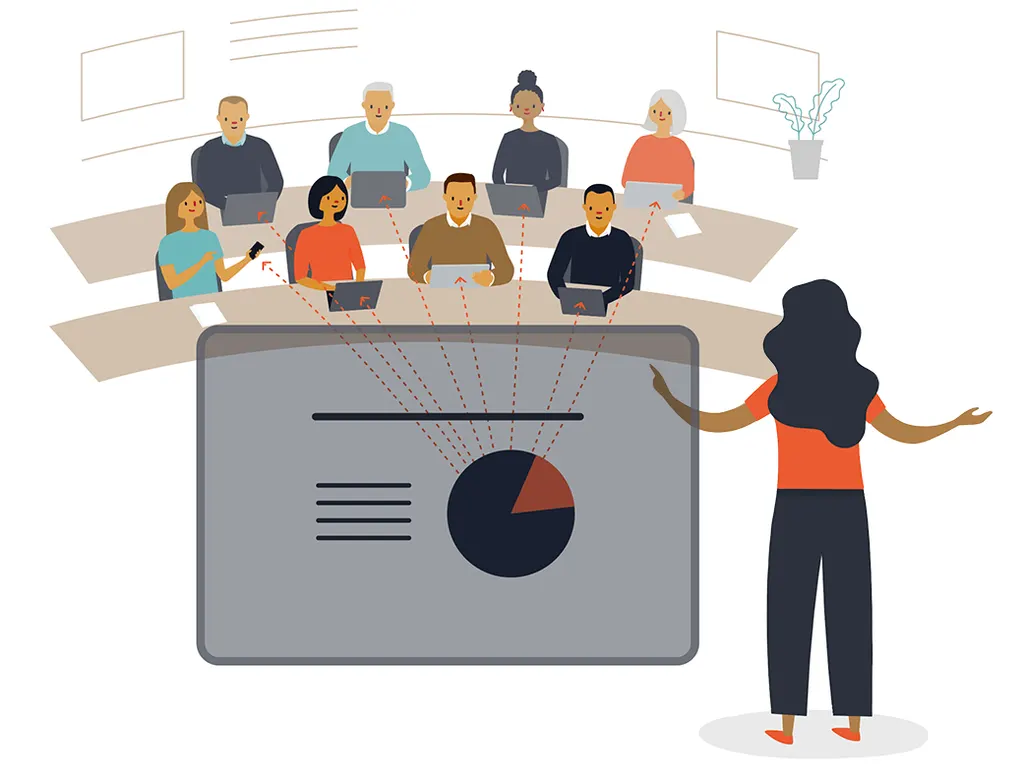
Newline Broadcast turns a Newline interactive display into a live source that other people can follow on their own devices. The presenter taps the Broadcast button on the side of the display, and the screen content, including anything written or annotated on it, appears in real time for everyone who has joined. There is no session to schedule and no invitation list to build beforehand.

Viewers join through a web browser. They open the Newline Broadcast webpage, enter a six-digit ID, and they are live. Windows, Mac, iOS, iPadOS, Android and Chromebook devices can all join, so a student with a tablet and a manager with a laptop can follow the same presentation without installing anything.

Capabilities that shape the buying decision

A single session accepts up to 200 attendees. That makes Broadcast practical for a lecture hall or a large boardroom where people at the back need the same view as those at the front. Sketches and annotations made on the main display appear on every connected device, and viewers can add their own annotations.

Joining does not depend on a shared internet link. The datasheet confirms that participants can connect from any internet connection, anywhere, so a remote colleague does not need to be on the same office or school network. Viewers can zoom in on content and capture screenshots, and the presenter can save files locally or to the cloud.

  • Broadcast source: the Newline display, or Windows and Mac computers using Chrome (recommended), Edge, Firefox or Safari
  • Join from: Windows, Mac, iOS, iPadOS, Android and Chromebook, with no app needed
  • Google integration: captured content can be sent to Google Slides, with G-Suite supported
  • Display requirement: Newline screen running Android 5.0 or above
  • Licence: perpetual for one device, with OTA updates

Where Broadcast fits in Qatar

A university or training centre in Education City can run a hybrid lecture where some students sit in the room and others join from home or from another campus. Broadcast works alongside the conferencing software already in use, so the lecturer keeps the screen content in front of remote viewers without changing their video platform.

A private school in Al Wakrah rolling out a one-to-one device programme can keep pupils at the back of the classroom on the lesson, each on their own tablet. In West Bay or Msheireb, a leadership team can present a board pack to colleagues in Lusail or abroad, with the discussion annotated live on the screen.

What to plan before you order

Confirm the Newline display model in each room and its Android version, because the datasheet lists Android 5.0 or above and notes that specifications vary by region. Licences are perpetual for one device, so each display needs its own licence. Buildings with several displays across floors or campus blocks should count licences before requesting a quote.

Ask SmartRooms Qatar for a free site survey to check each room before you buy. Schools and ministries ordering for several rooms can use a purchase order (LPO) or a government tender, and quotations are usually issued within one working day. Request a quote and the team will confirm the right licence count for your rooms.

Highlights

  • Up to 200 attendees in a single broadcast session
  • One button on the Newline display starts the broadcast
  • No shared internet connection required to join
  • Annotations reflected on every connected device
  • Join from Windows, Mac, iOS, iPadOS, Android or Chromebook
  • Perpetual licence for one device with OTA updates

Estimated timeline

Quotation within 1 working day · delivery timing depends on stock availability, and we confirm it with your quotation.


Specifications

Source: manufacturer · checked Oct 2026
The full specification and datasheet for this model are available on request; we send them with your quotation.

Downloads

9 files from the manufacturer

Questions about Newline Broadcast

What is Newline Broadcast used for?
Newline Broadcast shares the content of a Newline interactive display live to other people's devices. The presenter taps the Broadcast button on the display, and everyone who has joined sees the same screen, including annotations, in real time. It suits lecture halls, large meeting rooms and one-to-one classrooms where not everyone can sit close to the screen.
How many people can follow one Broadcast session?
According to the manufacturer's datasheet, a single session supports up to 200 attendees. That is enough to cover a full cohort in a university lecture or a boardroom meeting with a remote group, and viewers join on their own devices rather than needing extra screens in the room. Tell the team your expected headcount when you request a quote.
Do attendees need to install an app?
No. Attendees join through a web browser by opening the Newline Broadcast webpage and entering a six-digit ID. The datasheet lists Windows, Mac, iOS, iPadOS, Android and Chromebook for joining, with Chrome recommended and Edge, Firefox and Safari supported, so students and staff can join from the device they already carry.
Does Broadcast need a shared office or school network?
No. Joining does not require a shared internet connection, and participants can connect from any internet connection, anywhere. A colleague in Lusail or a team abroad can therefore follow the same presentation as people in the room. Ask the SmartRooms Qatar team to check connectivity in each room during a free site survey.
Can remote viewers see annotations made during a session?
Yes. Sketched ideas made on the main display are reflected on all connected devices, and the datasheet says viewers can add their own annotations. This helps brainstorming sessions between a Doha team and colleagues in other cities, because everyone sees the same idea at the same moment.
Which displays does Newline Broadcast work with?
Newline Broadcast is designed for Newline interactive displays and is started from the display's Broadcast button on its side. The datasheet lists Android 5.0 or above for the Newline screen. Specifications can vary by region, so confirm the exact display model in each room before ordering.
Can I save what is shared during a session?
Yes. The datasheet lists saving files locally or to the cloud, as well as capturing content with screenshots. Captured content can also be sent to Google Slides, where the presentation is saved in a Google Drive folder, with G-Suite supported. This suits schools and ministries that keep records of lessons and meetings.
How does the licence work?
The licence is perpetual for one device, and the datasheet notes over-the-air updates. An organisation with several Newline displays across floors or campus buildings needs one licence per device. Orders for multiple rooms can be placed by purchase order (LPO) or through a government tender. Request a quote that states the device count.
How would a school in Al Wakrah use Broadcast in a one-to-one programme?
The teacher starts the broadcast with one tap, and pupils enter the six-digit ID on their own tablets. Pupils seated at the back follow the lesson and the teacher's annotations as clearly as those at the front. The datasheet describes Broadcast as suited to 1-to-1 classroom setups, which is the scenario this school is preparing for.
Does Newline Broadcast replace video conferencing software?
No. The datasheet describes Broadcast as a tool used alongside existing conferencing software. Video and audio stay on the platform your organisation already uses, while Broadcast carries the display content to remote participants. This arrangement suits a hybrid meeting between Doha and offices in other cities.
Is complicated setup or training required?
Setup is minimal. The datasheet says the software comes ready to go with no manual installation, and there are no apps to download or updates to manage on the client side. The presenter needs one tap to begin. SmartRooms Qatar can explain the rollout details when you request a quote.
What should a ministry in West Bay ask before requesting a quote?
Ask which Newline display model is installed in each room, confirm it runs Android 5.0 or above, estimate the largest audience for a single session up to 200 attendees, and count one licence per device. SmartRooms Qatar can arrange a free site survey, and the order can be placed by purchase order or through a government tender.

Similar models

Clevertouch CleverLive Suite Clevertouch CleverLive Suite Digital Signage Software
Software
Clevertouch CleverMDM Clevertouch CleverMDM Mobile Device Management Software
Yes
Clevertouch Clevershare Clevertouch Clevershare Screen Sharing Software for Interactive Displays
Software
Clevertouch CleverStore Clevertouch CleverStore Educational App Store Software
Software
Email Call


