





Thursday, 22 October 2026 · 11 Jumada I 1448 AH Sun – Thu · 9:00 – 18:00
+971 56 914 9477 العربية
WhatsApp

Newline Cast+

Newline Cast+ Wireless Screen Sharing Software for Meeting Rooms

WhatsApp
Priceon request
QuotationWithin 1 working day
DeliveryConfirmed with your quote, based on stock
PDFDownload datasheet (Cast+_Specsheet_Newline_12.23_EN_Web.pdf)
Overview

Newline Cast+ is software that turns a Newline interactive display into a wireless receiver for up to nine simultaneous streams in a single grid view. Presenters cast from Windows, Mac or Android devices, or from a supported browser, with one click. Attendees can present without swapping cables, and moderators keep control of the session. It suits meeting rooms, huddle spaces and classrooms across Qatar where several people share content in one session.

What Newline Cast+ does on a Newline display

Newline Cast+ is wireless screen-sharing software for Newline interactive displays. The panel runs the receiving side of the software, while each presenter uses a client on a Windows, Mac or Android device, or a supported web browser. Content reaches the panel without a cable, so the room can switch presenters quickly and nobody has to unplug the previous laptop.

Several presenters, one session

Up to nine streams can appear together in grid view, which helps when several people need to compare slides or documents side by side. Connected guests are listed as unlimited, so attendees can join from their own devices. Moderator mode and PIN protection for the session ID give the host more control over who joins and who presents, which matters in briefings where people come and go.

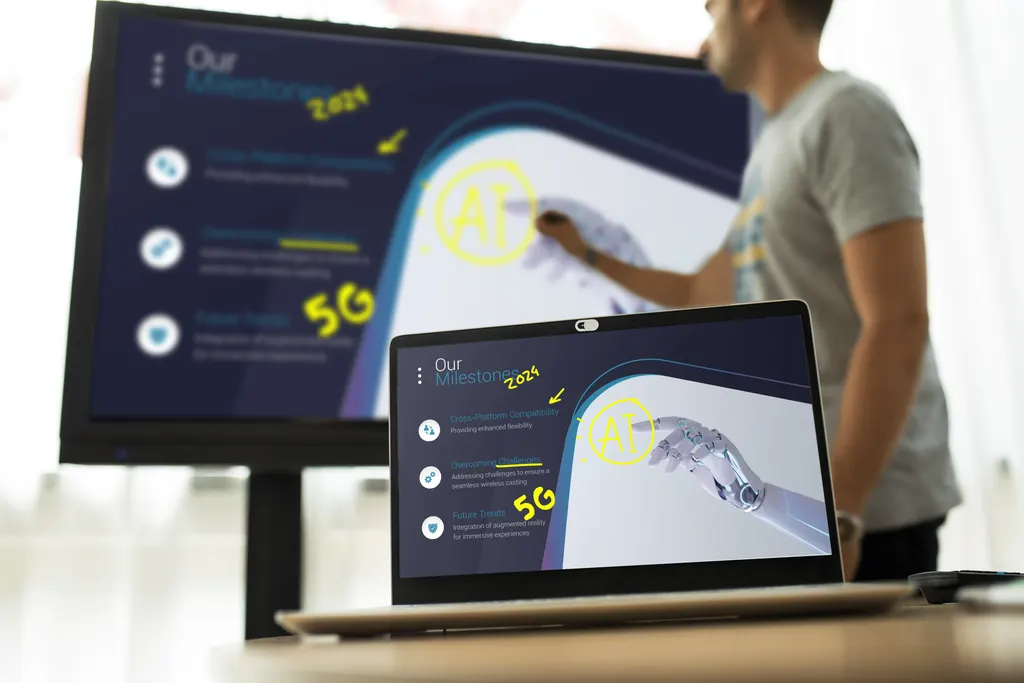
Once content is on the screen, presenters and attendees can draw, add text and place shapes over it. The panel also supports Touchback and mirror control. Mirror casting is listed at up to 3840 x 2160 pixels (4K), so detailed drawings and spreadsheets have the resolution to stay readable on a large panel.

Where it fits across Qatar

  • Ministry and corporate meeting rooms in Doha, where department heads share reports from their own laptops during a Sunday to Thursday working week.
  • Huddle spaces in Lusail or The Pearl, where a small team shares a document and marks it up together on the panel.
  • Classrooms in Al Wakrah or Education City, where students present from Android tablets while the teacher compares their work in grid view.
  • Training rooms in the Industrial Area, where trainers change often and presenters need to connect without fuss.

What to check before you order

Cast+ is installed on specific Newline models. It is embedded in the 23QA, 23QAS, 23QCA and 23QCA+, and it can be downloaded from the Newline App Store on the 21Q, 22Q and 22Z. The receiver needs Android 11.0 or above. Clients run on Windows, Android and Mac, and the web client is supported in Chrome, Firefox, Opera and Safari. The licence is a perpetual key that covers one device, so count the displays that will need one.

Plan the rooms as well as the software. Record which panels are already in place and their models, and check how each room's network and devices will connect. Click2Cast is a separate accessory that starts casting with a single button press, and it can be added to the same quotation. The listed interface languages do not include Arabic, so check this with your team if most users read Arabic. A free site survey from SmartRooms Qatar helps confirm the panel model and room layout before you order.

Next step

Send SmartRooms Qatar the Newline panel models you have, the number of rooms and whether you want Click2Cast. Request a quote and we will usually reply with a quotation within one working day. We supply and deliver to all eight municipalities of Qatar, and quotations can be issued against a purchase order (LPO) or for a government tender, including Monaqasat. Request a quote for Newline Cast+ today.

Highlights

  • Up to 9 simultaneous streams in grid view
  • Unlimited connected guests in a single session
  • Casting from Windows, Mac, Android and supported browsers
  • Touchback, mirror control and moderator mode included
  • Mirror casting up to 3840 x 2160 (4K)
  • Perpetual licence key covering one device

Estimated timeline

Quotation within 1 working day · delivery timing depends on stock availability, and we confirm it with your quotation.


Specifications

Source: manufacturer · checked Oct 2026
The full specification and datasheet for this model are available on request; we send them with your quotation.

Downloads

4 files from the manufacturer

Questions about Newline Cast+

What is Newline Cast+, and which Newline displays does it support?
Newline Cast+ is wireless screen-sharing software for Newline interactive displays. It is embedded in the 23QA, 23QAS, 23QCA and 23QCA+ models, and it can be downloaded from the Newline App Store on the 21Q, 22Q and 22Z models. Presenters then send their screens to the panel without a cable. Confirm your exact panel model before ordering, because compatibility depends on it, and SmartRooms Qatar can check this during a free site survey.
How many people can share content at the same time?
Up to nine streams can appear together on the panel in grid view, so nine presenters can show their screens side by side. Connected guests are listed as unlimited, so everyone in a large briefing can join from their own device. For a review meeting in a Doha ministry or corporate office, this lets several department heads show their material in one session instead of passing a single cable around the table.
Which devices can present to a Newline panel with Cast+?
Presenters can use the Cast+ client on Windows, Mac and Android devices, or open the web client in Chrome, Firefox, Opera or Safari. The client platforms listed are Windows, Mac and Android, plus supported browsers. iOS and iPadOS are not listed as client platforms, so test iPhones and iPads in your own room first if staff use them before you roll the software out.
Can Cast+ show 4K content on a large panel?
Mirror casting is listed at up to 3840 x 2160 pixels, which is 4K resolution. The quality an audience sees also depends on the presenter's device and the connection in the room, so test with the laptops your staff actually use before an important presentation. A short test with spreadsheets and detailed drawings on the panel in your boardroom shows whether the output suits your content.
How would a school in Al Wakrah use Cast+ in its classrooms?
Teachers can display student work from Android tablets, laptops or browsers, and compare up to nine streams in grid view during a group task. Annotation tools for drawing, text and shapes let the teacher mark up a diagram or essay directly on the panel. File sharing supports common formats including PDF, Word and PowerPoint. Check that the panel meets the Android 11.0 minimum for the receiver before the new school year starts.
How is access controlled in a government or corporate meeting?
Sessions can be protected with a PIN on the session ID, so only people who have the code can join. Moderator mode is also available to help the host manage the session. For a meeting handling sensitive reports in a government or corporate office in Doha, set a clear rule for who receives the PIN, and confirm with your IT team how devices and accounts are managed on your network.
How is Cast+ licensed, and how many licences do I need?
Cast+ uses a perpetual licence key for one device, so each device that needs the software needs its own key. Plan the count room by room, starting with each panel that will run the receiver. Request a quote listing the number of rooms, and SmartRooms Qatar will usually reply within one working day. Orders can be placed on a purchase order (LPO), which suits schools and public bodies.
What is the Click2Cast dongle, and do I need it?
Newline Click2Cast is an accessory compatible with Cast+. It provides a hardware option for one-click casting, so a presenter can start sharing with a single button press. This suits rooms where presenters change often, such as training rooms or huddle spaces used by different teams during the day. It is a separate item, so ask for it to be included in your quotation if you want it.
How should I plan space for a huddle room in Lusail?
Cast+ is software, so it takes no wall or floor space itself. Your room plan depends on the Newline panel and the seating. For a huddle space in Lusail or The Pearl, measure the room, note where the panel will sit, and arrange seating so everyone can see the screen. A free site survey from SmartRooms Qatar checks the panel model, mounting position, and nearby power and network points before the order is placed.
Is Cast+ a video conferencing platform?
Cast+ is designed for sharing and presenting content from several devices to a Newline panel, and the specification does not describe it as a video calling service. If your meetings connect Doha with teams abroad and need video, discuss the room's conferencing setup with SmartRooms Qatar before ordering, so the panel, camera and software are planned together rather than added later.
Can a training room with changing presenters use Cast+?
Yes, this use suits the software well. Unlimited connected users, grid view for up to nine streams, and moderator mode help a trainer run a session with different presenters. Group display and mirror control add further options for managing what the room sees. For a training centre or corporate academy in the Industrial Area, request a quote covering the panel, licence and any Click2Cast dongle, and include the number of rooms.
Does Cast+ have an Arabic interface?
The listed interface languages include English, but Arabic is not among them in the supplied specification. Staff who work mainly in Arabic should try the software on their panel before rollout to see how it works for them. Updates can be delivered over the air, as the specification lists OTA update support. Ask SmartRooms Qatar for the latest language list when you request a quote.

Similar models

Clevertouch CleverLive Suite Clevertouch CleverLive Suite Digital Signage Software
Software
Clevertouch CleverMDM Clevertouch CleverMDM Mobile Device Management Software
Yes
Clevertouch Clevershare Clevertouch Clevershare Screen Sharing Software for Interactive Displays
Software
Clevertouch CleverStore Clevertouch CleverStore Educational App Store Software
Software
Email Call


