





Newline Cast
Newline Cast Wireless Screen Sharing Software for Newline Displays
Newline Cast is wireless screen-sharing software for Newline interactive touch displays, letting anyone in the room present from a smartphone, tablet or laptop with no cables. It offers one-click presenter mode, file and media sharing, a built-in whiteboard and dual network access, with each meeting protected by a unique ID, a 4-digit PIN and end-to-end encryption. It suits meeting rooms, huddle spaces and classrooms across Qatar. Request a quote.
What Newline Cast does on a Newline touch display
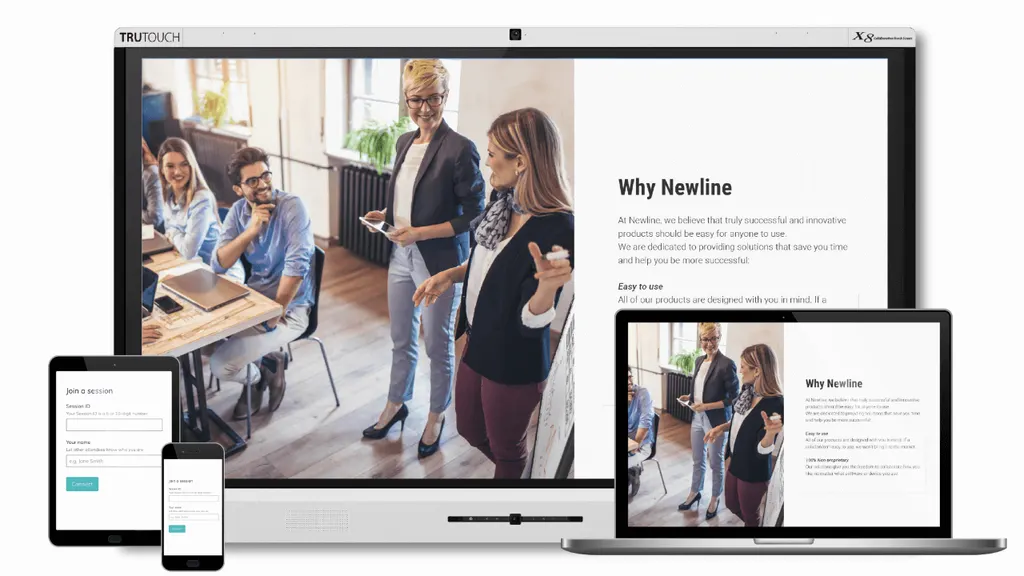
Newline Cast is wireless screen-sharing software for Newline interactive touch displays. A person in the room can send the screen of a smartphone, tablet or laptop to the main display without a cable, so the content appears on the big screen while the presenter stays where they are. It is aimed at meeting rooms, huddle spaces and classrooms where people arrive with their own devices and need to show their work quickly.
Because Newline Cast is software, the right set-up depends on the display it runs on. The SmartRooms Qatar team will confirm which Newline models your room requires as part of the quotation, so you can plan the display and the software together.
Presenting, sharing and annotating in one session
Presenter mode lets any attendee take over the presenter role with a single click, which removes the cable swap between speakers. Participants can circulate files, documents and links with everyone in the session, and the media player brings videos and URLs onto the main screen with no lag.
Screen capture grabs whatever is showing on the main screen and shares it with all connected devices, which is useful for recording the outcome of a discussion. The built-in whiteboard lets people sketch ideas and annotate over the main screen, and control works either from the display or from the participant's own device.
Networks, security and planning points
- Dual network access: attendees can present from the primary, school or guest network, so visitors can present without joining the primary network.
- Session protection: each meeting has a unique ID and a 4-digit PIN, and the connection uses end-to-end encryption.
- Device coverage: works with modern laptops, tablets and phones through a dedicated app and browser support, including iOS and Android apps and a Chrome extension.
- Receiver software: a receiver package for Windows PC is listed among the downloads, so confirm the operating system used by your display and staff devices.
Where Newline Cast fits in Qatar
In a government office in West Bay, a weekly team huddle can run with staff presenting from their laptops, while visiting colleagues join through the guest network without changing settings. The unique meeting ID and PIN help keep each session limited to the people who were invited.
At a private school in Al Wakrah fitting out new classrooms, pupils can send their work from tablets to the front screen, and the teacher can hand presenter control to the next pupil with one click, without anyone carrying cables between desks.
In a hotel conference room in Lusail hosting a visiting delegation, guests can present from their phones over the guest network, reducing cable set-up between sessions. The file and media tools cover presentations and short videos without leaving the app.
Planning and ordering from SmartRooms Qatar
Before you request a quote, list the Newline display in each room, the networks people will use, and whether guests need to present. Our team will confirm compatibility and advise on the set-up. We deliver across all eight municipalities of Qatar, provide professional installation and free site surveys, and usually send a quotation within one working day. Public bodies can order by LPO or through government tenders, with payment by bank transfer, cheque or purchase order.
Request a quote from SmartRooms Qatar for Newline Cast and tell us about your rooms, displays and networks.
Highlights
- Wireless sharing from smartphones, tablets and laptops, with no cables
- One-click presenter mode for any attendee in the session
- Dual network support: primary, school or guest networks
- Built-in whiteboard for annotating over the main screen
- Unique meeting ID, 4-digit PIN and end-to-end encryption
- iOS and Android apps plus a Chrome extension
Estimated timeline
Quotation within 1 working day · delivery timing depends on stock availability, and we confirm it with your quotation.




