





Thursday, 22 October 2026 · 11 Jumada I 1448 AH Sun – Thu · 9:00 – 18:00
+971 56 914 9477 العربية
WhatsApp

Newline Engage Cloud

Newline Engage Cloud Online Interactive Whiteboard Software

WhatsApp
Priceon request
QuotationWithin 1 working day
DeliveryConfirmed with your quote, based on stock
PDFDownload datasheet (Newline-Engage-Cloud-Math-Guide.pdf)
Overview

Newline Engage Cloud is cloud-based whiteboard software for remote, hybrid and in-person lessons. Teachers can assign individual student boards, watch every board in real time, and sign in with Google or Microsoft accounts. It runs on Newline panels as well as tablets, Chromebooks and phones, and suits schools and training centres in Qatar that teach across several sites or from home.

What Newline Engage Cloud does

Newline Engage Cloud is software rather than a display. It is a browser-based whiteboard that keeps its boards in the cloud, so the same lesson can be opened from a Newline panel in a classroom, a laptop at home or a tablet elsewhere on campus. It suits sessions where learners in the room and learners joining remotely take part in the same period.

Teacher Mode and individual student boards

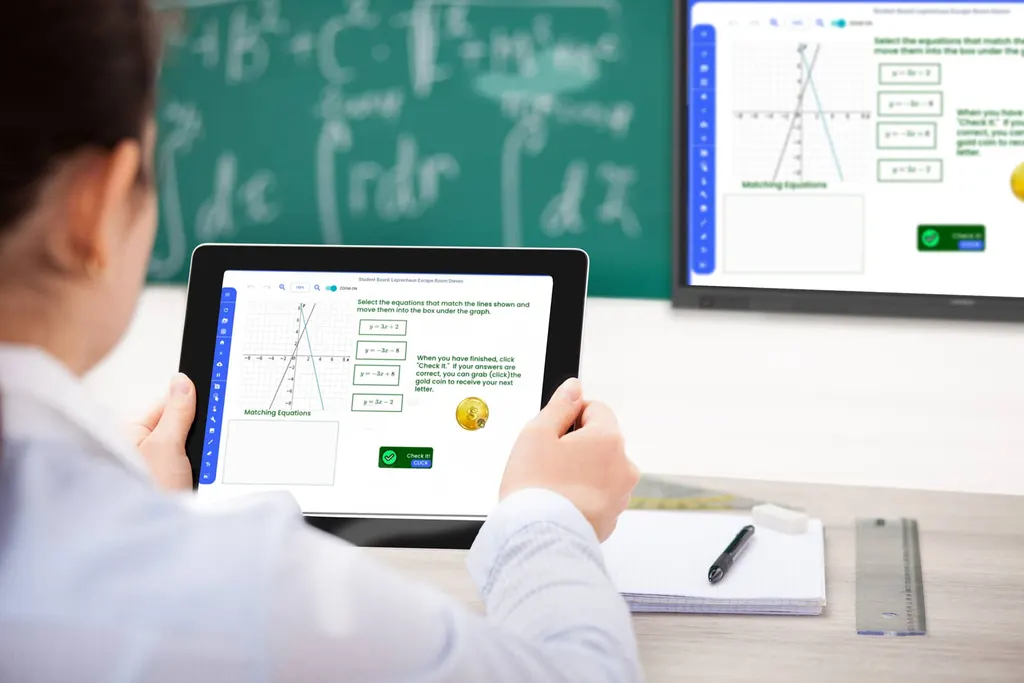
Teacher Mode is where the teacher builds and runs the session. A class board can be prepared in advance or composed live, and each student receives a personal copy. Students write on their own boards without seeing anyone else's, while the teacher can watch every student board in real time. Visibility is kept even when a student is offline, so progress can be reviewed after the lesson as well as during it.

Google, Microsoft and the tools staff already use

Sign-in works through Google and Microsoft accounts, so teachers and staff do not need a separate login for the whiteboard. Integration reaches Google Classroom and Google Drive, and Microsoft Teams and OneNote, so note taking, screen clipping and widget-based activities can sit alongside the communication and file storage a school or office already uses.

Reading, writing and language support

Any object placed on the board can be read aloud, including full PDF documents, with the pace adjustable to slow down or speed up. Translation covers hundreds of languages, and a teacher can converse with several learners in the languages they understand at the same time. Handwriting recognition turns pen strokes into digital text in multiple languages, and handwriting, college lined and primary lined grids support practice. A learner can download a worksheet as a PDF, complete it on paper and upload a photo through a webcam.

Where it fits in Qatar

Three situations show where the software earns its place:

  • A private school in Al Wakrah fitting out new classrooms could create one class board that gives every pupil an individual workbook, with the teacher tracking progress from a single screen.
  • A university training centre in Education City running hybrid workshops can let on-campus participants work on the panel while colleagues join from home or from other sites.
  • A ministry department in Msheireb holding staff briefings with teams in other cities can keep a shared board open, with each participant working on a personal copy before the summary is saved.

What to plan before you request a quote

Because the product is cloud-based, each room needs a reliable internet connection and a device that can open the web application. List the devices you will use, whether Newline panels, tablets, Chromebooks or phones, and confirm that teachers and students have Google or Microsoft accounts for sign-in. Count the staff and learners who need access so the quotation matches your user numbers. Ask SmartRooms Qatar to confirm your language requirements before you order.

SmartRooms Qatar offers free site surveys, so if you are pairing this software with new Newline displays, we can check room layouts, wall mounting and cable routes in the same visit. Send us your rooms and devices and we will return a quotation, usually within one working day. Request a quote today.

Highlights

  • Cloud-based: open the same boards from any location
  • Teacher Mode assigns individual student boards with live visibility
  • Students cannot see each other's boards
  • Single sign-on with Google and Microsoft accounts
  • Runs on Newline panels, tablets, Chromebooks and phones
  • Hundreds of digitized widgets for math, language, science and art

Estimated timeline

Quotation within 1 working day · delivery timing depends on stock availability, and we confirm it with your quotation.


Specifications

Source: manufacturer · checked Oct 2026
The full specification and datasheet for this model are available on request; we send them with your quotation.

Downloads

7 files from the manufacturer

Questions about Newline Engage Cloud

What is Newline Engage Cloud?
Newline Engage Cloud is a cloud-based interactive whiteboard application. Teachers and trainers use it to run whiteboard sessions that are remote, hybrid or in person. Because boards are stored in the cloud, you can open them from a Newline panel in the room, a laptop at home or a tablet elsewhere. It is software, so its value depends on the devices it runs on and the sessions it supports.
Is Newline Engage Cloud a display or software?
It is software. Newline Engage Cloud is not a display itself. It provides the whiteboard environment, including boards, Teacher Mode, widgets and student sessions. It works on Newline displays and also on tablets, Chromebooks and mobile phones, so a school can use it with the Newline panels already in its classrooms. If you need a suitable display, SmartRooms Qatar can quote one alongside the software.
Which devices can run it?
The product data lists Newline displays, tablets, Chromebooks and mobile phones. Because the software is device agnostic, the same board can be used across these devices, so a teacher can start a lesson on a classroom panel and continue on a tablet. Before requesting a quote, list which devices each room and each teacher will use, so we can confirm the mix of panels and personal devices suits your planned sessions.
How would a private school in Al Wakrah use it?
A private school in Al Wakrah fitting out new classrooms could prepare one class board for a science lesson, and every pupil would receive a personal copy with the same widgets. The teacher could watch each board in real time and give targeted help, while handwriting grids support practice. Pupils who finish early can keep working. Quotations are usually issued within one working day, so the school can plan its rooms ahead of the new term.
How does Teacher Mode handle student boards?
Teacher Mode lets the teacher assign boards and manage every part of the session. A class board is either prepared in advance or built live, and each student gets an individual copy. Students cannot see one another's boards, while the teacher sees all student boards in real time. Teachers keep visibility even when a student is not connected, so they can review work completed offline or after class.
Can students keep working after the teacher ends the class?
Yes. The product supports asynchronous self-paced learning. A student can return to their digital book after the class has ended, continue assignments and tell the teacher they have finished. During the lesson, students can also signal whether they are keeping up or need the teacher to slow down. For a school in Lusail that sets tasks after the school day, this keeps work flowing without reprinting worksheets.
Which Google and Microsoft apps does it connect with?
Single sign-on works with Google and Microsoft accounts. Integration covers Google Classroom and Google Drive, and Microsoft Teams and Microsoft OneNote. OneNote integration brings note taking, drawing and screen clipping alongside the widget-based learning tools. A school that already runs communication through Google Classroom, or a company whose staff work in Microsoft Teams, can keep its existing workflow and add the whiteboard within it.
How could a university training centre in Education City use it?
A training centre in Education City running hybrid workshops could show the board in a seminar room while participants join from home or from partner sites abroad. Every remote participant can work on a board within the same session, and the facilitator can view all boards live. Read-aloud and translation features help mixed-language groups follow the material, and learners can finish tasks afterwards. Ask us to confirm the room setup in your quotation.
Does it support Arabic handwriting recognition and translation?
The product data says handwriting recognition works in multiple languages and that translation covers hundreds of languages, but it does not name Arabic specifically. Before you buy for an Arabic-language class or an office working in Arabic and English, ask SmartRooms Qatar to confirm Arabic handwriting recognition and translation against the manufacturer's current information. We will confirm the answer in writing before you order.
How could a ministry department in Msheireb use it?
A ministry department in Msheireb holding staff briefings with colleagues in other cities could open a shared board on a meeting-room panel. Remote colleagues join from their own devices, and each participant works on a personal board while the presenter keeps oversight. Afterwards, the department can keep the boards for follow-up. The working week runs Sunday to Thursday, so schedule sessions with that in mind.
What should a school in Lusail check before buying for several classrooms?
Start with a room-by-room list showing the display or device in each room and the number of teachers and learners. Check that each room has a reliable internet connection, since the product is cloud-based, and confirm that staff and pupils have Google or Microsoft accounts for sign-in. SmartRooms Qatar offers free site surveys to review panel positions and cabling. Send us the list and we will return a quotation, usually within one working day.
How do I buy through SmartRooms Qatar?
Send us the number of users, devices and rooms you need, and SmartRooms Qatar will return a quotation, usually within one working day. Schools and government bodies can issue a purchase order (LPO), and tender purchases through Monaqasat are supported. Payment can be made by bank transfer, cheque or purchase order. We deliver to all eight municipalities of Qatar, and products are covered by the manufacturer's warranty. Request a quote to get started.

Similar models

Clevertouch CleverLive Suite Clevertouch CleverLive Suite Digital Signage Software
Software
Clevertouch CleverMDM Clevertouch CleverMDM Mobile Device Management Software
Yes
Clevertouch Clevershare Clevertouch Clevershare Screen Sharing Software for Interactive Displays
Software
Clevertouch CleverStore Clevertouch CleverStore Educational App Store Software
Software
Email Call


