SF640-HUB2
Peerless-AV SmartMount SF640-HUB2 Wall Mount for Microsoft Surface Hub 2S & 3
- Screen size
- 50" (127 cm)
- Memory
- http://www.peerless-av.eu.com
- Warranty
- Lifetime
The Peerless-AV SF640-HUB2 is a low-profile wall mount for the 50-inch Surface Hub 2S and Hub 3. It holds up to 36.29 kg, accepts 350 x 350 mm VESA patterns and sits about 89 mm off the wall when fitted. One installer can hang it, and the computing cartridge can be swapped without removing the display. Suited to boardrooms and meeting rooms across Qatar.
What the SF640-HUB2 mounts and how it attaches
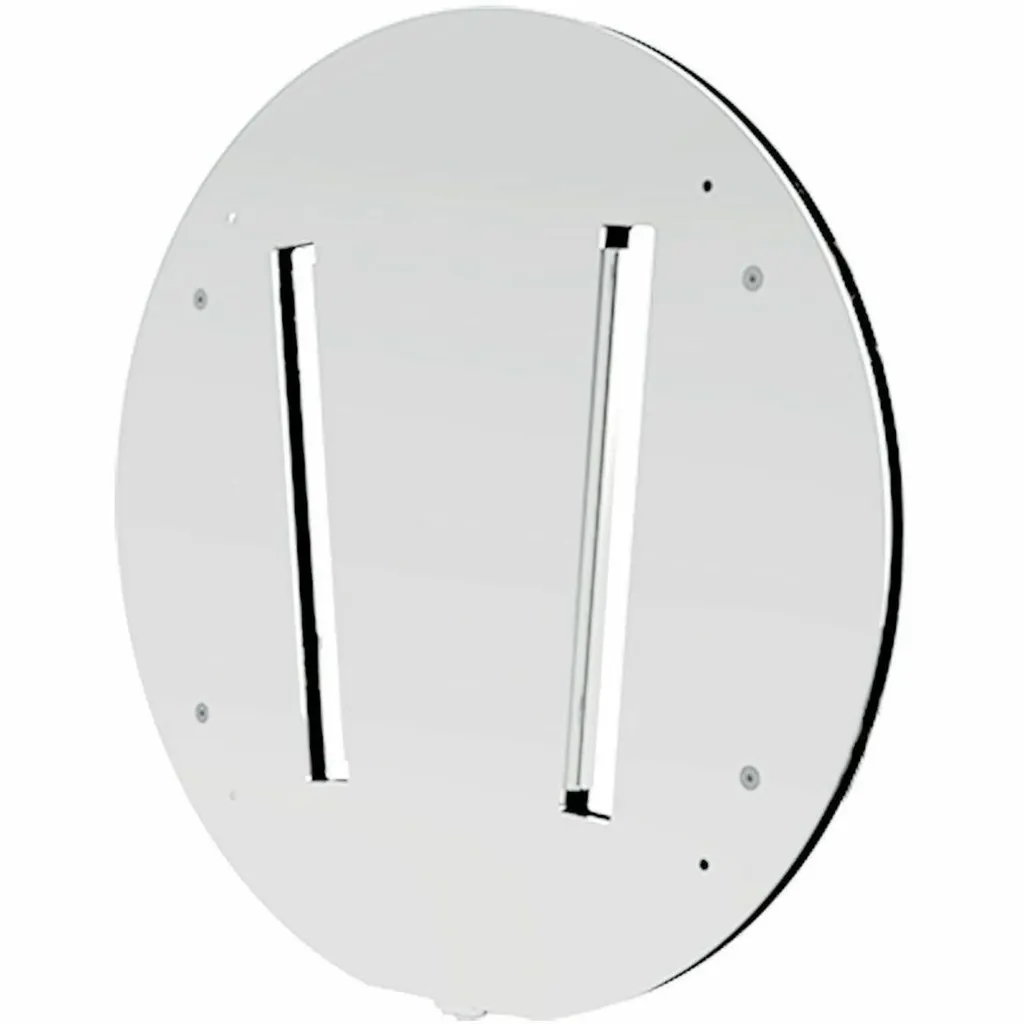
The Peerless-AV SF640-HUB2 is a flat wall mount designed for the 50-inch Microsoft Surface Hub 2S and Hub 3. Its circular plate matches the rear of the Surface Hub, so the display hangs flat against the wall instead of standing on a trolley or stand. The mount supports screens up to 50 inches (127 cm) and carries a maximum load of 36.29 kg.
Installation uses a hook-and-hang method. The display adaptor slides into the wall plate, and the manufacturer describes the job as manageable for one person. The package contains the flat wall mount, the wall and display attachment hardware with lengths that meet Microsoft's specification, and installation instructions. Assembly is required.
Specifications that shape the installation
- Screen support: up to 50 inches (127 cm)
- Maximum load: 36.29 kg; the mount itself weighs approximately 6.26 kg
- Mounting pattern: 350 x 350 mm VESA
- Distance from wall: about 89.4 mm (3.52 inches) with the Surface Hub 2S fitted to the mount
- Mount dimensions: 56.49 cm high and wide, 1.32 cm deep
- Finish and standards: white, powder coated; RoHS compliant and listed to VESA standards
Where it fits in Qatar
A boardroom in West Bay with a concrete wall is a natural fit for this mount. The low projection keeps the wall clear of bulky stands, and the direct rear access makes it simpler to manage power and data cables without removing the screen. In a university collaboration room in Education City with block walls, the mount's listed compatibility with breeze and cinder block lets the display sit flat on the wall. A training centre in Lusail fitting out meeting rooms with stud partitions can use the wood and steel stud options, provided the framing is checked on site. Hotel and serviced apartment meeting rooms on The Pearl benefit from the same flat fit, which keeps floor space clear.
What to plan before you order
Start with the wall. The mount supports wood stud, concrete, cinder block, breeze block and steel studs, and each needs a different fixing approach. Confirm the construction with a site survey, which SmartRooms Qatar offers free of charge, before any hole is drilled in a finished room.
Next, check the load. The 36.29 kg figure is the mount's maximum rating, so compare the combined weight of the display, its cartridge and the mount against it, and ask the team to confirm the fixings for the complete assembly. Check the clear wall space as well: the mount measures 56.49 cm square, and the display height should suit the room layout.
Plan cable routing at the rear too, since the mount gives direct access to the power and data connections. Position nearby power outlets so the installer is not working in an awkward corner. Assembly is required, so allow installer time for fitting the wall plate and display adaptor.
Schools, ministries and other public bodies can order through a purchase order (LPO) or a government tender, including Monaqasat, and pay by bank transfer, cheque or purchase order. Quotations are usually issued within one working day.
Request a quote from SmartRooms Qatar with your wall type, display model and room layout. The team will confirm fit and supply the Peerless-AV SF640-HUB2 with its lifetime limited warranty.
Highlights
- Supports 50-inch Surface Hub 2S and Hub 3 screens
- Maximum load 36.29 kg; mount weighs about 6.26 kg
- 350 x 350 mm VESA mounting pattern
- About 89.4 mm from the wall with Surface Hub 2S fitted
- Hook-and-hang design; display adaptor slides into wall plate
- Fixes to wood stud, concrete, cinder, breeze block and steel studs
Estimated timeline
Quotation within 1 working day · delivery timing depends on stock availability, and we confirm it with your quotation.
Specifications
General Information9
- Manufacturer
- Peerless Industries, Inc
- Manufacturer Part Number
- SF640HUB2
- Manufacturer Website Address
- http://www.peerless-av.eu.com
- Brand Name
- SmartMount®
- Product Series
- SF640-HUB2
- Product Model
- SF640-HUB2
- Product Name
- SmartMount® Flat Wall Mount for the 50" Microsoft® Surface™ Hub 2S
- Packaged Quantity
- 1 Unit
- Product Type
- Wall Mount
Product Information8
- Device Supported
- Interactive Whiteboard
- Maximum Load Capacity
- 36.29 kg
- Maximum Screen Size Supported
- 50" (127 cm)
- Features
- Hook-and-Hang Design
- Mount Pattern Compatibility Type
- Dedicated
- Mount Profile
- Low Profile
- Mount Function
- Wall Mount
- Mount Surface
- Wall
Physical Characteristics9
- Color Family
- White
- Product Color
- White
- Finishing
- Powder Coated
- VESA Mount Compatible
- Yes
- Form Factor
- Wall Mountable
- Height
- 56.49 cm (22.24")
- Width
- 56.49 cm (22.24")
- Depth
- 1.32 cm (0.52")
- Weight (Approximate)
- 6.26 kg
Miscellaneous7
- Package Contents
- Flat Wall Mount for the Microsoft Surface Hub 2S & 3; Wall and Display Installation Hardware; Installation Instructions
- Application/Usage
- Breeze Block; Cinder Block; Concrete; Wood Stud
- Compatibility
- Hub 2S & 3
- Certifications & Standards
- RoHS, VESA
- Manufacturer Product Class
- Flat
- Assembly Required
- Yes
- Environmental Compliance
- Restriction of Hazardous Substances (RoHS)
Warranty1
- Limited Warranty
- Lifetime