Sony
Interactive Overlays
Sony Interactive Overlays IR and PCAP Touch Overlay for 43 to 100-inch Displays
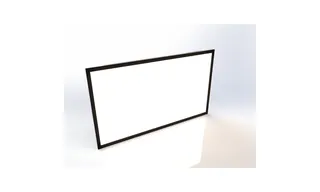
Multi-Touch Overlay Kit (STP-IR100 Series)
Sony STP-IR100 Multi-Touch Overlay Kit for 55 to 85-inch BRAVIA
- Resolution
- 32767 × 32767
- Touch
- IR (Infrared Rays) Spread
Priceon request
QuotationWithin 1 working day
DeliveryConfirmed with your quote, based on stock
Overview
Discontinued by Sony, the STP-IR100 Series is an infrared multi-touch overlay that turns a compatible 55, 65, 75 or 85-inch BRAVIA 4K Professional Display into a touch screen. It takes touch from fingers, pens and opaque objects, with up to 10 touch points, and draws power over USB. Suited to boardrooms, schools and hotel lobbies in Qatar. Request a quote for a current compatible replacement.
What this overlay does for a BRAVIA 4K display
The Sony STP-IR100 Series is an infrared touch overlay for BRAVIA 4K Professional Displays. It sits over a compatible display and turns the screen into a touch surface, so presenters, students and visitors can work directly on the picture instead of using a mouse or remote. The overlay is sold on its own, and the display it fits is ordered separately. Sony has discontinued this series, so this page is written for organisations that already own the overlay, buyers comparing options and anyone looking for a replacement.
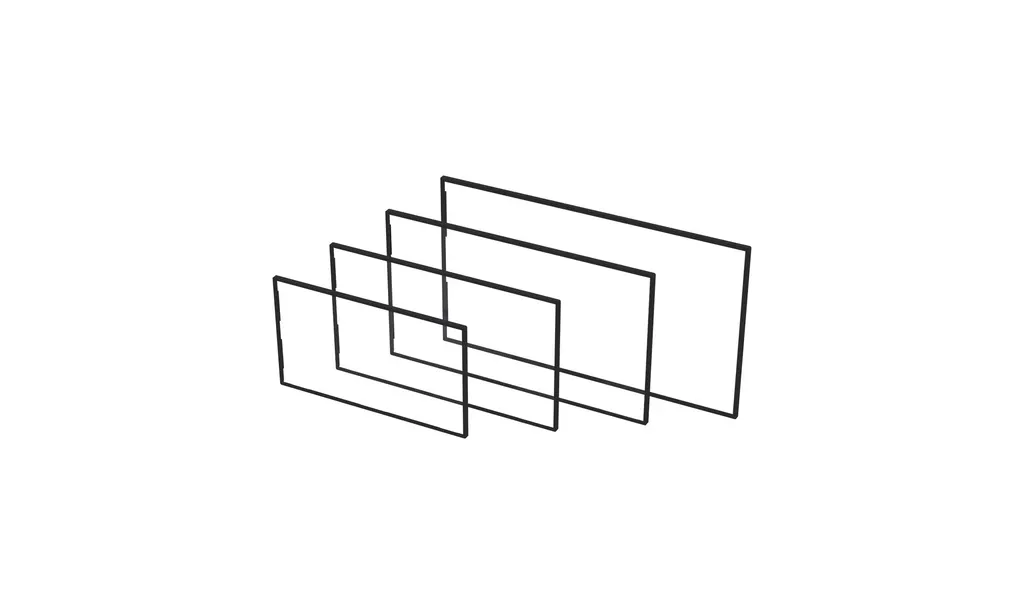
Four sizes, each matched to one panel
The series has four model codes: STP-55IR100 for 55-inch, STP-65IR100 for 65-inch, STP-75IR100 for 75-inch and STP-85IR100 for 85-inch BRAVIA Professional Displays. Each kit is built for one panel size. The 55-inch overlay measures 1252.8 × 723.4 × 31 mm and weighs 9.1 kg, while the 85-inch version measures 1927.2 × 1108.2 × 28.5 mm and weighs 24.6 kg. Packed weights run from 14.9 kg to 34.3 kg, so plan for lifting equipment and a two-person team on the larger cartons.
Touch performance and the figures to compare
- Input: fingers, pens and other opaque objects, with a minimum object size of 6 mm for single touch and 8 mm for multi-touch.
- Touch points: up to 10, depending on application support.
- Accuracy: ±2 mm across more than 90% of the touch area.
- Speed: response time under 15 ms with a 125 Hz frame rate.
- Glass: 2.8 mm on the 55 and 65-inch kits, 3.2 mm on 75-inch, 4 mm on 85-inch, with light transmission under 85%.
- Bezel: 19 mm on 55 and 65-inch, 20.5 mm on 75-inch, 25.1 mm on 85-inch.
The glass is fingerprint resistant, which keeps smears and marks down on a screen that many people touch each day.
Connectivity, software and operating conditions
The overlay connects over USB 2.0 and draws power from that connection at DC 5V ±5%, averaging under 300 mA. Supported systems listed in the data are Windows 7, 8, 8.1 and 10, Mac OS X 10.6 or later, Android with kernel 4.0 or later, Linux with kernel 3.5 or later, and Chrome, so check your PC or media player before ordering. The rated operating range is 0 to 40°C at 20 to 80% humidity. Qatar summer temperatures can exceed 45°C, so the display and overlay belong in an air-conditioned room, not a hot outdoor or window-facing position. Listed certifications are FCC, CB, RCM, EAC, GB, ICES and RoHS.
Where it fits in Qatar and what to plan
- A boardroom in West Bay: a 75-inch display with this overlay lets a management team mark up shared documents during calls with colleagues abroad.
- A classroom in Al Rayyan: a 65-inch kit suits a room where students take turns at the screen.
- A hotel lobby in The Pearl: an 85-inch touch screen can present directions and dining information to guests.
Confirm the display model first, then check the wall or stand can carry the panel and overlay together. SmartRooms Qatar offers a free site survey to check wall loading, cable routing and the room environment. Schools and government offices can raise a purchase order (LPO) for several units, and lead times are confirmed with each quotation. We deliver to all eight municipalities of Qatar and can arrange professional installation.
Because this series is discontinued, send your display model and room details and request a quote for a current compatible replacement from SmartRooms Qatar.
Highlights
- Fits 55, 65, 75 and 85-inch BRAVIA 4K Professional Displays
- Up to 10 touch points, depending on application support
- Touch accuracy of ±2 mm over more than 90% of the area
- Powered over USB 2.0 at DC 5V, averaging under 300 mA
- Rated operating range 0 to 40°C, 20 to 80% humidity
- Discontinued by Sony; request a quote for a replacement
Estimated timeline
Quotation within 1 working day · delivery timing depends on stock availability, and we confirm it with your quotation.
Specifications
26 specifications · Source: manufacturer · checked Oct 2026
Touch12
- Touch type
- IR (Infrared Rays) Spread
- Input Method
- Finger, Pen and Opaque objects
- Available object size for touch
- Single touch 6 mm, Multi touch 8 mm
- Response Time
- < 15ms
- Frame Rate
- 125 Hz
- Touch Accuracy
- ±2 mm (over 90% Area)
- Interface
- USB 2.0
- Protection Glass Thickness
- STP-55IR100 - 2.8 mm STP-65IR100 - 2.8 mm STP-75IR100 - 3.2 mm STP-85IR100 - 4 mm
- Protection Glass Transmission
- < 85%
- Operating System Support
- Windows 7 / 8 / 8.1 / 10 / Mac OS X (10.6 or later) / Android (Kernel 4.0 or later) / Linux (Kernel 3.5 or later) / Chrome
- Multi touch point
- Max 10 Point
- Touch Resolution
- 32767 × 32767
Connectivity3
- Input
- USB
- Average Current
- < 300mA
- Working Voltage
- DC 5V ± 5%
Physical Specification6
- Colour
- Black
- Bezel Width
- STP-55IR100 - 19 mm STP-65IR100 - 19 mm STP-75IR100 - 20.5 mm STP-85IR100 - 25.1 mm
- Overlay Dimension (W x H x D)
- STP-55IR100 - 1252.8 × 723.4 × 31 mm STP-65IR100 - 1471.5 × 846.5 × 31 mm STP-75IR100 - 1696.2 × 974.3 × 34.1 mm STP-85IR100 - 1927.2 × 1108.2 × 28.5 mm
- Weight (Head)
- STP-55IR100 - 9.1 Kg STP-65IR100 - 11.6 Kg STP-75IR100 - 16.2 Kg STP-85IR100 - 24.6 Kg
- Carton Dimensions (W x H x D)
- STP-55IR100 - 1366 × 815 × 140 mm STP-65IR100 - 1585 × 940 × 140 mm STP-75IR100 - 1808 × 1066 × 140 mm STP-85IR100 - 2040 × 1200 × 140 mm
- Packed Weight
- STP-55IR100 - 14.9 Kg STP-65IR100 - 18.8 Kg STP-75IR100 - 24.5 Kg STP-85IR100 - 34.3 Kg
Special Features1
- Language (Manual)
- Arabic, Chinese, English, French,Japan, Spanish, Russian, Vietnamese
Environmental Conditions2
- Operation Temperature
- 0 ℃ ~ 40 ℃
- Operation Humidity
- 20 % ~ 80 %
Certification1
- Certification
- FCC / CB / RCM / EAC / GB / ICES / RoHS
Accessory1
- Accessory
- Install Accessories / User Manual
Downloads
1 file from the manufacturerQuestions about Multi-Touch Overlay Kit (STP-IR100 Series)
Is the Sony STP-IR100 Series still sold?
No. Sony has discontinued this overlay series, so new kits are not offered by the manufacturer. If you need touch on a BRAVIA 4K Professional Display, SmartRooms Qatar can quote a current compatible replacement. Send the display model number and the room where it will be installed, and we will usually respond with options within one working day.
Which BRAVIA displays does each kit fit?
There are four kits: STP-55IR100 for 55-inch, STP-65IR100 for 65-inch, STP-75IR100 for 75-inch and STP-85IR100 for 85-inch BRAVIA Professional Displays. The display is sold separately. Confirm the exact panel size on the display before ordering, because each kit is built for one panel size.
Can a pen or finger be used on a classroom screen, and how small can an object be?
Yes. The overlay accepts a finger, a pen or another opaque object. The minimum object size is 6 mm for single touch and 8 mm for multi-touch. Narrower styluses fall outside the stated specification, so test your pen with the overlay before committing to a set for a classroom in a school in Al Rayyan or Doha.
How many people can touch the screen at once?
Up to 10 touch points, depending on application support. A wayfinding or collaboration app that supports multi-touch can serve several users at once on an 85-inch kit, which suits a hotel lobby or a university common area. Check your software's multi-touch support before relying on the full count.
How is the overlay powered and connected?
It connects over USB 2.0 and draws power directly from that USB connection at DC 5V ±5%, averaging under 300 mA. Connect it to the presentation PC or media player that drives the display. The data does not list a separate power adapter, so confirm the cabling and power arrangement with the SmartRooms Qatar team during quotation.
Which operating systems are supported?
The data lists Windows 7, 8, 8.1 and 10, Mac OS X 10.6 or later, Android with kernel 4.0 or later, Linux with kernel 3.5 or later and Chrome. If a school plans to use Chrome-based devices or a government office runs Windows 10, confirm the exact device and software setup with us before ordering.
Can it be installed in a hot lobby or near a window in summer?
The rated operating range is 0 to 40°C with 20 to 80% humidity. Qatar summer temperatures can exceed 45°C, so a window-facing or outdoor position is not suitable. Plan for an air-conditioned lobby or meeting room, and ask our team to confirm the environment during the free site survey.
How heavy is the overlay, and does my wall need reinforcing?
Head weight ranges from 9.1 kg for the 55-inch kit to 24.6 kg for the 85-inch kit, and packed weights run from 14.9 kg to 34.3 kg. The wall or stand must carry the display and overlay together. We recommend a site survey before mounting an 85-inch installation to confirm the structure and fixings.
Will the glass show fingerprints, and does it reduce brightness?
The glass is fingerprint resistant, which reduces smears and marks on a heavily used screen. Glass thickness is 2.8 mm on the 55 and 65-inch kits, 3.2 mm on 75-inch and 4 mm on 85-inch, with light transmission under 85%. The glass therefore takes a share of the panel's light output, so check brightness in the room during planning.
How wide is the bezel, and does it change the look of a boardroom?
Bezel width is 19 mm on the 55 and 65-inch kits, 20.5 mm on the 75-inch kit and 25.1 mm on the 85-inch kit. A narrower frame keeps the overlay less prominent in an office or boardroom, while the 85-inch frame is more noticeable. Compare it with the display's own bezel when choosing the layout.
Can we buy several kits for a school or government department?
Yes. SmartRooms Qatar accepts purchase orders (LPOs) and government tenders, including those on Monaqasat, and payment by bank transfer, cheque or purchase order. Send the quantity and the sizes you need, because each size has its own model code and lead times are confirmed with the quotation.
Is the manual available in Arabic?
The manual lists eight languages, including Arabic and English, along with Chinese, French, Japanese, Spanish, Russian and Vietnamese. Arabic-curriculum schools and bilingual offices in Doha can share the Arabic version with staff who will set up or operate the overlay, reducing the need for translated handover notes.
Suggested replacements




Clevertouch
Clevertouch Edge 65"
Clevertouch Edge 65" 4K Interactive Display with Camera and Speakers