





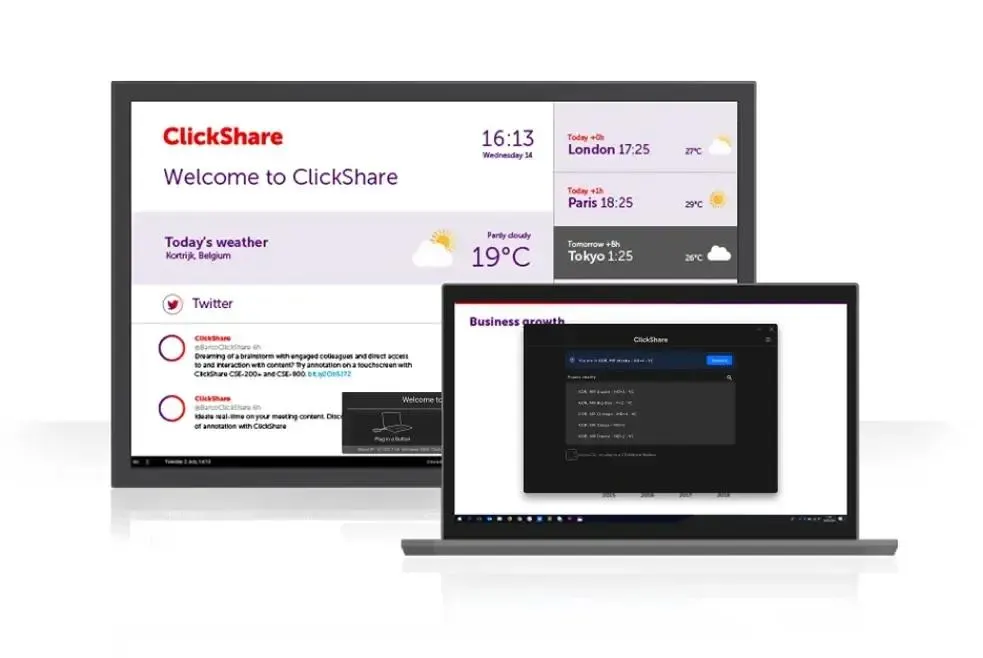
ClickShare Desktop App
Barco ClickShare Desktop App Wireless Presentation Software
The Barco ClickShare Desktop App is software for Windows and macOS computers that connects a presenter's laptop to ClickShare Present and ClickShare Conference devices in a meeting room. It lets staff share their screen wirelessly and start conferencing from one application, with no cables or adapters at the front of the room. It suits schools, universities, ministries and hotels in Qatar that host visiting presenters and need meetings to start quickly. Request a quote and confirm your operating systems before ordering.
What the ClickShare Desktop App does for presenters
The ClickShare Desktop App is the software that runs on a presenter's own computer and connects it to a ClickShare device in the room. Once the app is set up, a presenter can share the laptop screen to the room display wirelessly, without cables, adapters or switching inputs at the front of the room. The same application is used to start a wireless conferencing session, so one piece of software covers both sharing content and joining a meeting from the room.
This matters most in rooms that people use only occasionally, such as lecture theatres used by visiting speakers, boardrooms used by board members, or meeting rooms used by external consultants. The app is designed to pair with ClickShare Present and ClickShare Conference devices and does not replace them, because the room hardware is what delivers the signal to the display.
Compatibility to confirm before rollout
The app is available for compatible Windows and macOS computers. Compatibility depends on specific operating system versions, so confirm the versions your staff use before ordering for a mixed fleet. SmartRooms Qatar will check the supported versions against your devices as part of the quotation, so you know what is covered before you buy.
- Windows: compatible Windows versions only
- macOS: compatible macOS versions only
- Room side: a ClickShare Present or ClickShare Conference device is required
Where it fits in Qatar
In a university lecture theatre in Education City, lecturers often move between teaching rooms with their own laptops. Installing the desktop app means a lecturer can share slides from a personal machine from the first minute of a session, rather than waiting for a room PC to start up. In a ministry boardroom in Msheireb, senior officials can present from their own laptops during a meeting that connects Doha with colleagues abroad, and the room stays in use across the Sunday to Thursday working week.
Hotels and serviced apartments in West Bay can use the app to make meeting rooms easier for visiting speakers. A guest with a compatible Windows or macOS laptop can start a presentation without first finding the right adapter.
Planning a rollout across a school, campus or ministry
A school in Al Wakrah fitting out several classrooms, or a training centre in the Industrial Area with multiple rooms, should plan the software and the room hardware together. Map which rooms have a ClickShare Present or ClickShare Conference device, then list the staff who will present and the laptops they carry. A site survey helps confirm where the room device sits, how the display is mounted and where the presenter will stand.
- List each room and the ClickShare device installed in it
- Count the users and their Windows or macOS computers
- Confirm the app version against each operating system
- Agree a handover plan with the facilities team
SmartRooms Qatar supplies the software for quotation, delivers to all eight municipalities of Qatar, and can arrange professional installation. For more than one unit, a purchase order (LPO) or a government tender can be used. Request a quote for the app and the room devices it works with, and we will return the quotation usually within one working day.
Highlights
- Runs on compatible Windows and macOS computers
- Pairs with ClickShare Present and ClickShare Conference devices
- Wireless screen sharing from the presenter's own laptop
- Starts wireless conferencing from the same application
- Requires a ClickShare room device to operate
Room fit
Tell us the room size and platform (Teams, Zoom or BYOD) and we confirm the right combination with your quotation.
Estimated timeline
Quotation within 1 working day · delivery timing depends on stock availability, and we confirm it with your quotation.




