Thursday, 22 October 2026 · 11 Jumada I 1448 AH Sun – Thu · 9:00 – 18:00
+971 56 914 9477 العربية
WhatsApp

WP-MEET03M

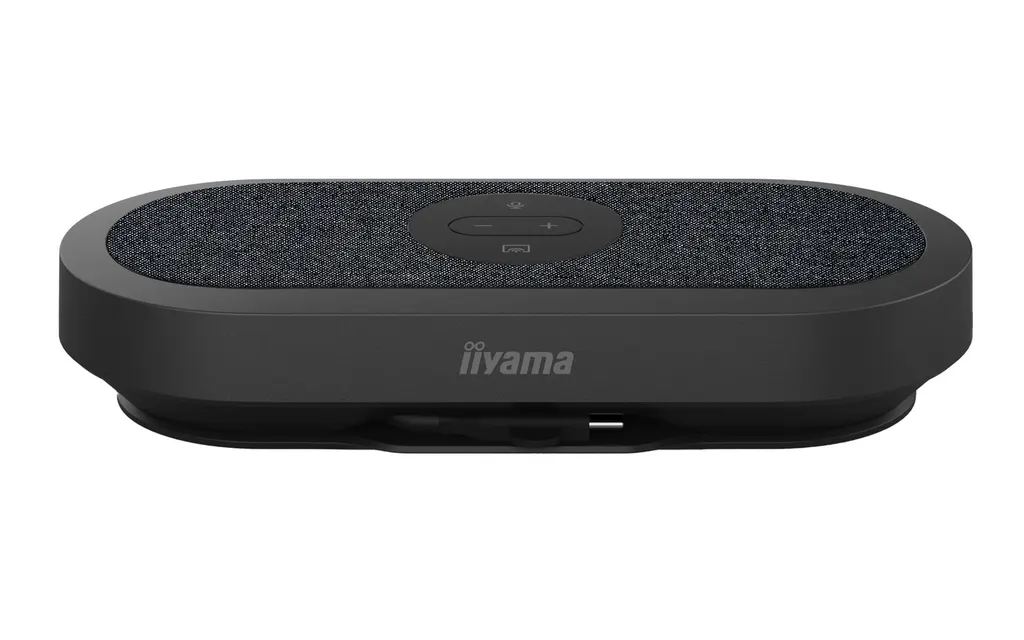
iiyama WP-MEET03M Wireless Presentation Solution

WhatsApp
Priceon request
QuotationWithin 1 working day
DeliveryConfirmed with your quote, based on stock
Overview

The iiyama WP-MEET03M is a wireless presentation solution that lets meeting-room users share 4K content from a USB-C connection, with no driver installation and no complex network setup. It includes built-in audio and works with popular conferencing platforms such as Teams and Zoom. It is compatible with large format displays, interactive displays and projectors, which makes it suitable for boardrooms and hybrid meeting spaces across Qatar. Request a quotation from SmartRooms Qatar.

What the WP-MEET03M does in a meeting room

The iiyama WP-MEET03M is a wireless presentation solution for rooms that already have a display or projector. A presenter connects a laptop through USB-C and shares content on the room screen without cables running between the table and the display. The unit is built to share content in 4K and to avoid the driver installation that often delays the start of a meeting.

Because it is compatible with large format displays, interactive displays and projectors, the same unit can serve a boardroom with a large panel or a training room that relies on a projector.

Connectivity, sharing and conferencing

The WP-MEET03M is built around USB-C connectivity. The manufacturer describes it as plug-and-play, so a presenter can start sharing without downloading drivers or building a complicated network. Content is shared at 4K resolution.

The product supports popular conferencing platforms, including Microsoft Teams and Zoom. The manufacturer states that full conferencing functionality remains available while 4K content sharing is active. For hybrid meetings, a compatible camera can be added so remote participants can see the room as well as the presentation.

Built-in audio and what to check before ordering

  • Built-in audio: part of the unit's design. Ask for its full specifications in your quotation.
  • Display type: confirm whether the room uses a large format display, an interactive display or a projector.
  • Laptop ports: check that presenters' laptops have a USB-C port suited to the connection.
  • Camera: decide whether hybrid meetings need a compatible camera, which is not described as part of this package.

Where it fits in Qatar

In a boardroom in West Bay, the WP-MEET03M lets a visiting executive share a 4K presentation from a laptop onto the room display while a video call with colleagues in Doha or abroad continues on Teams or Zoom.

A lecture or training room at a university in Education City, or a meeting room at a private school in Al Rayyan, can use the same setup. Lecturers and staff can start sharing quickly, which helps sessions begin on time.

Hotels and serviced apartments in Lusail and The Pearl can offer meeting rooms where guests connect their own laptops without installing software or asking reception for help.

Planning a deployment across Qatar

Organisations that need one unit for a single room, or several units across a campus or group of offices, can request one quotation covering every room. Government ministries and authorities can work with purchase orders (LPOs) and government tenders, including Monaqasat. SmartRooms Qatar delivers to all eight municipalities of Qatar, provides professional installation, and offers a free site survey to confirm the display type, room layout and where the USB-C connection will sit before anything is ordered.

Products are covered by the manufacturer's warranty. To request a quote for the WP-MEET03M, send your room type, display model and number of rooms. The SmartRooms Qatar team will respond with a quotation, usually within one working day.

Highlights

  • USB-C plug-and-play connection for quick presenting
  • 4K content sharing from a laptop to the room display
  • No driver installation required, according to the manufacturer
  • Built-in audio included with the unit
  • Supports Microsoft Teams, Zoom and other conferencing platforms
  • Compatible with large format displays, interactive displays and projectors

Room fit

Tell us the room size and platform (Teams, Zoom or BYOD) and we confirm the right combination with your quotation.

Estimated timeline

Quotation within 1 working day · delivery timing depends on stock availability, and we confirm it with your quotation.


Specifications

Source: manufacturer · checked Oct 2026
The full specification and datasheet for this model are available on request; we send them with your quotation.

Downloads

0 files from the manufacturer
No downloadable files are listed for this model yet. Ask us and we will send the datasheet.

Questions about WP-MEET03M

What is the iiyama WP-MEET03M used for?
It is a wireless presentation solution for meeting rooms. A presenter connects a laptop by USB-C and shares content on a large format display, interactive display or projector, with 4K content sharing and full conferencing functionality. It suits rooms where people want to present without cables or lengthy setup, and SmartRooms Qatar supplies it by quotation.
Do presenters need to install drivers on their laptops?
The manufacturer describes the WP-MEET03M as plug-and-play, meaning content is shared over USB-C without installing drivers or relying on complex networks. Before ordering, check that the USB-C port on each presenter's laptop suits the connection. The SmartRooms Qatar team can help confirm this while preparing your quotation.
Can it share content in 4K?
Yes. The manufacturer states that the WP-MEET03M supports 4K content sharing, and full conferencing functionality remains available while sharing is active. A presenter can show a detailed spreadsheet or engineering drawing and still take part in a video call. Ask for the full specification sheet with your quotation if you need more detail.
Does it work with Microsoft Teams and Zoom?
The WP-MEET03M supports popular conferencing platforms, and the manufacturer names Teams and Zoom among them. This suits a Doha office that holds calls with colleagues in other countries, or a school running remote lectures. Confirm your platform version and account requirements with SmartRooms Qatar before ordering.
Is a camera included?
The manufacturer's data describes using a compatible camera for professional hybrid meetings, but it does not state that a camera is part of this package. If remote participants need to see the room, ask for the exact package contents and camera options in your quotation. Treat the camera as something to plan for, not a feature to assume.
Does it have built-in audio?
Yes, the WP-MEET03M has built-in audio. The manufacturer data does not list audio specifications such as output power or microphone type, so request the full datasheet before deciding whether the room needs an additional microphone or speaker. This matters most in a boardroom with a large table, where remote callers must hear everyone clearly.
Which displays is it compatible with?
It is designed for large format displays, interactive displays and projectors. A boardroom with a large-format panel, a classroom with an interactive display and a training room with a projector can all use the same unit type. Confirm your display's input and the room layout during the free site survey from SmartRooms Qatar.
Would it work in a boardroom in West Bay?
Yes. A West Bay boardroom with a large format display is a suitable setting. A visiting executive can connect a laptop, show a 4K presentation on the room screen and keep a video call running with colleagues in Doha or abroad. Ask SmartRooms Qatar to survey the room so the display input and cable route are confirmed before installation.
Can a lecture room in Education City use it?
Yes, it suits lecture and training rooms that use a projector or interactive display. Lecturers can start sharing from their own laptops without waiting for IT staff to set up drivers, which helps sessions start on time. Plan the camera and audio needs separately, as they are not described as part of this product.
How should a private school in Al Rayyan plan a rollout?
A school equipping several meeting rooms can request one quotation covering every room. Start by choosing the display type for each room, then check presenter laptop ports and whether any room needs a camera. Schools can issue a purchase order (LPO) to SmartRooms Qatar, and the team offers a free site survey before installation.
Can a government entity buy it through a tender?
Yes. SmartRooms Qatar supports purchase orders (LPOs) and government tenders, including Monaqasat. A ministry or authority buying one or more WP-MEET03M units can send its tender requirements and room list with the request, and the team will prepare the quotation to match those documents. Products are covered by the manufacturer's warranty.
Does a hotel meeting room need a planned installation?
Hotels and serviced apartments in Lusail and The Pearl can offer meeting rooms where guests connect their own laptops. SmartRooms Qatar provides professional installation and delivers to all eight municipalities of Qatar. A free site survey confirms the display connection and the presenter position, so guests can connect without asking reception for help.

Similar models

Biamp MAX Connect Biamp MAX Connect 910-02278 Wireless Presentation System
CB
Clevertouch CleverCast Clevertouch CleverCast Wireless Presentation Device
Compatible
Clevertouch CleverHub 2 Clevertouch CleverHub 2 Wireless Presentation and Screen Sharing Device
Yes - CleverCast only NRCS
iiyama WP-D002C iiyama WP-D002C USB-C Wireless Presentation Dongle
Wireless presentation
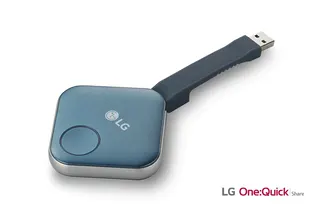
LG SC-00DA LG One:Quick Share SC-00DA Wireless Screen Sharing USB Dongle
USB 2.0 Type A (1)
Email Call