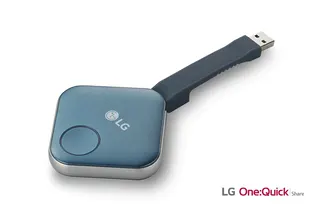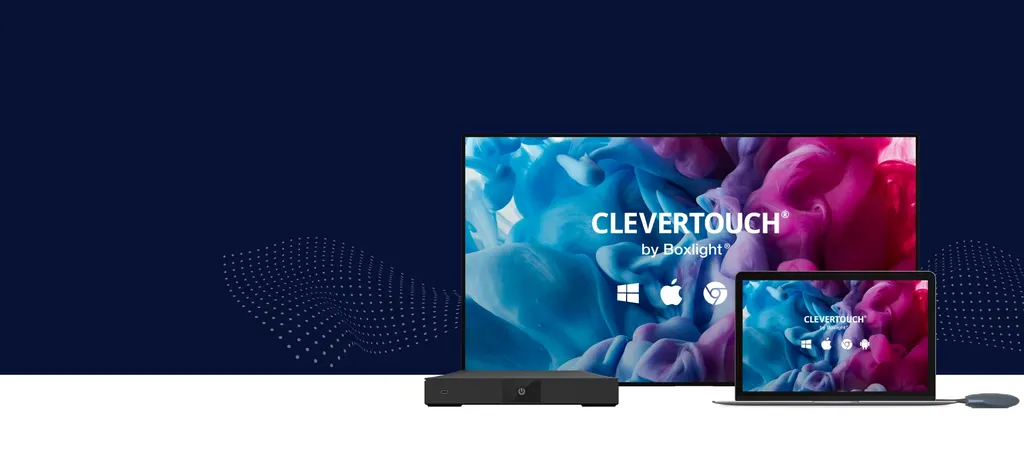
CleverHub 2
Clevertouch CleverHub 2 Wireless Presentation and Screen Sharing Device
- Microphones
- Yes - CleverCast only
- Platforms
- NRCS
- Connectivity
- 1 (for video & power).
The Clevertouch CleverHub 2 is a wireless presentation device that displays screens from laptops, tablets and smartphones on a screen already in the room, without cables. It supports up to nine devices sharing content at once, 4K over HDMI, and power over PoE+ or USB. It suits meeting rooms, lecture halls and classrooms across Qatar where people bring their own devices. Request a quote for your room.
What the CleverHub 2 does in a meeting room
The Clevertouch CleverHub 2 is a wireless presentation device. It sits out of the way, connects to a display that is already installed, and shows whatever a presenter sends from a laptop, tablet or smartphone. Presenters do not need a cable at the table, and for the common sharing methods they do not need to install software on their own device. For organisations running hybrid meetings, the unit also supports bring-your-own-meeting, so a participant can host a Zoom, Microsoft Teams or Webex session from their own device while the room screen shows the discussion.
Specifications that matter for your installation
The unit runs Android 13 on an RK3588 processor with 8GB of RAM and 64GB of storage. It has two HDMI outputs and a USB-C output that carries video and power, so one unit can drive up to three screens. Three USB-A 3.0 ports, a LAN port, a line-out and Bluetooth 5.2 complete the connections, and the wireless section supports 802.11a/b/g/n/ac/ax with 2 x 2 MIMO and WiFi 6E, with speeds up to 1Gbps. It is powered through PoE+ or over USB at a minimum of 65 W, and a regional power supply is included. The design is fanless, so there is no fan intake to collect dust.
Where it fits in Qatar
Three situations suit the CleverHub 2 well. In a boardroom in West Bay, executives who travel between Doha and abroad can present from their own laptops without a technician swapping cables, and the room can join a remote team on the same call. A training room at a campus in Education City can take presentations from several students in turn, since up to nine devices can share content at the same time. A hotel meeting room in Msheireb can show digital signage on the display between sessions, and the embedded room booking feature can show the room schedule.
What to plan before you order
- The display: confirm the screen has an input the unit can feed through HDMI or USB-C.
- The power route: if you use PoE+, check that the switch port can supply it.
- The location: the listed operating temperature range is 0 to 40 with humidity of 10% to 90% RH, so keep the unit in an air-conditioned room.
SmartRooms Qatar offers free site surveys, which we recommend for a multi-room roll-out so every position and cable route is checked before installation.
Warranty, approvals and ordering
The CleverHub 2 is covered by the manufacturer's warranty. Warranty terms vary by region, so we confirm the applicable terms in your quotation. The approvals listed for the unit are NRCS, SABS, CE, CB, ICASA, RCM and RSM, and we can confirm which apply to your project. Ministries, schools and companies can order against a purchase order or a Monaqasat tender. Request a quote and our team will usually respond within one working day.
Highlights
- Shares from laptops, tablets and smartphones without extra software installs
- Up to nine devices can share content simultaneously
- Two HDMI outputs and a USB-C video output for up to three screens
- Power over Ethernet+ (PoE+) enabled, or USB power at 65W minimum
- Built-in CleverLive digital signage runs when not screen sharing
- Android 13 on RK3588 with 8GB RAM and 64GB storage
Room fit
Tell us the room size and platform (Teams, Zoom or BYOD) and we confirm the right combination with your quotation.
Estimated timeline
Quotation within 1 working day · delivery timing depends on stock availability, and we confirm it with your quotation.
Specifications
System Information10
- Android Version
- Android 13
- CPU
- Quard Core A76 & Quad Core A55
- GPU
- Mali-G610MP4
- SoC
- RK3588
- RAM
- 8GB
- ROM
- 64GB
- System Architecture
- 64B
- Integrated WiFi
- Yes
- Integrated Bluetooth
- Yes
- Android Resolution
- 4K
Connectivity13
- HDMI-OUT
- 2
- USB-A 3.0
- 3
- USB-C-OUT
- 1 (for video & power).
- USB-C Powered
- Yes
- USB-C
- 1 (for CleverCast connection)
- LAN In (RJ45)
- 1
- Power over Ethernet (PoE)
- Yes
- Wake-on-Lan
- Yes
- Bluetooth
- 5.2
- LINE-OUT
- 1
- WIFI
- IEEE 802.11a/b/g/n/ac/ax with 2 x 2 MIMO (hotspot only)
- WIFI Generation
- WiFi 6E
- WIFI Speed
- Capable of speeds up to 1Gbps
Clevershare5
- CleverCast Support
- Yes
- Maximum CleverCast Connections
- 2
- Native Clevershare Clients
- Yes - Windows, macOS, Android, iOS
- Maximum Client Connections
- 9
- Hardware Virtualisation (Camera, Microphone & Speaker)
- Yes - CleverCast only
Power4
- Power Requirements
- DC12V 3A
- Power Consumption (Normal)
- TBD
- Power Consumption (Standby)
- 0.5W
- Ultra Quiet Fanless Design
- Yes
environment5
- Operating Temperature
- 0 to 40
- Storage Temperature
- -20 to 60
- Operating Humidity
- 10% to 90% RH
- Storage Humidity
- 10% to 90% RH
- Altitude
- Below 5000 metres
Software and Features16
- BYOM
- Yes
- Unlimited Multi-Floating Resizable Windows
- Yes
- Split Screen Support
- Yes
- OpenSDK Support
- Yes
- Intelligent O&M
- Yes
- H.264 + H.265
- Yes
- HD Hardware Encoding and Decoding
- Yes
- CleverLive Embedded Digital Signage
- Yes
- Clevershare Mirroring Any Device To The Board
- Yes
- Miracast (WiFi Direct)
- Yes
- Airplay
- Yes
- Chromecast
- Yes
- CleverLive Roomsô Embedded Room Booking
- Yes
- Alerts and Announcements
- Yes
- Over-the-Air Updates
- Yes
- Remote Management Of Touchscreens (MDM)
- Yes
Physical Spec4
- Dimensions
- 254.6 x 164.8 x 47.5mm
- Packed Dimensions
- 296 x 188 x 135mm
- Net Weight
- 863g
- Packed Weight
- 2.47kg
Packed Contents1
- What's In The Box
- (1) CleverHub 2 (1) Regional Power Supply
Compliance & Certification1
- Regulatory Certification
- NRCS, SABS, CE CB, ICASA, RCM, RSM