





Thursday, 22 October 2026 · 11 Jumada I 1448 AH Sun – Thu · 9:00 – 18:00
+971 56 914 9477 العربية
WhatsApp

ClickShare CX-M

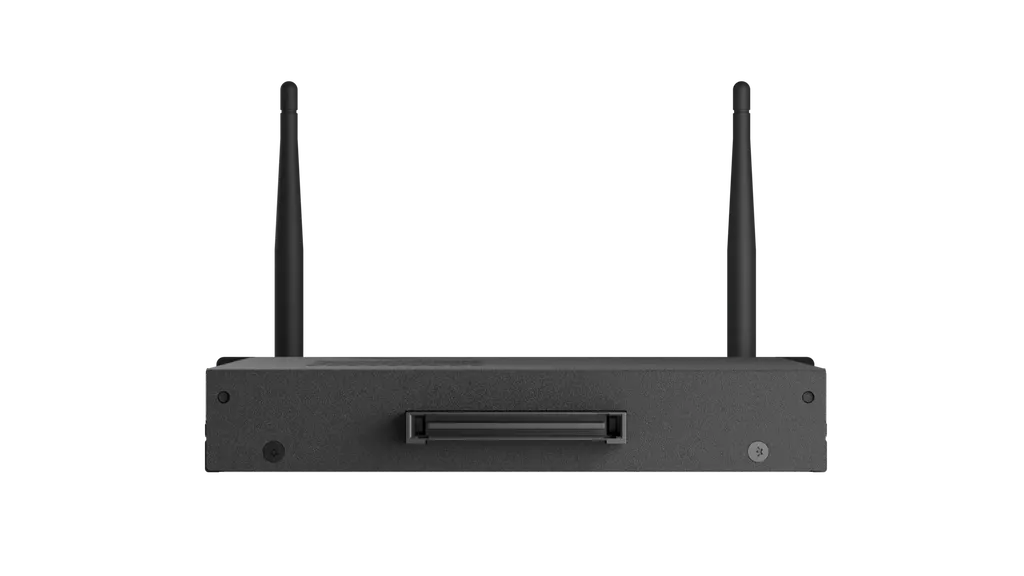
Barco ClickShare CX-M Wireless Conferencing Base Unit

Platforms
SRRC/CE
WhatsApp
Priceon request
QuotationWithin 1 working day
DeliveryConfirmed with your quote, based on stock
PDFDownload datasheet (ClickShare-CX-M-en-Spec-sheet.pdf)
Overview

The Barco ClickShare CX-M is a wireless conferencing base unit for medium-sized meeting rooms. Users connect from a laptop with one click on a ClickShare Button or the App, and base links automatically to room cameras, microphones, speakers and displays. It outputs 4K UHD at 30Hz via OPS or USB-C, and shows two sources on screen. Suited to Doha boardrooms and training rooms hosting staff and guests.

A wireless base for medium-sized meeting rooms

The Barco ClickShare CX-M is a wireless conferencing base unit built for medium-sized meeting rooms. Instead of running cables from a laptop to the display, people in the room press a ClickShare Button or open the ClickShare App on desktop or mobile, and the base brings their screen onto the display. The system also connects automatically to room devices such as cameras, microphones, speakers, sound bars and displays, so a video meeting can start from a laptop within seconds on the video platform your organisation already uses.

Key specifications and what they mean in practice

  • Video output: 4K UHD at 3840 x 2160 and 30Hz, delivered through HDMI 1.4b on the OPS 80-pin connector or through USB-C DisplayPort 1.2.
  • Sources on screen: up to two sources can be shown at the same time, which suits a training session where one person presents slides beside a second laptop.
  • Wireless standards: IEEE 802.11 a/g/n/ac and IEEE 802.15.1 on the 2.4 GHz and 5 GHz bands, with a maximum reach of 30 m between the Button and the base unit.
  • Wired connections: one Ethernet LAN port at 1Gbit, one USB-C 3.0 port on the front, and the OPS 80-pin connector.
  • Authentication: WPA2-PSK in stand-alone mode, and WPA2-PSK or IEEE 802.1X through the Button in network integration mode.
  • Operating environment: 0°C to +40°C, with 0 to 85% relative humidity, non-condensing. Storage range is -20°C to +60°C.
  • Power and size: 18V DC supplied from the OPS display, 5-10W in operation and 16W maximum. Dimensions are 202 mm x 119 mm x 30 mm and weight is 698 g.

Where it fits across Qatar

In a medium boardroom at a government ministry in Doha, staff sit in the building while colleagues from other sites join the call. The CX-M lets each attendee share from their own laptop without swapping cables, and visitors can use the App on their own desktop or mobile device to take part.

In a training room at a school or university in Education City or Al Rayyan, a teacher can show lesson slides beside material from a second laptop, making it easy for students to compare the two. Because the unit displays a maximum of two sources at once, it suits focused interactive sessions rather than large group presentations.

What to plan before ordering

Confirm that the display has an OPS slot or a USB-C DisplayPort input, because the CX-M depends on one of these for video and power. Check the room network as well: the unit offers Ethernet and Wi-Fi, and in network integration mode it can authenticate with IEEE 802.1X through the Button. The operating range tops out at 40°C, so the room should be air-conditioned, since outdoor summer temperatures in Qatar often pass 45°C. Noise is rated at most 25 dBA at 0-30°C and at most 30 dBA at 30-50°C.

SmartRooms Qatar offers a free site survey, professional installation and delivery to all eight municipalities of Qatar. Send us your room sizes, display models and network details, and request a quote from the SmartRooms Qatar team.

Highlights

  • Wireless conferencing for medium-sized meeting rooms
  • One click from a ClickShare Button or the ClickShare App
  • Two sources shown on screen at the same time
  • 4K UHD output at 3840 x 2160 and 30Hz
  • Connects to room cameras, microphones, speakers and displays
  • Encrypted and cloud-managed; 1-year standard warranty, 5 years on SmartCare registration

Room fit

Tell us the room size and platform (Teams, Zoom or BYOD) and we confirm the right combination with your quotation.

Estimated timeline

Quotation within 1 working day · delivery timing depends on stock availability, and we confirm it with your quotation.

Specifications

27 specifications · Source: manufacturer · checked Oct 2026
CX-M Specifications27
Video Outputs
4K UHD (3840*2160) @ 30Hz. HDMI 1.4b(OPS 80pins connector) or USB-C DisplayPort 1.2
Audio output
USB
USB
1 X USB-C
ClickShare Buttons
1
ClickShare App
Desktop & Mobile
Native protocols
Airplay, Google Cast, Miracast
Maximum sources simultaneously on screen
2
Noise Level
Max. 25dBA @ 0-30°C Max. 30dBA @ 30-50°C
Authentication protocol
WPA2-PSK in stand alone mode WPA2-PSK or IEEE 802.1X using the ClickShare Button in network integration mode
Wireless transmission protocol
IEEE 802.11 a/g/n/ac and IEEE 802.15.1
Reach
Max. 30m (100 ft) between ClickShare Button and ClickShare Base Unit
Frequency band
2.4 GHZ and 5 GHz
Connections
1x Ethernet LAN 1Gbit 1x USB-C 3.0 (front) 1x OPS-80 pin
Temperature range
Operating: 0°C to +40°C (+32°F to +104°F) Max: 40°C (104°F) at 5000m Storage: -20°C to +60°C (-4°F to +140°F)
Humidity
Storage: 0 to 90% relative humidity, non-condensing Operation: 0 to 85% relative humidity, non-condensing
Anti-theft system
NA
Certifications
SRRC/CE
Touch screen support & Interactivity
Yes
Local view
Yes
Wireless conferencing
via App or Button
Network connection
LAN & WiFi
Management and reporting
Yes
Warranty
1 year standard. 5 years coverage upon registering via SmartCare
Dimensions (H×W×D)
202mm x 119mm x 30mm
Power consumptions
Operational: 5-10W, 16W Max
Power Supply
18V DC from OPS display
Weight
698g

Downloads

2 files from the manufacturer

Questions about ClickShare CX-M

Is the ClickShare CX-M suited to a medium meeting room in Doha where staff and visiting teams join the same call?
Yes, the CX-M is built for medium-sized meeting rooms. Staff in the room can share from their own laptops with one click on a ClickShare Button or the ClickShare App, and the system links to room cameras, microphones, speakers and displays so the meeting starts quickly. Visiting teams join through the video platform your organisation already uses. Before ordering, confirm the room layout and display with the SmartRooms Qatar team so the quotation matches your space.
Which video conferencing platforms does it work with?
The CX-M is designed to launch meetings from a laptop on whichever video platform you prefer, so you are not tied to one application. The source data confirms that the unit connects automatically to room cameras, microphones, speakers, sound bars and displays. It also supports AirPlay, Google Cast and Miracast for screen sharing from compatible devices. If a specific platform is mandatory for your ministry or school, ask the SmartRooms Qatar team to confirm compatibility when you request a quote.
Do visitors need to install software or use special hardware to share their screen?
Visitors can use the ClickShare App on desktop or mobile, so they do not need a dedicated device to share. The CX-M specification lists one ClickShare Button, which is useful for a presenter who wants to start sharing with a single press. A guest arriving at a Lusail office or a meeting room in Msheireb can share without borrowing a cable or adapter. Confirm your guest access policy with your IT team before rollout.
Can two presenters show their screens at the same time?
Yes. The CX-M can display up to two sources on screen simultaneously. This suits a training session where one trainer presents slides while a colleague demonstrates from a second laptop. It is also useful in schools and universities where teachers compare two sets of material side by side. Two sources is the maximum, so if your sessions need more, discuss the requirement with the SmartRooms Qatar team during the free site survey.
What video output does it provide, and does it need a separate power adapter?
The CX-M outputs 4K UHD at 3840 x 2160 and 30Hz. It connects through HDMI 1.4b on the OPS 80-pin connector or through USB-C DisplayPort 1.2. The source data lists power as 18V DC supplied from the OPS display, with consumption of 5-10W in operation and 16W at maximum. Because power comes from the display, confirm that your panel has a compatible OPS slot or USB-C input, and review the power arrangement with the SmartRooms Qatar team before quoting.
How far can a presenter be from the base unit?
The maximum reach between the ClickShare Button and the base unit is 30 m (100 ft), which covers most medium-sized meeting rooms and training spaces. A presenter can walk to the front of the room or move between the front and back rows during a workshop and stay within range in most layouts. Walls and dense furniture can reduce the usable range, so measure the room during a site survey and place the base where the line of sight is clear.
Our meeting room in Al Sadd gets very warm in summer. Is the CX-M safe to use there?
The CX-M is rated for operating temperatures from 0°C to +40°C and for 0 to 85% relative humidity, non-condensing. Outdoor summer temperatures in Qatar often exceed 45°C, so the base unit should sit in a room with working air conditioning, not in a space that gets direct sunlight or heats up near a window. Ask the SmartRooms Qatar team to check the room's cooling before installation.
Will the unit be noisy in a quiet boardroom?
The specification lists noise of at most 25 dBA at 0-30°C and at most 30 dBA at 30-50°C. For a boardroom in a government building in West Bay, compare these figures with the acoustic standard your organisation follows during the site survey. Placing the base unit away from the seating area is a sensible step in any quiet room, and the SmartRooms Qatar team can advise on the best location.
We are a ministry department in West Bay and need to equip several boardrooms. How does purchasing work?
SmartRooms Qatar supplies the CX-M to government ministries and authorities and works with purchase orders (LPOs) and government tenders, including Monaqasat. Quotations are usually issued within one working day, and payment can be made by bank transfer, cheque or purchase order. Each room needs its own base unit, so list the boardrooms and display models in your request. SmartRooms Qatar delivers to all eight municipalities of Qatar and offers professional installation.
Could our university in Education City equip several seminar rooms with the CX-M?
Yes. The CX-M suits medium-sized seminar and tutorial rooms, and a university can order several units on one purchase order for a phased rollout. Start with one pilot room to check network access, display compatibility and room acoustics, then extend to other rooms. Showing two sources at once helps tutors compare materials, and the management and reporting features support oversight of units across rooms. A free site survey from SmartRooms Qatar helps shape the rollout plan.
What warranty applies to the ClickShare CX-M?
The manufacturer provides a standard warranty of 1 year. Registering the product through SmartCare extends coverage to 5 years, so it is worth completing registration at installation. SmartRooms Qatar products are covered by the manufacturer's warranty. For a multi-room order, ask the SmartRooms Qatar team how to register each unit and record the registration against each room in your asset list.
How is the CX-M secured and managed on our network?
The CX-M is encrypted and cloud-managed, and the data lists management and reporting as supported. In stand-alone mode it uses WPA2-PSK. In network integration mode, the Button can authenticate with WPA2-PSK or IEEE 802.1X, which suits organisations that already use 802.1X access control. The unit has a 1Gbit Ethernet LAN port and supports 2.4 GHz and 5 GHz Wi-Fi. Share your network requirements with the SmartRooms Qatar team before installation.

Similar models

Biamp MAX Connect Biamp MAX Connect 910-02278 Wireless Presentation System
CB
Clevertouch CleverCast Clevertouch CleverCast Wireless Presentation Device
Compatible
Clevertouch CleverHub 2 Clevertouch CleverHub 2 Wireless Presentation and Screen Sharing Device
Yes - CleverCast only NRCS
iiyama WP-D002C iiyama WP-D002C USB-C Wireless Presentation Dongle
Wireless presentation
iiyama WP-MEET03M iiyama WP-MEET03M Wireless Presentation Solution
Wireless presentation
Email Call




