





Thursday, 22 October 2026 · 11 Jumada I 1448 AH Sun – Thu · 9:00 – 18:00
+971 56 914 9477 العربية
WhatsApp

WDC10C

BenQ InstaShow WDC10C USB-C Wireless Presentation Device

WhatsApp
Priceon request
QuotationWithin 1 working day
DeliveryConfirmed with your quote, based on stock
PDFDownload datasheet (WDC10C_UM_EN_260430112234.pdf)
Overview

The BenQ InstaShow WDC10C is a USB-C wireless presentation kit for smaller meeting spaces. Connect the host to a display's HDMI input, plug the USB-C button into a laptop and press it to present, with no software to install. It offers Wi-Fi 5 on 5 GHz, 1080p at 60fps output, WPA2 with AES 128-bit encryption and up to 16 connected users taking turns. Suited to huddle rooms. Request a quote.

A single-button wireless share for compact meeting rooms

The BenQ InstaShow WDC10C is a plug-and-play wireless presentation device for rooms that already have a display on the wall or on a mobile trolley. The host connects to the screen through one HDMI output, and presenters only handle a USB-C button. Plug the button into a laptop, press its single button, and the laptop screen appears on the display within seconds. There is no software, driver or download to manage on the presenting device.

Specifications that shape the purchase decision

  • Output: up to 1080p at 60fps through an HDMI 1.4 output with HDCP support.
  • Wireless: Wi-Fi 5 on the 5 GHz band with a maximum data rate of 867 Mbps.
  • Presenters: up to 16 simultaneous connections, with presenters taking turns.
  • Security: WPA2 authentication and AES 128-bit encryption, with no software on the laptop.
  • Range: 8 m, as listed for the WDC10C.
  • Power: DC 5V, 1.5A supply, and 5 W normal consumption for the host.

Where it fits in Qatar

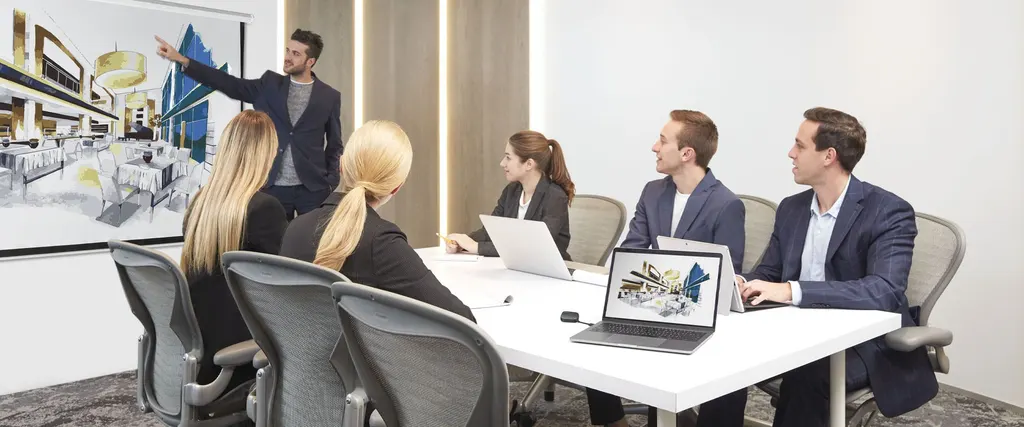
A four-person project team in a West Bay office can run a weekly review without re-cabling the room, with each presenter moving the button to their own laptop. In a private school in Al Wakrah, a department head can share lesson plans or assessment data from a staff laptop to a classroom or meeting room display. At a real estate sales office in Lusail, staff can present floor plans to a small group of visitors from one screen, which suits a huddle room better than a large conference set-up.

Qatar's summer heat and dust matter for any equipment placed near windows or in lobbies. The source data does not give an operating temperature range for the WDC10C, so ask the SmartRooms Qatar team to confirm the environment before installing it outside a meeting room.

What to plan before installation

  • Confirm a free HDMI input and a practical position for the host near the display; the HDMI cable is included.
  • Map the presenting area against the 8 m range, because walls and furniture reduce usable space.
  • Use web control to pair additional transmitters or reach the host when it sits on a ceiling-mounted projector.
  • Check the included power adapter with the team against the sockets at your site.

Request a quote from SmartRooms Qatar and we will usually reply within one working day. We offer a free site survey, professional installation, delivery to all eight municipalities of Qatar, and purchase orders for schools and government buyers. Tell us the room size, the display type and how many presenters you expect, and we will prepare the quotation.

Highlights

  • USB-C button with DP Alt Mode and no software installation
  • Up to 16 users can connect and present in turn
  • Output up to 1080p at 60fps over HDMI 1.4 with HDCP
  • Wi-Fi 5 on 5 GHz with 867 Mbps maximum wireless data rate
  • WPA2 and AES 128-bit security protection
  • Host draws 5W in normal operation; HDMI cable and power adapter included

Room fit

Tell us the room size and platform (Teams, Zoom or BYOD) and we confirm the right combination with your quotation.

Estimated timeline

Quotation within 1 working day · delivery timing depends on stock availability, and we confirm it with your quotation.

Specifications

26 specifications · Source: manufacturer · checked Oct 2026
InstaShow Package8
Button (Transmitter)
(x2)
Antenna
(x2), 2dbi, MIMO, x2
HDMI cable
(x1)
Cradle
(x1)
Safety Statement
(x1) 16L, 1 (16L)
Host (Receiver)
(x1)
Power Adapter
(x1)
USB Power Cable
(x1), 150cm
InstaShow Button2
Button Connector Type
USB Type C
Button Function Key
Mode Key
InstaShow Host6
Host Power Supply
1.5A, DC 5V±10%
Host Normal Power Consumption
5W
LAN (RJ45)
(x1)
HDMI out
(x1)
Host Dimensions without antenna
110x110x27 mm
Host Weight
150 g
InstaShow Cradle2
Cradle Dimensions
85x97.5x170.4 mm
Cradle Weight
630 g
InstaShow Features8
Video Outputs
HDMI 1.4 (with HDCP)
Advanced Encryption Standard
AES128
Maximum Output Resolution (Receiver)
Up to 1080p 60Hz
WiFi Standard
5
Wireless Frequency
5G
Wireless Data Rate (Maximum)
AC1200 (5G 867 Mbps)
Simultaneous connections
16
WiFi Protected Access
WPA2

Downloads

7 files from the manufacturer

Questions about WDC10C

What is the BenQ InstaShow WDC10C used for?
It is a wireless presentation device that shows a laptop screen on an existing meeting room display through HDMI, without cables between the laptop and the screen. The manufacturer lists it for huddle room meetings, so it suits small project teams where presenters change often, such as a four-person meeting in a Doha office. It is not designed for large halls.
Does the WDC10C need software or drivers on the laptop?
No. The WDC10C is an all-hardware solution, so there is no software to install, configure or run, and no drivers or downloads. A presenter plugs the USB-C button into the laptop and presses the single button to start sharing, which takes seconds. This also reduces the software that IT teams need to approve on each presenting device.
Which laptops can use the USB-C button?
The button uses a USB Type C connector, and the device is designed for a USB-C port with DP Alt Mode, the feature listed for its USB-C port. The manufacturer states the device works regardless of the laptop's operating system and capabilities, because encoding and decoding are handled in the hardware. Before ordering for a team, check that your laptops support DP Alt Mode. SmartRooms Qatar can help with this check during the quotation.
How many people can present in one meeting?
Up to 16 users can connect at the same time, and they present in turn without the usual delays of swapping cables. The WDC20 and WDC30 in the same range list 32 and 64 connections, so the WDC10C suits rooms with fewer presenters. For a small sales team at a Lusail developer's office, 16 simultaneous connections is more than enough.
Does the WDC10C support AirPlay, Google Cast or BYOD sharing?
No. The manufacturer's comparison lists B.Y.O.D sharing through AirPlay, Google Cast and the BenQ InstaShare app for the WDC20C and WDC30, and shows it as not available for the WDC10C. If your team needs phones or tablets to share over the network, compare those models. The WDC10C is built around the USB-C button and an HDMI output, so plan it for a laptop-based workflow.
What resolution and display types does it support?
The WDC10C outputs up to 1080p at 60fps through an HDMI 1.4 port with HDCP, and it matches the display resolution automatically using EDID. It works with any display that has a standard HDMI input, including projectors, interactive displays and digital signage monitors. For a 65-inch or 86-inch panel, the 1080p output limit is the figure to plan around.
How secure is wireless presentation on this device?
The device uses WPA2 authentication and AES 128-bit encryption, and it supports HDCP for protected content. Because it needs no software, drivers or downloads, it removes many entry points that malware can use. Legal and finance teams sharing confidential material will find these features central to their security case, and your network policy can be discussed as part of the quotation.
How far can a presenter stand from the receiver?
The WDC10C is listed with an 8 m distance, compared with 15 m for the WDC20C and 30 m for the WDC30. In a 6 m by 5 m meeting room in West Bay, the host can sit in one corner while presenters move anywhere in the room. Check the layout during a free site survey, because walls and furniture can reduce the usable area.
Can the host be mounted on a ceiling or placed out of reach?
Yes. The host measures 110x110x27 mm and weighs 150 g, and the package includes a cradle measuring 85x97.5x170.4 mm and weighing 630 g. If the host is installed on a ceiling-mounted projector, pairing can be done through web control, so staff do not need to reach it. Agree the placement and cable route during the free site survey before installation.
What power does the WDC10C need and what comes in the box?
The host runs on a DC 5V, 1.5A supply and uses 5 W in normal operation. The box includes the host, two transmitter buttons, two antennas, a cradle, an HDMI cable, a power adapter, a 150 cm USB power cable and a safety statement. Before ordering several units, confirm the power adapter specification with the SmartRooms Qatar team against the sockets at your site.
Can an office that works in Arabic and English use it?
The device shows whatever the presenter's laptop displays, so Arabic and English slides appear as they are set on the laptop. The source data does not describe any language setting on the WDC10C, so no language features are claimed here. A ministry office in Msheireb or a bank branch in Doha can use the same room for bilingual presentations, provided the presentation software on the laptop handles both scripts.
How do schools and government buyers order several units?
SmartRooms Qatar supplies the WDC10C with delivery to all eight municipalities of Qatar. We accept purchase orders (LPOs), government tenders including Monaqasat, and payment by bank transfer, cheque or purchase order. Quotations are usually issued within one working day, and a free site survey can be arranged. A school in Al Wakrah fitting out several rooms can issue its LPO once the quotation is agreed.

Similar models

Biamp MAX Connect Biamp MAX Connect 910-02278 Wireless Presentation System
CB
Clevertouch CleverCast Clevertouch CleverCast Wireless Presentation Device
Compatible
Clevertouch CleverHub 2 Clevertouch CleverHub 2 Wireless Presentation and Screen Sharing Device
Yes - CleverCast only NRCS
iiyama WP-D002C iiyama WP-D002C USB-C Wireless Presentation Dongle
Wireless presentation
iiyama WP-MEET03M iiyama WP-MEET03M Wireless Presentation Solution
Wireless presentation
Email Call




