





WDC20
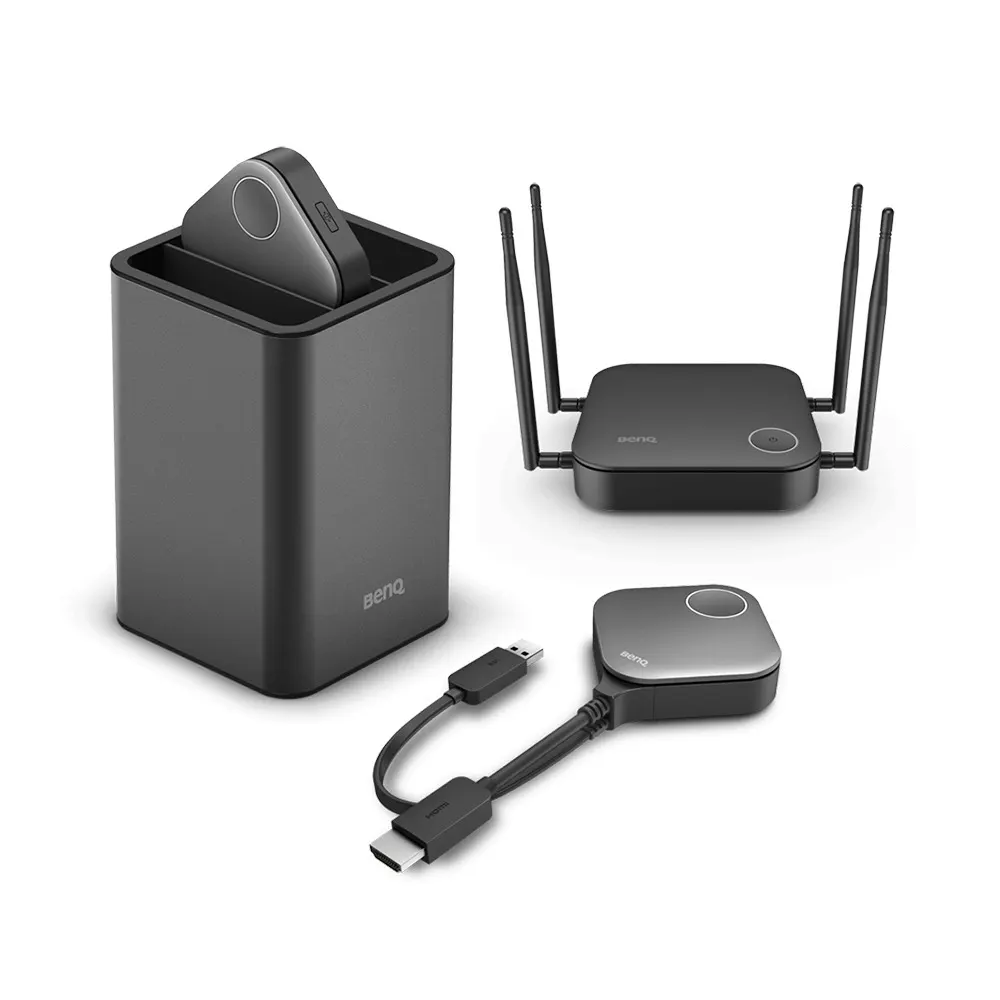
BenQ WDC20 InstaShow S Wireless Presentation System
- Platforms
- WDC10 / WDC10C
- Connectivity
- WDC10 / WDC10C
The BenQ WDC20 InstaShow S is a wireless presentation receiver for mid-size meeting rooms. Staff and visitors can share from their own iPhone, iPad, Android device, laptop or tablet, with no driver to run. Up to 32 devices can connect and four presenters can share on one screen. It suits offices and schools in Qatar where guests bring their own devices.
What the WDC20 does in a meeting room
The BenQ WDC20 InstaShow S is a wireless presentation and collaboration unit built for mid-size rooms where participants arrive with their own devices. It connects to the display through HDMI, and a presenter starts sharing by pressing one button on the unit. An LED on the unit shows the connection status, so everyone in the room can see whether the link is active. It suits quick, shared sessions more than a fixed room computer.
The specifications that matter for mid-size rooms
The manufacturer positions this model for middle-size rooms holding bring-your-own-device meetings. These are the figures that most affect a purchase decision:
- Connections: up to 32 devices in one session.
- Split screen: up to four presenters on one screen.
- Range: 15 m, as listed in the specification table.
- Output: 4K at 30 fps, as listed in the specification table.
- Wireless: Wi-Fi 5 (802.11ac) with WPA2 and AES 128-bit encryption.
- Connection: HDMI plus USB power, or USB Type C.
- Touch: HID touchback support for controlling the presentation from a touch screen.
Sharing works from iPhone, iPad, Android phones and tablets, and laptops. AirPlay, Google Cast and the BenQ InstaShare app are listed as routes for personal devices. The InstaShare app is required for split-screen and mobile device projection, so install it before the meeting if staff or visitors will use phones.
Security built into the wireless link
Sessions on this unit use AES 128-bit encryption with WPA2. Its standalone network can carry data without joining the company intranet, so guest devices do not need access to internal systems. HDCP-encrypted content is delivered over the HDMI channel, which helps when protected material is shown. The manufacturer lists no security certificate for the WDC20, so if a tender requires a named certification, confirm it against the specification before ordering.
Where it fits in Qatar
A ministry department in West Bay holds monthly coordination meetings where officials from several agencies bring laptops and present side by side in Arabic and English. Splitting the screen gives each presenter a window without swapping cables.
A private school in Al Wakrah is fitting out a staff meeting room, where teachers share lesson material from tablets during planning sessions.
A consultancy office in Lusail or The Pearl runs client workshops, where visitors connect from their phones and the presenter controls slides from a touch display.
What to plan before ordering
- Room capacity: the unit supports up to 32 connections, so size the room and user count to match.
- Distance: keep presenting devices within 15 m of the unit.
- Display cabling: confirm a free HDMI input and a USB power source at the display.
- Touch control: confirm the display accepts touch input if presenters should control slides from the screen.
- Wireless coverage: check Wi-Fi 5 coverage in the room. SmartRooms Qatar offers a free site survey before installation.
SmartRooms Qatar supplies and professionally installs the WDC20, and purchase orders and government tenders are welcome. Request a quote and we will confirm the right setup for your room, with quotations usually issued within one working day.
Highlights
- Supports up to 32 devices in one session
- Four presenters share on one split screen
- Wi-Fi 5 (802.11ac) with WPA2 and AES 128-bit
- Output listed at 4K at 30 fps
- HDMI with USB power or USB Type C connection
- HID touchback support for touch displays
Room fit
Tell us the room size and platform (Teams, Zoom or BYOD) and we confirm the right combination with your quotation.
Estimated timeline
Quotation within 1 working day · delivery timing depends on stock availability, and we confirm it with your quotation.
Specifications
General11
- Model
- WDC10 / WDC10C | WDC20 / WDC20C | WDC30
- Model Meeting Type
- WDC10 / WDC10C Huddle Room Meeting | WDC20 / WDC20C Middle-Size Room for B.Y.O.D meeting | WDC30 Large-Size Room for confidentiality-sensitive meeting
- Model WiFi Standard
- WDC10 / WDC10C WiFi 5 | WDC20 / WDC20C WiFi 5 | WDC30 WiFi 6
- Model Distance
- WDC10 / WDC10C 8m | WDC20 / WDC20C 15m | WDC30 30m
- Model Output Resolution
- WDC10 / WDC10C 1080p@60fps | WDC20 / WDC20C 4K@30fps | WDC30 4K@60fps
- Model B.Y.O.D
- WDC10 / WDC10C N/A | WDC20 / WDC20C Airplay/ Google Cast/ BenQ InstaShare App | WDC30 Airplay/ Google Cast/ BenQ InstaShare App
- Model Max Connection
- WDC10 / WDC10C 16 | WDC20 / WDC20C 32 | WDC30 64
- Model Button Interface
- WDC10 / WDC10C HDMI+USB Power or USB Type C | WDC20 / WDC20C HDMI+USB Power or USB Type C | WDC30 HDMI+USB Power
- Model WiFi Encryption
- WDC10 / WDC10C WPA2 | WDC20 / WDC20C WPA2 | WDC30 WPA3
- Model WiFi Security Certificate
- WDC10 / WDC10C N/A | WDC20 / WDC20C N/A | WDC30 · CC EAL6+ (ISO/IEC 15408) · FIPS 140-4
- Model Others
- WDC10 / WDC10C N/A | WDC20 / WDC20C HID Touchback Support | WDC30 · HID Touchback Support · Certified Germ Resistance




