





WDC25
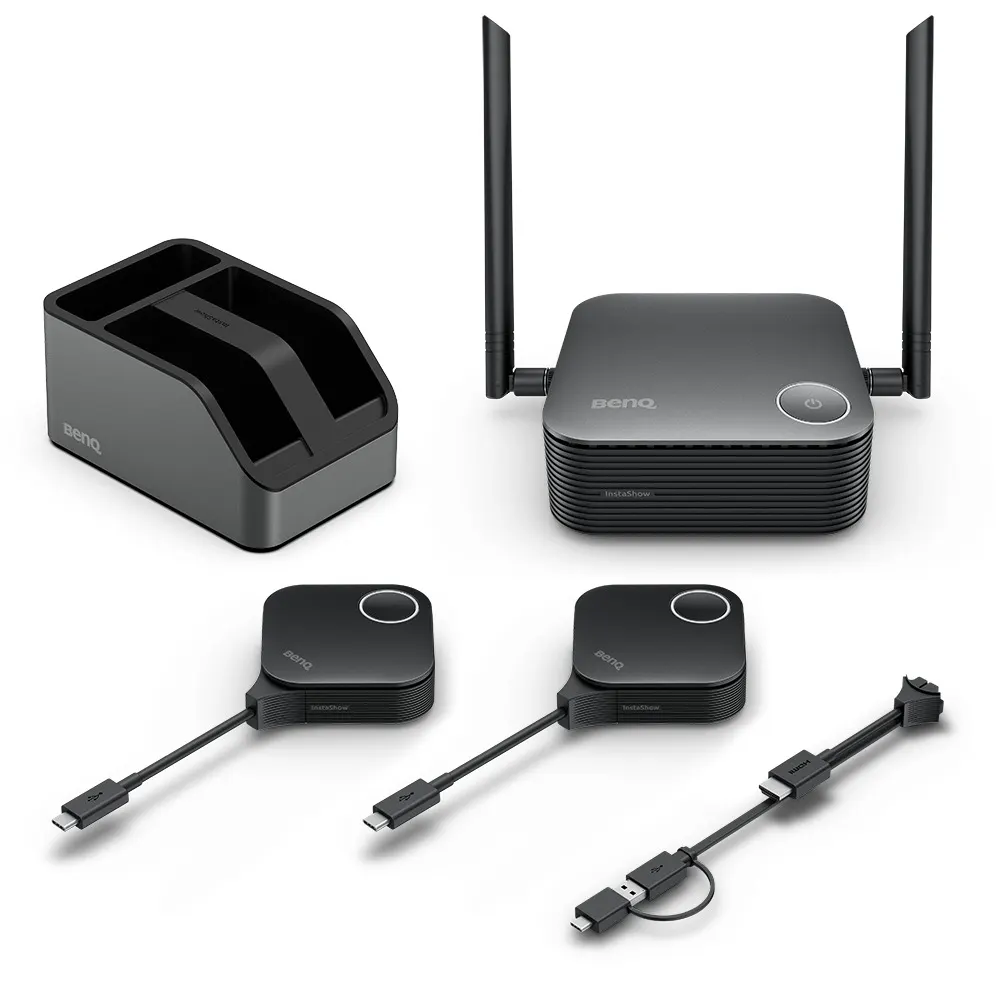
BenQ InstaShow WDC25 Wireless Presentation System
The BenQ InstaShow WDC25 is a wireless presentation system that lets staff and guests share laptops, phones and tablets to a display without installing drivers or apps. The receiver outputs up to 4K at 60fps over HDMI, supports up to 64 simultaneous connections and allows four presenters on a split screen. It suits large meeting rooms in Doha and Lusail where teams present from their own devices.
The BenQ InstaShow WDC25 is a wireless presentation system built for meetings where several people need to show their own content on one large display. The receiver connects to the screen over HDMI, and presenters send their screens from laptops, phones or tablets. Nothing has to be installed on those devices, and IT staff do not need to configure a network before each meeting.
Sharing from any device without installing software
- Quick connection: a Button plugs into a laptop's USB-C port and starts sharing with a tap. Windows, macOS, Linux and ChromeOS systems are supported.
- Guest presenting: visitors can present over HDMI or USB-C from their own laptop, with no app or login.
- Personal devices: phones and tablets running Apple OS, Android or Windows can find the receiver's network in their Wi-Fi settings and cast their screen.
- Split screen: up to four presenters can show their content side by side on one display.
Display quality, capacity and wireless performance
The receiver outputs up to 4K at 60 Hz over HDMI, while the input resolution is listed at up to 4K at 30 fps. Its HDMI 2.0 and DisplayPort 1.2 video outputs both support HDCP, so protected content from a presenter's device can be shown on the room display. The system handles up to 64 simultaneous connections, and the Button can work up to 40 m from the receiver. Wireless runs on 2.4 GHz and 5 GHz with Wi-Fi 6, with maximum data rates of 574 Mbps on 2.4 GHz and 1,201 Mbps on 5 GHz.
Security and remote management
The connection between the Button and the receiver is protected by AES128 encryption, and the spec sheet lists WPA3 Enterprise for that link. The manufacturer notes WPA3 Enterprise becomes available in Q1 2026, so confirm the timing when you request a quote. The product is certified to CVSS 4.0. A MediaTek router-level chipset with automatic channel switching is built for rooms where several receivers operate close together. The receiver also supports Touchback, so presenters can control shared content from an interactive display. Cloud DMS management is listed for this model, and the manufacturer says it lets administrators update firmware and diagnose units from one dashboard, with availability in Q3 2026.
Where it fits in Qatar
- A university seminar room in Education City where visiting researchers and students present from their own laptops, and group reviews use the four-way split screen.
- A government authority's boardroom in Msheireb where ministry staff and external consultants share from personal devices without IT configuring each one.
- A training centre in Al Rayyan running several classrooms, where each receiver is set up once and presenters start instantly.
What to plan before installation
Plan the receiver position so that every presenter seat stays within the 40 m Button-to-receiver range, and keep the HDMI run to the display short and tidy. The host runs on the 12 V DC, 3 A power adapter supplied in the box and draws 15 W in normal use. Host dimensions are 123 x 123 x 49.9 mm without the antenna, and the cradle measures 84.5 x 62.5 x 128 mm. The package includes two Buttons, a Host receiver, a cradle, two 2 dBi MIMO antennas, a Button HDMI cable, a power adapter and an HDMI A-to-A cable. The operating temperature range is not included in the data available for this model, so the SmartRooms Qatar team will confirm the environment for rooms exposed to heat or direct sun before installation. Free site surveys are available.
Send your room dimensions, the number of presenters and the display you plan to use, and the SmartRooms Qatar team will prepare a quotation for the WDC25 package, including purchase order (LPO) support for government and school buyers. Request a quote today.
Highlights
- Instant sharing with no drivers, apps or network setup
- Output up to 4K at 60 Hz over HDMI
- Up to 64 simultaneous connections and four-way split screen
- AES128 encryption, WPA3 Enterprise and CVSS 4.0 certification
- Up to 40 m between Button and receiver
- Wi-Fi 6 on 2.4 GHz and 5 GHz
Room fit
Tell us the room size and platform (Teams, Zoom or BYOD) and we confirm the right combination with your quotation.
Estimated timeline
Quotation within 1 working day · delivery timing depends on stock availability, and we confirm it with your quotation.
Specifications
InstaShow Package7
- Button (Transmitter)
- (x2)
- Antenna
- (x2), 2dbi, MIMO
- Cradle
- (x1)
- Button HDMI cable
- (x1)
- Host (Receiver)
- (x1)
- Power Adapter
- (x1)
- Cable: HDMI A(M) to A(M)
- (x1)
InstaShow Button2
- Button Connector Type
- USB Type C
- Button Function Key
- Split Screen Key
InstaShow Host6
- Host Power Supply
- 3A, DC 12V±10%
- Host Normal Power Consumption
- 15W
- LAN (RJ45)
- (x1)
- HDMI out
- (x1)
- Host Dimensions without antenna
- 123x123x49.9mm
- Host Weight
- 300 g
InstaShow Cradle2
- Cradle Dimensions
- 84.5x62.5x128mm
- Cradle Weight
- 555 g
InstaShow Features13
- Video Outputs
- HDMI 2.0 (with HDCP), DP 1.2 (with HDCP)
- Advanced Encryption Standard
- AES128
- Maximum Output Resolution (Receiver)
- Up to 1080p 60Hz (USB-C), Up to 4K 60Hz (HDMI)
- BYOD
- Apple OS/Android/windows
- WiFi Standard
- 6
- Wireless Frequency
- 2.4G + 5G
- Wireless Data Rate (Maximum)
- AX1800 (2.4G 574 Mbps + 5G 1201 Mbps)
- Simultaneous connections
- 64
- Split Screens (Maximum)
- 4
- WiFi Protected Access
- WPA3 enterprise
- TouchBack
- Yes
- Cloud DMS Management
- Yes
- U-magnet Bolt Design
- Yes




