Biamp
MAX Connect Auditorium Mode License
Biamp MAX Connect Auditorium Mode License 900-10004 Software
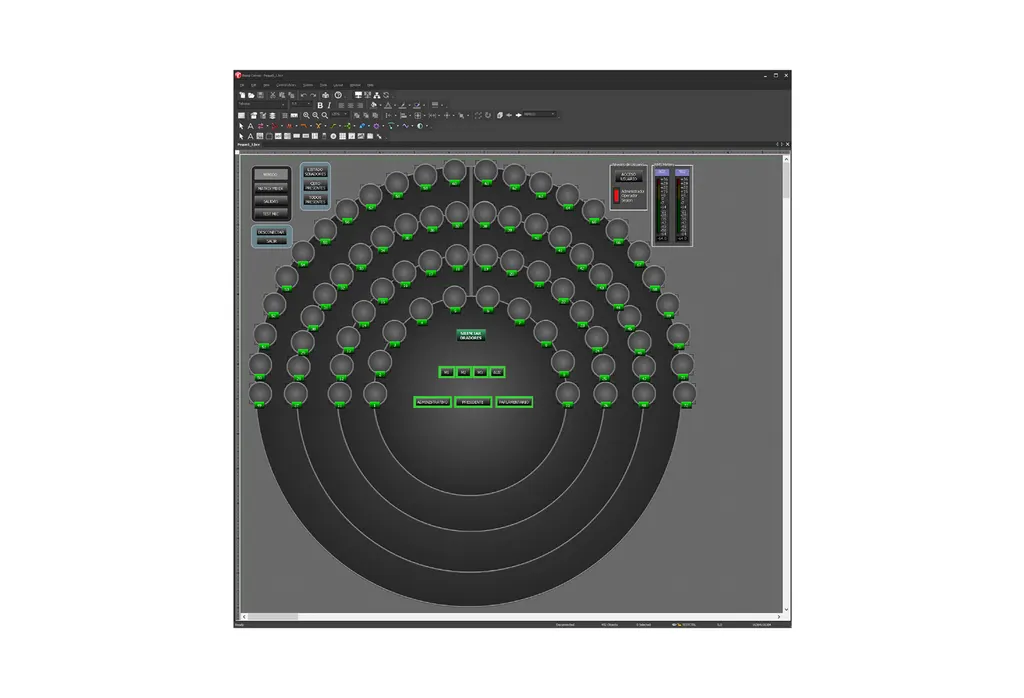
Biamp Canvas Software
Biamp Canvas Software 900.0109 for Tesira Control Screens
Priceon request
QuotationWithin 1 working day
DeliveryConfirmed with your quote, based on stock
Overview
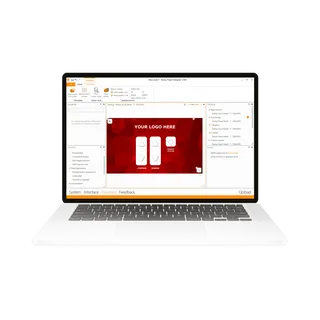
Biamp Canvas Software (item 900.0109) is the design and control application for the Tesira family of audio products. Integrators drag controls straight from the system design into custom touch-screen and PC control surfaces, then add pages and password-restricted access. It suits AV teams in Qatar delivering boardrooms, lecture halls and multi-room venues that need a tailored control interface. Request a quote to discuss your Tesira control project.
What Biamp Canvas does for Tesira systems
Biamp Canvas is the design and control software that sits alongside the Tesira family of audio products. Integrators use it to build the control surface people actually touch in a room, whether that is a touch screen mounted on a wall or a PC-based panel at the front of a classroom. Rather than working from a generic template, the screen is shaped around how the space is really used.
Building control screens from the system design
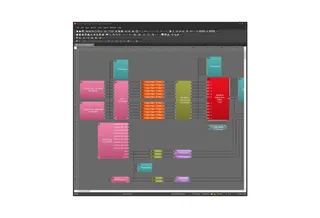
The drag-and-drop workflow is the core of the software. Objects from the system design file can be placed straight into Canvas, so controls arrive already linked to the functions they operate. From there, designers adjust layout, function and appearance, then add drawing tools for backgrounds, graphic treatments and labels that match the room. A staged workflow guides designers and installers through each step, which keeps handover between the design team and the site crew consistent.
Multiple pages, access control and room combining
- Create and navigate several pages of operation, so a complex system is split into clear screens.
- Restrict access to controls and pages with passwords, keeping settings away from general users.
- Support for room combiners, so divisible spaces can be controlled from one interface.
- Update preset settings directly within Canvas, without rebuilding the control screen.
- Controls operate simultaneously with other system controls, so the interface stays in step with the rest of the installation.
Where it fits in Qatar
A university in Education City fitting out seminar rooms can build one control design process for several spaces, adapting each room's panel to its own equipment. A government ministry boardroom in Msheireb may want operating pages for presenters and separate password-protected pages for administrators, so routine visitors cannot change system settings. A hotel conference centre in West Bay with a divisible ballroom can use room combiner support so that staff operate the combined space from one screen, while the individual rooms keep their own controls.
What to plan before you order
Canvas is a software product, so the first planning step is confirming the Tesira hardware in your installation and the PC or touch-screen device that will run the control surface. SmartRooms Qatar offers a free site survey to review room layouts, panel mounting positions and the existing audio system before quotation. Lead times are estimates confirmed with your quotation, based on stock. Purchase orders (LPOs) and government tenders are supported, and quotations are usually issued within one working day. Request a quote for Biamp Canvas Software 900.0109 and our team will confirm the details for your project.
Highlights
- Drag-and-drop controls placed directly from the system design file
- Custom touch-screen and PC control surfaces for Tesira systems
- Multiple pages of operation with password-restricted access
- Support for room combiners in divisible spaces
- Preset settings updated directly within Canvas
- Item number 900.0109, part of the Tesira series
Room fit
Tell us the room size and platform (Teams, Zoom or BYOD) and we confirm the right combination with your quotation.
Estimated timeline
Quotation within 1 working day · delivery timing depends on stock availability, and we confirm it with your quotation.
Specifications
Source: manufacturer · checked Oct 2026
The full specification and datasheet for this model are available on request; we send them with your quotation.
Downloads
3 files from the manufacturerQuestions about Biamp Canvas Software
What is Biamp Canvas Software used for?
Biamp Canvas is design and control software for building customized control screens for the Tesira family of audio products. Integrators use it to create the touch-screen or PC interface that operators use to manage a room's audio, so the layout matches how the space is used rather than a generic template.
Which audio products does Biamp Canvas Software work with?
Canvas is made for the Tesira family of audio products, and it is part of the Tesira series. Before ordering, confirm your exact Tesira hardware and firmware with the SmartRooms Qatar team, so the control project is planned around the system you already have or plan to install.
Do I need to be a programmer to build control screens?
Canvas uses drag-and-drop functionality, so you can place objects from the system design file into the software and assign them to system functions. The staged workflow guides designers and installers through the process. Your integrator's existing design experience will still shape the final layout and labelling.
How does the drag-and-drop workflow save project time?
Controls can be copied directly from objects already placed in the system design, so they arrive pre-assigned to the right functions. This removes the need to map each button by hand. Drawing tools then handle backgrounds, labels and graphic treatments, allowing a design team to produce a consistent control surface for a boardroom, classroom or lecture hall.
Can Canvas control surfaces run on a PC or a touch screen?
Yes. The software creates system control surfaces for both PC and touch-screen use. A ministry boardroom in Msheireb might use a wall-mounted touch panel for presenters, while a training room in Doha uses a PC-based surface at the front desk. Confirm the device model with SmartRooms Qatar before you order.
How do password restrictions work in Canvas?
Access to individual controls and pages can be restricted with passwords. This is useful in a government office or corporate boardroom where presenters need to operate the room, but administrators must keep system settings protected. Plan which pages need protection during the design stage, before the screens are handed over to the client.
Does Canvas support room combining for divisible spaces?
Canvas includes control support for room combiners. A hotel conference centre in West Bay with a divisible ballroom can operate combined and separated sections from a coordinated interface. Ask SmartRooms Qatar to confirm the room combiner configuration of your Tesira system during the site survey.
Can preset settings be changed without rebuilding the screen?
Yes. Preset settings can be updated directly within Canvas. This helps facilities teams adjust a room's operating presets after a change in use, such as a classroom reconfigured for group work at a school in Al Wakrah, without redesigning the whole control surface.
Can one project include several pages of controls?
Yes. You can create and navigate multiple pages of operation. A large university lecture theatre might have one page for daily presenting, another for technical setup and a third for maintenance tasks, keeping each screen focused and uncluttered for the people who use it.
What should I plan before ordering this software?
Confirm the Tesira system in the installation, the PC or touch-screen device, the room layouts and the control points each user needs. SmartRooms Qatar provides a free site survey to review these details before quotation, which avoids changes once the control surface is built on site.
How do I buy Biamp Canvas Software from SmartRooms Qatar?
Send your project details and we will prepare a quotation, usually within one working day. We accept purchase orders (LPOs) and government tenders, and payment by bank transfer, cheque or purchase order. Lead times are estimates confirmed with the quotation, based on stock.
Is Biamp Canvas suitable for a single room or a larger project?
It suits both. A single boardroom needs one control surface, while a school or campus can use the same design approach across many rooms, each with its own pages and access settings. Describe your number of rooms and locations when you request a quote so the scope is priced accurately.