Biamp
MAX Connect Auditorium Mode License
Biamp MAX Connect Auditorium Mode License 900-10004 Software
DisplayNote Launcher
Clevertouch DisplayNote Launcher Windows Meeting Room Software
Priceon request
QuotationWithin 1 working day
DeliveryConfirmed with your quote, based on stock
Overview
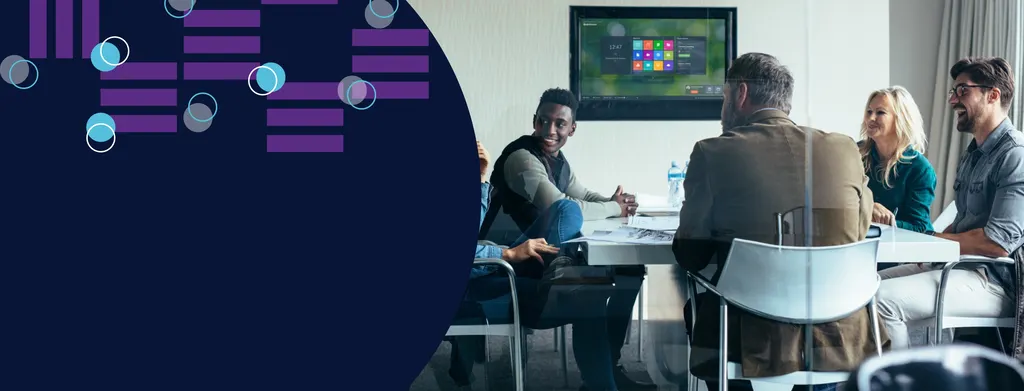
Clevertouch DisplayNote Launcher is Windows software that turns a meeting room screen into a single home screen for starting calls and opening approved apps. It runs on Windows displays the room already uses, supports Microsoft Teams, Zoom, Webex and Google Meet, and lets IT staff control what users can reach. It suits Qatari offices, schools and government meeting rooms that need consistent call launching without relying on one conferencing vendor. Request a quote.
What Clevertouch DisplayNote Launcher does in a meeting room
Clevertouch DisplayNote Launcher is a Windows software application that gives a meeting room display one home screen for joining calls and opening the apps the room needs. Rather than tying the room to one unified communications vendor, it lets people start calls on Microsoft Teams, Zoom, Webex, Google Meet, GoToMeeting, Lifesize and Blue Jeans from the same place. Because it is added to Windows screens a room already uses, the decision is about the software and its deployment rather than a new panel.
For a buyer, the question changes. You are not choosing one conferencing platform for every room. You are deciding how staff in each room reach the platforms they already use, and how IT keeps those screens consistent.
Security and control for IT teams
Kiosk mode locks the device to the launcher, so users cannot reach the underlying Windows system. Admin settings sit behind a PIN, and the home screen can be built around the apps and websites your organisation has approved, so every room presents the same options. Custom clean up runs on a schedule you set and can clear selected types of data between meetings, including apps, browsers and folders.
Deployment suits larger estates. Settings can be exported and reused for fast rollout, and the software can be deployed through Microsoft Intune. The launcher also supports Office 365 and Google calendars, and users can sign in to OneDrive and a personal calendar.
Where it fits in Qatar
A government ministry in Doha with several meeting rooms hosting Arabic and English-speaking teams can give each room the same launch screen. Staff can join the platform a partner agency uses without a technician setting up the room before every meeting.
A private school in Al Wakrah fitting out a staff training room can lock the screen to the video platform the school uses and one approved browser for training. Clean up between sessions keeps the room ready for the next group.
An office in West Bay or Lusail that hosts Doha teams and colleagues abroad can give every meeting room the same set of options, while each team keeps the platform it prefers.
What to plan before you deploy
- List the calling platforms and apps each room needs, and the approved websites that should appear on the home screen.
- Confirm that each room display runs Windows, because the launcher is a Windows software solution.
- Decide the clean up schedule and which data types are cleared between meetings.
- Check your calendar set up, whether Office 365, Google or personal, and how users will sign in.
- If you use Microsoft Intune, agree the deployment method before installation starts.
- If your room takes a laptop feed through an HDMI-in device, confirm the input setup with our team.
SmartRooms Qatar offers free site surveys, and for a rollout across several rooms we can prepare one quotation covering the full list. Quotations are usually issued within one working day. We accept purchase orders (LPOs), government tenders including Monaqasat, and payment by bank transfer, cheque or purchase order.
To request a quote, tell us how many rooms you want to set up, the Windows displays they use and the calling platforms your staff rely on.
Highlights
- Starts calls on Teams, Zoom, Webex, Google Meet and more
- Runs on Windows screens already in the meeting room
- Kiosk mode restricts access to the Windows system
- PIN-protected admin settings and scheduled clean up between meetings
- Supports Office 365 and Google calendars
- Deployable via Microsoft Intune with exportable settings
Room fit
Tell us the room size and platform (Teams, Zoom or BYOD) and we confirm the right combination with your quotation.
Estimated timeline
Quotation within 1 working day · delivery timing depends on stock availability, and we confirm it with your quotation.
Specifications
Source: manufacturer · checked Oct 2026
The full specification and datasheet for this model are available on request; we send them with your quotation.
Downloads
0 files from the manufacturerNo downloadable files are listed for this model yet. Ask us and we will send the datasheet.
Questions about DisplayNote Launcher
What is Clevertouch DisplayNote Launcher?
Clevertouch DisplayNote Launcher is Windows software that puts a single home screen on a meeting room display. From that screen, users can start calls on Microsoft Teams, Zoom, Webex, Google Meet, GoToMeeting, Lifesize and Blue Jeans, and open approved apps and websites. It is designed for rooms that should not depend on one unified communications vendor.
Will it run on any display in our meeting room?
It is a Windows software solution, so it is added to Windows-based screens your room already uses. Before you request a quote, confirm with the SmartRooms Qatar team that your display runs Windows. Send us the display model and operating system so the installation plan matches your room.
Which calling platforms can users launch from it?
The launcher lets users start calls across Microsoft Teams, Zoom, Webex, Google Meet, GoToMeeting, Lifesize and Blue Jeans. For an organisation whose staff meet clients on different platforms, one room screen can serve all of them instead of each room being set up for a single vendor.
How do we stop staff from reaching the Windows desktop?
Kiosk mode restricts the device to the launcher and prevents access to the underlying Windows system. Admin settings are protected with a PIN, so IT keeps control of configuration while users see only the approved home screen. This suits rooms that must stay locked down between meetings and training sessions.
Is it suitable for a government meeting room in Doha?
It suits government meeting rooms that need a consistent, locked-down interface. A ministry in Doha can set a home screen with its approved apps and tools, protect admin settings with a PIN, and schedule clean up between meetings. Share your security and procurement requirements when you request a quote so we can confirm the fit.
How does the scheduled clean up work?
Custom clean up lets you choose when it runs and which types of data are cleared between meetings, covering apps, browsers and folders. A private school in Al Wakrah using a staff training room could set clean up to run after each session, so the next group starts with a clear screen and no leftover files from the previous session.
Can we add our logo and a custom background?
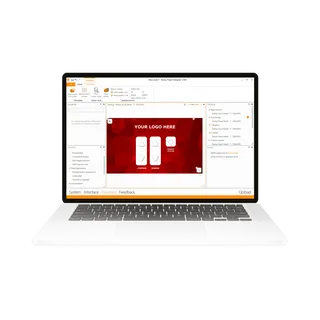
Yes. The launcher supports a custom background and logo, so the home screen can carry your organisation's identity. This suits a head office in West Bay or Lusail where meeting rooms should match the company brand, while staff and visitors see a simple, familiar set of options when they walk in.
Does it connect to our calendars?
The launcher supports Office 365 and Google calendars, and users can sign in to OneDrive and a personal calendar. This lets staff see their meetings from the room screen. Check which calendar system your organisation uses before you request a quote, so the sign-in set-up matches your IT policy.
How can we roll it out to many rooms at once?
Settings can be exported for fast deployment, and the software can be deployed through Microsoft Intune. For an organisation with twenty rooms across Lusail, a practical route is to configure one screen, test it in real meetings, then apply the same settings to the other rooms. We can quote for the full list of rooms in one document.
Can we add our favourite apps and websites to the home screen?
Yes. You can create shortcuts to favourite apps and websites and customise the home screen with your approved apps and tools. Staff in every room then see the same list, which reduces help requests about where to find a platform or document. Send us the list when you request a quote.
How do we request a quote and buy?
Request a quote from SmartRooms Qatar with the number of rooms, the Windows displays they use and the calling platforms your staff need. Quotations are usually issued within one working day. We accept purchase orders (LPOs), government tenders including Monaqasat, and payment by bank transfer, cheque or purchase order.