





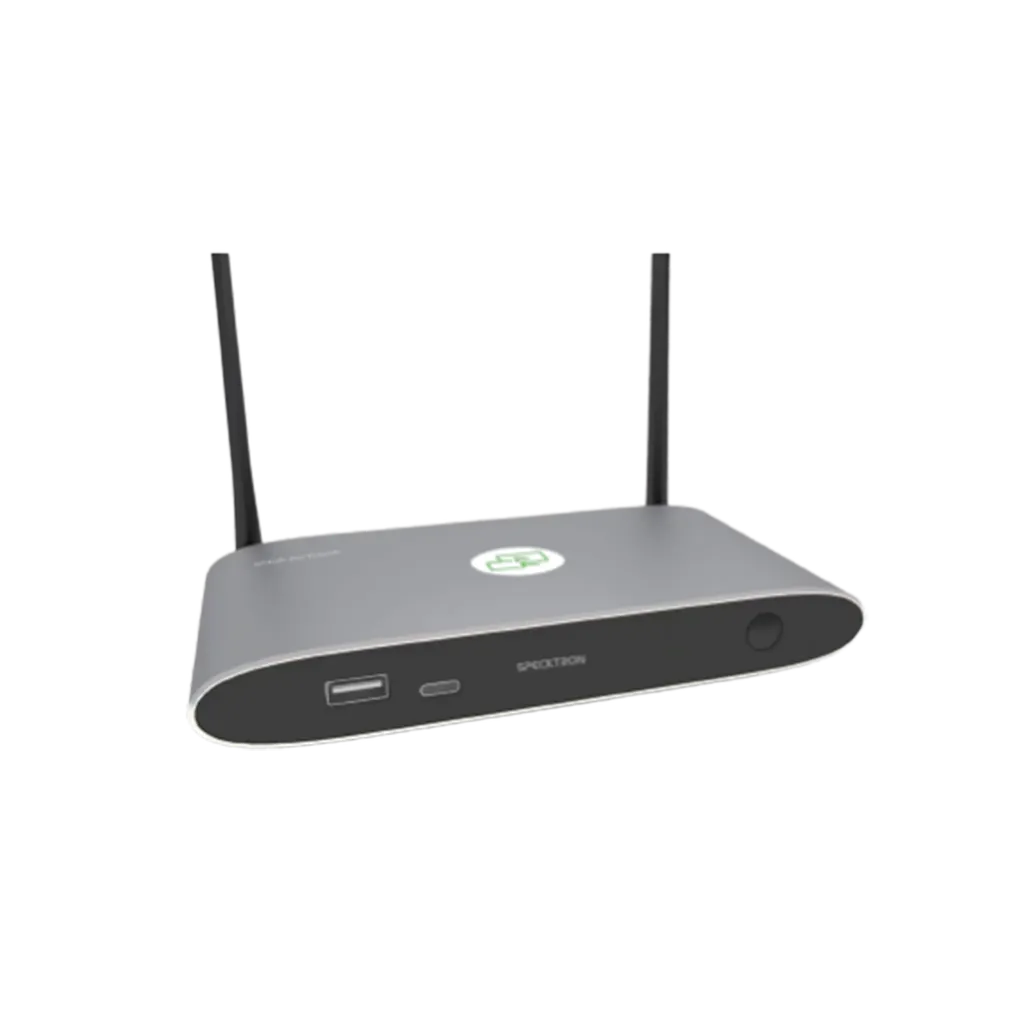
eHub
Specktron eHub Wireless Presentation and Collaboration Hub
- Connectivity
- USB 3.0 ×1
The Specktron eHub is a wireless presentation hub that lets staff and students share laptop, tablet and phone screens without cables. It supports AirPlay, Miracast and Chromecast, accepts up to 16 connected devices and drives a 4K HDMI output at 60Hz. Its reverse touch control works with compatible interactive displays, making it a practical fit for meeting rooms, classrooms and shared workspaces across Qatar. Request a quote.
What the Specktron eHub does in a shared room
The Specktron eHub is a wireless presentation hub. It connects to a display through HDMI and receives screens from laptops, tablets and smartphones over Wi-Fi, so presenters do not need to reach for a cable at the front of the room. Up to 16 devices can be connected at the same time, and its on-screen layout offers four main windows and 14 thumbnail windows, which lets a chair or teacher compare several sources at a glance.
The unit is compact, measuring 165 × 95 × 24.5 mm and weighing 200 g. With its antenna fitted, the footprint becomes 165 × 125 × 24.5 mm, so it can sit behind a display or on a shelf beside the room's existing equipment.
Sharing options, resolution and control
Presenters can share using AirPlay, Miracast or Chromecast, and the hub also takes wireless content through its WirelessMedia App and Show-Me Button. Up to four presenters can share at the same time, which suits teaching groups and workshop sessions. Wireless video is rated at 1080p with a refresh rate below 60Hz. The HDMI output is more capable, offering 3840 × 2160 at 60Hz or 30Hz and 1920 × 1080 at 60Hz, with HDMI 1.4 and HDMI 2.0 format compliance and HDCP 1.4 and 2.2 support.
Reverse touch control lets a presenter operate a laptop or Mac from a compatible interactive display, so navigating, annotating and presenting can happen from the screen itself. For wired control, the unit provides a 3.5mm Phoenix terminal and an RS232 interface, and it also has USB 3.0, USB 2.0 and USB Type-C ports.
Where it fits across Qatar
- Government meeting rooms in West Bay or Msheireb: several departments can present from their own devices in one session. The dual-network architecture and encryption described for the product are intended to support secure, stable collaboration in corporate settings.
- Classrooms in Education City or an Arabic-curriculum school in Al Wakrah: students can send work from tablets to the main display, and up to four presenters can share at once without swapping cables.
- Boardrooms in Lusail and The Pearl: visiting executives can connect from smartphones or laptops. Where an existing control system is installed, the RS232 interface provides a serial link for integration.
Planning power, network and temperature
The eHub runs on 12V DC or PoE under IEEE 802.3af and draws 10W at most, so a PoE-capable switch port can power it without a separate socket at the display. It has two RJ45 LAN ports rated 1000 Mbps or 100 Mbps, and its Wi-Fi follows IEEE 802.11 a/g/n/ac across 2.4 GHz and 5 GHz with a MIMO 2 × 2 antenna. The rated operating temperature runs from -20°C to 60°C, with 20% to 90% humidity, non-condensing. Summer temperatures in Qatar can exceed 45°C, so check the temperature inside any enclosed lectern or cabinet before choosing a mounting position. A free site survey from SmartRooms Qatar can confirm this before installation.
Ordering for one room or a whole campus
Quotations are usually issued within one working day. Schools and training centres ordering several units can raise a purchase order (LPO), and government buyers can work through tenders, including Monaqasat. We deliver to all 8 municipalities of Qatar, arrange professional installation, and accept payment by bank transfer, cheque or purchase order. Products are covered by the manufacturer's warranty. Send us the number of rooms, your display model and your network setup, and request a quote from SmartRooms Qatar.
Highlights
- Wireless sharing via AirPlay, Miracast and Chromecast
- Up to 16 connected devices and four simultaneous presenters
- Wireless sharing at 1080p; HDMI output up to 4K at 60Hz
- Reverse touch control for laptop or Mac from compatible displays
- Wi-Fi on 2.4 GHz and 5 GHz with MIMO 2 × 2 antenna
- 12V DC or PoE (IEEE 802.3af) power, 10W maximum
Room fit
Tell us the room size and platform (Teams, Zoom or BYOD) and we confirm the right combination with your quotation.
Estimated timeline
Quotation within 1 working day · delivery timing depends on stock availability, and we confirm it with your quotation.
Specifications
Specifications22
- HDMI Output
- 1 × HDMI 19-pin Female Connector
- Video Output Resolution
- 3840 × 2160 @ 60Hz, 3840 × 2160 @ 30Hz, 1920 × 1080 @ 60Hz
- Format Compliance
- HDMI 1.4 / HDMI 2.0
- Wireless Video Capacity
- 1080p @
- HDCP
- HDCP 1.4 / HDCP 2.2
- Audio Output
- 1 × 3.5mm Audio Jack
- LAN Ports
- 2 × RJ45 (1000 Mbps / 100 Mbps)
- USB Interface
- USB 3.0 ×1, USB 2.0 ×1, USB Type-C ×1
- Audio Input
- AirPlay, Windows, Mac
- Control Interface
- 3.5mm Phoenix Terminal, RS232 Interface
- On-Screen Windows
- 4 Main Windows + 14 Thumbnail Windows
- Simultaneous Connections
- Up to 16 Devices
- Video Frame Rate
- 20–60 FPS
- Wireless Standard
- Wi-Fi IEEE 802.11 a/g/n/ac
- Frequency Band
- 2.4 GHz & 5 GHz
- Wi-Fi Antenna
- MIMO 2 × 2
- Dimensions
- 165 × 95 × 24.5 mm (165 × 125 × 24.5 mm with antenna)
- Weight
- 200 g (0.4 lbs)
- Operating Temperature
- -20°C to 60°C
- Humidity
- 20% – 90% (Non-condensing)
- Power Supply
- 12V DC / PoE (IEEE 802.3af)
- Power Consumption
- 10W (Max)




