





Thursday, 22 October 2026 · 11 Jumada I 1448 AH Sun – Thu · 9:00 – 18:00
+971 56 914 9477 العربية
WhatsApp

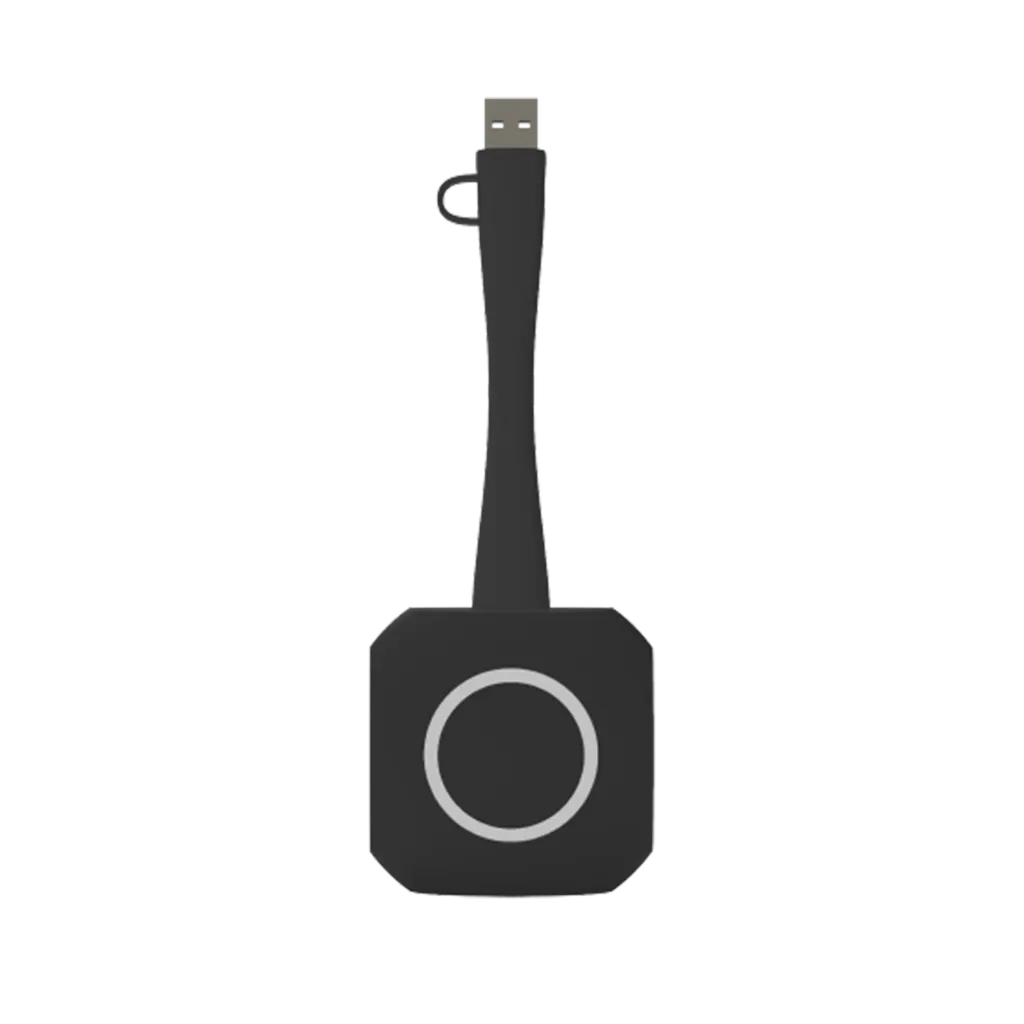
eShare Pro Dongle ES07T-C

Specktron eShare Pro Dongle ES07T-C Wireless Presentation Button

Video
Up to 3840 × 2160 (4K)
Platforms
Windows
Connectivity
USB Type-C / USB Type-A
WhatsApp
Priceon request
QuotationWithin 1 working day
DeliveryConfirmed with your quote, based on stock
PDFDownload datasheet (eShare Pro Dongle ES07T-C Brochure.pdf)
Overview

The Specktron eShare Pro Dongle ES07T-C is a USB wireless presentation button that casts up to 4K content from a laptop or device to a display. It connects over USB Type-C or Type-A, supports WiFi 6 on 5 GHz and 2.4 GHz, and needs no drivers or software, according to the manufacturer. It suits meeting rooms and classrooms in Doha and across Qatar where presenters need to start quickly.

What the ES07T-C does in a meeting room

The Specktron eShare Pro Dongle ES07T-C is a small wireless presentation dongle, measuring 176 × 58 × 17 mm and weighing 80 g. It plugs into a USB port on a compatible display, so a presenter can share a screen from a personal device without installing anything. The product is rated for casting content up to 4K, and the manufacturer states a start time of about two seconds from connection to presenting. In rooms where people arrive, connect and begin within minutes, that removes the cable swap that slows most meetings.

Wireless, video and power specifications

The unit supports 5 GHz and 2.4 GHz WiFi 6 and lists WPA2 authentication, including WPA2-PSK and WPA2-Enterprise, so IT teams can check it against their existing wireless policy. Video output is through DP 1.2 and eDP 1.4 with HDCP compliance. Resolution is listed up to 3840 × 2160, with frame rates of up to 30 fps at 4K and up to 60 fps at FHD.

  • Interface: USB Type-C and USB Type-A
  • Power: 5V via Type-C, 0.9A maximum, 2.5W average
  • Touch: 10-point touch support listed in the specifications
  • Compatibility: Windows, macOS, Linux, Chrome OS, iOS and Android

Where it fits across Qatar

In a boardroom in West Bay or Msheireb, a director can share from a laptop or tablet during a call with a team abroad, without asking IT to change network settings. In a private school in Al Wakrah fitting out new classrooms, teachers can cast lesson material onto a Specktron display from their own device. In a government office, staff can present without installing drivers on shared machines during a busy Sunday to Thursday week.

What to plan before you order

The operating range is 0°C to 40°C, so keep the dongle in an air-conditioned room. Avoid leaving it in a parked car or on a sill in direct sun, where Qatar summer heat can exceed that range. Storage is rated from -20°C to 60°C. Before ordering, check which port on your display supplies USB power and video, and confirm the WiFi authentication method your network uses. SmartRooms Qatar offers free site surveys and can check port positions and room layout before you commit to a quantity.

Schools, ministries and companies buying several units can order through a purchase order (LPO) or a government tender, with payment by bank transfer, cheque or purchase order. Request a quote from SmartRooms Qatar with your room count and display models, and we usually respond within one working day.

Highlights

  • Casts content up to 4K resolution over WiFi 6
  • Dual-band support on 5 GHz and 2.4 GHz networks
  • No drivers, software or network setup required, per manufacturer
  • USB Type-C and USB Type-A interfaces
  • Rated operating range of 0°C to 40°C
  • Compatible with Windows, macOS, Linux, Chrome OS, iOS and Android

Room fit

Tell us the room size and platform (Teams, Zoom or BYOD) and we confirm the right combination with your quotation.

Estimated timeline

Quotation within 1 working day · delivery timing depends on stock availability, and we confirm it with your quotation.

Specifications

13 specifications · Source: manufacturer · checked Oct 2026
Specifications13
Wireless
5 GHz & 2.4 GHz WiFi 6
Authentication Protocol
WPA2 (WPA2-PSK / WPA2-Enterprise)
Video Output
DP 1.2, eDP 1.4, HDCP Compliant
Frame Rate
Up to 60 fps (FHD), 30 fps (4K)
Resolution
Up to 3840 × 2160 (4K)
Touch Control
10-point Touch Support
Interface
USB Type-C / USB Type-A
Power
5V (Type-C), 0.9A Max, 2.5W Average
Operating Temperature
0°C – 40°C
Storage Temperature
-20°C – 60°C
Dimensions
176 × 58 × 17 mm
Weight
80 g
Compatibility
Windows, macOS, Linux, Chrome OS, iOS, Android

Downloads

2 files from the manufacturer

Questions about eShare Pro Dongle ES07T-C

What is the Specktron ES07T-C used for?
It is a wireless presentation dongle that lets a presenter share a laptop or device screen to a compatible display, with casting up to 4K. It suits meeting rooms, classrooms and boardrooms where presenters change often. You plug it into a USB port on the display, connect, and press once to start presenting.
Does the presenter need to install software or drivers?
The manufacturer states that no software or drivers are required and no network setup is needed. The device works with Windows, macOS, Linux, Chrome OS, iOS and Android, so a visiting consultant on a Mac and a teacher on Windows can both present from the same display without installing anything.
What resolution and frame rate does it support?
The specifications list resolution up to 3840 × 2160 (4K), with up to 30 fps at 4K and up to 60 fps at FHD. If your presentations include fast video or animation, FHD may give smoother motion, while 4K suits detailed documents and spreadsheets shown on large panels.
Which Wi-Fi bands and security methods does it support?
It supports 5 GHz and 2.4 GHz WiFi 6. Authentication is listed as WPA2, including WPA2-PSK and WPA2-Enterprise. A government office that uses enterprise authentication should confirm with its IT team that the network matches WPA2-Enterprise before the units are deployed across meeting rooms.
Which displays can it connect to?
The dongle is built for Specktron displays and collaboration systems and lists DP 1.2 and eDP 1.4 video outputs with HDCP compliance, plus USB Type-C and Type-A interfaces. Before ordering, confirm your display's USB port and video input with SmartRooms Qatar, especially if you are connecting it to a display from another brand.
Can it be used in hot conditions in Qatar?
The operating temperature range is 0°C to 40°C, and storage is rated from -20°C to 60°C. Summer temperatures in Doha can exceed 45°C, so keep the dongle in an air-conditioned room and do not leave it in a parked car or on a window sill in direct sun.
Is it suitable for a private school fitting out new classrooms?
Yes, for classroom use with a Specktron display. Teachers can cast lesson material from their own laptop or tablet onto the screen, and the unit needs no installation on their device. A school in Al Wakrah or Al Rayyan planning several classrooms should match the USB port layout on each display to the dongle before ordering.
How is it powered and what does it need from the display?
Power is listed as 5V through the USB Type-C connector, with 0.9A maximum and 2.5W average. The specifications do not list a separate adapter. Check the included items and the power supply from your display's USB port with SmartRooms Qatar when you request your quotation.
Does it support touch control?
The specifications list 10-point touch support. Touch behaviour depends on the display it is connected to, so ask SmartRooms Qatar to confirm how touch works with your specific model before you commit to a room layout.
Is the ES07T-C covered by a warranty?
Products supplied by SmartRooms Qatar are covered by the manufacturer's warranty. The warranty duration and terms are not included in the source data for this model, so please ask for the applicable warranty conditions to be confirmed in your quotation before placing an order.
Can a ministry or university order several units with a purchase order?
Yes. SmartRooms Qatar supplies organisations across all eight municipalities and accepts purchase orders (LPOs) and government tenders, including Monaqasat. Payment can be made by bank transfer, cheque or purchase order. Send your room count and display models to receive a quotation for a multi-room rollout.

Similar models

Biamp MAX Connect Biamp MAX Connect 910-02278 Wireless Presentation System
CB
Clevertouch CleverCast Clevertouch CleverCast Wireless Presentation Device
Compatible
Clevertouch CleverHub 2 Clevertouch CleverHub 2 Wireless Presentation and Screen Sharing Device
Yes - CleverCast only NRCS
iiyama WP-D002C iiyama WP-D002C USB-C Wireless Presentation Dongle
Wireless presentation
iiyama WP-MEET03M iiyama WP-MEET03M Wireless Presentation Solution
Wireless presentation
Email Call



