





Thursday, 22 October 2026 · 11 Jumada I 1448 AH Sun – Thu · 9:00 – 18:00
+971 56 914 9477 العربية
WhatsApp

WT-13

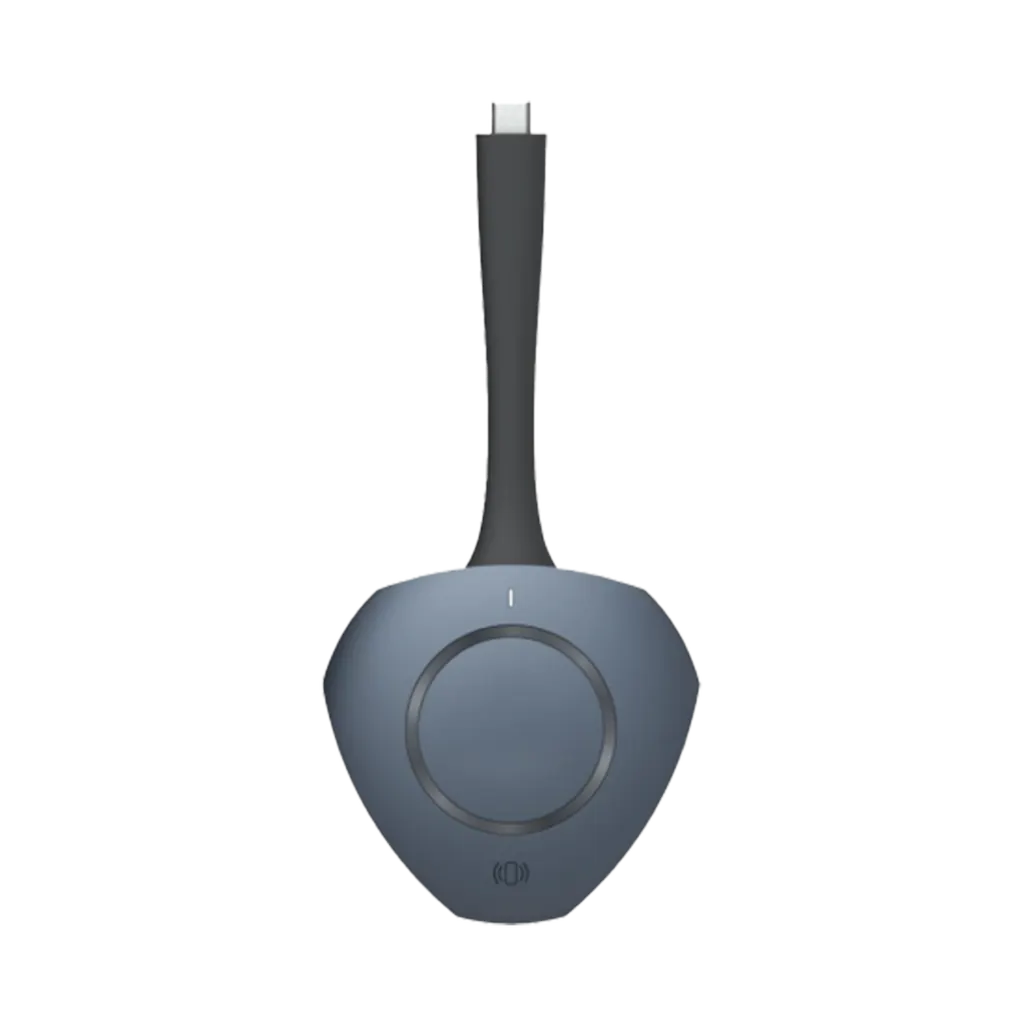
Specktron WT-13 Wireless Sharing Dongle for Interactive Displays

Video
1920 × 1080 @ 30 Hz (Default)
Connectivity
USB Type-C ×1
WhatsApp
Priceon request
QuotationWithin 1 working day
DeliveryConfirmed with your quote, based on stock
PDFDownload datasheet (WT-13 Brochure.pdf)
Overview

The Specktron WT-13 is a plug-and-play wireless dongle that mirrors a laptop screen to a Specktron interactive display within five seconds. It connects through USB Type-C, includes a USB Type-A adapter, and supports touchback, so presenters can control their laptop from the panel. Up to eight devices can share to one display, which suits classrooms and meeting rooms in Qatar where teachers and staff switch presenters often.

What the WT-13 does during a presentation

The Specktron WT-13 is a small wireless dongle for presenters who want a laptop screen on a Specktron interactive display without cables, driver installs or network logins. Plug it into the laptop, press the button, and the screen mirrors to the panel. Startup takes 5 seconds or less, a cold start takes up to 12 seconds, and disconnecting takes up to 1 second.

Connection, resolution and range

Sharing runs on the 5 GHz band using the 802.11 a/n/ac/ax Wi-Fi standard, and the unit also includes Bluetooth 5.2. The default output is 1920 × 1080 at 30 Hz, and the unit can reach 3840 × 2160 at 30 Hz when you need 4K resolution. Transmission delay is 120 ms or less, and the working distance is 0 to 12 m, so a presenter can move around the front of a room while sharing.

  • USB Type-C port with a USB Type-A adapter included
  • Supports Windows 10, Windows 11 and Mac OS 10.12 or later
  • Touchback lets presenters navigate and scroll from the display
  • Up to eight devices can share audio and video at the same time

Where it fits in Qatar

A secondary school in Al Rayyan with one interactive display in a science room can let several teachers share lesson slides from their own laptops between periods, without swapping cables. In a government ministry office in Msheireb, a meeting room may host presenters working in Arabic and English from different laptops during the Sunday to Thursday working week, and each presenter can control their own slides from the panel.

At a training centre in Lusail, an instructor running a workshop can let up to eight participant devices share to one screen, which keeps group activities moving. A meeting room in West Bay hosting visiting presenters who arrive with their own laptops can use the same setup without rearranging the room.

What to plan before you order

The WT-13 is described for Specktron interactive displays, so confirm that your existing panel is a Specktron model before ordering for several rooms. Check which Windows or macOS versions your staff use, and whether their laptops have USB Type-C or only Type-A ports. The product details do not list an operating temperature range, so confirm the placement with the SmartRooms Qatar team before mounting the unit in a hot or window-facing area where summer heat and dust storms are a concern.

For multi-room projects, we can deliver to all eight municipalities of Qatar and accept purchase orders (LPOs), government tenders or payment by bank transfer, cheque or purchase order. Professional installation is available, and a free site survey can be arranged first.

To confirm compatibility, operating systems and quantities, request a quote from SmartRooms Qatar. Quotations are usually issued within one working day.

Highlights

  • USB Type-C port with a USB Type-A adapter included
  • Screen mirroring starts within 5 seconds
  • Default 1080p at 30 Hz, with up to 4K at 30 Hz
  • Touchback lets presenters control the laptop from the display
  • Up to eight devices can share to one display
  • Supports Windows 10, Windows 11 and Mac OS 10.12 or later

Room fit

Tell us the room size and platform (Teams, Zoom or BYOD) and we confirm the right combination with your quotation.

Estimated timeline

Quotation within 1 working day · delivery timing depends on stock availability, and we confirm it with your quotation.

Specifications

13 specifications · Source: manufacturer · checked Oct 2026
Specifications13
USB Interface
USB Type-C ×1, USB Type-A Adapter ×1
Maximum Connection Distance
12 m
Supported Operating Systems
Windows 10 / Windows 11 / Mac OS 10.12 and above
Startup Time
≤ 5 seconds
Cold Start Time
≤ 12 seconds
Maximum Disconnect Time
1 second
Transmission Delay
≤ 120 ms
Maximum Resolution
1920 × 1080 @ 30 Hz (Default), up to 3840 × 2160 @ 30 Hz
Touchback Support
Yes
Bluetooth Version
5.2
Wireless Frequency
5 GHz
Wi-Fi Standard
802.11 a/n/ac/ax
Working Distance
0 – 12 m

Downloads

2 files from the manufacturer

Questions about WT-13

What is the Specktron WT-13 used for?
The Specktron WT-13 is a plug-and-play wireless dongle that mirrors a laptop screen onto a Specktron interactive display. It suits classrooms and meeting rooms where several presenters share one panel and cable changes waste time. A secondary school in Al Rayyan, for example, can let teachers share lesson slides from their own laptops between periods without swapping cables.
Do I need to install drivers or software on the laptop?
No driver installation is needed, and the product does not require network logins. The presenter plugs the dongle into the laptop, taps the button and starts sharing. This suits a ministry office where staff use managed laptops that do not allow software installation, although your IT team should still confirm the policy for each device before rollout.
Which USB connections does the WT-13 use?
The WT-13 has one USB Type-C connector and comes with one USB Type-A adapter. Newer laptops with USB-C ports can plug in directly, while older laptops with standard USB-A ports can use the included adapter. Check the ports on each presenter's laptop before ordering, especially in schools and offices where devices were bought in different years.
Which operating systems are supported?
The WT-13 supports Windows 10, Windows 11, and Mac OS 10.12 and above. An organisation with a mixed fleet of Windows and Mac laptops can use the same dongle on both platforms. Confirm the operating system version on each device before ordering, because devices running older systems fall outside the stated support.
What display resolution can it output?
The default output is 1920 × 1080 at 30 Hz, and the unit can go up to 3840 × 2160 at 30 Hz. For lesson slides, spreadsheets and meeting documents, 1080p at 30 Hz gives clear text on a classroom or meeting-room panel. If your use involves fast-moving video, ask the SmartRooms Qatar team to review the 30 Hz limit before you order.
How far can the presenter be from the display?
The working distance is 0 to 12 m, and the maximum connection distance is also 12 m. In a boardroom in West Bay, measure from the panel to the furthest presenter position, such as the far end of a long table or a standing area by the door, to confirm the room sits inside that range before ordering.
How quickly does sharing start and stop?
Startup takes 5 seconds or less, a cold start takes up to 12 seconds, and disconnecting takes up to 1 second. Transmission delay is 120 ms or less. In a university lecture in Education City, the lecturer can move between presenters' laptops with little waiting time, which keeps the session flowing without long pauses.
What is touchback and who benefits from it?
Touchback lets the presenter control the laptop from the Specktron interactive display, including navigating and scrolling, without walking back to the device. A lecturer at a university in Education City who presents from the front of a seminar room can move through slides and scroll documents without returning to the laptop, which keeps the session moving.
How many devices can share at the same time?
Up to eight devices can share audio and video wirelessly to one display at the same time. That suits a training session in Lusail where small groups prepare slides on their own laptops and then present them in turn. Confirm the group size and expected number of devices before ordering so the room setup matches the session.
Will it work with any interactive display?
The product is designed for Specktron interactive displays. The product details do not confirm compatibility with other brands, so ask SmartRooms Qatar to check your existing panel before ordering. An organisation that already owns a display from another brand should send the model number with its quote request so the team can confirm what is supported.
Which wireless standard and Bluetooth version does it use?
Sharing uses the 5 GHz band with the 802.11 a/n/ac/ax Wi-Fi standard, and the unit includes Bluetooth 5.2. An administrative office in Doha planning to roll out the dongle across several rooms should have its IT team check that each room's wireless network and security policies support 5 GHz before installation, so sharing works from the first day.
How do we buy several units for multiple rooms?
Request one quote covering all rooms, and SmartRooms Qatar usually issues quotations within one working day. Orders can be placed on a purchase order (LPO), through a government tender including Monaqasat, or paid by bank transfer or cheque. A school in Al Wakrah ordering units for several classrooms can also ask for delivery, professional installation and a free site survey first.

Similar models

Biamp MAX Connect Biamp MAX Connect 910-02278 Wireless Presentation System
CB
Clevertouch CleverCast Clevertouch CleverCast Wireless Presentation Device
Compatible
Clevertouch CleverHub 2 Clevertouch CleverHub 2 Wireless Presentation and Screen Sharing Device
Yes - CleverCast only NRCS
iiyama WP-D002C iiyama WP-D002C USB-C Wireless Presentation Dongle
Wireless presentation
iiyama WP-MEET03M iiyama WP-MEET03M Wireless Presentation Solution
Wireless presentation
Email Call




