





Thursday, 22 October 2026 · 11 Jumada I 1448 AH Sun – Thu · 9:00 – 18:00
+971 56 914 9477 العربية
WhatsApp

VBD100

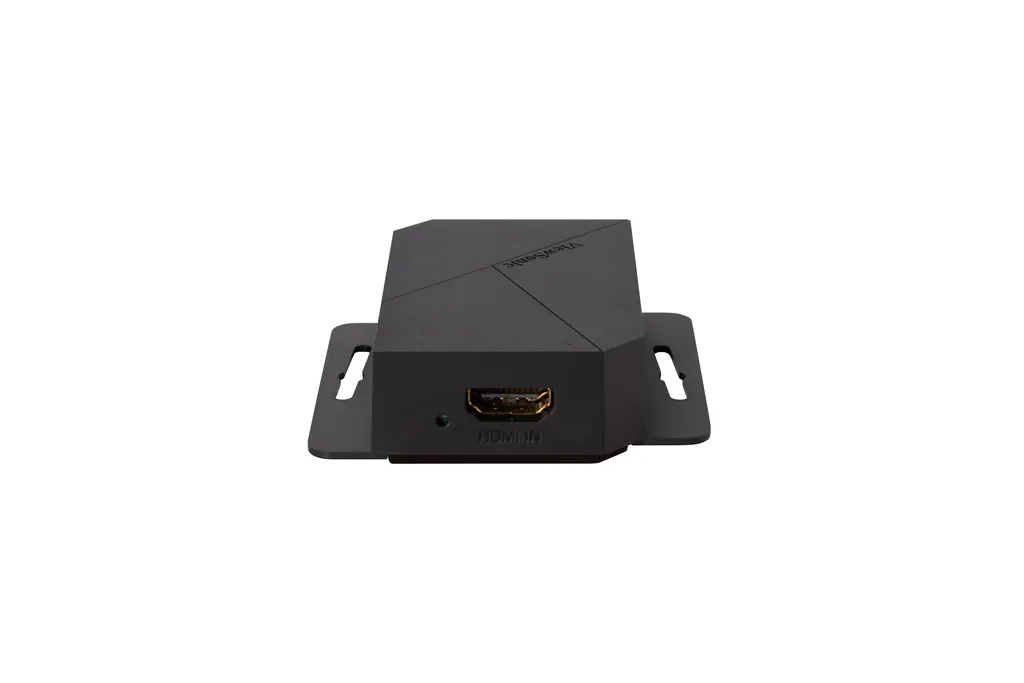
ViewSonic myViewBoard Direct VBD100 Screen Sharing Box

WhatsApp
Priceon request
QuotationWithin 1 working day
DeliveryConfirmed with your quote, based on stock
PDFDownload datasheet (VBD100_Datasheet.pdf)
Overview

The VBD100 is a screen sharing box that carries a laptop, phone or other HDMI source onto the myViewBoard canvas of a PC-based digital whiteboard. Presenters can annotate videos and files, import multimedia and capture or record the screen. It suits classrooms and meeting rooms in Qatar where a presenter works on a large interactive display. Request a quote.

What the VBD100 does on a whiteboard canvas

The ViewSonic VBD100 is a screen sharing box that puts a presenter's own device onto a digital whiteboard. Instead of moving slides onto the whiteboard computer, the presenter connects a laptop, phone or other HDMI device, and the picture appears on the myViewBoard canvas. From there, the whiteboard software handles the marking up, so the presenter works on the same material the room is watching.

The box is built for PC-based digital whiteboards and works with the canvas version of myViewBoard for Windows. That makes it a practical choice for rooms that already run this software and want to keep their existing board in place.

Annotation, multimedia and recording tools

Once a source is on the canvas, the presenter can use the whiteboarding toolset. That includes annotation, a browser, multimedia import, and screen capture with recording. The annotation toolbar can stay on top of the screen, so the presenter can switch tools without leaving the content.

  • Annotation: analyse and mark up a video or file from a laptop, phone or HDMI device.
  • Multimedia import: bring video and other files into the session alongside live content.
  • Screen capture and recording: save what happens on the canvas for review or follow-up.
  • Picture-in-picture: present one source while an additional video plays in a smaller window.

Where it fits in Qatar

Three situations show how the box is used day to day.

  • A private school in Al Wakrah with a new science room: a teacher plays an experiment clip from a phone, pauses it and annotates the key steps for students.
  • A university training centre in Education City: a lecturer runs lecture slides on a laptop while a demonstration video plays alongside, then marks up the slides.
  • An executive meeting room in West Bay: a team presents a product video and a slide deck, annotates the figures, and captures the screen to record decisions.

What to plan before you order

The manufacturer data supplied for this model does not list dimensions, power input, operating temperature range or the full port layout. Those points should be confirmed before installation, because a box that sits near a window in summer or runs on the wrong supply needs a different plan. A free site survey from SmartRooms Qatar can check the mounting position, the HDMI cable route from the whiteboard PC, and where the presenter will connect.

Each presenting computer needs the free myViewBoard Direct app from the Microsoft Store. Install it before the first session so that teachers and presenters can start on time. Confirm whether your room uses the canvas version of myViewBoard for Windows, since that is the version the product works with.

Request a quote for your room

Send SmartRooms Qatar the number of rooms, the whiteboard model and PC, and the way presenters connect their devices, then request a quote for the VBD100. Quotations are usually issued within one working day. We deliver to all 8 municipalities of Qatar, provide professional installation, and accept purchase orders (LPOs), government tenders including Monaqasat, and payment by bank transfer, cheque or purchase order.

Highlights

  • Extends a laptop, phone or HDMI source onto the myViewBoard canvas
  • Works with PC-based digital whiteboards
  • Annotation, multimedia import, screen capture and recording
  • Picture-in-picture for a second video alongside main content
  • Free myViewBoard Direct app needed from the Microsoft Store
  • Works with the canvas version of myViewBoard for Windows

Room fit

Tell us the room size and platform (Teams, Zoom or BYOD) and we confirm the right combination with your quotation.

Estimated timeline

Quotation within 1 working day · delivery timing depends on stock availability, and we confirm it with your quotation.


Specifications

Source: manufacturer · checked Oct 2026
The full specification and datasheet for this model are available on request; we send them with your quotation.

Downloads

1 file from the manufacturer

Questions about VBD100

What is the ViewSonic VBD100 used for?
It is a screen sharing box that takes the picture from a presenter's laptop, phone or other HDMI device and shows it on the myViewBoard canvas of a PC-based digital whiteboard. Teachers, trainers and meeting hosts use it to annotate their own slides, videos and files on a large interactive display without switching to the whiteboard computer.
Which whiteboard software does it work with?
The VBD100 is built for PC-based digital whiteboards and works with the canvas version of myViewBoard for Windows. The manufacturer data does not list other whiteboard platforms, so if your room runs different software, confirm compatibility with the SmartRooms Qatar team before you request a quote or buy.
Does every presenter need to install software?
Yes. Each presenting computer needs the free myViewBoard Direct app, which is downloaded from the Microsoft Store. Install it on the laptops that will present before the first session, so staff in a school or government meeting room are not searching for downloads while the class or meeting is waiting.
Can a science teacher in Al Wakrah play a video from a phone and mark it up?
Yes. The manufacturer states that a video or file from a laptop, phone or any HDMI device can be analysed and annotated on the myViewBoard canvas. A science teacher at a private school in Al Wakrah could show a short experiment clip from a phone, pause it, and write on the board while students watch.
How would a lecturer use picture-in-picture?
Picture-in-picture is part of the VBD100 name, and the product lets a presenter run an additional video alongside other content. A lecturer at a university training centre in Education City could present lecture slides from a laptop while a demonstration video plays in a smaller window, then annotate the slides in the main view.
Can a session be recorded for staff who missed it?
The whiteboarding tools include screen capture and recording, so a trainer can save a session from the canvas for later review. A training provider in Doha could share the recording with staff who missed a class. Check your organisation's policy on recording people before you record sessions in which participants appear on camera or speak.
How do schools and government offices order?
SmartRooms Qatar supplies the VBD100 by quotation, usually within one working day. Schools and government offices can order with a purchase order (LPO) or through government tenders, including Monaqasat. Payment is by bank transfer, cheque or purchase order, delivery covers all 8 municipalities of Qatar, and products are covered by the manufacturer's warranty.
Do I need a site survey before installing it?
It is advisable. The data supplied does not list the unit's dimensions or port layout, so a free site survey can confirm where the box sits, how the HDMI cable runs from the whiteboard PC to the room, and where the presenter's laptop will connect in a boardroom in Lusail with several seating positions.
Can it be installed near a window or in a hot lobby?
The manufacturer data for this model does not list an operating temperature range, so do not assume it suits areas outside air-conditioned rooms. Summer temperatures in Doha can exceed 45°C, which makes lobbies and spaces near windows a concern. Ask SmartRooms Qatar to confirm the operating conditions before you choose a location.
Does it match Qatar's electrical supply?
The source data does not list the power input, so confirm it before ordering. Qatar's mains supply is 240 V, 50 Hz with BS 1363 (Type G) sockets. Ask the SmartRooms Qatar team to confirm the power specification and any adapter, so the installer can plan the socket position near the whiteboard PC.
Is the connection wired or wireless?
The manufacturer describes the connection as HDMI, so the presenting device connects through an HDMI link. The product is listed in the wireless presentation category, so confirm with SmartRooms Qatar exactly which cable, adapter or wireless option your setup needs before you request a quote.
Is it suited to an executive meeting room in West Bay?
It suits a meeting room where a presenter needs to share a slide deck or product video and mark it up on a large display during discussion. A management team in West Bay could present from its own laptop, annotate figures on the interactive board, and capture the screen to write up minutes without moving content to the whiteboard PC.

Similar models

Biamp MAX Connect Biamp MAX Connect 910-02278 Wireless Presentation System
CB
Clevertouch CleverCast Clevertouch CleverCast Wireless Presentation Device
Compatible
Clevertouch CleverHub 2 Clevertouch CleverHub 2 Wireless Presentation and Screen Sharing Device
Yes - CleverCast only NRCS
iiyama WP-D002C iiyama WP-D002C USB-C Wireless Presentation Dongle
Wireless presentation
iiyama WP-MEET03M iiyama WP-MEET03M Wireless Presentation Solution
Wireless presentation
Email Call


