Thursday, 22 October 2026 · 11 Jumada I 1448 AH Sun – Thu · 9:00 – 18:00
+971 56 914 9477 العربية
WhatsApp
This model is discontinuedThe manufacturer no longer makes it. Request a quote and we will propose the closest current replacement.
Suggested replacements ↓

MeetingEye 800

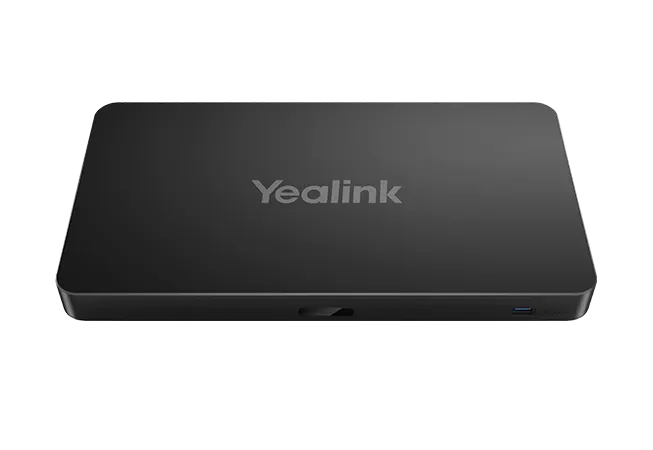
Yealink MeetingEye 800 4K Video Conferencing Endpoint (Discontinued)

WhatsApp
Priceon request
QuotationWithin 1 working day
DeliveryConfirmed with your quote, based on stock
PDFDownload datasheet (Yealink MeetingEye 800 Datasheet.pdf)
Overview

The Yealink MeetingEye 800 is a discontinued 4K video conferencing endpoint for large meeting rooms. It drives three HDMI screens at once, each showing a different 4K source, and supports cascadable microphone arrays and soundbars. Organisations in Qatar that already run this model, or that are comparing room systems for boardrooms and lecture halls, can request a quote for a current equivalent or a compatible replacement.

What the MeetingEye 800 is built to do

The Yealink MeetingEye 800 is a detachable 4K video conferencing endpoint designed for large rooms where several video sources must be shown at the same time. It brings together the camera, microphone and display routing for a room system, and it suits boardrooms, lecture halls and training suites that need more than one screen. Yealink discontinued the model with an end-of-sale date of 29 February 2024, so this page serves organisations that already own it, buyers comparing it with newer room systems, and anyone looking for a current replacement.

Three 4K screens, each showing a different source

The endpoint has three HDMI outputs, and all three support 4K display. In a three-screen room, one display can show the local camera feed, another the remote participants and a third the shared content, with the layout chosen to suit each meeting. The datasheet describes 4K video calls and content sharing at 30 frames per second, and it lists resistance to 30% video packet loss, which helps calls hold their picture on a busy network.

The points that matter most when planning a room are:

  • Three HDMI outputs, each supporting 4K display
  • 4Kp30 video calls and content sharing
  • One HDMI input for a third-party camera, up to 4Kp30
  • H.264 SVC coding with dual-stream content sharing

Microphones, soundbar and a single network cable

Audio comes from optional accessories. The VCM34 microphone array picks up voices across a 6 m, 360-degree range, and up to four units can be cascaded. For ceiling installations, the optional VCM38 array has eight microphone arrays per unit, covers a 360-degree area of up to 40 square metres, and up to eight units can be cascaded. The MSpeaker II soundbar is also optional, with up to four units supported. The VCH interface carries data, control and power over one multi-function line, and the accessories connect to the host with a single network cable, which reduces the cabling run across the room.

Planning an installation in Qatar

Heat is the first thing to plan for. Outdoor temperatures in Qatar regularly rise above 45 degrees Celsius in summer, while the MeetingEye 800 has an operating range of 0 to 40 degrees Celsius and a humidity range of 10% to 95%. Install it only in an air-conditioned meeting room. The external power adapter accepts AC 100 to 240 V input and outputs DC 48 V at 2 A. The datasheet specifies the Yealink original adapter and warns that a third-party adapter may damage the endpoint. Consumption is 14 W at idle and in normal operation, with a maximum of 39 W.

  • Confirm the wall, table, cabinet or under-table mounting position before ordering brackets
  • Check the cable route between the codec and each accessory
  • Confirm the network meets the firewall and bandwidth needs of your calling platform

The package includes the codec, a VCR11 remote control, a wall bracket and mounting ears. The codec measures 315 x 170 x 32 mm. SmartRooms Qatar provides a free site survey before any wall mounting, followed by professional installation. Government ministries and schools can order through a purchase order (LPO) or a Monaqasat tender, and payment is accepted by bank transfer, cheque or purchase order.

Support after discontinuation

Yealink's end-of-life notice for this model sets out a policy in which the first year after end of sale includes hardware and software technical support and security fixes. From the second to the fifth year, Yealink attempts software bug fixes, but no new features or enhancements are added after end of life. Hardware spares depend on local distributors and stock availability.

If your organisation is considering the MeetingEye 800 or needs a current replacement for a large room, request a quote from SmartRooms Qatar. Quotations are usually returned within one working day, and our team can match a current room system to your screens, camera and microphone requirements.

Highlights

  • Three HDMI outputs, each supporting 4K display
  • 4Kp30 video calls and content sharing
  • VCM34 array: 6 m, 360-degree pickup, up to four cascaded
  • Single network cable links codec and accessories
  • Detachable design for wall, table or cabinet mounting
  • Discontinued by Yealink with end of sale on 29 February 2024

Room fit

Tell us the room size and platform (Teams, Zoom or BYOD) and we confirm the right combination with your quotation.

Estimated timeline

Quotation within 1 working day · delivery timing depends on stock availability, and we confirm it with your quotation.

Specifications

Source: manufacturer · checked Oct 2026
The full specification and datasheet for this model are available on request; we send them with your quotation.

Downloads

16 files from the manufacturer
PDF Datasheets Yealink MeetingEye 800 Datasheet.pdf 1.1 MB Yealink MeetingEye 800 datasheets (PDF, 1.1 MB) URL Datasheets · Opens on manufacturer site Download Yealink MeetingEye 800 datasheets (URL) PDF Manuals & guides Yealink MeetingEye 800 Video Conferencing Endpoint Quick Start Guide (EN, CN, DE, ES, FR) V1.3.pdf 17.7 MB Yealink MeetingEye 800 manuals & guides (PDF, 17.7 MB) PDF Manuals & guides · Opens on manufacturer site Manual Guide -MeetingEye BYOD Mode v3.3.pdf Yealink MeetingEye 800 manuals & guides (PDF) PDF Manuals & guides · Opens on manufacturer site Yealink Full HD Video Conferencing Cloud System Administrator Guide V53.pdf Yealink MeetingEye 800 manuals & guides (PDF) PDF Manuals & guides · Opens on manufacturer site Yealink Full HD Video Conferencing System User Guide (Remote Control-Cloud) V53.pdf Yealink MeetingEye 800 manuals & guides (PDF) PDF Manuals & guides · Opens on manufacturer site Yealink Full HD Video Conferencing System User Guide (Remote Control-YMS) V53.pdf Yealink MeetingEye 800 manuals & guides (PDF) PDF Manuals & guides · Opens on manufacturer site Yealink Full HD Video Conferencing System User Guide (Touch-Could) V53.pdf Yealink MeetingEye 800 manuals & guides (PDF) PDF Manuals & guides · Opens on manufacturer site Yealink Full HD Video Conferencing System User Guide (Touch-YMS) V53.pdf Yealink MeetingEye 800 manuals & guides (PDF) PDF Manuals & guides · Opens on manufacturer site Yealink Full HD Video Conferencing YMS System Administrator Guide V53.pdf Yealink MeetingEye 800 manuals & guides (PDF) 50 - Software & firmware · Opens on manufacturer site MeetingEye 800 129.320.0.50 - Firmware & Release Note Yealink MeetingEye 800 software & firmware (50 - FIRMWARE & RELEASE NOTE) 55 - Software & firmware · Opens on manufacturer site MeetingEye 800 129.320.1.55 - Firmware & Release Note Yealink MeetingEye 800 software & firmware (55 - FIRMWARE & RELEASE NOTE) PDF Other documents · Opens on manufacturer site API Commands Introduction for Yealink Video Conferencing System V1.09.pdf Yealink MeetingEye 800 other documents (PDF) URL Other documents · Opens on manufacturer site Required Ports Yealink MeetingEye 800 other documents (URL) URL Other documents · Opens on manufacturer site Rooms Product Family Yealink MeetingEye 800 other documents (URL) PDF Other documents · Opens on manufacturer site Yealink Regulatory Notice V1.2.pdf Yealink MeetingEye 800 other documents (PDF)

Questions about MeetingEye 800

Is the Yealink MeetingEye 800 still available to order?
No. Yealink discontinued the MeetingEye 800 with an end-of-sale date of 29 February 2024, and new orders are no longer accepted. SmartRooms Qatar can still quote for a current equivalent or a compatible replacement suited to your room size, screen count, camera and microphone needs. Send us your room dimensions and the meeting platform you use, and we will usually return a quotation within one working day.
Who is the MeetingEye 800 designed for?
It is designed for large conference rooms that need several screens with a high-quality camera and microphone set-up, such as boardrooms, lecture halls and training suites. Its three HDMI outputs let one room show the local view, remote participants and shared content at the same time. Smaller huddle rooms usually need a simpler endpoint, so confirm the room size before choosing a model.
How many screens can it drive, and at what resolution?
It has three HDMI outputs, and each supports 4K display. Each screen can show a different picture, and the layout can be selected to suit the meeting. The datasheet also lists a third-party camera input that accepts up to 4Kp30. Where possible, plan screens with matching resolution and size so content looks consistent across the wall.
Does it support 4K video calls and content sharing?
Yes. The datasheet lists 4Kp30 video calls and content sharing, meaning up to 30 frames per second. It uses H.264 SVC coding and dual-stream content sharing, with H.239 used alongside H.323 and BFCP used alongside SIP. The datasheet also states resistance to 30% video packet loss, although the real call quality you see depends on your network conditions.
Which microphone options work with it?
The VCM34 microphone array is optional and picks up voices across a 6 m, 360-degree range, and up to four units can be cascaded. For ceiling installations, the optional VCM38 has eight microphone arrays per unit, covers a 360-degree area of up to 40 square metres, and up to eight units can be cascaded. Confirm microphone positions during a site survey so every seat is covered.
Would it suit a university lecture hall in Education City that teaches in a hybrid format?
A lecture hall with a lecturer, a remote guest and presentation slides needs three display sources, which the three HDMI outputs can supply. The camera view, remote participants and slides can each sit on their own screen, while the microphones cover the hall. The datasheet lists H.323 and SIP support, so check that your teaching platform works with those protocols before buying.
How does it suit a meeting room in Msheireb that calls teams abroad?
Calls with overseas teams depend on a steady picture and clear speech. The MeetingEye 800 supports H.323 and SIP, provides 4Kp30 video, and lists NAT and firewall traversal features including ICE, TURN, STUN and H.460, along with SRTP and TLS encryption using AES 256-bit. Review the network policy with your IT team before installation, since firewall rules and bandwidth determine real call quality.
Can it run in a hot room without air conditioning?
No. Its operating temperature range is 0 to 40 degrees Celsius with 10% to 95% humidity, while outdoor temperatures in Qatar regularly pass 45 degrees Celsius in summer. Install it in an air-conditioned meeting room, not an unventilated store or outdoor area. The storage range is wider, from -30 to 70 degrees Celsius, but that figure applies to storage rather than operation. Our team can review the room environment during the site survey.
What power does it need, and can I use a third-party adapter?
The external Yealink power adapter accepts AC 100 to 240 V input and outputs DC 48 V at 2 A. The datasheet specifies the Yealink original adapter, warning that a third-party adapter may damage the endpoint. Consumption is 14 W at idle and in normal operation, with a maximum of 39 W. Plan a power socket within reach of the mounting point and confirm the adapter cable reaches it.
Where can the codec be mounted, and what does the box include?
The codec is detachable and can be wall-mounted, placed on a table, hung under a table or placed on a cabinet. The package includes the codec, a VCR11 remote control, a wall bracket and mounting ears. The codec measures 315 x 170 x 32 mm. Before wall mounting, SmartRooms Qatar offers a free site survey to fix the bracket position, cable route and screen height ahead of professional installation.
How much cabling does the system need between the codec and its accessories?
The VCH interface carries data, control signals and power over one multi-function line, and accessories connect to the host with one network cable. This cuts the number of cable runs across a room, which is useful when the display is on one wall and the table is on another. Accessories such as the camera and soundbar connect through Yealink RJ-45 extension ports. In USB mode, the endpoint can act as a PC audio and video peripheral over a USB Type-C cable.
What support remains after discontinuation, and what should I replace it with?
Yealink's notice describes support for the first year after end of sale, then software bug fixes for years two to five, with no new features after end of life. Hardware spares depend on local distributors and available stock. For a replacement, SmartRooms Qatar can quote a current room system matched to your screen count, camera and microphone requirements. Share details of your existing setup and we will suggest a compatible option.

Suggested replacements

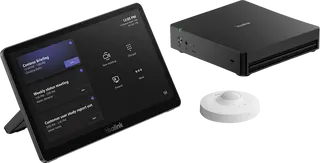
Yealink MVC S60 Yealink MVC S60 Microsoft Teams Rooms System with 360° Camera
360°
Yealink CM-MountKIT Yealink CM-MountKIT Ceiling Mic Deployment Kit for CM20
Room kits & bundles
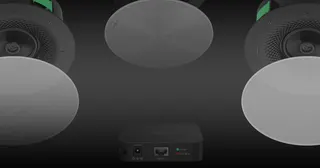
Yealink CMKit-121 Yealink CMKit-121 Ceiling Audio Kit for Conference Rooms
Room kits & bundles
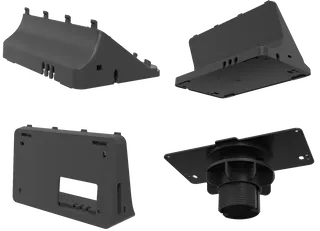
Yealink CTP25 Mount Kits Yealink CTP25 Mount Kits for CTP25 Touch Console
Room kits & bundles
Yealink MCore Kit Yealink MCore Kit AI PC and Touch Panel Room Bundle
Room kits & bundles

Similar models

Biamp Evoko Liso Wall Mount Kit Biamp Evoko Liso Wall Mount Kit (910-01930) for Room Scheduling Displays
TAA Compliant
Email Call