





Thursday, 22 October 2026 · 11 Jumada I 1448 AH Sun – Thu · 9:00 – 18:00
+971 56 914 9477 العربية
WhatsApp

MShare E2

Yealink MShare E2 USB Sharing Box for MVC Series

WhatsApp
Priceon request
QuotationWithin 1 working day
DeliveryConfirmed with your quote, based on stock
PDFDownload datasheet (Yealink MShare E2 Datasheet.pdf)
Overview

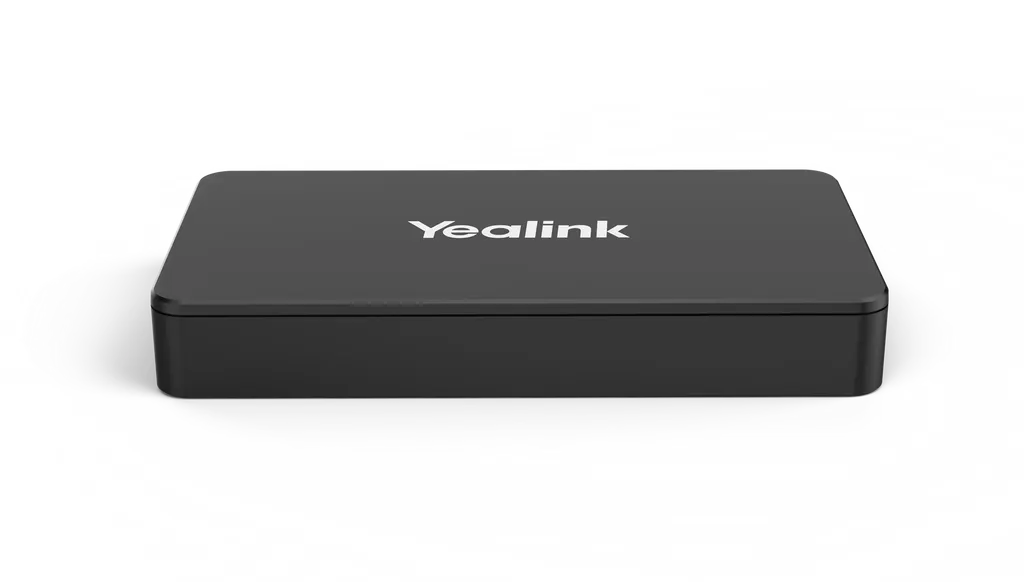
The Yealink MShare E2 is a USB sharing box for Yealink MVC systems, letting a laptop or other source share its screen and audio over a wired link. It offers HDMI, USB-C and USB Type-B inputs, shares up to 1080p at 30fps, and fits discreetly inside a conference desk. Well suited to boardrooms and meeting rooms in Doha, Lusail and Msheireb. Request a quote.

What the MShare E2 does in a video conference room

The Yealink MShare E2 is a compact sharing box for the MVC series. It takes content from a laptop or another cabled source and sends the screen and audio into the conferencing system, so presenters can show slides, spreadsheets or drawings to remote participants without rearranging the room. It is a separate unit rather than part of the touch console, which gives installers more freedom over where it sits.

Connections and status indication that matter on site

The unit has three inputs: a USB Type-B port, an HDMI input and a USB-C input. Having more than one connection route helps when presenters bring different laptops or when a room needs a backup route. A bi-colour LED shows whether the wired auxiliary stream is being cast, so a facilitator can confirm the status at a glance from across the table. Screen sharing runs up to 1080p at 30 frames per second, and audio sharing is supported.

Where it fits in Qatar

  • Boardrooms in West Bay or Lusail: the box can be concealed inside the conference desk, keeping cables out of sight during executive meetings that connect Doha with teams abroad.
  • Ministry and authority meeting rooms in Msheireb: a presenter can share a document or spreadsheet into a call with colleagues in another city without moving equipment around the room.
  • University and training rooms in Education City: a lecturer can share a laptop screen to remote students, with the LED confirming that casting is active before the session starts.

Planning the installation

Before ordering, confirm that the existing video conferencing system belongs to the MVC series, since the MShare E2 is built as a companion accessory for that range. Measure the desk aperture and cable routes. The unit measures 116 mm by 61 mm by 16.8 mm and weighs 0.082 kg, so it suits a small concealed space. Its operating range is 0 to 40°C with 10 to 95 percent humidity, so it belongs in an air-conditioned room rather than an outdoor cabinet or an unventilated store, where Qatar summer temperatures can exceed 45°C. If the room environment is unclear, SmartRooms Qatar can confirm it during a free site survey.

What is included in the package

Each package contains the MShare E2, a USB-C cable, an HDMI cable, a USB Type-A cable and a quick start guide. Check the supplied cable lengths against your desk layout before installation.

Request a quote for the Yealink MShare E2 from SmartRooms Qatar. Quotations are usually issued within one working day, and we deliver to all eight municipalities of Qatar with professional installation available.

Highlights

  • Shares up to 1080p at 30fps, with audio sharing support
  • Three inputs: USB Type-B, HDMI in and USB-C in
  • Bi-colour LED shows the wired casting status
  • Compact body measuring 116 x 61 x 16.8 mm
  • Designed to be concealed within a conference desk
  • Operating range 0 to 40°C, humidity 10 to 95%

Room fit

Tell us the room size and platform (Teams, Zoom or BYOD) and we confirm the right combination with your quotation.

Estimated timeline

Quotation within 1 working day · delivery timing depends on stock availability, and we confirm it with your quotation.

Specifications

8 specifications · Source: manufacturer · checked Oct 2026
Content1
Details
- 1x USB-C Cable - 1x HDMI Cable - 1x USB Type-A Cable - 1x MShare E2 - 1x Quick Start Guide
Interface1
Details
- USB Type-B (Female) - HDMI in (Female) - USB C in (Female) - LED Light
Package Feature2
Giftbox Size
174mm x 180mm x 63mm
Carton Meas
375mm x 336mm x 187mm
Physical Supply2
Operating humidity
10~95%
Operating temperature
0~40℃
Product Specifications2
Size
116mm x 61mm x 16.8mm
N.W/CTN
0.082kg

Downloads

10 files from the manufacturer
PDF Datasheets Yealink MShare E2 Datasheet.pdf 172 KB Yealink MShare E2 datasheets (PDF, 172 KB) PDF Manuals & guides Yealink MShare E2 Quick Start Guide (EN, DE, FR, ES) V1.0.pdf 750 KB Yealink MShare E2 manuals & guides (PDF, 750 KB) URL Manuals & guides · Opens on manufacturer site Wired Content Sharing Yealink MShare E2 manuals & guides (URL) 10 - Software & firmware · Opens on manufacturer site MTouch Plus (MTouch E2, MShare E2) 282.434.0.10 - Firmware & Release Note Yealink MShare E2 software & firmware (10 - FIRMWARE & RELEASE NOTE) 10 - Software & firmware · Opens on manufacturer site MTouch Plus (MTouch E2, MShare E2) 282.435.0.10 - Firmware & Release Note Yealink MShare E2 software & firmware (10 - FIRMWARE & RELEASE NOTE) 40 - Software & firmware · Opens on manufacturer site MTouch Plus (MTouch E2, MShare E2) 282.435.0.40 - Firmware & Release Note Yealink MShare E2 software & firmware (40 - FIRMWARE & RELEASE NOTE) 50 - Software & firmware · Opens on manufacturer site MTouch Plus (MTouch E2, MShare E2) 282.435.0.50 - Firmware & Release Note Yealink MShare E2 software & firmware (50 - FIRMWARE & RELEASE NOTE) 5 - Software & firmware · Opens on manufacturer site MTouch Plus (MTouch E2, MShare E2) 282.440.0.5 - Firmware & Release Note Yealink MShare E2 software & firmware (5 - FIRMWARE & RELEASE NOTE) PDF Other documents Yealink Regulatory Notice V1.2.pdf 1.0 MB Yealink MShare E2 other documents (PDF, 1.0 MB) URL Other documents · Opens on manufacturer site Rooms Product Family Yealink MShare E2 other documents (URL)

Questions about MShare E2

What is the Yealink MShare E2 used for?
The Yealink MShare E2 is a USB sharing box for the MVC series. It lets a laptop or other cabled source share its screen and audio into a video conference, with sharing of up to 1080p at 30fps. It suits meeting rooms where a presenter needs to show content to remote participants without changing the room's main touch console or cabling layout.
Which ports does the MShare E2 have?
The unit has three female ports: a USB Type-B port, an HDMI input and a USB-C input. The package includes a USB-C cable, an HDMI cable and a USB Type-A cable, so a presenter can connect a laptop straight away. Confirm which connector your presenters' laptops use before the room is finalised so the right cable is in place.
What does the LED on the MShare E2 indicate?
The bi-colour LED indicates the casting status of the wired auxiliary stream. A facilitator can see at a glance whether content is being shared to the conference system, which helps in rooms where the presenter is not at the touch console. The LED is the only status indicator listed for this model.
Is the MShare E2 compatible with my video conferencing system?
The MShare E2 is sold as a USB sharing box for the Yealink MVC series, so it is intended for MVC-based room systems. Before ordering, confirm your current model and how the rest of the room is wired. SmartRooms Qatar can check compatibility with your existing equipment during a free site survey and include that in the quotation.
Can the MShare E2 be hidden inside a conference desk?
Yes. The unit is compact at 116 mm by 61 mm by 16.8 mm and weighs 0.082 kg, and it is designed to be concealed within a conference desk for a cleaner table. Plan for cable access at the desk underside, room for the three connectors, and an air-conditioned space so the unit stays within its 0 to 40°C operating range.
Is a boardroom in West Bay or Lusail a good fit for this box?
Yes, if the room already has a Yealink MVC system and an executive table that needs a clean look. The box can sit under the desk while a director shares a presentation into a call with a team abroad. A site survey before fitting will confirm cable routes under the table and the position of the LED so it remains visible to the chair.
How would a university in Education City use the MShare E2?
A lecturer in a training or lecture room can connect a laptop by HDMI or USB-C and share the screen to remote students taking part in a hybrid session. The LED confirms casting is active before the class starts. Because sharing runs up to 1080p at 30fps, slides and lecture notes are clear, while very detailed video content should be tested in advance.
Could a ministry team in Msheireb use this for cross-city meetings?
A team in a Msheireb meeting room can share a document or spreadsheet into a call with colleagues in another city without moving equipment. The box connects to the MVC system through a wired link, so the presenter does not need to rely on the touch console. Confirm the room layout and cable paths during a free site survey before the equipment is installed.
What should a private school in Al Wakrah check before installing one?
A school fitting out a staff meeting room or classroom in Al Wakrah should check that the room has an MVC-based system and a secure place for the box out of sight of students. Confirm the room stays within 0 to 40°C and 10 to 95 percent humidity. A school ordering several units can issue an LPO, and SmartRooms Qatar will confirm the quantities in the quotation.
Can the MShare E2 be placed in an outdoor cabinet or hot storeroom in Qatar?
No. The manufacturer lists an operating temperature range of 0 to 40°C and humidity of 10 to 95 percent. Qatar summer temperatures can exceed 45°C, so the unit should be installed indoors in an air-conditioned room. If you are unsure about the environment at a specific site, ask SmartRooms Qatar to confirm it before ordering.
Can we buy the MShare E2 through an LPO or government tender?
Yes. SmartRooms Qatar supplies the MShare E2 through purchase orders (LPOs) and government tenders, including Monaqasat, with payment by bank transfer, cheque or purchase order. Send the model name and the number of units with your requirements, and the team will return a quotation usually within one working day, with the product covered by the manufacturer's warranty.

Similar models

Biamp MAX Connect Biamp MAX Connect 910-02278 Wireless Presentation System
CB
Clevertouch CleverCast Clevertouch CleverCast Wireless Presentation Device
Compatible
Clevertouch CleverHub 2 Clevertouch CleverHub 2 Wireless Presentation and Screen Sharing Device
Yes - CleverCast only NRCS
iiyama WP-D002C iiyama WP-D002C USB-C Wireless Presentation Dongle
Wireless presentation
iiyama WP-MEET03M iiyama WP-MEET03M Wireless Presentation Solution
Wireless presentation
Email Call




