





Thursday, 22 October 2026 · 11 Jumada I 1448 AH Sun – Thu · 9:00 – 18:00
+971 56 914 9477 العربية
WhatsApp

MVC-BYOD-Extender

Yealink MVC-BYOD-Extender USB-BYOD Box for MVC Series

WhatsApp
Priceon request
QuotationWithin 1 working day
DeliveryConfirmed with your quote, based on stock
PDFDownload datasheet (Yealink MVC-BYOD-Extender Datasheet.pdf)
Overview

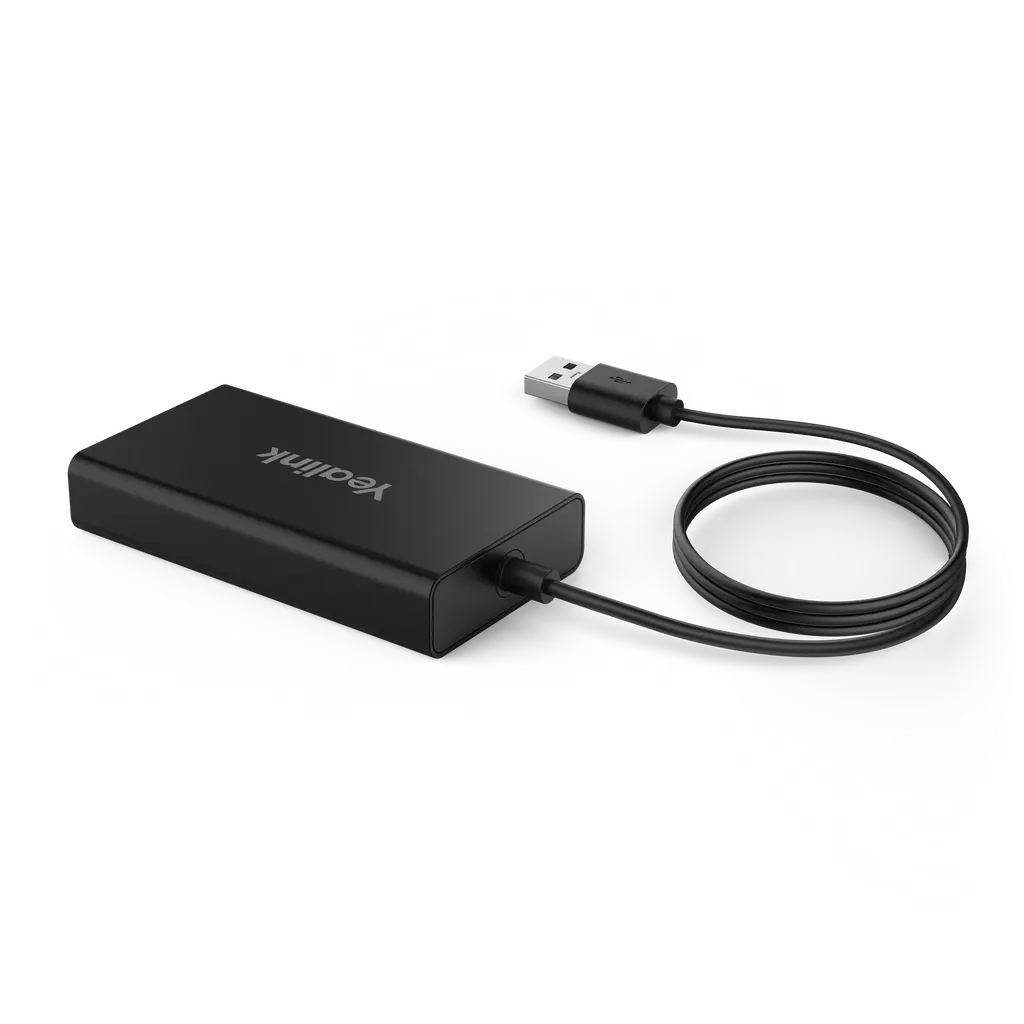
The Yealink MVC-BYOD-Extender is a USB-BYOD box that lets a visitor's or staff member's laptop use an existing MVC room system, so meetings can run on Microsoft Teams Rooms or other UC platforms. It works on a plug-and-play basis with a 1.5m USB 2.0 Type-A cable, supports deployment up to 100 metres, and pairs with the MTouch II touch panel and WPP20 presentation pod. It suits Qatari offices, schools and government meeting rooms already built around a supported MVC model.

What the MVC-BYOD-Extender does in a meeting room

The Yealink MVC-BYOD-Extender is a USB-BYOD box for the MVC series. It allows a laptop brought into a meeting room to use the audio and video equipment already installed there, so the same room can host calls on Microsoft Teams Rooms or on various other UC platforms. The box does not replace the room system. It extends it, which makes it relevant for organisations in Qatar that have already invested in supported MVC hardware and want meetings to start from whichever laptop a guest or colleague carries in.

Setup is kept deliberately simple. The product is described as plug and play, and the manufacturer quotes about five minutes for installation and deployment. A user connects the 1.5m USB 2.0 Type-A cable from the laptop, opens the video application they need, and the room's cameras, microphones and speakers carry the meeting. Companion products in the same range add on-screen meeting controls through the MTouch II touch panel and wireless content sharing through the WPP20 presentation pod.

Supported MVC models and what to confirm first

Compatibility decides whether this accessory is the right purchase. The manufacturer states that the extender supports the following room systems:

  • MVC400
  • MVC640-wireless
  • MVC840
  • MVC860
  • MVC940 with AVHub
  • MVC960

The manufacturer also notes that further supported bundles are still to be announced. Any other room system should be checked with the SmartRooms Qatar team before a quotation is confirmed, rather than assumed to be compatible.

Cabling, dimensions and room conditions

The box measures 89 x 48 x 17 mm and connects to the room system through a single VCH port (RJ45). The package includes a 7.5m CAT5e cable, and the manufacturer rates deployment distances of up to 100 metres, so the cable route from the room system to the box is the main planning item. The rated operating temperature is 0 to 40°C, and operating humidity is 10 to 95 percent. Outdoor summer temperatures in Qatar regularly pass 45°C, so the box should sit inside the air-conditioned meeting room with the rest of the room system, not in a lobby, an unventilated cupboard or a comms space without cooling.

Where it fits in Qatar

A private school in Al Wakrah with MVC840 units in its staff meeting rooms can let visiting teachers, parent committee members or external examiners join a session from their own laptops, using the cameras and speakers that are already fitted. The school's IT team only needs to plan a cable route from the laptop position to the box.

A government ministry in Doha with an MVC960 in its main boardroom can host colleagues from another department who arrive with their own laptops for a Teams call, keeping the boardroom equipment in regular use without reconfiguring it for each visitor.

A university seminar room in Education City with an MVC640-wireless can host a visiting lecturer who presents from a personal laptop. Pairing the extender with a WPP20 pod gives the presenter a wireless option for sharing content from the lectern area.

What to plan before ordering

Start with an inventory of each meeting room: the MVC model installed, whether the room runs on Microsoft Teams Rooms, and the measured distance from the room system to the point where the laptop will connect. SmartRooms Qatar offers free site surveys, and a survey is worth booking when cable runs pass through several walls or ceiling voids.

For organisations buying for several rooms, the quotation can cover each room individually, and multi-room orders can be raised on a single purchase order (LPO). Delivery and professional installation can be included in the same quotation.

To request a quote, send the model of each existing MVC room system and an approximate cable distance for each room. The SmartRooms Qatar team will reply with a quotation, usually within one working day, so you can confirm the configuration before any purchase order is raised.

Highlights

  • Plug-and-play connection from a laptop through a 1.5m USB 2.0 Type-A cable
  • Supports MVC400, MVC640-wireless, MVC840, MVC860, MVC940 with AVHub and MVC960
  • Works with Microsoft Teams Rooms and various UC platforms
  • Up to 100-metre deployment with 7.5m CAT5e cable included
  • Operating temperature 0 to 40°C; humidity 10 to 95 percent
  • Compact housing measuring 89 x 48 x 17 mm

Room fit

Tell us the room size and platform (Teams, Zoom or BYOD) and we confirm the right combination with your quotation.

Estimated timeline

Quotation within 1 working day · delivery timing depends on stock availability, and we confirm it with your quotation.

Specifications

5 specifications · Source: manufacturer · checked Oct 2026
Package includes1
Details
MVC-BYOD-Extender Box 7.5m CAT5e cable Quick Start Guide
MVC-BYOD-Extender1
Details
1.5m USB2.0 Type-A cable 1 x VCH port (RJ45)
Dimension1
Details
89mm x 48mm x 17mm
Other Physical Features2
Operating humidity
10~95%
Operating temperature
0~40℃

Downloads

12 files from the manufacturer
PDF Datasheets Yealink MVC-BYOD-Extender Datasheet.pdf 193 KB Yealink MVC-BYOD-Extender datasheets (PDF, 193 KB) URL Datasheets · Opens on manufacturer site Download Yealink MVC-BYOD-Extender datasheets (URL) URL Datasheets · Opens on manufacturer site  Download Yealink MVC-BYOD-Extender datasheets (URL) URL Datasheets · Opens on manufacturer site  Download Yealink MVC-BYOD-Extender datasheets (URL) PDF Manuals & guides MVC-BYOD-Extender Deployment.pdf 416 KB Yealink MVC-BYOD-Extender manuals & guides (PDF, 416 KB) PDF Manuals & guides Yealink MVC-BYOD-Extender Quick Start Guide (EN, CN, DE, FR, ES) V1.0.pdf 552 KB Yealink MVC-BYOD-Extender manuals & guides (PDF, 552 KB) URL Manuals & guides · Opens on manufacturer site Wired BYOD (Via Yealink MVC-BYOD-Extender) Yealink MVC-BYOD-Extender manuals & guides (URL) DXF Drawings & CAD · Opens on manufacturer site MVC BYOD Extender CAD Drawings.dxf Yealink MVC-BYOD-Extender drawings & cad (DXF) STP Drawings & CAD · Opens on manufacturer site MVC BYOD Extender CAD Drawings.stp Yealink MVC-BYOD-Extender drawings & cad (STP) PDF Other documents Yealink Regulatory Notice V1.2.pdf 1.0 MB Yealink MVC-BYOD-Extender other documents (PDF, 1.0 MB) URL Other documents · Opens on manufacturer site Rooms Accessories Compatibility Lists Yealink MVC-BYOD-Extender other documents (URL) MP4 Other documents · Opens on manufacturer site Yealink Wired BYOD Feature with MVC BYOD-Extender V1.0.mp4 Yealink MVC-BYOD-Extender other documents (MP4)

Questions about MVC-BYOD-Extender

What is the Yealink MVC-BYOD-Extender used for?
It is a USB-BYOD box that lets a laptop brought into a meeting room use an existing Yealink MVC room system. Visitors or staff can join calls on Microsoft Teams Rooms or other UC platforms, using the room's cameras, microphones and speakers. It suits organisations in Qatar that already run supported MVC hardware and want meetings to start from any laptop without changing the main room system.
Which MVC models work with the MVC-BYOD-Extender?
The source data lists support for the MVC400, MVC640-wireless, MVC840, MVC860, MVC940 with AVHub and MVC960. The manufacturer says further supported bundles are still to be announced, so check any other model with the SmartRooms Qatar team before ordering. Confirm your room's exact model first, because a quotation should match a documented configuration.
Does it work with Microsoft Teams Rooms and other UC platforms?
Yes. The manufacturer describes switching between Microsoft Teams Rooms and various UC platforms, depending on the video application the laptop runs. The meeting is driven by software on the laptop, while the room's MVC hardware supplies audio and video. A Doha office that runs Teams for local staff and a partner platform for overseas teams can use one room for both.
How does a laptop connect to the extender?
Connect the 1.5m USB 2.0 Type-A cable from the laptop to the box, then open the video application you need. The product is described as plug and play, and the manufacturer quotes about five minutes for installation and deployment. The room's cameras, microphones and speakers then carry the meeting, so the visitor does not need to rebuild the room setup.
How far can the box be placed from the room system?
The manufacturer rates deployment up to 100 metres. The box connects to the room system through its RJ45 VCH port, and the package includes a 7.5m CAT5e cable for a standard run. For longer or awkward routes, book a free site survey from SmartRooms Qatar so the path through walls, ducts or floor boxes is measured before the quotation is finalised.
What comes in the box?
The source package list names the MVC-BYOD-Extender box, a 7.5m CAT5e cable and a Quick Start Guide. The 1.5m USB 2.0 Type-A cable is listed as part of the product specification rather than the package list, so confirm whether it is supplied with your order when you request a quote.
What temperature and humidity can the extender handle?
The rated operating temperature is 0 to 40°C, and operating humidity is 10 to 95 percent. Summer temperatures in Qatar frequently exceed 45°C outdoors, so install the box inside the air-conditioned meeting room alongside the room system. Avoid lobbies, storage cupboards or unventilated comms spaces where temperatures could rise above the rated range.
Can I use the MTouch II and WPP20 with the extender?
Yes. The manufacturer positions the extender alongside the MTouch II touch panel for meeting controls and the WPP20 presentation pod for wireless sharing. Neither is included in the extender package, so add them to the quotation if the room needs them. Confirm that the WPP20 suits your installation before finalising the order.
A private school in Al Wakrah has MVC840 units in staff meeting rooms. Can visiting staff use them this way?
Yes, if the room already runs an MVC840 with Microsoft Teams Rooms or a compatible UC platform. Visiting teachers, parent committee members or external examiners can bring a laptop and join a session using the cameras and speakers already fitted. The school's IT team mainly needs to plan the cable route from the laptop position to the box, which a site survey can confirm.
A ministry in Doha wants this fitted to a boardroom with an MVC960. How should it plan the work?
Start with a free site survey from SmartRooms Qatar to check the room layout, the cable path from the MVC960 to the extender, and whether the room is air-conditioned. Confirm that the room operates as a Microsoft Teams Rooms space. Government buyers can raise an LPO, or work through a Monaqasat tender where procurement rules require it.
Can a visiting lecturer present from a laptop in an Education City seminar room with an MVC640-wireless?
Yes, the MVC640-wireless is on the supported list. The lecturer connects a laptop through the extender cable, runs the chosen video application, and the room's audio and video equipment carries the session. If the lecturer also shares slides wirelessly, the WPP20 presentation pod is the companion accessory to add to the quotation.
A company in Lusail is upgrading five meeting rooms. How should it order?
Send SmartRooms Qatar the MVC model in each room and the approximate cable distance from each room system to the laptop position. The team will quote each room separately, usually within one working day. Multi-room orders can be raised on a single purchase order (LPO), and delivery and professional installation can be included in the same quotation.

Similar models

Biamp MAX Connect Biamp MAX Connect 910-02278 Wireless Presentation System
CB
Clevertouch CleverCast Clevertouch CleverCast Wireless Presentation Device
Compatible
Clevertouch CleverHub 2 Clevertouch CleverHub 2 Wireless Presentation and Screen Sharing Device
Yes - CleverCast only NRCS
iiyama WP-D002C iiyama WP-D002C USB-C Wireless Presentation Dongle
Wireless presentation
iiyama WP-MEET03M iiyama WP-MEET03M Wireless Presentation Solution
Wireless presentation
Email Call




