Thursday, 22 October 2026 · 11 Jumada I 1448 AH Sun – Thu · 9:00 – 18:00
+971 56 914 9477 العربية
WhatsApp
This model is discontinuedThe manufacturer no longer makes it. Request a quote and we will propose the closest current replacement.
Suggested replacements ↓

MVC300

Yealink MVC300 Microsoft Teams Room System for Focus and Small Rooms

WhatsApp
Priceon request
QuotationWithin 1 working day
DeliveryConfirmed with your quote, based on stock
PDFDownload datasheet (Yealink MVC300 Datasheet.pdf)
Overview

The Yealink MVC300 is a Microsoft Teams Rooms bundle for focus rooms and small meeting rooms seating five to seven people. It combines a UVC30 4K camera with 120° field of view and auto framing, a CP900 full-duplex speakerphone with six-microphone beamforming, an 8-inch MTouch touch console and a Mini-PC. Yealink has discontinued this model; Qatari organisations needing a replacement can request a quote for a current equivalent.

A focus-room kit built around one 4K camera and one speakerphone

The Yealink MVC300 is a Microsoft Teams Rooms system aimed at focus rooms and small meeting rooms for five to seven people. Each kit brings a camera, speakerphone, touch console, content-sharing unit and a Mini-PC that runs the Teams Rooms software, so a room can be fitted out from a single order. Yealink has discontinued this model, so this page is for organisations that already own one, for buyers comparing it with newer Yealink room systems, and for anyone who needs a replacement.

Camera, audio and touch control in detail

The UVC30 Room camera records 4K at 30 frames per second, can reach 60 frames per second, and offers a 120° diagonal field of view with auto framing, facial detection, camera presets and 3x digital zoom. Auto framing keeps participants in shot without anyone adjusting pan, tilt or zoom during a call.

The CP900 speakerphone uses six microphone arrays with beamforming for 360-degree pickup, with a stated pickup range of 2 metres (6.5 feet). It also provides acoustic echo cancellation, noise suppression and full-duplex operation so both sides can talk at once, with a signal-to-noise ratio rated at +59 dB.

The MTouch console has an 8-inch IPS touch screen at 1280 x 800 with 10-point capacitive touch. It includes a human motion sensor that activates the device when movement is detected, and it can control the camera's pan, tilt and zoom from the screen. A 3.5mm headset jack and an angle-adjustable bracket (23° to 50°) complete the console.

Mini-PC, content sharing and connectivity

The Mini-PC runs a 7th-generation Intel Core i5 with 8GB of memory and a 128GB SSD, and ships with Windows 10 IoT Enterprise. It provides two HDMI outputs, four USB 3.0 Type-A ports, a 10/100/1000M Ethernet port, Bluetooth and Wi-Fi, and a security lock slot. The box can sit on the table, mount on a wall or stand on a TV cart.

The MShare unit accepts laptop input over HDMI and Mini-DP and shares content at 1080P/30FPS. Wireless presentation is supported through a built-in Wi-Fi access point for the Yealink WPP20 device. The Teams Rooms app supports online and on-premise Teams meetings as well as Skype for Business.

Where the MVC300 fits in Qatar

  • Executive and project offices in West Bay or Lusail: a five-to-seven-seat room where a team in Doha joins colleagues abroad in Teams with one touch.
  • Private schools and training centres: a small staff or interview room in Al Sadd or Education City used for parent meetings and remote training sessions.
  • Government and energy offices in Mesaieed or Ras Laffan: a focus room where a short-notice Teams call with a head office does not need a dedicated technician.

Qatar's working week runs Sunday to Thursday, and many offices run meetings in Arabic and English side by side. The product data does not state any language support, so confirm language and interface needs with the SmartRooms Qatar team before ordering. Operating temperature is rated 0 to 40°C with 10 to 95% humidity, so keep the equipment inside an air-conditioned room, away from windows, direct sun and dust.

What to plan before you order

Measure the room first. The camera field of view and the speakerphone pickup range suit a table seating up to seven people; a larger table or a long room may need a different Yealink room system. Plan the cable routing: the kit includes a 3m and a 7m USB 2.0 cable, and the Mini-PC needs a power connection and an Ethernet point. Ask about power and cabling before ordering.

Because this model is discontinued, request a quote for a current equivalent or compatible replacement, and tell us whether your existing Teams Rooms setup and cabling will be reused. A free site survey from SmartRooms Qatar helps check the room before installation. Request a quote today and our team will reply with options, usually within one working day.

Highlights

  • Bundles UVC30 4K camera, CP900 speakerphone and MTouch console
  • UVC30 camera: 120° diagonal view with auto framing
  • CP900 speakerphone: six-microphone beamforming, 360-degree pickup
  • Mini-PC: 7th-gen Intel Core i5, 8GB memory, 128GB SSD
  • MShare content sharing at 1080P/30FPS via HDMI or Mini-DP
  • Discontinued model; operating range 0 to 40°C

Room fit

Tell us the room size and platform (Teams, Zoom or BYOD) and we confirm the right combination with your quotation.

Estimated timeline

Quotation within 1 working day · delivery timing depends on stock availability, and we confirm it with your quotation.

Specifications

Source: manufacturer · checked Oct 2026
The full specification and datasheet for this model are available on request; we send them with your quotation.

Downloads

10 files from the manufacturer

Questions about MVC300

Is the Yealink MVC300 still sold, or is there a replacement?
Yealink has discontinued the MVC300, so SmartRooms Qatar quotes for a current equivalent or a compatible replacement instead of this exact model. Tell us your room size, how many people sit at the table, and whether your Teams Rooms setup and cabling are already in place. We will recommend options for focus and small rooms and reply with a quotation, usually within one working day.
Who is the MVC300 designed for?
Yealink designed the MVC300 for focus rooms and small meeting rooms seating five to seven people. It suits an IT manager, school leader or operations team that wants one room to run Microsoft Teams meetings with one-touch joining and a camera that frames everyone automatically. Boardrooms and lecture halls usually need a larger camera and microphone setup.
What camera is included, and what can it do?
The kit includes the UVC30 Room camera, which records 4K at 30 frames per second, reaches 60 frames per second at maximum, and has a 120-degree diagonal field of view. It uses auto framing and facial detection to keep participants in shot, offers camera presets and provides 3x digital zoom. The camera connects to the Mini-PC over USB 2.0.
How well does the CP900 speakerphone pick up voices around a table?
The CP900 uses six microphone arrays with beamforming to pick up voices across 360 degrees, so people do not need to move the speakerphone when they speak. Its stated pickup range is 2 metres (6.5 feet), with acoustic echo cancellation, noise suppression and full-duplex operation so both sides can talk at the same time. The signal-to-noise ratio is rated at +59 dB.
Can a presenter share a laptop screen during a meeting?
Yes. The MShare unit has one HDMI input and one Mini-DP input for laptops, and shares content at 1080P and 30 frames per second. For wireless presenting, MShare has a built-in Wi-Fi access point for the Yealink WPP20 wireless presentation device. Confirm in your quotation whether the WPP20 is included in the supply you need.
Which software and meeting platforms does it support?
The Mini-PC is supplied with Windows 10 IoT Enterprise and the Microsoft Teams Rooms app, which supports on-premise and online Teams meetings. The data also lists Skype for Business support, on-premise and online. The Yealink Device Management Platform and Cloud Service can remotely manage, monitor, configure, update and diagnose the audio and video peripherals.
Can it run in a hot, dusty office in Doha in summer?
The stated operating temperature is 0 to 40°C with humidity from 10 to 95 percent, and storage from -30 to 70°C. Qatar summer temperatures can exceed 45°C, so keep the Mini-PC, camera and speakerphone inside an air-conditioned room, away from direct sunlight and window-facing positions where heat and dust build up. Confirm room conditions with the SmartRooms Qatar team during the site survey.
Is this a good fit for a focus room in West Bay or Lusail?
It can be, if the room seats five to seven people and the main need is joining Teams meetings quickly. A project team in West Bay or Lusail could use the one-touch console to join a call with colleagues in Doha and abroad without calling a technician. For a larger room, compare the MVC300 with a bigger Yealink room system before ordering, and ask for a quotation based on your floor plan.
Can the touch console be placed apart from the Mini-PC?
Yes. The MTouch console is a separate unit from the Mini-PC, so the touch screen can sit on the table in a convenient position while the computer is placed on a shelf, on the wall or on a TV cart. The 8-inch touch screen has a 1280 x 800 resolution and an angle-adjustable bracket between 23 and 50 degrees. A built-in human motion sensor activates the system when movement is detected.
What cables and ports do I need to plan for?
The Mini-PC has two HDMI outputs for displays, four USB 3.0 Type-A ports, one 10/100/1000M Ethernet port, a power port and a security lock slot. The package includes a 3m USB 2.0 cable and a 7m USB 2.0 cable. Plan where the display, power outlet and network point will sit before installation, and use a free site survey from SmartRooms Qatar to confirm cable routes first.
Can a school or government office buy this on a purchase order?
Yes. SmartRooms Qatar accepts purchase orders (LPOs), government tenders including Monaqasat, and payment by bank transfer, cheque or purchase order. For a private school in Al Sadd or a government office in Doha, send the purchase order details with your room list so the quotation matches the order. Because this model is discontinued, the quotation will cover a current equivalent or compatible replacement.
Does the Mini-PC need a keyboard and mouse for day-to-day use?
The manufacturer recommends connecting a USB hub to the back of the Mini-PC so a keyboard and mouse can be used to manage devices. The unit has four USB 3.0 Type-A ports, so count your peripherals before ordering. Many routine management tasks can also be handled remotely through the Yealink Device Management Platform.

Suggested replacements

Yealink MVC S60 Yealink MVC S60 Microsoft Teams Rooms System with 360° Camera
360°
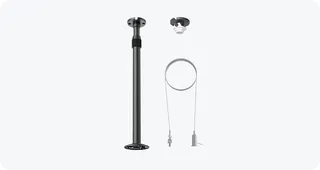
Yealink CM-MountKIT Yealink CM-MountKIT Ceiling Mic Deployment Kit for CM20
Room kits & bundles
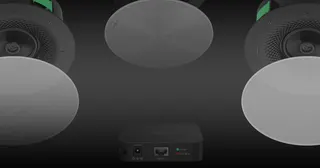
Yealink CMKit-121 Yealink CMKit-121 Ceiling Audio Kit for Conference Rooms
Room kits & bundles
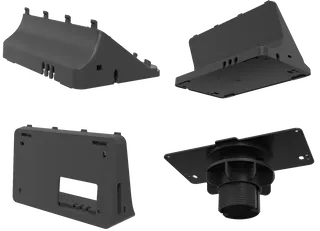
Yealink CTP25 Mount Kits Yealink CTP25 Mount Kits for CTP25 Touch Console
Room kits & bundles
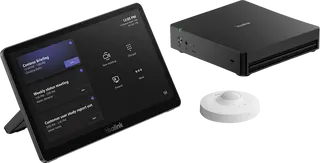
Yealink MCore Kit Yealink MCore Kit AI PC and Touch Panel Room Bundle
Room kits & bundles

Similar models

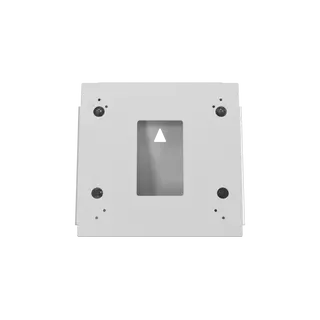
Biamp Evoko Liso Wall Mount Kit Biamp Evoko Liso Wall Mount Kit (910-01930) for Room Scheduling Displays
TAA Compliant
Email Call