Thursday, 22 October 2026 · 11 Jumada I 1448 AH Sun – Thu · 9:00 – 18:00
+971 56 914 9477 العربية
WhatsApp
This model is discontinuedThe manufacturer no longer makes it. Request a quote and we will propose the closest current replacement.
Suggested replacements ↓

MVC320

Yealink MVC320 Microsoft Teams Rooms Bundle for Small Rooms (Discontinued)

Field of view
120°
WhatsApp
Priceon request
QuotationWithin 1 working day
DeliveryConfirmed with your quote, based on stock
PDFDownload datasheet (Yealink MVC320 Datasheet.pdf)
Overview

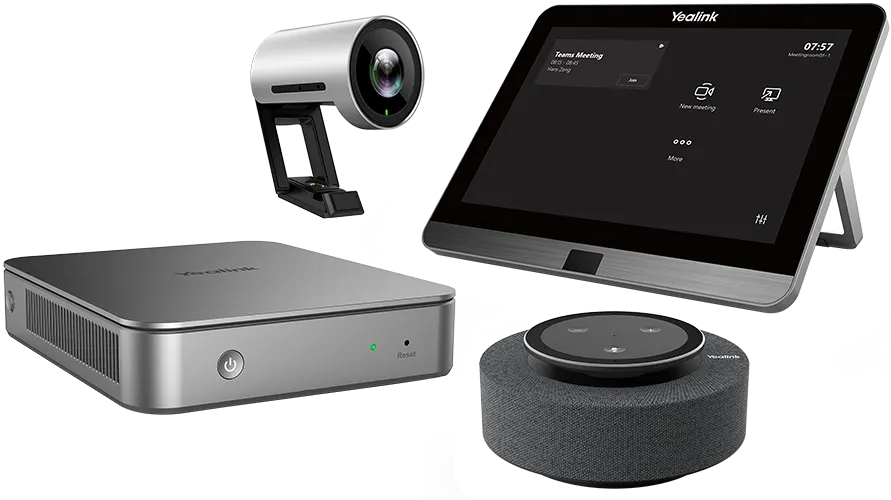
The Yealink MVC320 is a Microsoft Teams Rooms bundle for focus rooms and small meeting spaces. It combines an MCore mini-PC, an MTouch II touch panel, a UVC30-Room 4K camera and an MSpeech speakerphone. Yealink has discontinued this model and no longer accepts new orders for it. It suits small offices and huddle rooms in Doha, Lusail and Msheireb that already run Teams and need a like-for-like replacement. Request a quote for a current equivalent.

What the MVC320 bundle covers in a small room

The Yealink MVC320 is a complete Microsoft Teams Rooms bundle built for focus rooms and small meeting spaces. It brings together an MCore mini-PC, an MTouch II touch panel, a UVC30-Room 4K camera and an MSpeech smart USB speakerphone, so one purchase covers the computing, video, audio and touch controls a small room needs. The manufacturer positions it for meetings of roughly two to seven people.

Yealink has discontinued this model. The end-of-sale date recorded for the MVC320-C3-050 is 31 July 2023, and new orders are no longer accepted. This page serves organisations that already run the kit and buyers comparing it with newer models.

Camera, audio and touch features worth checking

  • Camera: UVC30-Room with 4K video at up to 30 frames per second, a 120° diagonal field of view, 3x digital zoom and camera presets.
  • Auto-framing: the camera adjusts its framing to include everyone in the room, but it does not provide speaker tracking.
  • Audio: a three-microphone array for HD pickup, a 360° pickup range of up to 6 metres, a 4 W speaker, full-duplex operation and echo cancellation.
  • Touch panel: MTouch II with an 8-inch IPS screen at 1280 x 800, 10-point capacitive touch, a Human Motion Sensor and a bracket adjustable from 28° to 50°.
  • Mini-PC: Intel quad-core i5, 8 GB memory, 128 GB SSD, two HDMI outputs with CEC, Bluetooth, Wi-Fi and four USB 3.0 Type-A ports.

Content sharing works over the USB-C or HDMI input on the touch panel, or wirelessly with the Yealink WPP20, which is not listed in the package contents. Wireless sharing supports 1080P at 30 frames per second.

Where the MVC320 fits in Qatar

A small department office in Msheireb might use the kit in a meeting room where staff join calls with colleagues abroad. In Lusail, a property sales team could stand the mini-PC on the table and keep the wall free for a display. A consultancy in Doha hosting visiting partners could use the wired USB-C or HDMI input for quick presentations in a focus room.

Planning a replacement or upgrade

Because the MVC320 is discontinued, most buyers will compare a current equivalent with a compatible replacement. Check the room size, participant numbers, display, network connection and cable route before comparing proposals. The manufacturer's end-of-life policy describes software support after end-of-sale without new features, so a current model may suit a long-term plan better. The manufacturer's FAQ states that Teams Rooms are licensed per device per month, so include licensing in the budget.

Installation and what to confirm first

The source data gives no operating temperature range for this bundle, so confirm that the room is air-conditioned and free of direct sun before installation. SmartRooms Qatar offers a free site survey, professional installation and delivery to all eight municipalities of Qatar. Quotations are usually issued within one working day. Purchase orders (LPOs), government tenders including Monaqasat, and payment by bank transfer, cheque or purchase order are accepted. Products are covered by the manufacturer's warranty.

Request a quote today for a current equivalent or a compatible replacement, and the SmartRooms Qatar team will send a clear proposal matched to your room.

Highlights

  • Discontinued by Yealink; new orders no longer accepted since July 2023
  • UVC30-Room 4K camera with 120° diagonal field of view
  • Auto-framing and camera presets for two to seven participants
  • MCore mini-PC: Intel quad-core i5, 8 GB RAM, 128 GB SSD
  • MTouch II 8-inch IPS touch panel at 1280 x 800 resolution
  • MSpeech speakerphone with 4 W speaker and 6-metre pickup range

Room fit

Tell us the room size and platform (Teams, Zoom or BYOD) and we confirm the right combination with your quotation.

Estimated timeline

Quotation within 1 working day · delivery timing depends on stock availability, and we confirm it with your quotation.

Specifications

12 specifications · Source: manufacturer · checked Oct 2026
Package Content1
Details
MCore Mini-PC MTouch II touch panel UVC30-Room 4K USB camera MSpeech smart USB Speakerphone
Preload1
Details
Windows 10 IoT Enterprise X64 Windows 10 IoT Enterprise License Microsoft Teams Rooms App, supports Skype for Business on-premise/online and Teams meetings Yealink RoomConnect
MCore Mini-PC3
Memory
8 GB (2 x 4GB)
Storage
128 GB SSD
Details
Intel® QUAD-CORE i5 2 x HDMI video output with CEC supported Bluetooth and Wi-Fi 1 x Yealink VCH port (RJ45), connect to MTouch II 4 x USB 3.0 Type-A 1 x 10/100/1000 M Ethernet port 1 x Power port 1 x Security lock slot Integrated cable management
MTouch II touch panel1
Details
8-inch IPS screen 1280 x 800 resolution 10-point capacitive touch screen 3.5 mm headset jack Human Motion Sensor Angle adjustable bracket (28° - 50°) 1080P/30FPS FHD for sharing Support wired and wireless content sharing Built-in Wi-Fi AP for Yealink wireless presentation device HDMI/USB-C HD video input
UVC30-Room 4K USB Camera2
Field of view (diagonal)
120°
Details
4K video resolution Maximum 4K/30FPS 3 x digital zoom Auto-framing Camera presets 1 x 3 m USB 2.0 cable
MSpeech smart USB speakerphone1
Details
3 MEMS microphone array for HD voice pickup 7 MEMS microphone array for voice recognition - Voice transcription - Real-time translation - Cortana voice assistant * 4 W HD Speaker 360° 20ft (6-meter) voice pickup range Touch button Full-duplex technology Acoustic echo cancellation (AEC) *Voice recognition should be supported by Microsoft Teams Rooms application
Package Features3
N.W/CTN
4.4 kg
G.W/CTN
5.1 kg
Carton Meas
360 mm x 315 mm x 290 mm

Downloads

21 files from the manufacturer
PDF Datasheets Yealink MVC320 Datasheet.pdf 984 KB Yealink MVC320 datasheets (PDF, 984 KB) URL Datasheets · Opens on manufacturer site Yealink MVC400 Datasheet Yealink MVC320 datasheets (URL) URL Datasheets · Opens on manufacturer site Yealink MVC640 Datasheet Yealink MVC320 datasheets (URL) URL Datasheets · Opens on manufacturer site Yealink MVC660 Datasheet Yealink MVC320 datasheets (URL) URL Datasheets · Opens on manufacturer site Yealink MVC840 Datasheet Yealink MVC320 datasheets (URL) URL Datasheets · Opens on manufacturer site Yealink MVC860 Datasheet Yealink MVC320 datasheets (URL) URL Datasheets · Opens on manufacturer site Yealink MVC940 Datasheet Yealink MVC320 datasheets (URL) URL Datasheets · Opens on manufacturer site Yealink MVC960 Datasheet Yealink MVC320 datasheets (URL) URL Datasheets · Opens on manufacturer site  Download Yealink MVC320 datasheets (URL) PDF Manuals & guides Yealink MVC Ⅱ Series-C3 for Microsoft Teams Rooms System Quick Start Guide (EN, CN, DE, ES, FR) V1.0.pdf 5.7 MB Yealink MVC320 manuals & guides (PDF, 5.7 MB) MP4 Other documents · Opens on manufacturer site How to Change the Login Accounts V1.0.mp4 Yealink MVC320 other documents (MP4) MP4 Other documents · Opens on manufacturer site Yealink MVC320 Unboxing V1.0.mp4 Yealink MVC320 other documents (MP4) MP4 Other documents · Opens on manufacturer site Yealink MVC400 Unboxing V1.0.mp4 Yealink MVC320 other documents (MP4) MP4 Other documents · Opens on manufacturer site Yealink MVC640 Unboxing V1.0.mp4 Yealink MVC320 other documents (MP4) MP4 Other documents · Opens on manufacturer site Yealink MVC640-Wireless-CPW90 Unboxing V1.0.mp4 Yealink MVC320 other documents (MP4) MP4 Other documents · Opens on manufacturer site Yealink MVC660 Unboxing V1.0.mp4 Yealink MVC320 other documents (MP4) MP4 Other documents · Opens on manufacturer site Yealink MVC840 Unboxing V1.0.mp4 Yealink MVC320 other documents (MP4) MP4 Other documents · Opens on manufacturer site Yealink MVC860 Unboxing V1.0.mp4 Yealink MVC320 other documents (MP4) MP4 Other documents · Opens on manufacturer site Yealink MVC940 Unboxing V1.0.mp4 Yealink MVC320 other documents (MP4) MP4 Other documents · Opens on manufacturer site Yealink MVC960 Unboxing V1.0.mp4 Yealink MVC320 other documents (MP4) PDF Other documents · Opens on manufacturer site Yealink Regulatory Notice V1.2.pdf Yealink MVC320 other documents (PDF)

Questions about MVC320

Which rooms is the Yealink MVC320 designed for?
The MVC320 is designed for focus rooms and small meeting rooms that suit about two to seven participants. In Doha, that could be a small meeting room in an office in West Bay, a team room in a ministry department in Msheireb, or a meeting room for a property developer in Lusail. The bundle includes the camera, touch panel and speakerphone, so the room has the core meeting hardware in one package.
Has Yealink discontinued the MVC320?
Yes. The manufacturer's end-of-sale notice lists the MVC320-C3-050 as discontinued since 31 July 2023, and new orders are no longer accepted. Yealink's end-of-life policy covers software support after the end-of-sale date, but new features are not added. Existing owners should check spares and support with their local Yealink distributor. SmartRooms Qatar can quote a current equivalent or a compatible replacement.
Does the MVC320 camera track speakers automatically?
No. The MVC320 includes the UVC30-Room camera, which provides auto-framing of participants but does not have speaker tracking. Auto-framing adjusts the view to fit people in the room, and camera presets let users save fixed views. If your room needs the camera to follow whoever is speaking, compare this model with a current equivalent before ordering, and request a quote to confirm which features match your needs.
What is in the MVC320 kit and which software does it run?
The kit contains an MCore mini-PC, an MTouch II 8-inch touch panel, a UVC30-Room 4K USB camera with a 3 m USB 2.0 cable, and an MSpeech smart USB speakerphone. The mini-PC is preloaded with Windows 10 IoT Enterprise and the Microsoft Teams Rooms app, which supports Skype for Business and Teams meetings, plus Yealink RoomConnect. Network and wall-mounting items are not listed in the package contents, so confirm them with your quotation.
Is the MVC320 large enough for a six-person meeting room in Lusail?
Yes. Six people fall within the two-to-seven participant range the manufacturer gives for the MVC320. The UVC30-Room camera has a 120° diagonal field of view and 4K video at 30 frames per second, so it can frame everyone around a compact table. Before ordering, measure the table length and the distance from the camera to the furthest seat, and confirm whether you need one or two external screens, since the system supports up to two. SmartRooms Qatar offers a free site survey.
How is the kit cabled between the display and the conference table?
The MCore mini-PC has integrated cable management, and one CAT5e cable can carry data and power between the TV area and the conference table area. According to the manufacturer, no extra power supply or extension cable is needed for that link. The mini-PC has two HDMI outputs with CEC support, and a Yealink VCH RJ45 port connects it to the MTouch II panel. Plan the cable route before installation and ask the installer to confirm distances.
Can the MCore mini-PC be wall-mounted or placed on a table in a sales office?
Yes. The manufacturer says the MCore mini-PC can be set up to suit the room layout, either mounted on a wall or placed on a table. For a property sales office in Lusail where wall space is needed for a display, the table option helps keep the wall clear. The MTouch II panel has an angle-adjustable bracket from 28° to 50°, and the mini-PC has a security lock slot for shared offices.
Can visitors share a laptop screen in a Doha meeting room with this kit?
Yes, in two ways. Wired sharing works by connecting a laptop to the USB-C or HDMI input on the MTouch II panel. Wireless sharing uses a built-in Wi-Fi access point on the panel together with the Yealink WPP20 wireless presentation device, which is not in the package contents. Wireless sharing supports 1080P at 30 frames per second. The wired connection suits quick presentations with visiting partners.
Can an existing SIP phone be integrated with the MVC320?
No. The manufacturer states that integrating existing SIP phones with MVC solutions is not currently available. Yealink offers personal video conferencing products with phone integration, such as the VP59, but these are separate products rather than an upgrade to the MVC320 kit. If your office relies on a SIP phone system, confirm the calling arrangement with SmartRooms Qatar before ordering a replacement.
What should a government office plan before replacing an MVC320 in a small room?
Start with a room survey covering room size, display, network access and cable routing. Because the MVC320 is discontinued, ask for a quotation for a current equivalent or compatible replacement, and check that it matches your Teams or Skype for Business setup. Government bodies can issue a purchase order, respond to government tenders including Monaqasat, and pay by bank transfer, cheque or purchase order. SmartRooms Qatar offers free site surveys before installation.
Do I need a separate Microsoft Teams Rooms licence for this kit?
The manufacturer's FAQ states that Teams Rooms are licensed per device, per month. That means each room system carries its own licence in addition to the hardware, so include it in the budget for every room. Licence terms depend on Microsoft and your organisation's agreement, so confirm the arrangement with your Microsoft account team. SmartRooms Qatar will provide the hardware quotation separately so your procurement team can compare options clearly.
Can the MVC320 be placed in a room with direct sun or a west-facing window?
The available data does not give an operating temperature range for this model, so it should not be assumed suitable for hot, unconditioned spaces. In Qatar, where summer temperatures can exceed 45°C, confirm that the room is air-conditioned and that the camera and mini-PC will not sit in direct sunlight or near a window exposed to dust. Ask SmartRooms Qatar to check the installation environment during the free site survey.

Suggested replacements

Yealink MVC S60 Yealink MVC S60 Microsoft Teams Rooms System with 360° Camera
360°
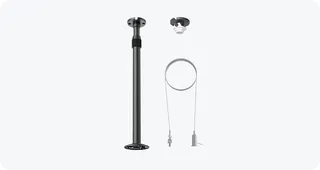
Yealink CM-MountKIT Yealink CM-MountKIT Ceiling Mic Deployment Kit for CM20
Room kits & bundles
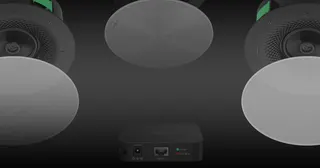
Yealink CMKit-121 Yealink CMKit-121 Ceiling Audio Kit for Conference Rooms
Room kits & bundles
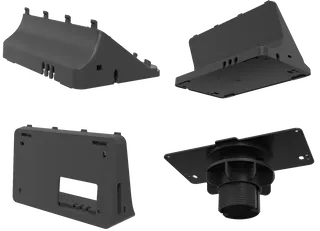
Yealink CTP25 Mount Kits Yealink CTP25 Mount Kits for CTP25 Touch Console
Room kits & bundles
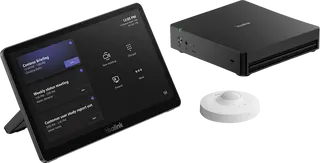
Yealink MCore Kit Yealink MCore Kit AI PC and Touch Panel Room Bundle
Room kits & bundles

Similar models

Biamp Evoko Liso Wall Mount Kit Biamp Evoko Liso Wall Mount Kit (910-01930) for Room Scheduling Displays
TAA Compliant
Email Call