Thursday, 22 October 2026 · 11 Jumada I 1448 AH Sun – Thu · 9:00 – 18:00
+971 56 914 9477 العربية
WhatsApp
This model is discontinuedThe manufacturer no longer makes it. Request a quote and we will propose the closest current replacement.
Suggested replacements ↓

MVC400 (2nd-Gen)

Yealink MVC400 (2nd-Gen) Microsoft Teams Room Kit for Huddle Rooms

Field of view
133°
WhatsApp
Priceon request
QuotationWithin 1 working day
DeliveryConfirmed with your quote, based on stock
PDFDownload datasheet (Yealink MVC400 Datasheet.pdf)
Overview

The Yealink MVC400 (2nd-Gen) is a discontinued Microsoft Teams Rooms kit for huddle and small meeting rooms. It combines an MCore mini-PC, an MTouch II 8-inch touch panel and a UVC40 USB video bar with a 20 MP camera and 133° field of view. Yealink no longer accepts orders for it, so organisations in Qatar that run it, or are comparing options, should request a quote for a current equivalent.

What the MVC400 (2nd-Gen) bundles for a small room

The Yealink MVC400 (2nd-Gen) is a complete Microsoft Teams Rooms kit for huddle rooms and small meeting spaces. It brings together three parts: an MCore mini-PC that runs the Teams Rooms application, an MTouch II 8-inch touch panel for call control, and a UVC40 USB video bar that houses the camera and microphone array. Yealink has discontinued this model, so it suits organisations that already run it and buyers who want to compare it with newer Teams hardware before deciding.

The MCore carries an Intel quad-core i5 processor, 8 GB of memory and a 128 GB SSD. It offers two HDMI outputs with CEC support for controlling a display, four USB 3.0 Type-A ports, a 10/100/1000 Mbps Ethernet port, Bluetooth and Wi-Fi, and a security lock slot. Its integrated cable management helps keep connections tidy.

Camera, audio and sharing that matter in a small room

The UVC40 has a 20 MP camera with 8x e-PTZ and a 133° diagonal field of view. Auto Framing adjusts the frame to the number and position of attendees, and Speaker Tracking moves to whoever is speaking. Camera presets and AI Face Enhancement are included, and the electric lens cap opens when a call starts and stays closed otherwise, which protects privacy in a shared office.

Audio comes from eight built-in MEMS microphones with beamforming, echo cancellation and full-duplex operation, supported by Yealink Noise Proof Technology. The MTouch II panel offers a 1280 x 800 IPS screen with 10-point touch, a Human Motion Sensor and a bracket that tilts between 28° and 50°. Presenters can share wirelessly with a Yealink WPP20 at up to 1080P/30 FPS, or connect a laptop by HDMI or USB-C.

Where the MVC400 fits in Qatar

A huddle room in West Bay. A consultancy whose team splits between Doha and offices abroad can start a scheduled Teams meeting with one touch on the MTouch II, while the UVC40 keeps the people in the room framed without anyone adjusting the camera.

A meeting room in Msheireb. A government unit that presents drafts from several laptops can use wireless and wired sharing to switch presenters quickly, without cables running across the table.

A boardroom extension in Lusail. Where a long table pushes attendees farther from the bar, pairing the system with MCore and CPW90 wireless microphones extends pickup range, although the built-in microphones are then disabled.

What to plan before ordering

  • Measure the wall or table space for the 600 mm wide UVC40 bar and the MTouch II mounting position.
  • Plan the CAT5e cable route between the MCore, the MTouch II and the UVC40.
  • Provide a power outlet near the MCore and a display with an HDMI input, as no display is supplied in the package.
  • Confirm the room environment, especially windows that take in afternoon sun, and keep the bar away from direct glare.

SmartRooms Qatar offers a free site survey before installation, and quotations are usually issued within one working day. For several rooms, one LPO or purchase order can cover the whole project.

Discontinued model: support and replacement

Yealink discontinued the MVC400 (2nd-Gen) with an end-of-sale date of 25 November 2022, and new orders are no longer accepted. The manufacturer's end-of-life policy describes the support that follows: full hardware and software technical support in the first year after end of sale, attempted software bug fixes in the second to fifth years, and no new features after end of life. Hardware spares and repairs depend on local distributors. To replace the kit, or to check support options for an existing unit, request a quote for a current equivalent matched to your room size and platform.

Highlights

  • Discontinued by Yealink; end of sale 25 November 2022
  • MCore mini-PC: Intel quad-core i5, 8 GB RAM, 128 GB SSD
  • MTouch II: 8-inch IPS touch panel, 1280 x 800 resolution
  • UVC40 bar: 20 MP camera, 133° diagonal field of view
  • Preloaded Microsoft Teams Rooms app on Windows 10 IoT Enterprise
  • Wired and wireless content sharing at up to 1080P/30 FPS

Room fit

Tell us the room size and platform (Teams, Zoom or BYOD) and we confirm the right combination with your quotation.

Estimated timeline

Quotation within 1 working day · delivery timing depends on stock availability, and we confirm it with your quotation.

Specifications

15 specifications · Source: manufacturer · checked Oct 2026
Package Content1
Details
MCore Mini-PC MTouch II touch panel UVC40 USB video bar
Preload1
Details
Windows 10 IoT Enterprise X64 Windows 10 IoT Enterprise License Microsoft Teams Rooms App, supports Skype for Business on-premise/online and Teams meetings Yealink RoomConnect
MCore Mini-PC3
Memory
8 GB (2 x 4GB)
Storage
128 GB SSD
Details
Intel® QUAD-CORE i5 2 x HDMI video output with CEC supported Bluetooth and Wi-Fi 1 x Yealink VCH port (RJ45), connect to MTouch II 4 x USB 3.0 Type-A 1 x 10/100/1000 M Ethernet port 1 x Power port 1 x Security lock slot Integrated cable management
MTouch II touch panel1
Details
8-inch IPS screen 1280 x 800 resolution 10-point capacitive touch screen 3.5 mm headset jack Human Motion Sensor Angle adjustable bracket (28° - 50°) 1080P/30FPS FHD for sharing Support wired and wireless content sharing Built-in Wi-Fi AP for Yealink wireless presentation device HDMI/USB-C HD video input
UVC40 USB Video Bar2
Field of view (diagonal)
133°
Details
20 MP Camera 8x e-PTZ camera Auto Framing Speaker Tracking AI Face Enhancement Camera Presets Built-in 8 MEMS microphone array Yealink Noise Proof Technology Beamforming directed voice pickup technology Full-duplex technology Echo cancellation technology 1 x Line-in (3.5 mm) 1 x Yealink Microphone port (RJ-45) 1 x USB 3.0 Type-B 1 x USB 2.0 Type-A 1 x Power port 1 x Security lock slot 1 x Reset slot 1 x 2.5 m USB 2.0 cable
Package Features3
N.W/CTN
6.4 kg
G.W/CTN
7.6 kg
Carton Meas
685 mm x 356 mm x 285 mm
Product Dimension (W.D.H)4
MTouch II
202 mm x 151 mm x 100 mm
N.W/CTN
1 kg; 1.35 kg; 2.56 kg
MCore
168 mm x 197 mm x 39 mm
UVC40
600 mm x 68 mm x 82 mm

Downloads

28 files from the manufacturer
PDF Datasheets Yealink MVC400 Datasheet.pdf 724 KB Yealink MVC400 (2nd-Gen) datasheets (PDF, 724 KB) PDF Datasheets Yealink MVC400 Datasheet.pdf 724 KB Yealink MVC400 (2nd-Gen) datasheets (PDF, 724 KB) PDF Datasheets Yealink-MVC400-Datasheet.pdf 2.0 MB Yealink MVC400 (2nd-Gen) datasheets (PDF, 2.0 MB) URL Datasheets · Opens on manufacturer site Yealink MVC320 Datasheet Yealink MVC400 (2nd-Gen) datasheets (URL) URL Datasheets · Opens on manufacturer site Yealink MVC640 Datasheet Yealink MVC400 (2nd-Gen) datasheets (URL) URL Datasheets · Opens on manufacturer site Yealink MVC660 Datasheet Yealink MVC400 (2nd-Gen) datasheets (URL) URL Datasheets · Opens on manufacturer site Yealink MVC840 Datasheet Yealink MVC400 (2nd-Gen) datasheets (URL) URL Datasheets · Opens on manufacturer site Yealink MVC860 Datasheet Yealink MVC400 (2nd-Gen) datasheets (URL) URL Datasheets · Opens on manufacturer site Yealink MVC940 Datasheet Yealink MVC400 (2nd-Gen) datasheets (URL) URL Datasheets · Opens on manufacturer site Yealink MVC960 Datasheet Yealink MVC400 (2nd-Gen) datasheets (URL) URL Datasheets · Opens on manufacturer site  Download Yealink MVC400 (2nd-Gen) datasheets (URL) PDF Manuals & guides Yealink MVC Ⅱ Series-C3 for Microsoft Teams Rooms System Quick Start Guide (EN, CN, DE, ES, FR) V1.0.pdf 5.7 MB Yealink MVC400 (2nd-Gen) manuals & guides (PDF, 5.7 MB) PDF Manuals & guides Yealink MVC400-C4-000 Quick Start Guide (EN, CN, DE, FR, ES) V1.0.pdf 1.4 MB Yealink MVC400 (2nd-Gen) manuals & guides (PDF, 1.4 MB) MP4 Other documents · Opens on manufacturer site How to Change the Login Accounts V1.0.mp4 Yealink MVC400 (2nd-Gen) other documents (MP4) URL Other documents · Opens on manufacturer site Rooms Accessories Compatibility Lists Yealink MVC400 (2nd-Gen) other documents (URL) URL Other documents · Opens on manufacturer site Rooms Product Family Yealink MVC400 (2nd-Gen) other documents (URL) URL Other documents · Opens on manufacturer site Rooms Supported Features List Yealink MVC400 (2nd-Gen) other documents (URL) MP4 Other documents · Opens on manufacturer site Yealink MVC320 Unboxing V1.0.mp4 Yealink MVC400 (2nd-Gen) other documents (MP4) MP4 Other documents · Opens on manufacturer site Yealink MVC400 Unboxing V1.0.mp4 Yealink MVC400 (2nd-Gen) other documents (MP4) MP4 Other documents · Opens on manufacturer site Yealink MVC400 Unboxing V1.0.mp4 Yealink MVC400 (2nd-Gen) other documents (MP4) MP4 Other documents · Opens on manufacturer site Yealink MVC640 Unboxing V1.0.mp4 Yealink MVC400 (2nd-Gen) other documents (MP4) MP4 Other documents · Opens on manufacturer site Yealink MVC640-Wireless-CPW90 Unboxing V1.0.mp4 Yealink MVC400 (2nd-Gen) other documents (MP4) MP4 Other documents · Opens on manufacturer site Yealink MVC660 Unboxing V1.0.mp4 Yealink MVC400 (2nd-Gen) other documents (MP4) MP4 Other documents · Opens on manufacturer site Yealink MVC840 Unboxing V1.0.mp4 Yealink MVC400 (2nd-Gen) other documents (MP4) MP4 Other documents · Opens on manufacturer site Yealink MVC860 Unboxing V1.0.mp4 Yealink MVC400 (2nd-Gen) other documents (MP4) MP4 Other documents · Opens on manufacturer site Yealink MVC940 Unboxing V1.0.mp4 Yealink MVC400 (2nd-Gen) other documents (MP4) MP4 Other documents · Opens on manufacturer site Yealink MVC960 Unboxing V1.0.mp4 Yealink MVC400 (2nd-Gen) other documents (MP4) PDF Other documents · Opens on manufacturer site Yealink Regulatory Notice V1.2.pdf Yealink MVC400 (2nd-Gen) other documents (PDF)

Questions about MVC400 (2nd-Gen)

Is the Yealink MVC400 (2nd-Gen) still available to buy?
No. Yealink discontinued this model and stopped accepting new orders after 25 November 2022. If you need a room system now, request a quote for a current equivalent that matches your room size, number of participants and Teams platform. The SmartRooms Qatar team will recommend the closest suitable option based on those details.
Who is the MVC400 (2nd-Gen) designed for?
It is built for huddle rooms and small meeting rooms that run Microsoft Teams Rooms, where one person must start a meeting, see remote attendees and share a laptop without a technician present. In Qatar, a manager's office in Doha or a small training room at a school would be typical. It is not designed for large lecture halls or auditoriums.
What comes in the MVC400 (2nd-Gen) package?
The package contains an MCore Mini-PC, an MTouch II touch panel and a UVC40 USB video bar. The MCore ships with the Microsoft Teams Rooms app preloaded on Windows 10 IoT Enterprise, plus Yealink RoomConnect. A display is not included, so plan for a screen with an HDMI input, because the MCore has two HDMI video outputs.
How does the UVC40 frame people in a small room?
The UVC40 has a 20 MP camera with 8x e-PTZ and a 133° diagonal field of view. Auto Framing counts attendees and positions them in the shot, and Speaker Tracking moves the view toward the active speaker. Camera presets are available, and the electric lens cap closes when no call is in progress, which helps protect privacy in shared offices.
Can I extend the pickup range with wireless microphones?
Yes. According to the manufacturer, the MVC400 can be paired with the MCore and CPW90 wireless microphones to extend its pickup range. The built-in microphones are then disabled. This suits a boardroom in Lusail with a long table where attendees sit far from the bar. Confirm the microphone layout during a site survey before ordering.
How does wireless content sharing work?
Plug the Yealink WPP20 wireless presentation device into the system and share content with one click, at up to 1080P/30 FPS. The MTouch II has a built-in Wi-Fi access point for this device. Laptops can also connect by HDMI or USB-C for wired sharing. The WPP20 is not in the package, so include it in your quotation request if you want wireless sharing.
Would this kit suit a private school staff room in Al Wakrah?
It suits a staff room or small department room that holds Teams meetings with head office, other branches or parent liaison teams. Because it is designed for huddle and small rooms, it is not a fit for a school hall or lecture theatre. Confirm the room dimensions and seating during a free site survey before ordering.
What should I plan for when installing the system?
The MCore cable management solution carries data and power over one CAT5e cable that links the MTouch II and UVC40 to the MCore mini-PC. Plan the cable route and check space for the 600 mm wide UVC40 bar. The MTouch II measures 202 x 151 x 100 mm and the MCore 168 x 197 x 39 mm, so measure cabinet or credenza space before delivery.
Can the devices be managed and updated remotely?
Yes. The system supports the Yealink Device Management Platform and its cloud service, which allow remote management, monitoring, configuration, updates and diagnostics for audio and video peripherals. The manufacturer also documents Microsoft MMR and TAC management, and automatic upgrades through Windows and Yealink YRC. This helps IT teams look after several rooms from one place.
Our meeting room has a window that gets afternoon sun. Is it suitable?
Check this before buying. The data held for this model does not include an operating temperature range, so we cannot confirm performance in hot or sunlit spaces. Keep the UVC40 away from direct sun and glare, keep the room air-conditioned, and confirm the environment with the SmartRooms Qatar team during the free site survey.
We are equipping several rooms for a government project. How should we order?
Several rooms can be covered by one LPO or purchase order, and SmartRooms Qatar supports government tenders, including those on Monaqasat. Because this model is discontinued, request quotations for a current equivalent sized to each room. Quotations are usually issued within one working day, and a free site survey can be arranged for each room before installation.
What support is available for an existing MVC400 (2nd-Gen)?
Yealink's end-of-life policy describes support after the end-of-sale date: full hardware and software technical support in the first year, attempted software bug fixes in the second to fifth years, and no new features after end of life. Hardware spares and repairs depend on local distributors. Request a quote to review the options for your room.

Suggested replacements

Yealink MVC S60 Yealink MVC S60 Microsoft Teams Rooms System with 360° Camera
360°
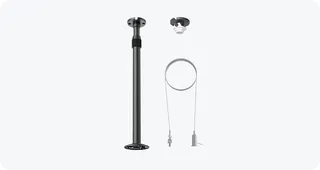
Yealink CM-MountKIT Yealink CM-MountKIT Ceiling Mic Deployment Kit for CM20
Room kits & bundles
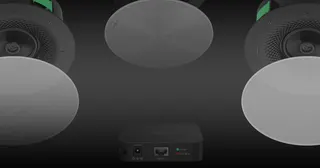
Yealink CMKit-121 Yealink CMKit-121 Ceiling Audio Kit for Conference Rooms
Room kits & bundles
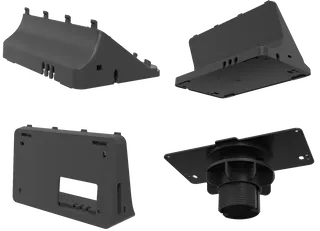
Yealink CTP25 Mount Kits Yealink CTP25 Mount Kits for CTP25 Touch Console
Room kits & bundles
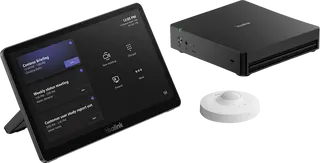
Yealink MCore Kit Yealink MCore Kit AI PC and Touch Panel Room Bundle
Room kits & bundles

Similar models

Biamp Evoko Liso Wall Mount Kit Biamp Evoko Liso Wall Mount Kit (910-01930) for Room Scheduling Displays
TAA Compliant
Email Call