Thursday, 22 October 2026 · 11 Jumada I 1448 AH Sun – Thu · 9:00 – 18:00
+971 56 914 9477 العربية
WhatsApp
This model is discontinuedThe manufacturer no longer makes it. Request a quote and we will propose the closest current replacement.
Suggested replacements ↓

MVC500

Yealink MVC500 Microsoft Teams Rooms System for Small Rooms

WhatsApp
Priceon request
QuotationWithin 1 working day
DeliveryConfirmed with your quote, based on stock
PDFDownload datasheet (Yealink MVC500 Datasheet.pdf)
Overview

The Yealink MVC500 is a Microsoft Teams Rooms system for small meeting rooms, bundling a touch console, Mini-PC, 1080p PTZ camera, two wireless microphones and a content sharing unit. Yealink has discontinued this model, so buyers should request a quote for a current equivalent or a compatible replacement. It suits small boardrooms and huddle spaces in Doha, West Bay and Lusail.

What the Yealink MVC500 kit contains

The Yealink MVC500 is a Microsoft Teams Rooms kit built for small rooms, which the manufacturer rates for 6 to 8 people. It brings the parts a room needs into one package: a Mini-PC running the Microsoft Teams Rooms app, an 8-inch MTouch touch console, an MShare content sharing unit, a UVC50 PTZ camera, two CPW90 wireless microphones and an MSpeaker soundbar. Yealink has discontinued this model, so the details below describe the kit as it was specified, which helps you compare it with current alternatives.

Specifications that shape the room layout

  • Camera: UVC50 USB PTZ camera with 5x optical zoom, 1920 x 1080 video at 60 frames per second, a 91 degree diagonal field of view, and pan and tilt ranges of 60 and 40 degrees.
  • Microphones: two CPW90 DECT wireless microphones, each picking up voices across a 360-degree range up to 10 feet (3 meters), with DECT links up to 50 meters. The kit supports up to four wireless units.
  • Speaker: MSpeaker soundbar rated at 10W x 4 RMS, with a frequency response of 60 Hz to 20 kHz.
  • Content sharing: MShare accepts HDMI and Mini-DP inputs and shares content at 1080p/30fps. The optional WPP20 adds wireless presentation, starting sharing with a single plug-in.
  • Mini-PC: 7th-generation Intel Core i5, 8GB memory, 128GB SSD, Windows 10 IoT Enterprise, Bluetooth, Wi-Fi, two HDMI outputs, four USB 3.0 Type-A ports and a 10/100/1000M Ethernet port.
  • Touch console: 8-inch IPS screen at 1280 x 800 with 10-point capacitive touch, and a Human Motion Sensor that activates the device when it detects movement.

Where it fits in Qatar

A consultancy in West Bay with a small client room can use the touch console to join a Teams meeting in one step, while the camera frames the table. In Lusail, a real estate developer's sales office could mount the Mini-PC on the wall to keep the table clear for presentations. A training centre in Education City running small sessions with partner institutions abroad can share slides from a laptop through MShare, and the CPW90 microphones let presenters move around the table without cables.

Planning the installation

  • Choose the Mini-PC position first: it can sit on the table, mount on the wall, or go on a TV cart, and a cable management box is included.
  • Check the room climate. The operating range is 0 to 40 degrees C at 10 to 95% humidity, and summer temperatures above 45 degrees C are common in Qatar, so the room must be air-conditioned and kept within that range.
  • Confirm the display inputs. The package list does not include a display, so check that the screen has HDMI or Mini-DP input.
  • Plan the microphone placement and camera sightline. A free site survey from SmartRooms Qatar helps confirm both before any walls are drilled.
  • Set the console bracket between 23 and 50 degrees for comfortable touch use.

Request a quote

Because the MVC500 is discontinued, the fastest route is a quotation for a current equivalent. Tell SmartRooms Qatar the room size, the number of seats and whether the room runs Microsoft Teams or on-premise Skype for Business, and the team will prepare a quotation, usually within one working day. We supply and deliver to all 8 municipalities of Qatar, install professionally, work with government tenders including Monaqasat, and accept bank transfer, cheque or purchase order payment. Request a quote today.

Highlights

  • Discontinued by Yealink: request a quote for a current equivalent
  • UVC50 PTZ camera: 1080p at 60fps with 5x optical zoom
  • Two CPW90 DECT wireless microphones, 360-degree pickup to 3 meters
  • 8-inch MTouch console with Human Motion Sensor
  • Mini-PC with Intel Core i5, 8GB memory and 128GB SSD
  • Operating range 0 to 40°C, so keep the room air-conditioned

Room fit

Tell us the room size and platform (Teams, Zoom or BYOD) and we confirm the right combination with your quotation.

Estimated timeline

Quotation within 1 working day · delivery timing depends on stock availability, and we confirm it with your quotation.

Specifications

Source: manufacturer · checked Oct 2026
The full specification and datasheet for this model are available on request; we send them with your quotation.

Downloads

10 files from the manufacturer

Questions about MVC500

What is the Yealink MVC500 and who is it for?
The Yealink MVC500 is a Microsoft Teams Rooms kit for small rooms, which the manufacturer rates for 6 to 8 people. It combines a Mini-PC, an 8-inch touch console, a UVC50 camera, two wireless microphones, a content sharing unit and a soundbar in one bundle. It suits a small boardroom, interview room or project huddle space where teams meet internal colleagues and external partners. Yealink has discontinued the model, so this page also helps buyers compare it with current options.
Has Yealink discontinued the MVC500?
Yes. The manufacturer has discontinued the MVC500, so it is no longer offered as a new product. SmartRooms Qatar can quote for a current Yealink or other Microsoft Teams Rooms system sized for your room. Share the room dimensions, the seating number and whether you need a wired or wireless microphone, and we will return a quotation, usually within one working day.
How many people can a room with the MVC500 accommodate?
Yealink rates the MVC500 for small rooms with 6 to 8 people. The camera's 91-degree diagonal field of view and 5x optical zoom frame the whole table in a room of that size. If your room regularly seats more people, such as a consultancy meeting room in Doha with a table for ten, check camera coverage during a site survey before choosing a model for it.
What camera does the MVC500 use?
The kit uses the UVC50 USB PTZ camera. It records 1920 x 1080 video at 60 frames per second, offers 5x optical zoom, a 91-degree diagonal field of view, and pan and tilt ranges of 60 and 40 degrees. The Yealink plug-in lets users control the camera from the touch console, so a room used by changing visitors in a government office does not need a separate remote.
How far do the microphones pick up voices?
The kit includes two CPW90 DECT wireless microphones. Each picks up voices across a 360-degree range to a radius of 10 feet (3 meters), and DECT links work up to 50 meters. The MVC500 supports up to four wireless units. If you prefer a wired option for a fixed table, the VCM34 array microphone, with a 20-foot (6-meter) pickup range, is available as a substitute for the wireless pair.
Can the MVC500 run in a room without air conditioning?
No, it should not. Yealink specifies an operating temperature of 0 to 40 degrees C and humidity of 10 to 95%. Summer temperatures in Qatar exceed 45 degrees C, so a room in the Industrial Area or a warehouse office annex must be air-conditioned and kept within the operating range before the kit goes in. Confirm the room climate with the SmartRooms Qatar team during the site survey.
How do I share a laptop or a wireless presentation?
MShare has HDMI and Mini-DP inputs, so a laptop connects with a cable and content displays at 1080p/30fps. The optional WPP20 adds wireless presentation. The Mini-PC also has USB ports for a wireless keyboard and mouse dongle. This suits a training centre in Education City running workshops with partner institutions that want presentations without carrying cables between rooms.
Which Microsoft Teams and Skype for Business meetings does it support?
The manufacturer states that the Microsoft Teams Rooms app on the Mini-PC supports Teams meetings and on-premise Skype for Business meetings. Before ordering, check with your IT team which meeting service your organisation uses, especially a ministry or bank that runs internal Skype for Business infrastructure alongside Teams. Ask SmartRooms Qatar to confirm the setup requirements in the quotation.
Can the kit be managed remotely across several rooms?
Yes. The manufacturer says the kit works with the Yealink Device Management Platform, which lets administrators remotely manage, monitor, configure, update and diagnose Yealink audio and video peripherals. For a group with several small rooms, such as a clinic network with sites in Doha and Al Rayyan, central monitoring reduces the need to visit each room when a camera or microphone needs attention.
Can the Mini-PC or touch console be wall-mounted?
Yes. The Mini-PC can sit on the table, mount on the wall, or go on a TV cart, and a cable management box is included. The MTouch console has an angle-adjustable bracket from 23 to 50 degrees. Wall mounting depends on the wall type and cable route, so the free site survey should confirm both before drilling, especially in a leased office building in West Bay.
Can we order several MVC500 units for a school or office rollout using an LPO?
Yes. SmartRooms Qatar accepts purchase orders (LPOs) and works with government tenders, including Monaqasat, and quotations are usually prepared within one working day. A private school in Al Wakrah fitting out several small meeting rooms could issue one LPO listing each room. Because the MVC500 is discontinued, the quotation will cover a current equivalent, so confirm the model before issuing the purchase order.
What should I compare when weighing the MVC500 against a newer kit?
Compare room size, camera zoom and field of view, microphone pickup range, content sharing inputs and operating temperature range, since these define how the room performs. Also check the display inputs and the Microsoft Teams Rooms version in use. Send the room plan to SmartRooms Qatar and request a quote, and the quotation will set out the differences between the options.

Suggested replacements

Yealink MVC S60 Yealink MVC S60 Microsoft Teams Rooms System with 360° Camera
360°
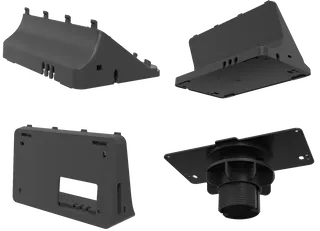
Yealink CM-MountKIT Yealink CM-MountKIT Ceiling Mic Deployment Kit for CM20
Room kits & bundles
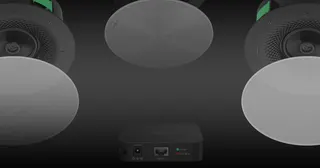
Yealink CMKit-121 Yealink CMKit-121 Ceiling Audio Kit for Conference Rooms
Room kits & bundles
Yealink CTP25 Mount Kits Yealink CTP25 Mount Kits for CTP25 Touch Console
Room kits & bundles
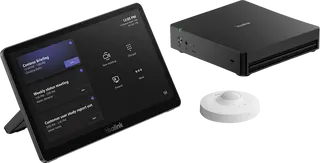
Yealink MCore Kit Yealink MCore Kit AI PC and Touch Panel Room Bundle
Room kits & bundles

Similar models

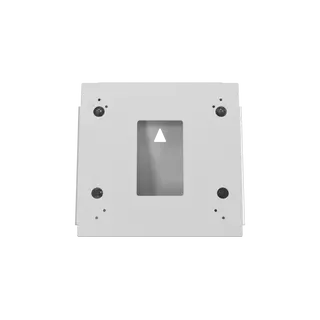
Biamp Evoko Liso Wall Mount Kit Biamp Evoko Liso Wall Mount Kit (910-01930) for Room Scheduling Displays
TAA Compliant
Email Call