Thursday, 22 October 2026 · 11 Jumada I 1448 AH Sun – Thu · 9:00 – 18:00
+971 56 914 9477 العربية
WhatsApp
This model is discontinuedThe manufacturer no longer makes it. Request a quote and we will propose the closest current replacement.
Suggested replacements ↓

MVC640

Yealink MVC640 Microsoft Teams Rooms Video Conferencing System

Field of view
80°
WhatsApp
Priceon request
QuotationWithin 1 working day
DeliveryConfirmed with your quote, based on stock
PDFDownload datasheet (Yealink MVC 640-C4 Datasheet.pdf)
Overview

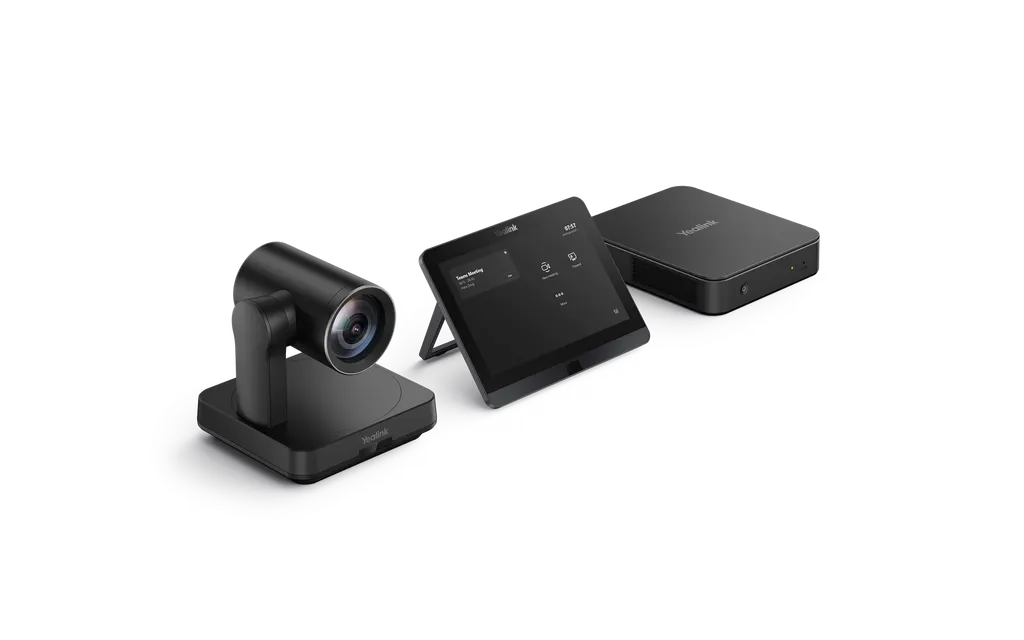
The Yealink MVC640 is a discontinued Microsoft Teams Rooms bundle for medium conference rooms. It pairs a 4K UVC84 PTZ camera with 12x optical zoom and Auto Framing, an MCore Pro mini-PC on an 11th Gen Intel Core i5, an 8-inch touch panel and an MSpeech speakerphone. Doha organisations that already run it, or are comparing it with newer models, can request a quote for a current replacement.

What the MVC640 is and who it suits

The Yealink MVC640 is a Microsoft Teams Rooms on Windows bundle built for medium conference rooms. Each kit brings together a UVC84 4K PTZ camera, an MCore Pro mini-PC, a touch panel and an MSpeech speakerphone, so one package covers camera, microphone, speaker, display output and Teams joining for a room. It suits organisations whose meeting rooms are too large for a desk-based system but do not need an auditorium setup.

Yealink has discontinued the MVC640, with an end-of-sale date of 31 December 2025, and new orders are no longer accepted. This page is written for organisations that already own the system, for buyers comparing it with newer MVC models, and for anyone searching for a replacement. SmartRooms Qatar can prepare a quotation for a current equivalent that suits the room.

Camera and audio that frame and capture the room

The UVC84 is a 4K PTZ camera with 12x optical zoom and an 80° diagonal field of view. It offers a 200° pan range and a 130° tilt range, along with Auto Framing that keeps seated participants in shot and camera presets for returning to set positions. Yealink also describes an auto-privacy protection design for the camera.

The MSpeech speakerphone uses a microphone array with a 360-degree pickup range of 20 feet (6 metres), full-duplex operation and acoustic echo cancellation, so people at the far end can speak without the system cutting them off. Its 4W speaker is sized for medium rooms. Voice transcription, real-time translation and the Cortana voice assistant depend on the Microsoft Teams Rooms application.

Mini-PC, touch panel and cabling

  • MCore Pro mini-PC with 11th Gen Intel Core i5, 8GB memory and 128GB SSD
  • 8-inch IPS touch panel, 1280 x 800 resolution, 10-point capacitive touch
  • HDMI video outputs with CEC support and built-in EDID handling
  • Bluetooth, Wi-Fi and 10/100/1000M Ethernet on the mini-PC

The mini-PC is preloaded with Windows 10 IoT Enterprise and Yealink RoomConnect. Its integrated cable management, combined with a single CAT5e link between the display area and the conference table, keeps installation tidy. According to Yealink, that one cable carries both data and power, so no separate power supply or extension cable is needed for that run. The touch panel's bracket adjusts between 28° and 50°, and its Human Motion Sensor can wake the system when someone enters the room.

Where the MVC640 fits in Qatar

Three situations show where this system makes sense:

  • A government department meeting room in Doha that hosts internal teams and remote colleagues from other sites, with the touch panel handling call and camera control.
  • A boardroom in West Bay where executives join Teams meetings with partners abroad and rely on the speakerphone for clear voice pickup.
  • A seminar room in Education City where presenters share content wirelessly through the optional WPP20 pod at 1080P/30fps.

What to plan before ordering

A free site survey before installation confirms the room size, display position, camera line of sight and the cable route between the screen and the table. The source data does not state an operating temperature range, so rooms near windows, lobbies or entrances that face summer heat above 45°C or dust storms should be checked with the SmartRooms Qatar team first. Confirm that your Teams tenant and meeting policies are ready for a Teams Rooms device, and check your displays for HDMI inputs. Kit contents vary across Yealink material, so the quotation will name the exact items supplied.

Planning for end of sale and support

Yealink's end-of-sale policy provides full support for the first year after the end-of-sale date, software bug fixes in years two to five, and no support from the sixth year. Hardware spares depend on local distributors. Yealink recommends the MVC S40 or MVC S50 as replacements, both part of the 4th-gen MVC Series and designed for medium meeting rooms. Request a quote from SmartRooms Qatar with your room size and current setup, and we will recommend a current model with installation and delivery across all eight municipalities of Qatar.

Highlights

  • Discontinued by Yealink; end-of-sale date 31 December 2025
  • UVC84 4K PTZ camera with 12x optical zoom and Auto Framing
  • 80° diagonal field of view, 200° pan and 130° tilt range
  • MCore Pro mini-PC: 11th Gen Intel Core i5, 8GB RAM, 128GB SSD
  • Optional WPP20 wireless sharing at 1080P/30fps
  • Single CAT5e cable carries data and power between zones

Room fit

Tell us the room size and platform (Teams, Zoom or BYOD) and we confirm the right combination with your quotation.

Estimated timeline

Quotation within 1 working day · delivery timing depends on stock availability, and we confirm it with your quotation.

Specifications

17 specifications · Source: manufacturer · checked Oct 2026
Package Content1
Details
MCore Mini-PC MTouch II touch panel UVC84 USB PTZ camera MSpeech smart USB speakerphone WPP20 wireless presentation pod (optional)
Preload1
Details
Windows 10 IoT Enterprise X64 Windows 10 IoT Enterprise License Microsoft Teams Rooms App, supports Skype for Business on-premise/online and Teams meetings Yealink RoomConnect
MCore Mini-PC3
Memory
8GB (2 x 4GB)
Storage
128GB SSD
Details
Intel® QUAD-CORE i5 2 x HDMI video output with CEC supported Bluetooth and Wi-Fi 1x Yealink VCH port (RJ45), connect to MTouch II 4 x USB3.0 Type-A 1 x 10/100/1000M Ethernet port 1 x Power port 1 x Security lock slot Integrated cable management
MTouch II touch panel1
Details
8-inch IPS screen 1280 x 800 resolution 10-point capacitive touch screen 3.5 mm headset jack Human Motion Sensor Angle adjustable bracket (28° - 50°) 1080P/30FPS FHD for sharing Support wired and wireless content sharing Built-in Wi-Fi AP for Yealink wireless presentation device HDMI/USB-C HD video input
UVC84 USB PTZ Camera4
Field of view (diagonal)
80°
Pan range
200°
Tilt range
130°
Details
4K camera 12x optical zoom Auto Framing Camera presets 1 x Line-out (3.5mm) 1 x Yealink Microphone port (RJ-45) 1 x USB 2.0 Type-B 1 x Power port 1 x Security lock slot 1 x Reset slot
MSpeech smart USB speakerphone1
Details
3 MEMS microphone array for HD voice pickup 7 MEMS microphone array for voice recognition * - Voice transcription - Real-time translation - Cortana voice assistant 4W HD Speaker 360° 20ft (6-meter) voice pickup range Full-duplex technology Acoustic echo cancellation (AEC) *Voice recognition should be supported by Microsoft Teams Rooms application
Package Features (without WPP20)3
N.W/CTN
7.6 kg
G.W/CTN
8.3 kg
Carton Meas
595 mm x 393 mm x 285 mm
Package Features (with WPP20)3
N.W/CTN
7.7 kg
G.W/CTN
8.4 kg
Carton Meas
595 mm x 393 mm x 285 mm

Downloads

61 files from the manufacturer
PDF Datasheets Yealink MVC 640-C4 Datasheet.pdf 449 KB Yealink MVC640 datasheets (PDF, 449 KB) PDF Datasheets Yealink MVC640 Datasheet.pdf 1.5 MB Yealink MVC640 datasheets (PDF, 1.5 MB) URL Datasheets · Opens on manufacturer site Yealink MVC320 Datasheet Yealink MVC640 datasheets (URL) URL Datasheets · Opens on manufacturer site Yealink MVC400 Datasheet Yealink MVC640 datasheets (URL) URL Datasheets · Opens on manufacturer site Yealink MVC660 Datasheet Yealink MVC640 datasheets (URL) URL Datasheets · Opens on manufacturer site Yealink MVC840 Datasheet Yealink MVC640 datasheets (URL) URL Datasheets · Opens on manufacturer site Yealink MVC860 Datasheet Yealink MVC640 datasheets (URL) URL Datasheets · Opens on manufacturer site Yealink MVC940 Datasheet Yealink MVC640 datasheets (URL) URL Datasheets · Opens on manufacturer site Yealink MVC960 Datasheet Yealink MVC640 datasheets (URL) PDF Manuals & guides Yealink MVC Ⅱ Series-C3 for Microsoft Teams Rooms System Quick Start Guide (EN, CN, DE, ES, FR) V1.0.pdf 5.7 MB Yealink MVC640 manuals & guides (PDF, 5.7 MB) PDF Manuals & guides Yealink MVC640-C4-000 Quick Start Guide (EN, CN, DE, FR, ES) V1.1.pdf 1.6 MB Yealink MVC640 manuals & guides (PDF, 1.6 MB) PDF Manuals & guides Yealink MVC640-C4-F13 Quick Start Guide (EN, CN, DE, FR, ES) V1.1.pdf 2.1 MB Yealink MVC640 manuals & guides (PDF, 2.1 MB) URL Manuals & guides · Opens on manufacturer site AVHub Divisible Conference Room Deployment Yealink MVC640 manuals & guides (URL) URL Manuals & guides · Opens on manufacturer site AVHub Mic (VCM) and Camera Linkage Deployment Yealink MVC640 manuals & guides (URL) URL Manuals & guides · Opens on manufacturer site Controller Quick User Guide for Microsoft Teams Yealink MVC640 manuals & guides (URL) URL Manuals & guides · Opens on manufacturer site Crestron Module Deployment Guide Yealink MVC640 manuals & guides (URL) URL Manuals & guides · Opens on manufacturer site Feedback Yealink MVC640 manuals & guides (URL) URL Manuals & guides · Opens on manufacturer site Instant Meeting Yealink MVC640 manuals & guides (URL) URL Manuals & guides · Opens on manufacturer site Join Meeting Yealink MVC640 manuals & guides (URL) URL Manuals & guides · Opens on manufacturer site Local Camera Yealink MVC640 manuals & guides (URL) URL Manuals & guides · Opens on manufacturer site Local Microphone Yealink MVC640 manuals & guides (URL) URL Manuals & guides · Opens on manufacturer site Local Speaker Yealink MVC640 manuals & guides (URL) URL Manuals & guides · Opens on manufacturer site Manage Participants Yealink MVC640 manuals & guides (URL) URL Manuals & guides · Opens on manufacturer site Meeting Control Yealink MVC640 manuals & guides (URL) URL Manuals & guides · Opens on manufacturer site Meeting Layout Yealink MVC640 manuals & guides (URL) URL Manuals & guides · Opens on manufacturer site Quick Setup Yealink MVC640 manuals & guides (URL) URL Manuals & guides · Opens on manufacturer site Raise Your Hand Yealink MVC640 manuals & guides (URL) URL Manuals & guides · Opens on manufacturer site Send Reactions Yealink MVC640 manuals & guides (URL) URL Manuals & guides · Opens on manufacturer site Setup Checklist Yealink MVC640 manuals & guides (URL) URL Manuals & guides · Opens on manufacturer site Shure Mic and Camera Linkage Deployment Yealink MVC640 manuals & guides (URL) URL Manuals & guides · Opens on manufacturer site Windows Autopilot and Autologin Yealink MVC640 manuals & guides (URL) URL Manuals & guides · Opens on manufacturer site Yamaha Mic and Camera Linkage Deployment Yealink MVC640 manuals & guides (URL) URL Other documents · Opens on manufacturer site Audio Input and Output Compatibility Lists Yealink MVC640 other documents (URL) URL Other documents · Opens on manufacturer site Basic Description of the Central Control Yealink MVC640 other documents (URL) URL Other documents · Opens on manufacturer site DSP Device Compatible List Yealink MVC640 other documents (URL) URL Other documents · Opens on manufacturer site Deployment Yealink MVC640 other documents (URL) URL Other documents · Opens on manufacturer site Features Yealink MVC640 other documents (URL) URL Other documents · Opens on manufacturer site HTTPS API Yealink MVC640 other documents (URL) MP4 Other documents · Opens on manufacturer site How to Change the Login Accounts V1.0.mp4 Yealink MVC640 other documents (MP4) MP4 Other documents · Opens on manufacturer site How to Share Content with USB Cable V1.0.mp4 Yealink MVC640 other documents (MP4) MP4 Other documents · Opens on manufacturer site How to Share Content with WPP30 V1.0.mp4 Yealink MVC640 other documents (MP4) URL Other documents · Opens on manufacturer site Introduction Yealink MVC640 other documents (URL) URL Other documents · Opens on manufacturer site Mic and Camera Linkage Central Control Commands Yealink MVC640 other documents (URL) URL Other documents · Opens on manufacturer site Room Control Yealink MVC640 other documents (URL) URL Other documents · Opens on manufacturer site Rooms Accessories Compatibility Lists Yealink MVC640 other documents (URL) URL Other documents · Opens on manufacturer site Rooms Product Family Yealink MVC640 other documents (URL) URL Other documents · Opens on manufacturer site Rooms Supported Features List Yealink MVC640 other documents (URL) URL Other documents · Opens on manufacturer site Socket API Yealink MVC640 other documents (URL) URL Other documents · Opens on manufacturer site System Requirements Yealink MVC640 other documents (URL) URL Other documents · Opens on manufacturer site Yealink MVC Security Whitepaper Yealink MVC640 other documents (URL) MP4 Other documents · Opens on manufacturer site Yealink MVC320 Unboxing V1.0.mp4 Yealink MVC640 other documents (MP4) MP4 Other documents · Opens on manufacturer site Yealink MVC400 Unboxing V1.0.mp4 Yealink MVC640 other documents (MP4) MP4 Other documents · Opens on manufacturer site Yealink MVC640 Unboxing V1.0.mp4 Yealink MVC640 other documents (MP4) MP4 Other documents · Opens on manufacturer site Yealink MVC640-C4 Unboxing V1.0.mp4 Yealink MVC640 other documents (MP4) MP4 Other documents · Opens on manufacturer site Yealink MVC640-Wireless-CPW90 Unboxing V1.0.mp4 Yealink MVC640 other documents (MP4) MP4 Other documents · Opens on manufacturer site Yealink MVC660 Unboxing V1.0.mp4 Yealink MVC640 other documents (MP4) MP4 Other documents · Opens on manufacturer site Yealink MVC840 Unboxing V1.0.mp4 Yealink MVC640 other documents (MP4) MP4 Other documents · Opens on manufacturer site Yealink MVC860 Unboxing V1.0.mp4 Yealink MVC640 other documents (MP4) MP4 Other documents · Opens on manufacturer site Yealink MVC940 Unboxing V1.0.mp4 Yealink MVC640 other documents (MP4) MP4 Other documents · Opens on manufacturer site Yealink MVC960 Unboxing V1.0.mp4 Yealink MVC640 other documents (MP4) PDF Other documents · Opens on manufacturer site Yealink Regulatory Notice V1.2.pdf Yealink MVC640 other documents (PDF)

Questions about MVC640

Can I still order the Yealink MVC640 from SmartRooms Qatar?
No. Yealink discontinued the MVC640 with an end-of-sale date of 31 December 2025, and new orders are no longer accepted. SmartRooms Qatar can still prepare a quotation for a current equivalent or a compatible replacement. Send us your room size and current setup, and we will recommend a suitable option. Quotations usually come within one working day.
What is the MVC640 designed for?
The MVC640 is a Microsoft Teams Rooms bundle for medium conference rooms. Its kit combines a UVC84 4K PTZ camera, an MCore Pro mini-PC, a touch panel and an MSpeech speakerphone, so one room gets camera, audio, display control and Teams joining from a single package. It suits a medium-sized room where staff join Teams meetings with remote colleagues and clients.
Which Yealink model does the manufacturer recommend instead?
Yealink recommends the MVC S40 or the MVC S50 as replacements. Both belong to the 4th-gen MVC Series and are designed for medium meeting rooms, which matches the room size the MVC640 was built for. Compare them against your room layout, camera coverage and existing displays before choosing, and ask SmartRooms Qatar for a quotation that names the model and kit that fit.
How long will Yealink support an MVC640 after end of sale?
Yealink's end-of-sale policy sets out a staged approach. For the first year after the 31 December 2025 end-of-sale date, full support continues, including hardware and software technical support and security fixes. From year two to year five, Yealink attempts software bug fixes but adds no new features. From the sixth year, no support is offered. Hardware spares depend on local distributors.
Does the MVC640 run Microsoft Teams Rooms?
Yes. The MVC640 is sold as a Microsoft Teams Rooms on Windows system. Its MCore Pro mini-PC is preloaded with Windows 10 IoT Enterprise, the Microsoft Teams Rooms app and Yealink RoomConnect. The Teams Rooms app also supports Skype for Business on-premise and online meetings, so the room can join scheduled meetings with one touch.
What does the UVC84 camera do in a meeting room?
The UVC84 is a 4K PTZ camera with 12x optical zoom, an 80° diagonal field of view, and pan and tilt ranges of 200° and 130°. Auto Framing keeps all seated participants in shot, and camera presets let staff return the camera to set positions quickly. The 4K sensor and zoom help remote participants see faces clearly at the far end of a conference table.
How well does the speakerphone pick up voices in a boardroom?
The MSpeech speakerphone uses a microphone array with a 360-degree pickup range of 20 feet (6 metres), full-duplex operation and acoustic echo cancellation. Its 4W speaker suits a medium boardroom. Voice transcription, real-time translation and the Cortana voice assistant require the Microsoft Teams Rooms application, which is useful for a West Bay board meeting where translated discussion or transcripts are needed.
Can people share content wirelessly, and how does it work?
Yes, through the optional WPP20 wireless presentation pod. Connecting a laptop to the WPP20 enables one-click content sharing at 1080P/30fps. Wired sharing is also available through the USB-C or HDMI input on the touch panel. An Education City seminar room with changing presenters can use wireless sharing so lecturers do not need to swap cables between sessions.
How is the system cabled, and how many displays can it drive?
The MCore Pro mini-PC has HDMI video outputs with CEC support and built-in EDID handling, so display control and signal settings can follow the screen. A single CAT5e cable can link the display area and the conference table, carrying data and power without a separate power supply. Confirm the number of displays and the cable run with SmartRooms Qatar before quoting, because the number of HDMI outputs is listed differently across Yealink material.
Is the MVC640 suitable for hot or dusty spaces in Qatar?
The source data does not give an operating temperature range or dust rating, so the MVC640 should be planned for an indoor, air-conditioned meeting room. If a room is near a window, lobby or entrance exposed to summer heat above 45°C or dust storms, ask SmartRooms Qatar to confirm the environment before installation. A site survey can check the room and the positions of the mini-PC and camera.
Can a school group or ministry manage several MVC640 rooms centrally?
Yes. The solution supports the Yealink Device Management Platform and Cloud Service, which lets administrators manage, monitor, configure, update and diagnose connected Yealink audio and video devices remotely. An Al Rayyan school group with several meeting rooms could manage every room from one console. Because the MVC640 is discontinued, confirm the remaining support window for each unit before planning long-term updates.
What comes in the box, and can a school or public body order through an LPO?
The package listing includes the MCore Mini-PC, the MTouch II touch panel, the UVC84 camera and the MSpeech speakerphone, with the WPP20 wireless presentation pod optional. Kit configurations differ across Yealink material, so the quotation will confirm the exact contents. SmartRooms Qatar accepts purchase orders (LPOs) and government tenders, so schools and public bodies can raise an LPO against the quotation.

Suggested replacements

Yealink MVC S60 Yealink MVC S60 Microsoft Teams Rooms System with 360° Camera
360°
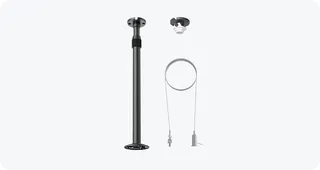
Yealink CM-MountKIT Yealink CM-MountKIT Ceiling Mic Deployment Kit for CM20
Room kits & bundles
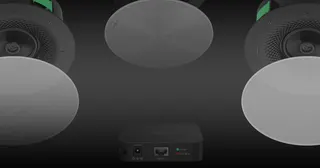
Yealink CMKit-121 Yealink CMKit-121 Ceiling Audio Kit for Conference Rooms
Room kits & bundles
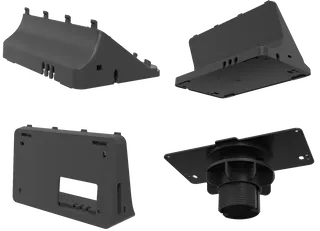
Yealink CTP25 Mount Kits Yealink CTP25 Mount Kits for CTP25 Touch Console
Room kits & bundles
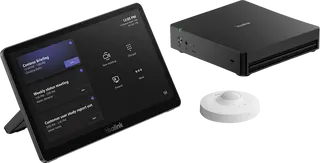
Yealink MCore Kit Yealink MCore Kit AI PC and Touch Panel Room Bundle
Room kits & bundles

Similar models

Biamp Evoko Liso Wall Mount Kit Biamp Evoko Liso Wall Mount Kit (910-01930) for Room Scheduling Displays
TAA Compliant
Email Call