





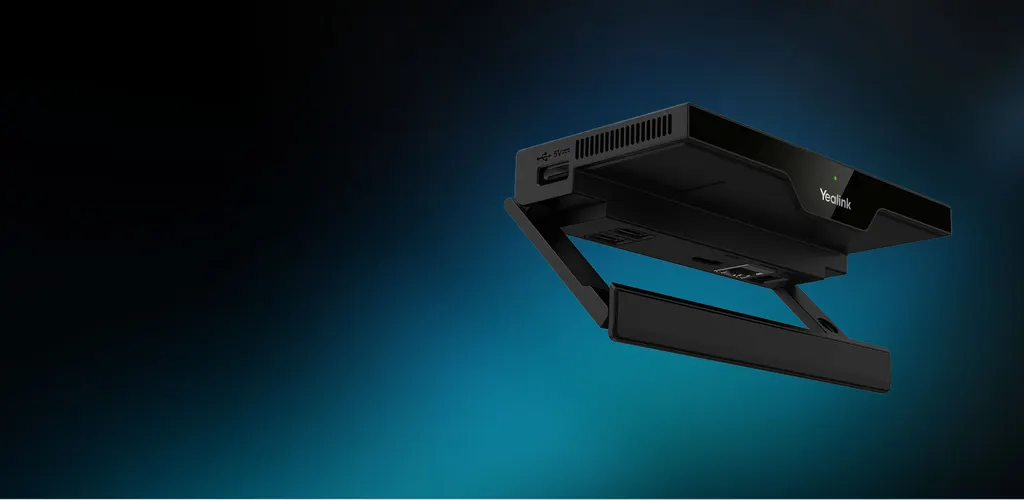
RoomCast E2
Yealink RoomCast E2 Wireless Presentation System
The Yealink RoomCast E2 is a wireless presentation system that lets participants cast screens to a display through Yealink Pod, Miracast, AirPlay and YeaCast. It outputs 4K at 60fps over one HDMI port, shows up to four sources on one screen, and runs on PoE through a single network cable. It suits small and medium meeting rooms and multimedia classrooms across Qatar. Request a quote from SmartRooms Qatar.
What the RoomCast E2 does in a meeting room
The Yealink RoomCast E2 is a wireless presentation system for meeting rooms and classrooms where several people need to share content without running cables to the front of the room. Participants cast their screens to a display through Yealink Pod, Miracast, AirPlay or YeaCast. You can choose between four-screen casting and preemptive casting, depending on how the room is used. It is built for small and medium-sized rooms where the priority is getting the right content on screen quickly.
Casting, split screen and video output
Four-screen casting is the feature buyers ask about first. The unit shows up to four sources on one screen at the same time, which suits workshops and classroom reviews where several laptops need to be compared side by side. The single HDMI output runs at 4K and 60fps, and the decoder is rated for 4K at 30fps. The unit runs Android 14.
- One HDMI output at 4K/60fps
- Decoder rated at 4K/30fps
- Four sources displayed on one screen
- Casting through Miracast, AirPlay, YeaCast and Yealink Pod
- Extended desktop listed for Windows, using Miracast or Pod
Connectivity, power and placement
The Gigabit Ethernet port supports Power over Ethernet to IEEE 802.3af, so one network cable can carry both data and power. Where a switch cannot supply PoE, the unit runs from its 12V power adapter. Built-in Wi-Fi 6 (802.11a/b/g/n/ac/ax, 2x2 MIMO) and Bluetooth 5.0 are included. At 145 x 72.5 x 23.5 mm and 0.2 kg, the unit is compact enough to sit on a desk or sit behind a display, and a Kensington slot provides a physical lock point.
Management, security and IT planning
IT teams need to know how the unit is secured and managed. Casting streams stay isolated within the local area network, Wi-Fi uses WPA2-PSK or WPA3 encryption, and a PIN code helps block unwanted streams. AES 256-bit encryption is also listed. Management runs through Yealink Management Cloud Service (YMCS) and the Yealink Device Management Platform, so staff can push tasks, run diagnostics and configure digital signage content from one place, without visiting each room.
Where it fits in Qatar
A private school in Al Wakrah fitting out new classrooms can mount the RoomCast E2 behind an interactive display, so students share content from their desks without a cable run to the front of the room. A hotel meeting room in Lusail can give visitors a simple way to present from their own laptops, with the PIN code helping to block unwanted streams. A training centre in Education City running hybrid sessions can connect a USB video bar, camera and microphone to the same unit for remote participants.
What to plan before you order
Confirm which display the unit will feed, because output runs through one HDMI port. Check whether your switch provides PoE, or whether the 12V adapter is the better route. Plan Ethernet and HDMI cable routes early. The source data does not give an operating temperature range, so confirm the environment with the SmartRooms Qatar team before placing the unit in a hot or dusty space. SmartRooms Qatar offers free site surveys, delivery to all eight municipalities of Qatar, professional installation and purchase orders for schools and government buyers. Quotations are usually issued within one working day, and the product is covered by the manufacturer's warranty. Request a quote for your RoomCast E2 units and send us your room layout.
Highlights
- One HDMI output at 4K/60fps with 4K/30fps decoder
- Up to four sources shown on one screen at once
- Casting via Miracast, AirPlay, YeaCast and Yealink Pod
- Power over Ethernet (IEEE 802.3af) or 12V adapter
- Built-in Wi-Fi 6 and Bluetooth 5.0 connectivity
- Managed through YMCS and Yealink Device Management Platform
Room fit
Tell us the room size and platform (Teams, Zoom or BYOD) and we confirm the right combination with your quotation.
Estimated timeline
Quotation within 1 working day · delivery timing depends on stock availability, and we confirm it with your quotation.
Specifications
HDMI Out1
- Details
- 4k/60fps
Decoder1
- Details
- 4k/30fps
Connectivity1
- Details
- Gigabit Ethernet Wi-Fi 6 - 802.11a/b/g/n/ac/ax - 2×2 MIMO Bluetooth5.0 Ultrasonic communication
Interface1
- Details
- 1 x HDMI out 1 x Gigabit Ethernet Port (PoE supported) 3 x USB Type-A 1 x Reset Slot 1 x Power connector 1 x Kensington Security Slot
Power Supply1
- Details
- Power over Ethernet (IEEE 802.3af) 12V Power Adapter
Presentation1
- Details
- Yealink Pod YeaCast Miracast AirPlay
Extended Desktop1
- Details
- Available for Windows Requires Miracast or Yealink Wireless Presentation Pod
Number of sources simultaneously on screen1
- Details
- Four
Security Guarantee1
- Details
- Cast streaming isolated in a local area network WPA/WAP2-PSK,WPA3 encryption for Wi-Fi network PIN code to prevent unwanted stream
Device Management1
- Details
- Yealink Management Cloud Service Yealink Device Management Platform
Dimensions2
- Size (mm)
- 145 x 72.5 x 23.5 (5.71" x 2.85" x 0.93")
- Weight
- 0.2kg (0.44 lb)




