Thursday, 22 October 2026 · 11 Jumada I 1448 AH Sun – Thu · 9:00 – 18:00
+971 56 914 9477 العربية
WhatsApp
This model is discontinuedThe manufacturer no longer makes it. Request a quote and we will propose the closest current replacement.
Suggested replacements ↓

VC400

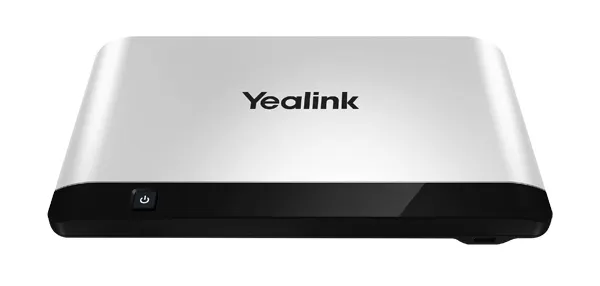
Yealink VC400 Room Video Conferencing System (Discontinued)

WhatsApp
Priceon request
QuotationWithin 1 working day
DeliveryConfirmed with your quote, based on stock
PDFDownload datasheet (Yealink VC Camera Profolio Datasheet.pdf)
Overview

The Yealink VC400 is a discontinued room video conferencing system built around an 18x optical PTZ camera and 1080P full-HD video. It supports H.323 and SIP, includes a VCP40 phone with 360-degree voice pickup, and can drive dual displays. Yealink has announced its end of life, so support ends after the EOL date. Organisations in Qatar that already run it, or are comparing it with newer systems, can request a quote for a current equivalent or compatible replacement.

What the Yealink VC400 is and why it is discontinued

The Yealink VC400 is a room-based video conferencing system designed for medium-sized meeting rooms. Yealink has discontinued this model and announced an end-of-life schedule, after which support and services for the product are terminated. If your organisation already owns a VC400, or you are weighing it against newer systems, this page sets out what the unit offers and what to plan for.

Camera, picture quality and multipoint calling

The package centres on an 18x optical PTZ camera that delivers 1920 x 1080 video, with a pan range of ±100° and a tilt range of ±30°. Up to 10 preset positions can be stored, so a meeting host can return to a set framing in seconds. The embedded multipoint control unit handles four-party calls at 1080P, and with a multipoint licence it supports eight-party calls at 720P in an asymmetric configuration. Dual 1080P30 streaming lets people and shared content appear side by side.

Audio, connectivity and interoperability

The VCP40 phone has several built-in microphone arrays and supports 360-degree voice pickup. An optional expansion microphone kit extends pickup to 5 metres, which helps when a room has a long table. The system supports H.323 and SIP, the H.239/BFCP dual-stream protocol for SIP calls, H.264 High Profile, and compatibility with several cloud platforms including Zoom and Pexip. Ports include two HDMI, one DVI and one VGA, a 10/100/1000M Ethernet port, two USB 2.0 ports, and 3.5mm line-in and line-out connections. Recordings and screenshots can be saved to a USB flash drive.

Where it fits in Qatar

  • Government offices in Msheireb with a meeting room that connects Doha with overseas teams during the Sunday to Thursday working week.
  • A training centre in Education City equipping a seminar room where a presenter and a small audience need clear pickup and a second screen for slides.
  • A private school in Al Rayyan setting up a staff meeting room with a shared directory and LDAP phonebook support.

What to plan before installation

The external adapter accepts 100 to 240V input and outputs DC 19V. Normal operating power is 24W, with a maximum of 30W and idle draw below 2.8W. The codec measures 330 mm x 183 mm x 40 mm, and the camera measures 282 mm x 152 mm x 159 mm, so confirm mounting space and sightlines before ordering. A wall-mounted shelf with screws is included. The data gives a storage temperature of -10 to 50°C and an operating humidity range of 10 to 95%, but not an operating temperature, so confirm the room conditions with the SmartRooms Qatar team, especially in rooms with direct sun or weak air conditioning.

Replacement and requesting a quote

Because the VC400 is no longer sold by Yealink, most buyers should compare a current equivalent or compatible replacement. SmartRooms Qatar supplies, delivers to all 8 municipalities of Qatar, installs, and offers free site surveys. Quotations are usually issued within one working day. Purchase orders (LPOs) and government tenders, including Monaqasat, are accepted, with payment by bank transfer, cheque or purchase order. Request a quote and share your room size, existing systems and call volume, and we will recommend a current option.

Highlights

  • Discontinued by Yealink; support ends after the end-of-life date
  • 18x optical PTZ camera with 1920 x 1080 video resolution
  • Four-party 1080P calls, eight-party 720P with multipoint licence
  • H.323 and SIP dual-protocol support with H.239/BFCP content sharing
  • VCP40 phone with 360-degree voice pickup and optional 5 m extension
  • Normal power 24W, maximum 30W, external 100-240V adapter

Room fit

Tell us the room size and platform (Teams, Zoom or BYOD) and we confirm the right combination with your quotation.

Estimated timeline

Quotation within 1 working day · delivery timing depends on stock availability, and we confirm it with your quotation.

Specifications

Source: manufacturer · checked Oct 2026
The full specification and datasheet for this model are available on request; we send them with your quotation.

Downloads

32 files from the manufacturer
PDF Datasheets Yealink VC Camera Profolio Datasheet.pdf 420 KB Yealink VC400 datasheets (PDF, 420 KB) PDF Datasheets Yealink VC Microphone Datasheet.pdf 1.6 MB Yealink VC400 datasheets (PDF, 1.6 MB) PDF Datasheets Yealink VC400 Video Conferencing System Datasheet.pdf 393 KB Yealink VC400 datasheets (PDF, 393 KB) PDF Manuals & guides Yealink_VC400_Video_Conferencing_System_Quick_Start_Guide_V23.20.pdf 24.4 MB Yealink VC400 manuals & guides (PDF, 24.4 MB) PDF Manuals & guides · Opens on manufacturer site User Guide for 8-way Multipoint License.pdf Yealink VC400 manuals & guides (PDF) PDF Manuals & guides · Opens on manufacturer site Yealink_VC400 & VC120_Video_Conference_Room_Deployment_Solution_V21.15.pdf Yealink VC400 manuals & guides (PDF) PDF Manuals & guides · Opens on manufacturer site Yealink_VC400 & VC120_Video_Conferencing_System_Administrator_Guide_V21.15.pdf Yealink VC400 manuals & guides (PDF) PDF Manuals & guides · Opens on manufacturer site Yealink_VC400 & VC120_Video_Conferencing_System_Administrator_Guide_V21.20.pdf Yealink VC400 manuals & guides (PDF) PDF Manuals & guides · Opens on manufacturer site Yealink_VC400 & VC120_Video_Conferencing_System_Administrator_Guide_V22.15.pdf Yealink VC400 manuals & guides (PDF) PDF Manuals & guides · Opens on manufacturer site Yealink_VC400 & VC120_Video_Conferencing_System_Administrator_Guide_V23.20.pdf Yealink VC400 manuals & guides (PDF) PDF Manuals & guides · Opens on manufacturer site Yealink_VC400_Video_Conferencing_System_Quick_Start_Guide_V20.1.pdf Yealink VC400 manuals & guides (PDF) PDF Manuals & guides · Opens on manufacturer site Yealink_VC400_Video_Conferencing_System_Quick_Start_Guide_V21.15.pdf Yealink VC400 manuals & guides (PDF) PDF Manuals & guides · Opens on manufacturer site Yealink_VC400_Video_Conferencing_System_Quick_Start_Guide_V21.20.pdf Yealink VC400 manuals & guides (PDF) PDF Manuals & guides · Opens on manufacturer site Yealink_VC400_Video_Conferencing_System_Quick_Start_Guide_V22.15.pdf Yealink VC400 manuals & guides (PDF) PDF Manuals & guides · Opens on manufacturer site Yealink_VC400_Video_Conferencing_System_User_Guide_V20.1.pdf Yealink VC400 manuals & guides (PDF) PDF Manuals & guides · Opens on manufacturer site Yealink_VC400_Video_Conferencing_System_User_Guide_V21.15.pdf Yealink VC400 manuals & guides (PDF) PDF Manuals & guides · Opens on manufacturer site Yealink_VC400_Video_Conferencing_System_User_Guide_V21.20.pdf Yealink VC400 manuals & guides (PDF) PDF Manuals & guides · Opens on manufacturer site Yealink_VC400_Video_Conferencing_System_User_Guide_V22.15.pdf Yealink VC400 manuals & guides (PDF) PDF Manuals & guides · Opens on manufacturer site Yealink_VC400_Video_Conferencing_System_User_Guide_V23.20.pdf Yealink VC400 manuals & guides (PDF) PDF Manuals & guides · Opens on manufacturer site Yealink_VC_Deployment_and_ User_Manual_for_AMX_Control_Systems.pdf Yealink VC400 manuals & guides (PDF) PDF Manuals & guides · Opens on manufacturer site Yealink_VC_Deployment_and_ User_Manual_for_Crestron_3-Series_Control_Systems .pdf Yealink VC400 manuals & guides (PDF) PDF Manuals & guides · Opens on manufacturer site Yealink_VC_Series_Video_Conferencing_System_Administrator_Guide_V20.6.pdf Yealink VC400 manuals & guides (PDF) PDF Manuals & guides · Opens on manufacturer site Yealink_VC_Series_Video_Conferencing_System_Network_Deployment_Solution_V21.15.pdf Yealink VC400 manuals & guides (PDF) PDF Manuals & guides · Opens on manufacturer site Yealink_VC_Series_Video_Conferencing_System_Network_Deployment_Solution_V21.20.pdf Yealink VC400 manuals & guides (PDF) PDF Manuals & guides · Opens on manufacturer site Yealink_VC_Series_Video_Conferencing_System_Network_Deployment_Solution_V22.15.pdf Yealink VC400 manuals & guides (PDF) PDF Manuals & guides · Opens on manufacturer site Yealink_VC_Series_Video_Conferencing_System_Network_Deployment_Solution_V23.20.pdf Yealink VC400 manuals & guides (PDF) PDF Manuals & guides · Opens on manufacturer site Yealink_Video_Conference_Room_Deployment_Solution_V20.1.pdf Yealink VC400 manuals & guides (PDF) 1 - Software & firmware · Opens on manufacturer site VC400 30.24.0.1 - Firmware & Release Note Yealink VC400 software & firmware (1 - FIRMWARE & RELEASE NOTE) PDF Other documents · Opens on manufacturer site API_Commands_Introduction_for_Yealink_Video_Conferencing_System_V1.06.pdf Yealink VC400 other documents (PDF) PDF Other documents · Opens on manufacturer site VC400 VC120 CE Cert.pdf Yealink VC400 other documents (PDF) PDF Other documents · Opens on manufacturer site Yealink Regulatory Notice V1.2.pdf Yealink VC400 other documents (PDF) PDF Other documents · Opens on manufacturer site Yealink_End_of_Life_Announcement-VC400.pdf Yealink VC400 other documents (PDF)

Questions about VC400

Is the Yealink VC400 still available from Yealink?
No. Yealink has discontinued the VC400 and announced its end-of-life schedule. After the EOL date, support and services for the product are terminated. Organisations in Qatar that need a video conferencing room system should request a quote for a current equivalent or a compatible replacement from SmartRooms Qatar.
What is the Yealink VC400 designed for?
The VC400 is designed for medium-sized meeting rooms. It combines an 18x optical PTZ camera, a VCP40 phone and a codec in one package, so a single room can host multipoint video calls with shared content. It suits teams that need a dedicated room system rather than a desktop or laptop setup.
Which call protocols and platforms does the VC400 support?
The VC400 supports H.323 and SIP dual-protocol operation, with H.239/BFCP dual-stream sharing for SIP calls and H.264 High Profile video. The data also lists compatibility with several cloud platforms, including Zoom and Pexip. Confirm your exact platform with SmartRooms Qatar before ordering a replacement.
How many people can join a call on the VC400?
The embedded multipoint control unit supports four-party calls at 1080P. With a multipoint licence, it supports eight-party calls at 720P in an asymmetric configuration. The licence matters for larger calls, so check how many remote sites your organisation normally connects before comparing replacement systems.
How wide is the VC400 camera's coverage?
The camera has 18x optical zoom, a pan range of ±100° and a tilt range of ±30°. It can store up to 10 preset positions, so a meeting host can return to a set framing quickly. The video resolution is 1920 x 1080.
Can the VC400 drive two screens at once?
Yes. The VC400 supports dual displays with a focus feature, and its ports include two HDMI, one DVI and one VGA. Dual 1080P30 streaming lets people and shared content appear together, which suits boardrooms where a presenter needs a second screen for slides.
We run a ministry office meeting room in Msheireb. Would the VC400 suit it?
The VC400 suits a mid-sized ministry meeting room that regularly joins overseas teams. Its four-party 1080P calls and dual-screen output fit a Sunday to Thursday working pattern with documents shared during calls. Because it is discontinued, we would recommend a current replacement with the same calling and sharing capability.
Could a training centre in Education City use the VC400 in a seminar room?
Yes, for a seminar room where one presenter faces a small audience. The VCP40 phone offers 360-degree voice pickup, and the optional expansion microphone kit extends pickup to 5 metres. Since the model is discontinued, request a quote for a current equivalent with the same audio coverage.
Would a private school in Al Rayyan find the VC400 useful for staff meetings?
It can be useful for staff meetings across two campuses. The system offers a local directory of 500 entries plus 100 meeting entries and LDAP phonebook support, which helps staff find colleagues quickly. Because support has ended for the VC400, a current replacement is the safer choice for a long-term meeting room.
Can the VC400 be installed in a hot room in Doha?
The data gives a storage temperature range of -10 to 50°C and an operating humidity range of 10 to 95%, but no operating temperature. Rooms with direct sun, large windows or weak air conditioning should be checked with the SmartRooms Qatar team before installation, whether for the VC400 or a replacement.
What power does the VC400 need?
The external adapter accepts AC 100 to 240V input and outputs DC 19V. Normal operating power is 24W, with a maximum of 30W and idle draw below 2.8W. Because the adapter accepts 240V input, it is compatible with Qatar mains, but confirm the socket and cable routing during site planning.
Our school in Al Khor is ordering several units. Can we pay by purchase order?
Yes. SmartRooms Qatar accepts purchase orders (LPOs) and government tenders, including Monaqasat, with payment by bank transfer, cheque or purchase order. Since the VC400 is discontinued, multi-room orders should specify a current replacement, and a free site survey can confirm mounting and network needs for each room.

Suggested replacements

Yealink MVC S60 Yealink MVC S60 Microsoft Teams Rooms System with 360° Camera
360°
Yealink CM-MountKIT Yealink CM-MountKIT Ceiling Mic Deployment Kit for CM20
Room kits & bundles
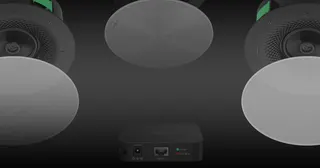
Yealink CMKit-121 Yealink CMKit-121 Ceiling Audio Kit for Conference Rooms
Room kits & bundles
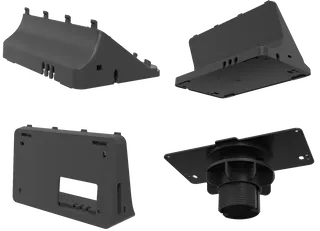
Yealink CTP25 Mount Kits Yealink CTP25 Mount Kits for CTP25 Touch Console
Room kits & bundles
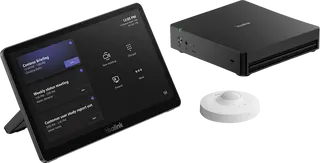
Yealink MCore Kit Yealink MCore Kit AI PC and Touch Panel Room Bundle
Room kits & bundles

Similar models

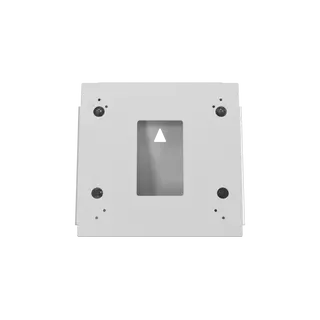
Biamp Evoko Liso Wall Mount Kit Biamp Evoko Liso Wall Mount Kit (910-01930) for Room Scheduling Displays
TAA Compliant
Email Call