Thursday, 22 October 2026 · 11 Jumada I 1448 AH Sun – Thu · 9:00 – 18:00
+971 56 914 9477 العربية
WhatsApp
This model is discontinuedThe manufacturer no longer makes it. Request a quote and we will propose the closest current replacement.
Suggested replacements ↓

HT005E

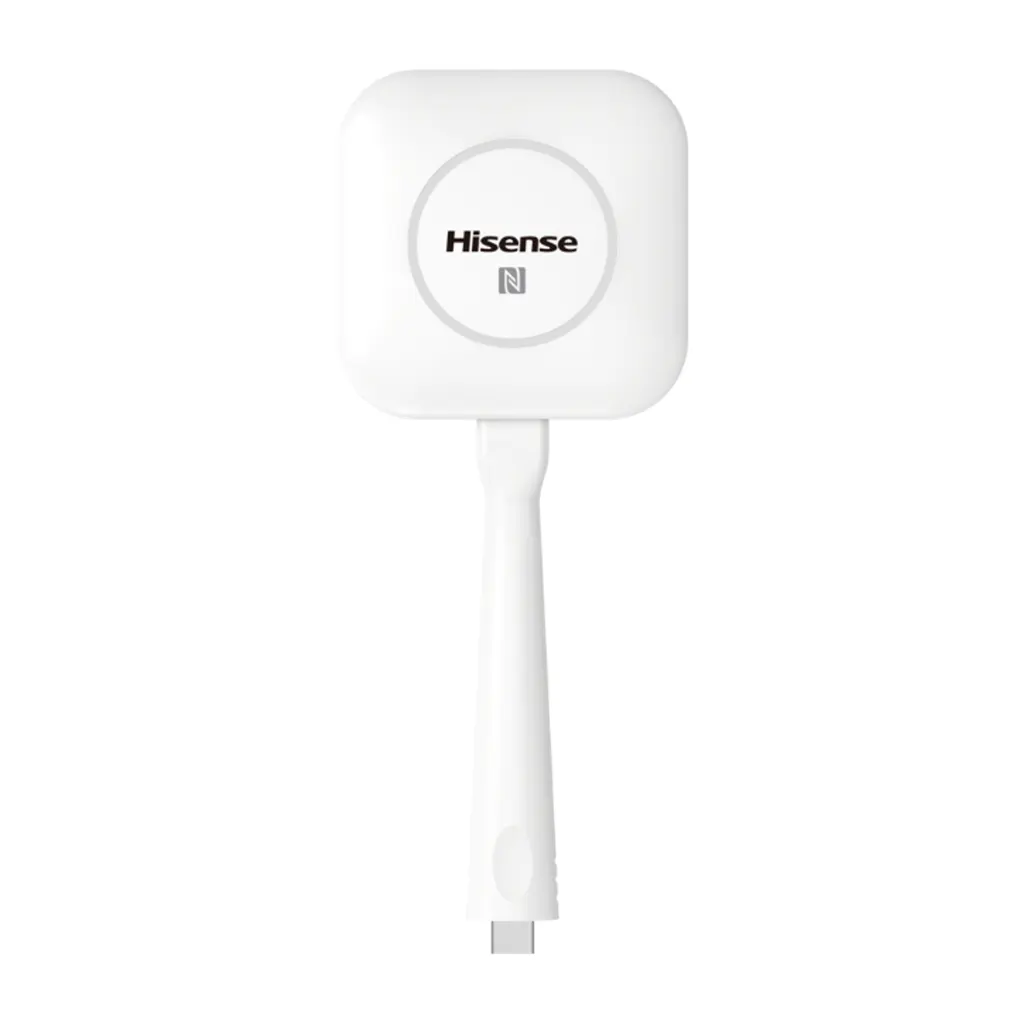
Hisense HT005E Wireless Screen Transmission Dongle

Resolution
FHD 60Hz
WhatsApp
Priceon request
QuotationWithin 1 working day
DeliveryConfirmed with your quote, based on stock
PDFDownload datasheet (HT005E_Datasheet_v3.pdf)
Overview

The Hisense HT005E is a USB-C wireless screen transmission dongle that streams content from a laptop to a Hisense digital whiteboard with one button press, supporting Windows and Mac. It offers FHD 60Hz video, a 15m transmission distance and IEEE 802.11b/g/n/ac Wi-Fi. Hisense has discontinued this model, so schools and offices in Qatar that need wireless casting should request a quote for a current compatible option.

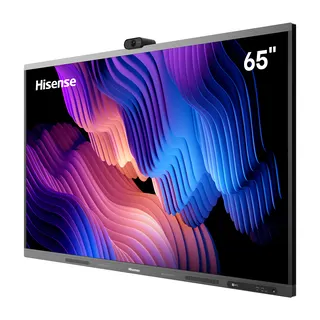
What the HT005E does on a Hisense digital whiteboard

The HT005E is a small wireless screen transmission dongle. It plugs into the USB-C port of a laptop, and one press of its button sends the screen to a Hisense digital whiteboard, so everyone in the room can see the same content without cables. It suits meeting rooms and classrooms where presenters change often and nobody wants to crawl under a desk to swap an HDMI lead.

The specifications that matter for planning

  • Video: FHD at 60Hz.
  • Connection: one received device at the same time, with hot plug and plug-and-play support.
  • Wireless: IEEE 802.11b/g/n/ac Wi-Fi and a 15m transmission distance.
  • Power: 5V working voltage.
  • Operating range: -10°C to +45°C, humidity up to 95%.
  • Indicator: the light blinks while connecting and turns white when in use.

The manufacturer lists Windows and Mac as supported systems. Its feature notes also mention iOS and Android, so confirm mobile use with the SmartRooms Qatar team before you rely on it. The dongle also supports touch-back: once a presentation, document or spreadsheet is cast, the presenter can turn pages, add comments and edit the file from the board.

Where it fits in Qatar

Three situations suit this dongle well. A private school in Al Wakrah with a Hisense board in a shared classroom can let teachers and pupils present from their own laptops. A government office in Msheireb can run short internal reviews, where one presenter shares at a time and colleagues follow on the board. A training centre in the Industrial Area can use one board across several workshop rooms, moving the dongle between them as sessions change.

Qatar summers are a practical concern. Temperatures can exceed 45°C, which is the upper limit of this product's operating range, so keep the dongle out of hot cars, sunlit windowsills and unventilated cabinets. Inside an air-conditioned room it works within its stated range.

What to plan before you order

  • Confirm the board and laptops in the room are compatible with a wireless casting dongle for your use case.
  • Check that the Wi-Fi network the room uses supports 802.11 b/g/n/ac.
  • Measure the distance from where the presenter stands to the board, since transmission is rated at 15m.
  • Plan for one presenter at a time, because the dongle serves one device at a time.
  • Ask for the certification details with your quote; the manufacturer data we hold lists this as to be confirmed.

Schools and public bodies in Qatar can order by LPO or through government tenders, including Monaqasat. Quotations are usually returned within one working day, and delivery covers all eight municipalities.

Request a quote for a current replacement

Because Hisense has discontinued the HT005E, buyers who need wireless casting for an existing board should compare current options before committing. Request a quote from SmartRooms Qatar, tell us which Hisense display or room you are equipping, and we will suggest a current equivalent or compatible replacement.

Highlights

  • USB-C dongle with one-button wireless screen casting
  • Serves one received device at a time
  • FHD 60Hz video with 15m transmission distance
  • Wi-Fi 802.11 b/g/n/ac; Windows and Mac supported
  • Operating range -10°C to +45°C, humidity up to 95%
  • Discontinued by Hisense; request a quote for a replacement

Estimated timeline

Quotation within 1 working day · delivery timing depends on stock availability, and we confirm it with your quotation.

Specifications

16 specifications · Source: manufacturer · checked Oct 2026
General16
Color
White
Logo
Hisense
Connect Number
1 received device (same time)
Button
1
Port
USB-C
Working Voltage
5V
Video Resolution
FHD 60Hz
Transmission Distance
15m
Main IC
RV1108A
Plug and Play
Support
WiFi Module
IEEE 802.11b/g/n/ac
Indicator Light
1. Blinking when connecting, 2.White color when using
Certification
TBC
Hot Plug
Support
Working Temperature
-10°C ~ +45°C
Working Humidity
≤95%

Downloads

1 file from the manufacturer

Questions about HT005E

Is the Hisense HT005E still sold by Hisense?
No. Hisense has discontinued the HT005E and lists it under discontinued and end-of-life products on its B2B site. Organisations that already own units can keep using them while they work. If you need wireless casting for a board in Qatar, SmartRooms Qatar can quote a current equivalent or a compatible replacement.
What is the HT005E used for in a classroom or meeting room?
It is a wireless screen transmission dongle. Plug it into the USB-C port of a laptop, press the single button, and the screen appears on a Hisense digital whiteboard in FHD at 60Hz. A teacher in a shared classroom in Al Wakrah, or a manager in a meeting room in West Bay, can present without swapping HDMI cables.
Does the HT005E work with Windows, Mac, iOS and Android?
The manufacturer lists Windows and Mac as supported systems, and its feature notes also mention iOS and Android. Because the information we hold is not consistent on mobile support, confirm iOS and Android use with the SmartRooms Qatar team before buying, especially if visitors will present from phones or tablets at a Doha meeting.
How many people can present at the same time?
Only one received device can connect to the dongle at a time. At a training centre in the Industrial Area where several trainers share one board, trainers should take turns, with each session starting after the previous presenter stops casting. Plan the session schedule around this single-connection limit.
How far can the presenter be from the board?
The stated transmission distance is 15m. Measure from where the presenter normally stands to the board before ordering, especially in a large lecture hall where the speaker may move far from the screen. Treat 15m as the planning figure, and test on site, since walls and crowded Wi-Fi can reduce real-world range.
Which Wi-Fi standards does it support?
The HT005E uses IEEE 802.11b/g/n/ac Wi-Fi. Check that the wireless network in your room runs on a compatible standard and that the presenter's laptop can connect to it. If you plan to roll the dongle out across several rooms, have your IT team review the network before installation.
Do I need HDMI cables or software installed on each laptop?
No HDMI or LAN cable is needed for casting. The manufacturer states that no application download is required for the wireless dongle. Plug-and-play and hot-plug support mean it can be connected while a board is already running, which helps in busy staff rooms where presenters change throughout the day.
Can it handle Qatar's summer heat?
The rated working range is -10°C to +45°C with humidity up to 95%. Summer temperatures in Qatar can exceed 45°C, so do not leave the dongle in a parked car, on a sunlit windowsill or in an unventilated cabinet. In an air-conditioned meeting room or classroom, it operates within its rated range.
Is it suitable for lobbies, outdoor areas or dusty locations?
The manufacturer data lists an operating temperature and humidity range but no dust or water protection rating. For lobby or outdoor use, or near windows exposed to dust storms, confirm the environment with the SmartRooms Qatar team before ordering. For a typical indoor meeting room, the stated operating range is the key figure.
What does the indicator light tell the presenter?
The indicator light blinks while the dongle is connecting and turns white when it is in use. In a school where a technician sets up several rooms each morning, the light gives a quick visual check that the connection is made before the lesson starts, without needing to look at the board first.
Can presenters annotate or control documents after casting?
Yes. The manufacturer describes touch-back support, which lets a presenter cast a presentation, document or spreadsheet from a laptop and then turn pages, add comments or edit the file on the board. This suits university lectures and workshops where the group discusses a file live rather than simply viewing it.
Can we buy it through an LPO or a government tender?
Yes. SmartRooms Qatar accepts purchase orders (LPOs) and government tenders, including Monaqasat, and accepts payment by bank transfer, cheque or purchase order. Because the certification details are listed as to be confirmed in the manufacturer data, ask for them in the quotation before submitting your tender documents.

Suggested replacements

Hisense 65MR61DE-E Hisense 65MR61DE-E 65-inch GoBoard Pro Interactive Display
65″ 3840 x 2160 Android 13.0
Hisense 65MR6DE-E Hisense 65MR6DE-E 65-inch GoBoard Interactive Display
65″ 3840 x 2160 Android 13.0
Hisense 65WE3FE Hisense 65WE3FE 65-inch Advanced Interactive Display
65″ 3840x2160 Android 14.0
Hisense 65WM5GE Hisense 65WM5GE 65-inch 4K Advanced Interactive Display
65″ 3840 x 2160 Android 13.0
Hisense 65WM6FE Hisense 65WM6FE 65-inch GoBoard Live Pro Interactive Display
65″ 3840 x 2160 Android 13.0

Similar models

BenQ CM7505 BenQ Board CM7505 75-inch Interactive Display
75″ UHD 3840 × 2160 pixels Ultra Precision IR
SMART SBID-6286S-V3 SMART Board 6086S-V3 86-inch Interactive Display with iQ
86″ 4K UHD (3840 × 2160) HyPr Touch with InGlass
SMART SBID-6286S-V3-P SMART Board 6086S-V3 Pro 86-inch Interactive Display with iQ
86″ 4K UHD (3840 × 2160) HyPr Touch with InGlass
Clevertouch Clevertouch Edge 65" Clevertouch Edge 65" 4K Interactive Display with Camera and Speakers
65″ 4K UHD (3840x2160 @60Hz) Android 15
Clevertouch Clevertouch Edge 86" Clevertouch Edge 86" 4K Interactive Flat Panel
86″ 4K UHD (3840x2160 @60Hz) Android 15
Email Call