Surface Hub 2S 85"
Microsoft Surface Hub 2S 85-inch Interactive Collaboration Board
- Resolution
- 3840 x 2160 (4K UHD)
- Brightness
- 280 nits (typical)
- Warranty
- One-year limited hardware warranty
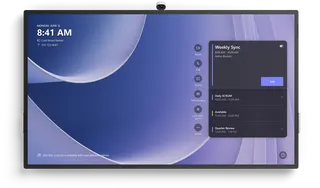
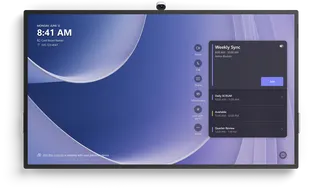
The Microsoft Surface Hub 2S 85-inch is a discontinued 4K collaboration board for large meeting rooms, built around a 16:9 PixelSense touchscreen with 20 simultaneous touch points and an integrated 4K camera. It runs Windows 10 Team OS with Microsoft Teams for Surface Hub and includes an active pen. Organisations that already run this model, or are comparing it with newer boards, can request a quote for a current equivalent.
What the 85-inch Surface Hub 2S is and who it suits
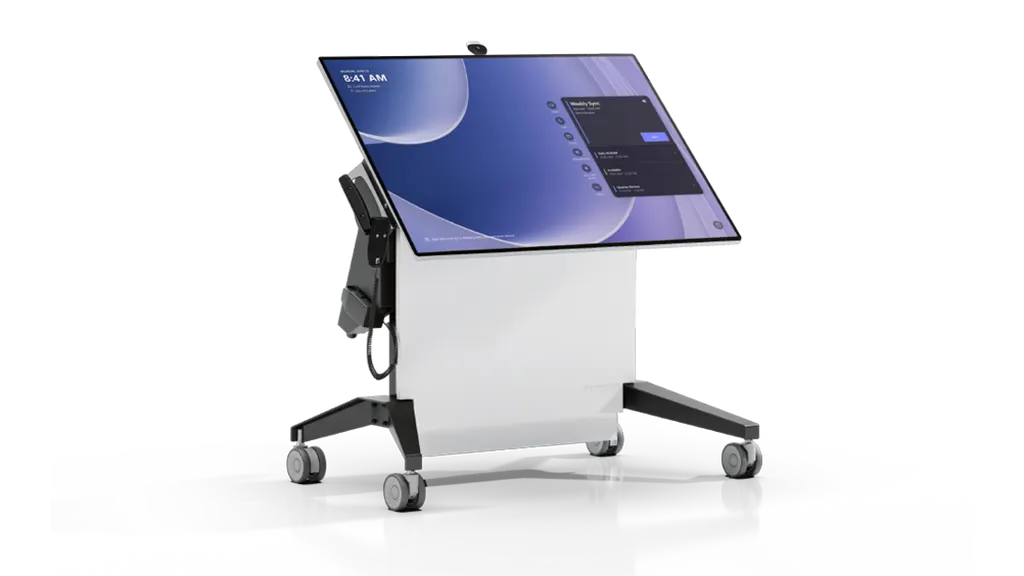
The 85-inch Surface Hub 2S is a large touch-enabled collaboration board for boardrooms, lecture halls and big meeting rooms where a group needs to view, annotate and join calls from one surface. It combines a 4K display, a built-in compute cartridge and a 4K camera, so most of the equipment sits in one unit rather than in a separate PC and conferencing kit.
Discontinued model. Microsoft has discontinued the Surface Hub 2S, and its successor in the family is the Surface Hub 3. This page is written for organisations that already run this 85-inch board, for buyers comparing it with newer models and for anyone seeking a replacement. Request a quote for a current equivalent or a compatible replacement, and we will check the room against it before you commit.
Display, touch and camera facts that shape the room
The panel has a 16:9 aspect ratio with 3840 x 2160 resolution, an anti-glare IPS LCD and in-cell touch that tracks 20 touch points at once. Typical brightness is 280 nits and typical contrast is 1000:1, with an 800:1 minimum. That brightness suits rooms with controlled lighting. A room with strong daylight through a glass wall needs a lighting check during the site survey.
- 4K camera on USB-C with a 90-degree horizontal field of view
- Microphone array certified for Teams pickup up to 3.5 metres away
- Three-way stereo speakers with mid-high and mid-low drivers
- Doppler occupancy sensor for detecting people in the room
Compute, ports and software for hybrid meetings
The modular compute cartridge carries a quad-core 8th Generation Intel Core i5, 8GB RAM and a 128GB SSD, with Intel UHD Graphics 620. Inputs include HDMI 2.0 with HDCP 2.2 and 1.4 support and a USB-C port with DisplayPort input. The output is Mini DisplayPort 1.2. Three USB-C ports sit on the display, and USB-A and gigabit Ethernet RJ45 are also provided. Wireless covers Wi-Fi 5 (802.11 a/b/g/n/ac), Bluetooth 5.0 and Miracast. The software runs on Windows 10 Team OS with Microsoft Teams for Surface Hub, Skype for Business, Microsoft Whiteboard, Office Mobile and Power BI.
Planning weight, power and cooling before installation
At 1,130 mm x 1,959 mm x 85.6 mm and 84 kg (185 lb), the panel is wide and heavy. The shipping weight is 181 kg in a crate measuring 2,275 mm x 1,573 mm x 580 mm, so confirm the delivery route, lift access and wall or stand structure with a free site survey before ordering. The input is rated 110/220 V nominal with a 90-265 V maximum, which covers Qatar's 240 V, 50 Hz supply. Operating draw is 665 W (745 W surge), standby draw is 5 W maximum and the listed heat output is 2,047 BTU/hr, which belongs in the room's cooling plan. The source data gives no operating temperature range, so confirm the room environment with the SmartRooms Qatar team before installation.
Where it fits in Qatar
- Boardroom in West Bay: executives join calls with teams abroad while reviewing documents on the shared surface.
- Lecture hall in Education City: lecturers annotate slides directly while remote students join through the camera.
- Government meeting room in Msheireb: a Sunday to Thursday working week with Arabic and English presentations on one board.
Orders can be placed by purchase order (LPO) or through a government tender, with payment by bank transfer, cheque or purchase order. SmartRooms Qatar delivers to all 8 municipalities, arranges professional installation and offers free site surveys. The product is covered by Microsoft's one-year limited hardware warranty, and quotations are usually issued within one working day. Request a quote for a current equivalent and we will confirm lead times in writing, based on stock.
Highlights
- 85-inch 4K UHD panel at 3840 x 2160 resolution
- In-cell touch with 20 simultaneous touch points
- 4K USB-C camera with 90-degree horizontal field of view
- Teams-certified microphone array with 3.5 m pickup
- Quad-core Intel Core i5, 8GB RAM and 128GB SSD
- Input rated 90-265 V; 665 W operating draw
Classroom fit
At 85″ the farthest student should sit within about 6.4 m (6× the screen height).
Estimated timeline
Quotation within 1 working day · delivery timing depends on stock availability, and we confirm it with your quotation.
Specifications
Surface Hub 2S 85"24
- Surface Hub 2S 85" tech specs (Microsoft Learn) · Dimensions
- 44.5” x 77.1” x 3.4” (1,130 mm x 1,959 mm x 85.6 mm)
- Surface Hub 2S 85" tech specs (Microsoft Learn) · Shipping dimensions
- 89.5” x 62” x 22.8” (2,275 mm x 1,573 mm x 580 mm)
- Surface Hub 2S 85" tech specs (Microsoft Learn) · Weight
- 185 lbs (84 kg)
- Surface Hub 2S 85" tech specs (Microsoft Learn) · Shipping weight
- 399 lbs (181 kg)
- Surface Hub 2S 85" tech specs (Microsoft Learn) · Display
- PixelSense Display, 16:9 aspect ratio, 8-bit color, 30.5mm border width, anti-glare, IPS LCD, in-cell touch with 20 simultaneous touch points
- Surface Hub 2S 85" tech specs (Microsoft Learn) · Resolution
- 3840 x 2160 (4K UHD)
- Surface Hub 2S 85" tech specs (Microsoft Learn) · Contrast ratio
- 1000:1 (typical), 800:1 (minimum)
- Surface Hub 2S 85" tech specs (Microsoft Learn) · Brightness
- 280 nits (typical)
- Surface Hub 2S 85" tech specs (Microsoft Learn) · Compute
- Modular Compute Cartridge Quad-core 8th Generation Intel Core i5 processor, 8GB RAM, 128GB SSD
- Surface Hub 2S 85" tech specs (Microsoft Learn) · Software
- Windows 10 Team OS Microsoft Teams for Surface Hub Skype for Business Microsoft Whiteboard Microsoft Office (Mobile) Microsoft Power BI
- Surface Hub 2S 85" tech specs (Microsoft Learn) · Connections
- USB-A Mini-DisplayPort 1.2 video output RJ45 gigabit Ethernet (1000/100/10 BaseT) HDMI video input (HDMI 2.0, HDCP 2.2 /1.4) USB-C with DisplayPort Input (3) USB-C (on display)
- Surface Hub 2S 85" tech specs (Microsoft Learn) · Graphics
- Intel UHD Graphics 620
- Surface Hub 2S 85" tech specs (Microsoft Learn) · Audio/video
- 100Hz - 12KHz range 3-way stereo speakers, including (2) mid/high-range and (1) mid/low-range in rear bump. Full band 8-element MEMS microphone array certified for use with Microsoft Teams up to 3.5 meters away Microsoft Surface Hub 2S Camera, 4K, USB-C connection, 90-degree HFOV
- Surface Hub 2S 85" tech specs (Microsoft Learn) · Pen
- Microsoft Surface Hub Pen (active) Surface Slim Pen compatible
- Surface Hub 2S 85" tech specs (Microsoft Learn) · Sensors
- Doppler occupancy sensor
- Surface Hub 2S 85" tech specs (Microsoft Learn) · Wireless
- Wi-Fi 5: IEEE 802.11 a/b/g/n/ac compatible Bluetooth Wireless 5.0 technology Miracast Display
- Surface Hub 2S 85" tech specs (Microsoft Learn) · Exterior
- Casing: Precision machined aluminum with mineral-composite resin Color: Platinum Physical Buttons: Power, Volume, Source
- Surface Hub 2S 85" tech specs (Microsoft Learn) · What’s in the box
- (1) Surface Hub 2S (2) Surface Hub Pen (1) Surface Hub 2S Camera 4m AC Power Cable Quick Start Guide
- Surface Hub 2S 85" tech specs (Microsoft Learn) · Warranty
- One-year limited hardware warranty
- Surface Hub 2S 85" tech specs (Microsoft Learn) · BTU
- 2,047 BTU/hr
- Surface Hub 2S 85" tech specs (Microsoft Learn) · Input Voltage
- 50/60Hz 110/220v nominal, 90-265v max
- Surface Hub 2S 85" tech specs (Microsoft Learn) · Input Power, operating
- 665W (745W Surge Load)
- Surface Hub 2S 85" tech specs (Microsoft Learn) · Input Current
- 7.8A
- Surface Hub 2S 85" tech specs (Microsoft Learn) · Input Power, standby
- 5W max