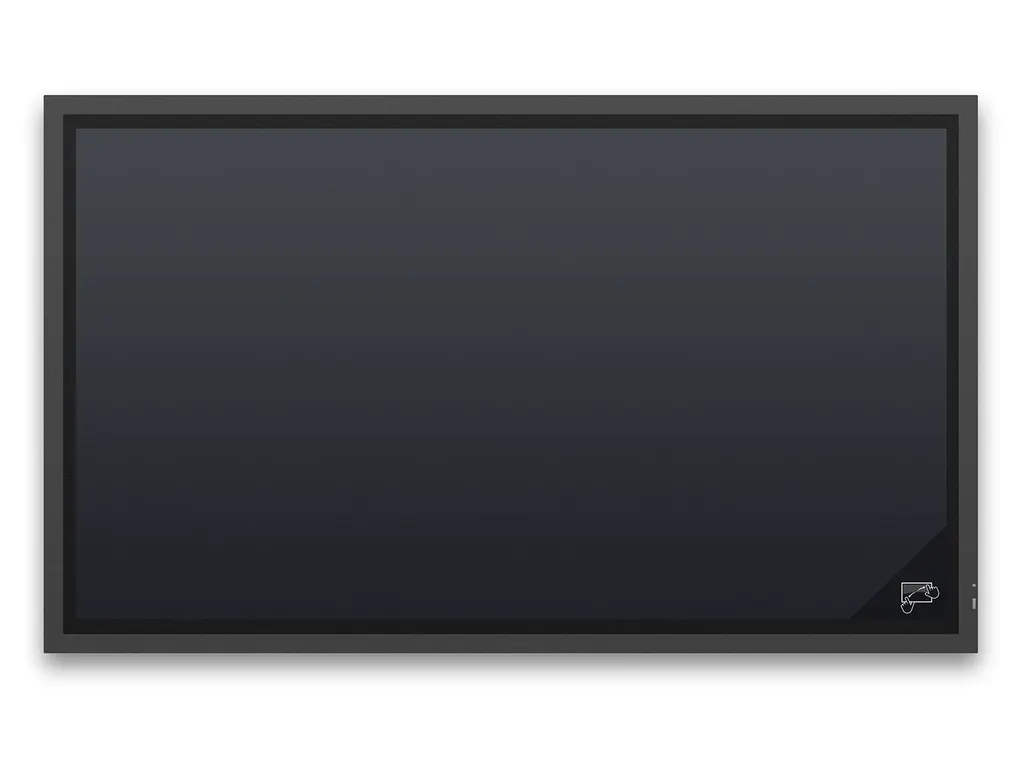
X981UHD SST
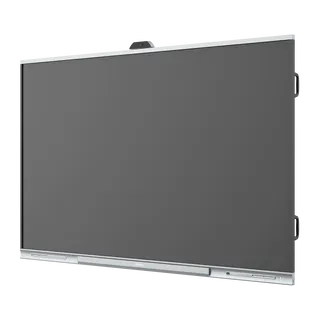
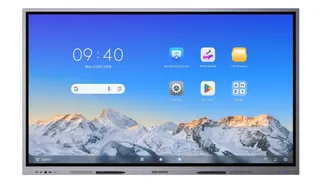
NEC MultiSync X981UHD SST 98-inch ShadowSense Touch Display
- Screen size
- 98 / 248
- Resolution
- 12-bit (4096 x 4096)
- Touch
- ShadowSense™
- Brightness
- 500 nit
NEC has discontinued the X981UHD SST, a 98-inch 4K touch display with ShadowSense technology tracking up to 12 touch points and 500 cd/m² brightness. It suits large boardrooms and meeting rooms in Doha and across Qatar where detailed drawings or data must be reviewed together. Owners and buyers comparing options can request a quote for a current equivalent or compatible replacement.
What the NEC X981UHD SST is built for
The NEC X981UHD SST is a 98-inch touch display from the MultiSync X Series, with an S-IPS panel, direct LED backlighting and a native resolution of 3840 x 2160 at 60 Hz. NEC has discontinued this model. This page is written for organisations that already run one, buyers comparing it with newer options, and anyone who needs a replacement for a large room where people review detailed drawings, engineering models or big data sets together.
Touch, brightness and viewing: the figures that matter
The ShadowSense layer tracks up to 12 real touches at the same time, with accuracy below 2 mm and a response of 6 to 8 ms. Finger, glove and stylus input all work, with the stylus at least 4 mm wide, so several presenters can mark up one drawing. The panel is rated at 500 cd/m² with a typical contrast ratio of 1300:1 and viewing angles of 178 degrees horizontally and vertically. The front is 5 mm toughened glass with a single-sided anti-reflective coating and 92% light transmission (plus or minus 2%).
Connections, sound and control
- Inputs: one DisplayPort, two DVI-D and four HDMI, all with HDCP
- Plug-in computer: an OPS slot takes an optional Slot-in PC or digital signage player
- Touch setup: USB 2.0 plug and play, with no drivers needed on the host PC for major operating systems
- Management: 100Mbit LAN with SNMP, RS-232C and infrared remote control
- Audio: built-in 10 W + 10 W speakers, with optional 15 W + 15 W speakers
Where it fits across Qatar
In a boardroom in West Bay or Msheireb, the panel can show a video call with a team abroad while the touch layer lets people mark up a shared file on the same screen. An engineering or energy company in the Industrial Area, Mesaieed or Ras Laffan can review detailed plans at full 4K resolution with a group standing in front of it. In a seminar room in Education City, the OPS slot lets an optional Windows PC sit inside the display instead of on the table.
What to plan before you order
The panel weighs 150 kg without its stand and measures 2,276 x 1,329 x 123 mm. Choose a wall or stand rated for that load, with 400 x 400 mm VESA holes and M8 fixings. The operating range is 0 to +35 °C at 20 to 80% humidity, so install it in an air-conditioned room away from direct sun and dust-prone entrances. The front is rated IP40 and the back IP20. The manufacturer's warranty covers three years including the backlight, with an optional fourth and fifth year extension. SmartRooms Qatar offers a free site survey before installation, which we recommend for a panel this size.
Because this model is discontinued, the most useful next step is a quote for a current equivalent or a compatible replacement that matches your room, wall and connections. Send the model code X981UHD SST with your room dimensions and the sources you need to connect. SmartRooms Qatar usually issues quotations within one working day and accepts purchase orders, LPOs, government tenders including Monaqasat, and payment by bank transfer, cheque or purchase order. Request a quote today.
Highlights
- 98-inch panel with 3840 x 2160 native resolution at 60 Hz
- 500 cd/m² brightness and 1300:1 typical contrast ratio
- Real multi-touch up to 12 points with accuracy below 2 mm
- Touch works with finger, glove, or stylus at least 4 mm wide
- OPS slot for an optional Slot-in PC or signage player
- Discontinued by NEC; request a quote for a replacement
Classroom fit
At 98″ the farthest student should sit within about 7.3 m (6× the screen height).
Estimated timeline
Quotation within 1 working day · delivery timing depends on stock availability, and we confirm it with your quotation.
Specifications
Product Information3
- Product Name
- NEC MultiSync® X981UHD SST (ShadowSense)
- Product Group
- LCD 98" ShadowSense™ Touch Display
- Order Code
- 60003982
Display9
- Panel Technology
- S-IPS with Direct LED backlights
- Active Screen Area (W x H) [mm]
- 2,159 x 1,214
- Screen Size [inch/cm]
- 98 / 248
- Brightness [cd/m²]
- 500, 175 Eco (shipment setting)
- Contrast Ratio (typ.)
- 1300:1
- Viewing Angle [°]
- 178 horizontal / 178 vertical (typ. at contrast ratio 10:1)
- Response Time (typ.) [ms]
- 8 (grey-to-grey)
- Haze Level [%]
- 1
- Supported Orientation
- Face Up 1; Landscape; Portrait
Touch10
- Touch Technology
- ShadowSense™
- Number of Touches
- Real multi-touch up to 12 touches
- Response Time [ms]
- 6 to 8
- Touch Active Area (W x H) [mm]
- 2,184.54 x 1,238.02
- Touch Method
- Finger; Gloves; Stylus (≥ 4 mm)
- Supported Operating System
- Native Multi-Touch: Windows 7-11, Linux, Android; Default Mouse: Windows XP and Vista, Mac OS
- Data Interface
- USB 2.0 (full speed) HID; USB powered, plug & play
- Accuracy [mm]
- < 2
- Touch Resolution
- 12-bit (4096 x 4096)
- Ambient Light Rejection
- Up to full sunlight (approx. 100000 lux)
Protective Glass3
- Type
- Premium toughened glass, single sided anti-reflective coating
- Thickness [mm]
- 5
- Light Transmission [%]
- 92 (+/- 2 %)
Resolution4
- Native Resolution
- 3840 x 2160 at 60 Hz
- Supported on DisplayPort and HDMI
- 1024 x 768; 1080i; 1080p; 1280 x 1024; 1280 x 768; 1360 x 768; 1600 x 1200; 1920 x 1080; 3840 x 2160 (24/30 Hz); 480p (60 Hz); 576p (50 Hz); 640 x 480; 720p (50/60 Hz); 800 x 600
- Supported on DisplayPort only
- 3840 x 2160 (60 Hz)
- Supported on HDMI only
- 1360 x 768; 3840 x 2160 (25 Hz); 4096 x 2160 (24 Hz); 480i (60 Hz); 576i (50 Hz)
Synchronisation Rate2
- Horizontal Frequency [kHz]
- 31.5 - 91.1 (analog and digital)
- Vertical Frequency [Hz]
- 50 - 85
Connectivity6
- Input Video Digital
- 1 x DisplayPort (with HDCP); 2 x DVI-D (with HDCP); 4 x HDMI (with HDCP)
- Input Audio Analogue
- 1 x 3,5 mm jack
- Input Audio Digital
- 1 x HDMI; DisplayPort
- Input Control
- LAN 100Mbit; remote control wire (3,5mm jack); RS232
- Output Control
- LAN 100Mbit
- Remote Control
- LAN with SNMP; Remote Control IR (internal/external (optional) sensor); RS-232C (9-pin D-sub) Input
Open Modular Intelligence4
- OPS Slot
- Slot Technology: Open pluggable specification (NEC / Intel OPS standard)
- Inrush Current [A]
- max. 10
- Power Consumption [W]
- max. 61
- Voltage / Current [V/A]
- 16/4
Sensors4
- Ambient Light Sensor
- Integrated, triggered actions programmable
- Human Sensor
- Optional, external, 4-5m range, triggered actions programmable
- Temperature Sensor
- Integrated, 3 sensors, triggered actions programmable
- NFC Sensor
- Integrated, 2cm range, free NEC Android App required
Electrical3
- Power Consumption [W]
- 360 Eco (shipment setting)
- Power Savings Mode [W]
- < 0.5 (ECO Standby); < 2
- Power Management
- VESA DPMS
Environmental Conditions2
- Operating Temperature [°C]
- +0 to +35
- Operating Humidity [%]
- 20 to 80
Mechanical5
- Dimensions (W x H x D) [mm]
- Without stand: 2,276 x 1,329 x 123
- Weight [kg]
- Without stand: 150
- Bezel Width [mm]
- 45 (symmetrical)
- VESA Mounting [mm]
- 4 holes; 400 x 400 (FDMI); M8
- Ingress Protection
- IP40 (front); IP20 (back)
Available Options2
- Accessories
- Feet (ST-801); Speaker (SP-RM1); Wall mount (PDW T XL)
- OPS Slot
- HD-SDI 1.5G, 3G; HDBaseT receiver; OPS Digital Signage Player; Slot-inPC (Intel® Core i5/i7 with WS7P recommended)
Regulatory1
- Safety and Ergonomics
- CE; RoHS
Green Features2
- Energy Efficiency
- Ambient Light Sensor; Annual energy consumption: 524 kWh (based on 4 operating hours per day); Carbon Savings Meter; ECOMode; Energy Efficiency Class: B; Human Sensor; Local Dimming
- Ecological Materials
- Manuals on CD; Optional feet
Additional Features6
- Special Characteristics
- Carbon footprint meter; DICOM Simulation; NaViSet Administrator 2 - free download
- Colour Versions
- Black Front Bezel, Black Back Cabinet
- Audio
- Integrated Speakers (10 W + 10 W); Optional Speakers (15 W + 15 W)
- Shipping Content
- CD-ROM (User Guides/Manuals); Display; DisplayPort Cable; Pen and Eraser; Power Cable; Remote Control; USB cable
- Warranty
- 3 years warranty incl. backlight; additional services available; optional 4. + 5. year warranty extension 2
- Operating Hours
- 24/7