Thursday, 22 October 2026 · 11 Jumada I 1448 AH Sun – Thu · 9:00 – 18:00
+971 56 914 9477 العربية
WhatsApp
This model is discontinuedThe manufacturer no longer makes it. Request a quote and we will propose the closest current replacement.
Suggested replacements ↓

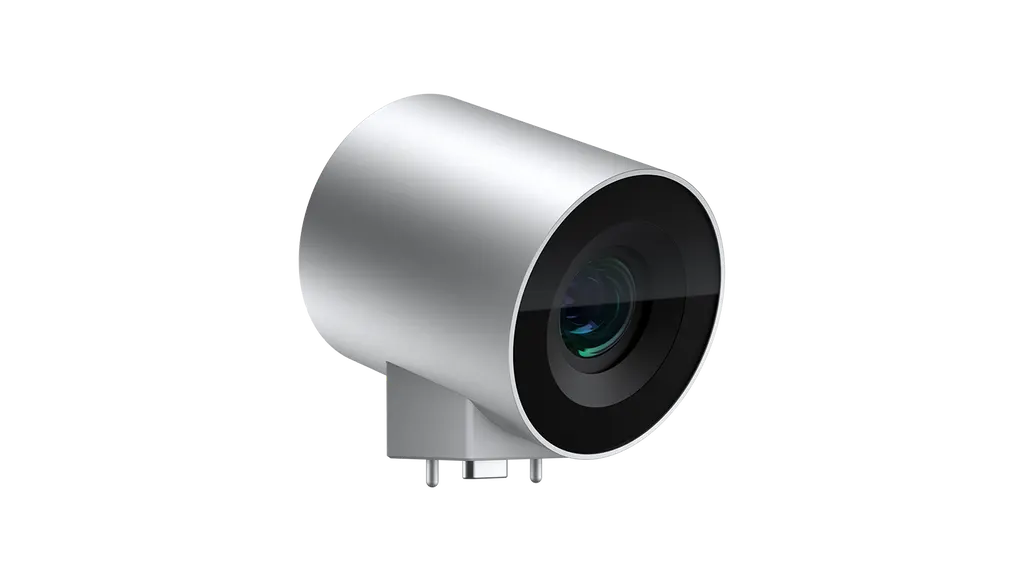
Surface Hub 2 Camera

Microsoft Surface Hub 2 Camera, 4K Conference Camera (Discontinued)

WhatsApp
Priceon request
QuotationWithin 1 working day
DeliveryConfirmed with your quote, based on stock
PDFDownload datasheet (Replace and install Surface Hub 2S camera.pdf)
Overview

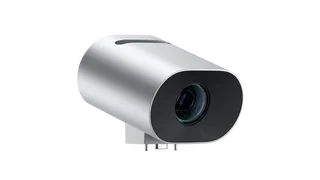
This Microsoft Surface Hub 2 Camera is a 4K unit that frames the whole room and everyone taking part, giving remote attendees a wide, detailed view. Microsoft has discontinued this model, so it suits organisations that already run Surface Hub 2S rooms and need a matching camera. Buyers looking for a replacement can request a quote for a current or compatible equivalent from SmartRooms Qatar.

A 4K room camera for Surface Hub 2S meetings

The Microsoft Surface Hub 2 Camera is a 4K camera designed to capture the room and the people taking part in a meeting across a full field of view. Microsoft supplies it as an accessory for the Surface Hub 2S: one camera comes with each Surface Hub 2S purchase, and any further accessories are sold separately. For a meeting room that relies on remote attendees, the camera determines how much of the table and the participants those attendees can actually see.

Microsoft has discontinued this model, so this page serves three groups: organisations that already run it, buyers comparing it with newer options, and anyone who needs a replacement that fits their existing room setup.

What the camera does and why the view matters

A full field of view means the camera is set up to frame the whole room rather than a single seat. That matters in Doha boardrooms, where a chairman may sit at one end of a long table while directors join from Riyadh, Dubai or London. The 4K resolution gives remote participants more detail, so faces and expressions are easier to follow than on lower-resolution video.

Because the camera is documented as an accessory for the Surface Hub 2S, the buying decision starts with the display. Rooms that already run one should check that the camera matches the existing system, while rooms starting a new installation should compare this model against current camera options before ordering.

Where it fits in Qatar

  • Government boardrooms in Doha: a ministry meeting room in Msheireb where officials hold regular calls with overseas delegations and need the whole table visible on screen.
  • University seminar rooms: a faculty room in Education City running hybrid seminars with partner institutions abroad, where remote students need to see the lecturer and the room clearly.
  • Hotel and corporate meeting spaces: a conference room in West Bay hosting client presentations with speakers joining from other time zones.

What to plan before installation

Microsoft publishes guides for replacing and installing the Surface Hub 2S camera and for checking its lens orientation, and installers should work from those guides. Plan the camera position around where people sit, because framing is the main purpose of this model. SmartRooms Qatar offers free site surveys before installation, which is the right moment to check sightlines, seating positions and cable routes.

The source data does not give an operating temperature range for this camera. In rooms with large windows or west-facing walls, where summer heat in Qatar can exceed 45°C, ask the SmartRooms Qatar team to confirm the environment and keep the camera out of direct sun and glare before installing.

Choosing a replacement or equivalent

  • Identify the Surface Hub model the room runs and whether the camera must match it.
  • Match the field of view to the room layout, from a small huddle space to a long boardroom table.
  • Confirm the resolution remote participants need; this model is 4K.
  • Check the installation plan, including mounting position and cable routing.

Ready to check whether this camera still suits your room or to find a current equivalent? Request a quote from SmartRooms Qatar, and our team usually responds within one working day. For schools, ministries and companies buying through an LPO or tender, include those purchase details in your request so the quotation matches your procurement process.

Highlights

  • Captures the full room and conference participants in one view
  • 4K resolution for clearer video of remote participants
  • One camera included with each Surface Hub 2S purchase
  • Discontinued by Microsoft; request a quote for a replacement
  • Manufacturer guides cover replacement, installation and lens orientation

Estimated timeline

Quotation within 1 working day · delivery timing depends on stock availability, and we confirm it with your quotation.
Specifications

Source: manufacturer · checked Oct 2026
The full specification and datasheet for this model are available on request; we send them with your quotation.

Downloads

2 files from the manufacturer

Questions about Surface Hub 2 Camera

Is the Microsoft Surface Hub 2 Camera still sold by Microsoft?
No. Microsoft has discontinued this 4K camera, so this page is for buyers who already own it, are comparing it with newer models, or need a replacement. SmartRooms Qatar can quote a current equivalent or a compatible replacement for your room. Tell us which Surface Hub model your room runs so we can confirm the options in your quotation.
What does the Surface Hub 2 Camera do?
It is a 4K camera that captures the room and the people in a meeting across a full field of view. Remote attendees can see the whole table and everyone seated around it, rather than only the person closest to the lens. This makes it useful for boardrooms and meeting rooms where several people speak from different seats.
Is a camera included with the Surface Hub 2S?
Yes. One Surface Hub 2 Camera is included with each Surface Hub 2S purchase. Additional accessories are sold separately, so if your room needs more than the included unit, those items are quoted separately and should be listed in your request.
How would a hotel in West Bay use this camera?
A conference room in West Bay that hosts client presentations with speakers joining from other time zones benefits from a camera that frames the whole room. A 4K picture helps remote guests follow faces and reactions. Because this model is discontinued, ask for a quote that confirms the Surface Hub setup and a current equivalent before committing to the fit-out.
Would it suit a ministry boardroom in Msheireb that hosts overseas delegations?
It can suit a boardroom that already runs a Surface Hub 2S. The full field of view keeps officials seated along a long table visible to delegations abroad. If the ministry buys through a purchase order or a government tender, state that in your quotation request so the paperwork matches the procurement route.
Can a university seminar room in Education City run hybrid sessions with it?
It can serve that purpose. A seminar room running sessions with partner institutions abroad needs remote students to see the lecturer and the room clearly, and the 4K capture and full field of view address that need. Because the camera is an accessory for the Surface Hub 2S, confirm the display and control setup with SmartRooms Qatar first.
Can it be installed in a sunny room with large windows in Al Sadd?
The source data gives no operating temperature range for this camera, so we cannot confirm one. Summer temperatures in Qatar can exceed 45°C, and large windows add glare. Ask the SmartRooms Qatar team to confirm the room environment, and position the camera away from direct sunlight before installation.
Do we need a site survey before installing in a Msheireb boardroom?
A site survey is recommended before installation. SmartRooms Qatar offers free site surveys that check the sightline from the camera to the seating, its position relative to the Surface Hub 2S, and cable routes. Surveying first avoids moving the camera after the room has been furnished.
What installation documentation does Microsoft provide?
Microsoft publishes guides for replacing and installing the Surface Hub 2S camera and for checking its lens orientation. Installers should follow these guides. SmartRooms Qatar offers professional installation, so the team can handle the work and confirm the lens is set correctly before the room is handed over.
What should we compare when choosing a replacement?
Start with the Surface Hub model the room runs, then check whether the replacement must match it. Match the field of view to the room layout, from a small huddle space to a long boardroom table, and confirm the resolution your remote participants need. Request a quote, and the team usually replies within one working day.
Can a school in Al Wakrah order this camera on an LPO?
Yes. A school fitting out a meeting room can order through a local purchase order (LPO). SmartRooms Qatar accepts purchase orders, and payment can also be made by bank transfer or cheque. Include the school details and a room plan in your request so the quotation reflects the room you are equipping.

Suggested replacements

Microsoft Surface Hub Pen Microsoft Surface Hub Pen Stylus for Surface Hub Displays
Accessories
Microsoft Surface Hub Smart Camera Microsoft Surface Hub Smart Camera for Surface Hub 2S and Hub 3
1 GB DRAM One-year limited hardware…
Clevertouch CleverCam Clevertouch CleverCam 4K ePTZ Camera for Video Conferencing
Main Stream: 3840×2160 @30fps
Clevertouch CleverInk Clevertouch CleverInk Writing Technology for Interactive Displays
Accessories
Clevertouch Intelligent Sensor Module Clevertouch Intelligent Sensor Module for Interactive Flat Panels
Accessories

Similar models

Clevertouch LUX Mini Clevertouch LUX Mini Android 13 OPS Upgrade Module
8GB 64GB
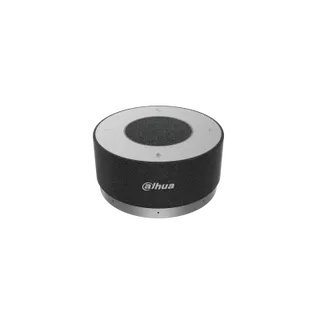
Dahua PKC-ASP30 Dahua PKC-ASP30 Omnidirectional Digital Microphone Speakerphone
Accessories
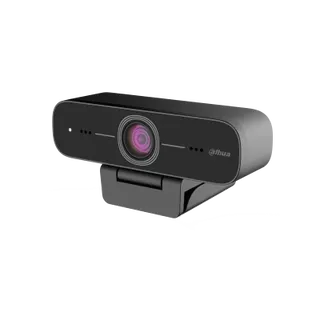
Dahua PKC-UC0A Dahua PKC-UC0A 2MP 1080p USB Camera with Built-in Microphone
1920 (H) × 1080 (V)
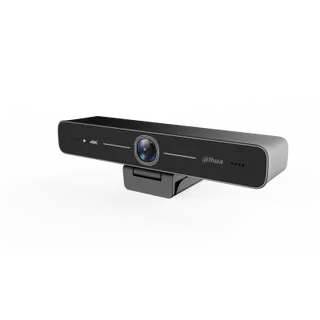
Dahua PKC-UC0B Dahua PKC-UC0B 8MP 4K USB Camera with Built-In Microphones
3840 (H) × 2160 (V)
Email Call