Thursday, 22 October 2026 · 11 Jumada I 1448 AH Sun – Thu · 9:00 – 18:00
+971 56 914 9477 العربية
WhatsApp
This model is discontinuedThe manufacturer no longer makes it. Request a quote and we will propose the closest current replacement.
Suggested replacements ↓

MeetingBar A20

Yealink MeetingBar A20 All-in-One Video Bar (Discontinued)

Speakers
89db SPL@1W
WhatsApp
Priceon request
QuotationWithin 1 working day
DeliveryConfirmed with your quote, based on stock
PDFDownload datasheet (Yealink MeetingBar A20 Datasheet.pdf)
Overview

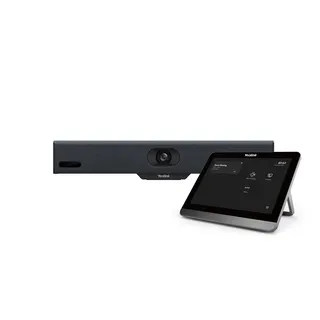
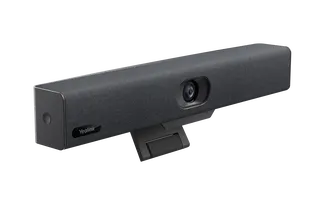
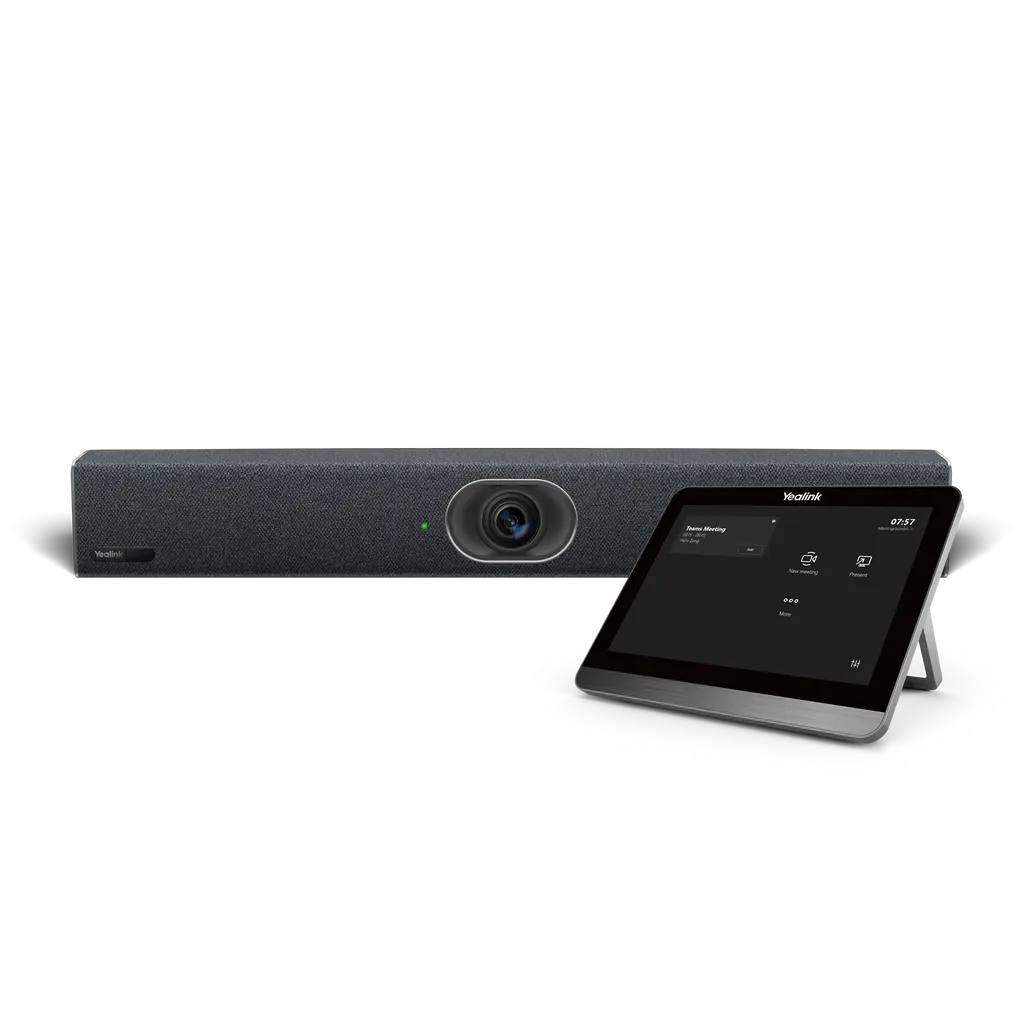
The Yealink MeetingBar A20 is an all-in-one video bar for small rooms, combining a 20 MP camera, 8 microphone array and speaker in one unit. Auto Framing and Speaker Tracking keep participants in view, and it runs Teams, Zoom or RingCentral without a room PC. Yealink has discontinued this model; request a quote for a current equivalent or the recommended replacement, the MeetingBar A40.

What the MeetingBar A20 is and how the editions differ

The Yealink MeetingBar A20 is an all-in-one video collaboration bar for small to medium meeting rooms. The camera, microphone array, speaker, computing unit, Wi-Fi and Bluetooth share one enclosure, so a room needs a display, power and a network connection rather than a separate room PC. It was listed in three editions, one for each platform: RingCentral, Microsoft Teams Rooms on Android and Zoom Rooms Appliance. Choose the edition that matches the platform your organisation already uses, because each edition runs its own room software.

Camera and audio performance for a small room

The 20 MP camera offers a 120° diagonal field of view (111° horizontal, 73° vertical) and supports 4K video output, so everyone at the table stays in frame without manual adjustment. An 8x e-PTZ function and an electric privacy shutter give users control over the picture. Auto Framing counts attendees and frames them, Speaker Tracking delivers a close-up of the presenter, and Picture-in-Picture and Multi-Focus Framing show speakers in separate windows. The built-in 8 MEMS microphone array has a 6 m voice pickup range, with full-duplex calls, echo cancellation and AI-based noise reduction that suppresses keyboard clatter and background sound. The Zoom edition adds Smart Gallery.

Where it fits in Qatar

  • A huddle room in a Doha office: a team in West Bay joins a Teams call with colleagues abroad, one touch starts the meeting, and no room PC needs to be maintained.
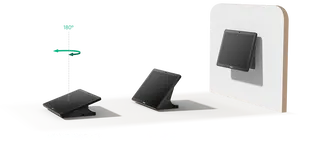
  • A reception or client room in The Pearl: the CTP18 touch panel gives visitors a simple control surface, and the A20-020 kit, which includes that panel, is the one to consider for this layout.
  • A staff room in an Al Wakrah school: bilingual staff meetings with a compact camera that fits a small wall, without a separate PC or a tangle of cables.

Planning the installation and operating environment

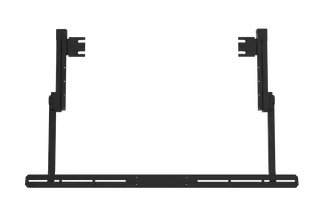
The unit measures 600 mm x 68 mm x 82 mm and ships with a mounting bracket and a TV-clip mount, so it can sit on a wall or beneath a display. Its operating temperature range is 0 to 40°C at 10 to 90% humidity. Qatar summers regularly pass 45°C, so keep the bar in an air-conditioned room and away from direct sunlight through windows. The power adapter accepts 100 to 240 V input and outputs 48 V DC; typical consumption is 10.5 W, with 14.2 W at peak. Before wall-mounting, arrange a free site survey to check display height, sightlines and the route for the Ethernet cable.

Connectivity, controls and content sharing

  • Two HDMI outputs with CEC support, one USB 2.0 port and a 10/100/1000 Ethernet port.
  • Built-in dual-band Wi-Fi (2.4 GHz and 5 GHz) and Bluetooth 4.2, plus a Yealink VCH RJ-45 port.
  • Optional controllers: CTP18 touch panel, VCR20 and VCR11 remote controls.
  • Content sharing through the VCH51 sharing kit (HDMI or USB-C) or the WPP30 wireless presentation pod.

Discontinued model: read this before you buy

Yealink discontinued the MeetingBar A20 with an end-of-sale date of 31 January 2025, so the manufacturer no longer accepts new orders for it. Under Yealink's end-of-life policy, the first year after end-of-sale includes hardware and software technical support and security fixes. From the second to the fifth year, Yealink attempts software bug fixes, but no new features are added, and hardware spares depend on local distributors. Yealink recommends the MeetingBar A40 as the replacement.

If you are comparing models or planning a new room, send SmartRooms Qatar your room size, meeting platform and number of rooms, and request a quote for the current equivalent that suits your space. If you already run an A20 and need a like-for-like addition, request a quote and we will advise on the closest current option. Quotations usually arrive within one working day.

Highlights

  • 20 MP camera with 120° diagonal field of view and 4K output
  • 8 MEMS microphones with a 6 m voice pickup range
  • All-in-one design; no room PC needed for cloud platforms
  • Built-in dual-band Wi-Fi, Bluetooth 4.2 and Android 13
  • Auto Framing, Speaker Tracking and Multi-Focus Framing
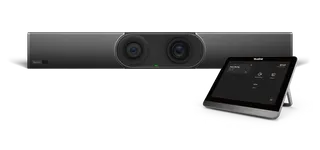
  • Discontinued by Yealink; MeetingBar A40 is the recommended replacement

Room fit

Tell us the room size and platform (Teams, Zoom or BYOD) and we confirm the right combination with your quotation.

Estimated timeline

Quotation within 1 working day · delivery timing depends on stock availability, and we confirm it with your quotation.

Specifications

35 specifications · Source: manufacturer · checked Oct 2026
Camera1
Details
20 MP Camera 120° field of view 8x e-PTZ camera Electric privacy shutter 120° DFOV, 111° HFOV, 73° VFOV Intelligence Features Auto Framing Speaker Tracking Picture in Picture Multi-focus Framing Smart Gallery (Zoom only)
Audio11
Built-in microphone frequency response
100Hz to 8kHz
Frequency response
105-20kHz
Speaker volume
89db SPL@1W, 95db SPL@4W both +/-2db at 0.5m
Sensitivity
84db SPL @ 1W @ 0.5 meter
Sampling rate
48 kHz
Sound emission angle
Forward-facing
Total Harmonic Distortion (THD)
at 5W, 1KHZ, <5%
Rated impedance
4 ohms
Maximum power
8 W
Rated power
5 W
Details
Built-in 8 MEMS microphone array with a voice pickup range of 6 meters Yealink Noise Proof Technology Full-duplex AGC (Automatic Gain Control) Echo cancellation Speaker:
Operating System1
Details
Android 13
Meeting Features1
Details
Calendar One-click join Meeting collaboration Content sharing Whiteboard Meeting control: Add participants Hold/Resume Camera On/Off Mute/Unmute Volume Up/Down Hang up
Video Standard and Network Suitability1
Video codecs
H.264 High profile, H.264 SVC, H.264
Network and Security Features3
QoS
802.1p/q, Diff-serv
Network diagnosis
Ping, Trace route
Details
Built-in dual-band Wi-Fi (2.4 GHz/5 GHz) Built-in Bluetooth 4.2 IPv4 and IPv6, DHCP/static IP HTTP/HTTPS web server TLS 1.2/1.3, AES 256-bit encryption VLAN, LLDP IEEE802.1X EAP-MD5/EAP-TLS PEAP-MSCHAPv2 EAP-TTLS/EAP-MSCHAPv2 Time and date synchronization using SNTP Built-in certificate
Ports1
Details
2 x HDMI output (CEC supported) HDMI input (through the VCH51 Sharing Kit) Motion sensor (Teams supported) 1 x USB 2.0 1 x 10 M/100 M/1000 M Ethernet port 1 x Yealink VCH port (RJ-45) 1 x Power port 1 x Security lock slot 1 x Reset slot
Other Physical Features10
Power Adapter
AC 100-240 V Input and DC 48 V/0.7 A Output
USB Output
5 V 0.5 A
Standby Power Consumption
13.9 W
Average Power Consumption
10.5 W
Peak Power Consumption
14.2 W
Dimension (W.D.H)
600 mm x 68 mm x 82 mm
Operating humidity
10 - 90%
Operating temperature
0 - 40°C
Storage temperature
-30 to + 70°C
Details
Power consumption (PSU):
Weight3
N.W/CTN
2.89 kg; 4.93 kg
G.W/CTN
3.48 kg; 5.65 kg
Details
A20-010: A20-020:
MeetingBar A20 Package2
Carton Meas
674 mm x 136 mm x 195 mm
Details
Package contents: MeetingBar A20 endpoint 3 m Ethernet cable 2 x 1.8 m HDMI cable Mounting Bracket and Accessories TV-Clip Mount Power adapter Quick Start Guide Controller (optional): CTP18 Touch Panel VCR20 Remote Control VCR11 Remote Control Content sharing(optional): VCH51 Sharing Kit (HDMI/USB-C) Wireless Presentation Pod
MeetingBar A20 + CTP18 Package1
Carton Meas
685 mm x 290 mm x 397 mm

Downloads

159 files from the manufacturer
PDF Datasheets Yealink MeetingBar A20 Datasheet.pdf 616 KB Yealink MeetingBar A20 datasheets (PDF, 616 KB) URL Datasheets · Opens on manufacturer site Yealink MeetingBar Specification Comparison List Yealink MeetingBar A20 datasheets (URL) URL Datasheets · Opens on manufacturer site  Download Yealink MeetingBar A20 datasheets (URL) URL Datasheets · Opens on manufacturer site  Download Yealink MeetingBar A20 datasheets (URL) PDF Manuals & guides Yealink MeetingBar A20 Kit Quick Start Guide (EN, CN, DE, FR, ES) V1.1.pdf 4.6 MB Yealink MeetingBar A20 manuals & guides (PDF, 4.6 MB) URL Manuals & guides · Opens on manufacturer site About Device Yealink MeetingBar A20 manuals & guides (URL) URL Manuals & guides · Opens on manufacturer site Accessibility Yealink MeetingBar A20 manuals & guides (URL) URL Manuals & guides · Opens on manufacturer site Administrator Password Yealink MeetingBar A20 manuals & guides (URL) URL Manuals & guides · Opens on manufacturer site Advanced Network Yealink MeetingBar A20 manuals & guides (URL) URL Manuals & guides · Opens on manufacturer site AirPlay Content Sharing Yealink MeetingBar A20 manuals & guides (URL) URL Manuals & guides · Opens on manufacturer site Allow App Customization on Home Screen for General Mode (BYOM) Yealink MeetingBar A20 manuals & guides (URL) URL Manuals & guides · Opens on manufacturer site Audio Settings Yealink MeetingBar A20 manuals & guides (URL) URL Manuals & guides · Opens on manufacturer site Auto Framing Yealink MeetingBar A20 manuals & guides (URL) URL Manuals & guides · Opens on manufacturer site Auto Framing Yealink MeetingBar A20 manuals & guides (URL) URL Manuals & guides · Opens on manufacturer site BYOD Yealink MeetingBar A20 manuals & guides (URL) URL Manuals & guides · Opens on manufacturer site Backup and Reset Yealink MeetingBar A20 manuals & guides (URL) URL Manuals & guides · Opens on manufacturer site Basic Settings Yealink MeetingBar A20 manuals & guides (URL) URL Manuals & guides · Opens on manufacturer site Bluetooth Yealink MeetingBar A20 manuals & guides (URL) URL Manuals & guides · Opens on manufacturer site Call Features Yealink MeetingBar A20 manuals & guides (URL) URL Manuals & guides · Opens on manufacturer site Camera Diagnostics Yealink MeetingBar A20 manuals & guides (URL) URL Manuals & guides · Opens on manufacturer site Camera Preset Yealink MeetingBar A20 manuals & guides (URL) URL Manuals & guides · Opens on manufacturer site Camera Preset Yealink MeetingBar A20 manuals & guides (URL) URL Manuals & guides · Opens on manufacturer site Camera Settings Yealink MeetingBar A20 manuals & guides (URL) URL Manuals & guides · Opens on manufacturer site Certificate Yealink MeetingBar A20 manuals & guides (URL) URL Manuals & guides · Opens on manufacturer site Codec Yealink MeetingBar A20 manuals & guides (URL) URL Manuals & guides · Opens on manufacturer site Contact Yealink MeetingBar A20 manuals & guides (URL) URL Manuals & guides · Opens on manufacturer site Content Sharing Methods Yealink MeetingBar A20 manuals & guides (URL) URL Manuals & guides · Opens on manufacturer site Controller Quick User Guide for Zoom Yealink MeetingBar A20 manuals & guides (URL) URL Manuals & guides · Opens on manufacturer site Controller Quick User Guide for Zoom Yealink MeetingBar A20 manuals & guides (URL) URL Manuals & guides · Opens on manufacturer site Create Account Yealink MeetingBar A20 manuals & guides (URL) URL Manuals & guides · Opens on manufacturer site DHCP Option Yealink MeetingBar A20 manuals & guides (URL) URL Manuals & guides · Opens on manufacturer site Digital Signage for Zoom Yealink MeetingBar A20 manuals & guides (URL) URL Manuals & guides · Opens on manufacturer site Digital Signage for Zoom Yealink MeetingBar A20 manuals & guides (URL) URL Manuals & guides · Opens on manufacturer site Direct Sharing in Zoom Rooms Yealink MeetingBar A20 manuals & guides (URL) URL Manuals & guides · Opens on manufacturer site Direct Sharing in Zoom Rooms Yealink MeetingBar A20 manuals & guides (URL) URL Manuals & guides · Opens on manufacturer site Display Settings Yealink MeetingBar A20 manuals & guides (URL) URL Manuals & guides · Opens on manufacturer site Electric Privacy Shutter Yealink MeetingBar A20 manuals & guides (URL) URL Manuals & guides · Opens on manufacturer site Electric Privacy Shutter Yealink MeetingBar A20 manuals & guides (URL) URL Manuals & guides · Opens on manufacturer site Firmware Update Yealink MeetingBar A20 manuals & guides (URL) URL Manuals & guides · Opens on manufacturer site General Settings Yealink MeetingBar A20 manuals & guides (URL) 323 Manuals & guides · Opens on manufacturer site H.323 Yealink MeetingBar A20 manuals & guides (323) URL Manuals & guides · Opens on manufacturer site Instant Meeting Yealink MeetingBar A20 manuals & guides (URL) URL Manuals & guides · Opens on manufacturer site IntelliFocus Yealink MeetingBar A20 manuals & guides (URL) URL Manuals & guides · Opens on manufacturer site Invite Participants Yealink MeetingBar A20 manuals & guides (URL) URL Manuals & guides · Opens on manufacturer site Invite Participants Yealink MeetingBar A20 manuals & guides (URL) URL Manuals & guides · Opens on manufacturer site Join Meeting Yealink MeetingBar A20 manuals & guides (URL) URL Manuals & guides · Opens on manufacturer site Join Meeting Yealink MeetingBar A20 manuals & guides (URL) URL Manuals & guides · Opens on manufacturer site LDAP Yealink MeetingBar A20 manuals & guides (URL) URL Manuals & guides · Opens on manufacturer site Language Yealink MeetingBar A20 manuals & guides (URL) URL Manuals & guides · Opens on manufacturer site Layout Yealink MeetingBar A20 manuals & guides (URL) URL Manuals & guides · Opens on manufacturer site License Yealink MeetingBar A20 manuals & guides (URL) URL Manuals & guides · Opens on manufacturer site Log In and Out Teams Account Yealink MeetingBar A20 manuals & guides (URL) URL Manuals & guides · Opens on manufacturer site Log In and Out Zoom Account Yealink MeetingBar A20 manuals & guides (URL) URL Manuals & guides · Opens on manufacturer site Manage Audio Yealink MeetingBar A20 manuals & guides (URL) URL Manuals & guides · Opens on manufacturer site Manage Audio Yealink MeetingBar A20 manuals & guides (URL) URL Manuals & guides · Opens on manufacturer site Manage Participants for Microsoft Teams Yealink MeetingBar A20 manuals & guides (URL) URL Manuals & guides · Opens on manufacturer site Manage Participants for Microsoft Teams Yealink MeetingBar A20 manuals & guides (URL) URL Manuals & guides · Opens on manufacturer site Manage Participants for Zoom Yealink MeetingBar A20 manuals & guides (URL) URL Manuals & guides · Opens on manufacturer site Manage Participants for Zoom Yealink MeetingBar A20 manuals & guides (URL) URL Manuals & guides · Opens on manufacturer site Manage Video Yealink MeetingBar A20 manuals & guides (URL) URL Manuals & guides · Opens on manufacturer site Manage Video Yealink MeetingBar A20 manuals & guides (URL) URL Manuals & guides · Opens on manufacturer site Manual Controls Yealink MeetingBar A20 manuals & guides (URL) URL Manuals & guides · Opens on manufacturer site Manual Controls Yealink MeetingBar A20 manuals & guides (URL) URL Manuals & guides · Opens on manufacturer site Meeting Control for Microsoft Teams Yealink MeetingBar A20 manuals & guides (URL) URL Manuals & guides · Opens on manufacturer site Meeting Control for Microsoft Teams Yealink MeetingBar A20 manuals & guides (URL) URL Manuals & guides · Opens on manufacturer site Meeting Control for Zoom Yealink MeetingBar A20 manuals & guides (URL) URL Manuals & guides · Opens on manufacturer site Meeting Control for Zoom Yealink MeetingBar A20 manuals & guides (URL) URL Manuals & guides · Opens on manufacturer site Meeting Layout for Microsoft Teams Yealink MeetingBar A20 manuals & guides (URL) URL Manuals & guides · Opens on manufacturer site Meeting Layout for Microsoft Teams Yealink MeetingBar A20 manuals & guides (URL) URL Manuals & guides · Opens on manufacturer site Meeting Layout for Microsoft Teams Yealink MeetingBar A20 manuals & guides (URL) URL Manuals & guides · Opens on manufacturer site Meeting Layout for Zoom Yealink MeetingBar A20 manuals & guides (URL) URL Manuals & guides · Opens on manufacturer site Meeting Layout for Zoom Yealink MeetingBar A20 manuals & guides (URL) URL Manuals & guides · Opens on manufacturer site Meeting Layout for Zoom Yealink MeetingBar A20 manuals & guides (URL) URL Manuals & guides · Opens on manufacturer site Meeting Settings Yealink MeetingBar A20 manuals & guides (URL) URL Manuals & guides · Opens on manufacturer site Microsoft Teams Admin Center Yealink MeetingBar A20 manuals & guides (URL) URL Manuals & guides · Opens on manufacturer site Miracast Content Sharing Yealink MeetingBar A20 manuals & guides (URL) URL Manuals & guides · Opens on manufacturer site Multi-Focus Yealink MeetingBar A20 manuals & guides (URL) URL Manuals & guides · Opens on manufacturer site Multi-Focus Yealink MeetingBar A20 manuals & guides (URL) URL Manuals & guides · Opens on manufacturer site Multi-Stream (Smart Gallery) for Zoom Yealink MeetingBar A20 manuals & guides (URL) URL Manuals & guides · Opens on manufacturer site Multi-Stream (Smart Gallery) for Zoom Yealink MeetingBar A20 manuals & guides (URL) URL Manuals & guides · Opens on manufacturer site Network Diagnostics Yealink MeetingBar A20 manuals & guides (URL) URL Manuals & guides · Opens on manufacturer site Picture-in-Picture (PIP) Mode Yealink MeetingBar A20 manuals & guides (URL) URL Manuals & guides · Opens on manufacturer site Picture-in-Picture (PIP) Mode Yealink MeetingBar A20 manuals & guides (URL) URL Manuals & guides · Opens on manufacturer site Proxy Server Yealink MeetingBar A20 manuals & guides (URL) URL Manuals & guides · Opens on manufacturer site Quick Call Widget Yealink MeetingBar A20 manuals & guides (URL) URL Manuals & guides · Opens on manufacturer site Quick User Guide for General Mode (BYOM) Yealink MeetingBar A20 manuals & guides (URL) URL Manuals & guides · Opens on manufacturer site Quick User Guide for Microsoft Teams Yealink MeetingBar A20 manuals & guides (URL) URL Manuals & guides · Opens on manufacturer site Reboot Yealink MeetingBar A20 manuals & guides (URL) URL Manuals & guides · Opens on manufacturer site Reboot Device Yealink MeetingBar A20 manuals & guides (URL) URL Manuals & guides · Opens on manufacturer site Register Account Yealink MeetingBar A20 manuals & guides (URL) URL Manuals & guides · Opens on manufacturer site Remote Control Yealink MeetingBar A20 manuals & guides (URL) URL Manuals & guides · Opens on manufacturer site SIP Account Yealink MeetingBar A20 manuals & guides (URL) URL Manuals & guides · Opens on manufacturer site SIP IP Direct Dial Yealink MeetingBar A20 manuals & guides (URL) URL Manuals & guides · Opens on manufacturer site Screen Cast Yealink MeetingBar A20 manuals & guides (URL) URL Manuals & guides · Opens on manufacturer site Screen Lock Settings Yealink MeetingBar A20 manuals & guides (URL) URL Manuals & guides · Opens on manufacturer site Screenshot Yealink MeetingBar A20 manuals & guides (URL) URL Manuals & guides · Opens on manufacturer site Set Up a Yealink MeetingBar Yealink MeetingBar A20 manuals & guides (URL) URL Manuals & guides · Opens on manufacturer site Setup Checklist Yealink MeetingBar A20 manuals & guides (URL) URL Manuals & guides · Opens on manufacturer site Share Content via Zoom APP Yealink MeetingBar A20 manuals & guides (URL) URL Manuals & guides · Opens on manufacturer site Share Content via Zoom APP Yealink MeetingBar A20 manuals & guides (URL) URL Manuals & guides · Opens on manufacturer site Shut Down Yealink MeetingBar A20 manuals & guides (URL) URL Manuals & guides · Opens on manufacturer site Shut Down Yealink MeetingBar A20 manuals & guides (URL) URL Manuals & guides · Opens on manufacturer site Single and Dual Displays Yealink MeetingBar A20 manuals & guides (URL) URL Manuals & guides · Opens on manufacturer site Sleep Yealink MeetingBar A20 manuals & guides (URL) URL Manuals & guides · Opens on manufacturer site Sleep Yealink MeetingBar A20 manuals & guides (URL) URL Manuals & guides · Opens on manufacturer site Small FoV Mode Yealink MeetingBar A20 manuals & guides (URL) URL Manuals & guides · Opens on manufacturer site Small FoV Mode Yealink MeetingBar A20 manuals & guides (URL) URL Manuals & guides · Opens on manufacturer site Speaker Tracking Yealink MeetingBar A20 manuals & guides (URL) URL Manuals & guides · Opens on manufacturer site Speaker Tracking Yealink MeetingBar A20 manuals & guides (URL) URL Manuals & guides · Opens on manufacturer site System Diagnostic Yealink MeetingBar A20 manuals & guides (URL) URL Manuals & guides · Opens on manufacturer site Time and Date Yealink MeetingBar A20 manuals & guides (URL) URL Manuals & guides · Opens on manufacturer site Touch Panel Configuration Yealink MeetingBar A20 manuals & guides (URL) URL Manuals & guides · Opens on manufacturer site Video Fence Yealink MeetingBar A20 manuals & guides (URL) URL Manuals & guides · Opens on manufacturer site Video Fence Yealink MeetingBar A20 manuals & guides (URL) URL Manuals & guides · Opens on manufacturer site Virtual Meeting Room (VMR) Yealink MeetingBar A20 manuals & guides (URL) URL Manuals & guides · Opens on manufacturer site Wired BYOD Mode Yealink MeetingBar A20 manuals & guides (URL) URL Manuals & guides · Opens on manufacturer site Wired Content Sharing (CTP25) Yealink MeetingBar A20 manuals & guides (URL) URL Manuals & guides · Opens on manufacturer site Wired Content Sharing (USB-C Cable) Yealink MeetingBar A20 manuals & guides (URL) URL Manuals & guides · Opens on manufacturer site Wired Content Sharing (VCH51 & VCH51 Pro) Yealink MeetingBar A20 manuals & guides (URL) URL Manuals & guides · Opens on manufacturer site Wired Content Sharing (VCH51 & VCH51 Pro) Yealink MeetingBar A20 manuals & guides (URL) URL Manuals & guides · Opens on manufacturer site Wired Network Yealink MeetingBar A20 manuals & guides (URL) URL Manuals & guides · Opens on manufacturer site Wireless Content Sharing Yealink MeetingBar A20 manuals & guides (URL) URL Manuals & guides · Opens on manufacturer site Wireless Network Yealink MeetingBar A20 manuals & guides (URL) URL Manuals & guides · Opens on manufacturer site XML Contacts Yealink MeetingBar A20 manuals & guides (URL) URL Manuals & guides · Opens on manufacturer site YMCS Platform Yealink MeetingBar A20 manuals & guides (URL) MP4 Manuals & guides · Opens on manufacturer site Yealink MP, MB, AX0 Audio Log Export Guide V1.0.mp4 Yealink MeetingBar A20 manuals & guides (MP4) MP4 Manuals & guides · Opens on manufacturer site Yealink MP, MB, AX0 Log Export Guide V1.0.mp4 Yealink MeetingBar A20 manuals & guides (MP4) URL Manuals & guides · Opens on manufacturer site Yealink Microsoft Teams Rooms on Android Setup Guide with Microsoft Configuration Platforms Yealink MeetingBar A20 manuals & guides (URL) URL Manuals & guides · Opens on manufacturer site Zoom Admin Management Yealink MeetingBar A20 manuals & guides (URL) DXF Drawings & CAD · Opens on manufacturer site MeetingBar A20 CAD Drawings.dxf Yealink MeetingBar A20 drawings & cad (DXF) STP Drawings & CAD · Opens on manufacturer site MeetingBar A20 CAD Drawings.stp Yealink MeetingBar A20 drawings & cad (STP) DXF Drawings & CAD · Opens on manufacturer site MeetingBar A20 Rotary Bracket CAD Drawings.dxf Yealink MeetingBar A20 drawings & cad (DXF) STP Drawings & CAD · Opens on manufacturer site MeetingBar A20 Rotary Bracket CAD Drawings.stp Yealink MeetingBar A20 drawings & cad (STP) 44 - Software & firmware · Opens on manufacturer site MeetingBar A20 133.310.0.44 - Firmware & Release Note Yealink MeetingBar A20 software & firmware (44 - FIRMWARE & RELEASE NOTE) 135 Software & firmware · Opens on manufacturer site MeetingBar A20 133.320.0.135 - Firmware & Release Note Yealink MeetingBar A20 software & firmware (135 - FIRMWARE & RELEASE NOTE) 140 Software & firmware · Opens on manufacturer site MeetingBar A20 133.320.0.140 - Firmware & Release Note Yealink MeetingBar A20 software & firmware (140 - FIRMWARE & RELEASE NOTE) 46 - Software & firmware · Opens on manufacturer site MeetingBar A20 133.320.0.46 - Firmware & Release Note Yealink MeetingBar A20 software & firmware (46 - FIRMWARE & RELEASE NOTE) 65 - Software & firmware · Opens on manufacturer site MeetingBar A20 133.320.0.65 - Firmware & Release Note Yealink MeetingBar A20 software & firmware (65 - FIRMWARE & RELEASE NOTE) 70 - Software & firmware · Opens on manufacturer site MeetingBar A20 133.320.0.70 - Firmware & Release Note Yealink MeetingBar A20 software & firmware (70 - FIRMWARE & RELEASE NOTE) 8 - Software & firmware · Opens on manufacturer site MeetingBar A20 133.320.0.8 - Firmware & Release Note Yealink MeetingBar A20 software & firmware (8 - FIRMWARE & RELEASE NOTE) URL Other documents · Opens on manufacturer site Audio Input and Output Compatibility Lists Yealink MeetingBar A20 other documents (URL) URL Other documents · Opens on manufacturer site HTTPS API Yealink MeetingBar A20 other documents (URL) MP4 Other documents · Opens on manufacturer site How to Connect VCM38 with MeetingBar V1.0.mp4 Yealink MeetingBar A20 other documents (MP4) MP4 Other documents · Opens on manufacturer site How to Use Acoustic Shield V1.0.mp4 Yealink MeetingBar A20 other documents (MP4) URL Other documents · Opens on manufacturer site Mounts Bracket Compatibility Lists Yealink MeetingBar A20 other documents (URL) URL Other documents · Opens on manufacturer site Rooms Accessories Compatibility Lists Yealink MeetingBar A20 other documents (URL) URL Other documents · Opens on manufacturer site Rooms Product Family Yealink MeetingBar A20 other documents (URL) URL Other documents · Opens on manufacturer site Rooms Supported Features List Yealink MeetingBar A20 other documents (URL) URL Other documents · Opens on manufacturer site Socket API Yealink MeetingBar A20 other documents (URL) MP4 Other documents · Opens on manufacturer site Teams-How to Pair VCM36-W with MeetingBar V1.0.mp4 Yealink MeetingBar A20 other documents (MP4) MP4 Other documents · Opens on manufacturer site Teams-How to Use Auto Framing and Speaker Tracking V1.0.mp4 Yealink MeetingBar A20 other documents (MP4) MP4 Other documents · Opens on manufacturer site Teams-How to Use Multi-Focus Framing V1.0.mp4 Yealink MeetingBar A20 other documents (MP4) MP4 Other documents · Opens on manufacturer site Teams-Yealink MeetingBar A20 Unboxing V1.0.mp4 Yealink MeetingBar A20 other documents (MP4) URL Other documents · Opens on manufacturer site Yealink MeetingBar Security White Paper Yealink MeetingBar A20 other documents (URL) PDF Other documents · Opens on manufacturer site Yealink Regulatory Notice V1.2.pdf Yealink MeetingBar A20 other documents (PDF) MP4 Other documents · Opens on manufacturer site Zoom-How to Pair CPW90 with MeetingBar V1.0.mp4 Yealink MeetingBar A20 other documents (MP4) MP4 Other documents · Opens on manufacturer site Zoom-How to Use Auto Framing and Speaker Tracking V1.0.mp4 Yealink MeetingBar A20 other documents (MP4) MP4 Other documents · Opens on manufacturer site Zoom-How to Use UVC30 Camera as a Whiteboard Camera with MeetingBar V1.0.mp4 Yealink MeetingBar A20 other documents (MP4) MP4 Other documents · Opens on manufacturer site Zoom-Yealink MeetingBar A20 Unboxing V1.0.mp4 Yealink MeetingBar A20 other documents (MP4)

Questions about MeetingBar A20

Is the Yealink MeetingBar A20 still available to order?
No. Yealink discontinued the MeetingBar A20 with an end-of-sale date of 31 January 2025, and new orders are no longer accepted. SmartRooms Qatar can still quote for a current equivalent, or for the MeetingBar A40, which Yealink names as the recommended replacement. Send us your room size, meeting platform and number of rooms so we can recommend the closest match.
Which MeetingBar A20 edition should I choose?
Choose the edition that matches the meeting platform your organisation already uses. The A20 was listed as a RingCentral edition, a Microsoft Teams Rooms on Android edition and a Zoom Rooms Appliance edition. Each runs its own room software, so confirm the platform before ordering. Smart Gallery is listed for the Zoom edition only, so check it if following the active speaker matters to you.
What size of room is the A20 designed for?
Yealink describes the A20 for small to medium rooms. Its platform listings suggest 6 to 10 people for the Teams edition and 6 to 13 people for the Zoom edition, which suits a huddle room in a Doha office or a six-person meeting room in Lusail. Its built-in microphones have a 6 m voice pickup range. For a larger boardroom, request a quote and we will advise on alternatives.
How sharp is the camera and what fields of view does it offer?
The camera has a 20 MP sensor, a 120° diagonal field of view, 111° horizontal and 73° vertical, and supports 4K video output. It also includes an 8x e-PTZ function and an electric privacy shutter. In a small Doha meeting room, this framing keeps people seated at both ends of the table in shot without moving the camera by hand.
Will remote participants hear people at the far end of the table?
The built-in array has 8 MEMS microphones with a voice pickup range of 6 m. It supports full-duplex calls, echo cancellation and AI-based noise reduction, which reduces keyboard clatter, mouse clicks and footsteps. The speaker has a rated power of 5 W and a maximum of 8 W. Plan a site survey before installation, because hard surfaces and background noise affect pickup.
Which conferencing platforms and features are supported?
The datasheet lists certification for Microsoft Teams, Zoom, BlueJeans and RingCentral, and the model is sold in RingCentral, Microsoft Teams Rooms on Android and Zoom Rooms Appliance editions. Built-in meeting features include one-click join, calendar, content sharing, a whiteboard, and controls for muting, camera on or off, adding participants and hanging up. The unit runs Android 13.
Can it be installed in a hot room or near a window in Qatar?
Keep it indoors in an air-conditioned room, away from direct sunlight through windows. The rated operating temperature is 0 to 40°C at 10 to 90% humidity, while Qatar summers regularly pass 45°C outdoors and in unconditioned spaces. The storage range is -30 to +70°C. Confirm the room's cooling and sun exposure during the site survey before you mount it.
What power supply does it need, and does it suit Qatar's 240 V mains?
The power adapter accepts AC 100 to 240 V input and outputs DC 48 V at 0.7 A, so its input range covers Qatar's 240 V supply. Typical consumption is 10.5 W, standby 13.9 W and peak 14.2 W. The source data does not describe the adapter's plug type, so confirm the plug and socket arrangement with SmartRooms Qatar when you request a quote.
Which ports do I need to connect laptops, displays and the network?
The unit has two HDMI outputs with CEC support, one USB 2.0 port, a 10/100/1000 Ethernet port, a Yealink VCH RJ-45 port, a power port, a security lock slot and a reset slot. HDMI input for a laptop comes through the optional VCH51 sharing kit, which uses HDMI or USB-C. Dual-band Wi-Fi and Bluetooth 4.2 are built in. The package includes a 3 m Ethernet cable and two 1.8 m HDMI cables.
How should we plan wall mounting in a boardroom?
The unit measures 600 mm wide, 68 mm deep and 82 mm high. The box includes a mounting bracket and a TV-clip mount, so the bar can sit beneath a display. For a boardroom in Msheireb, centre it under the screen at a height that keeps seated attendees in frame, and route the Ethernet and HDMI cables before the final fixing. A free site survey helps check wall construction, sightlines and cable routes.
Which kit should a reception meeting room in The Pearl order?
Two kits are listed. Kit A20-010 contains the MeetingBar A20 and the VCR11 remote control, while kit A20-020 contains the MeetingBar A20 and the CTP18 touch panel. A touch panel suits a reception room where visitors operate the controls themselves, while a remote suits a room run by one host. Request a quote and state which control method you prefer.
Can a private school in Al Wakrah buy several units on a purchase order?
Yes. SmartRooms Qatar supplies against purchase orders (LPOs), supports government tenders including Monaqasat, and accepts payment by bank transfer, cheque or purchase order. Because this model is discontinued, the quotation will cover a current equivalent. Send the room list with the control type you want for each room, and we will prepare one quotation covering all units. Delivery covers all eight municipalities of Qatar.

Suggested replacements

Yealink MeetingBar A10 Yealink MeetingBar A10 All-in-One Android Video Bar
1080p30 / 720p30 88db SPL@1W
Yealink MeetingBar A25 Yealink MeetingBar A25 Video Bar for Focus Rooms
3840 * 2160 up to 1080p30fps
Yealink UVC34 Yealink UVC34 4K All-in-One USB Video Bar
Video bars
Yealink MeetingBar A30 Yealink MeetingBar A30 Video Bar for Medium Meeting Rooms
120°; 90° 89db SPL@1W
Yealink MeetingBar A40 Yealink MeetingBar A40 All-in-One Video Bar for Small Rooms
3840 * 2160 up to 1080p30fps

Similar models

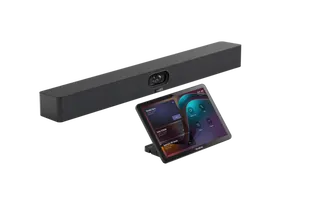
Biamp Parlé ABC 2500a Biamp Parlé ABC 2500a All-in-One Conferencing Audio Bar
Zoom Certified Microsoft Teams Certified
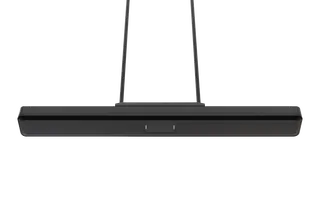
Biamp Parlé CBC 2500 CM Biamp Parlé CBC 2500 CM Ceiling-Mounted Conferencing Bar
Zoom Certified Microsoft Teams Certified
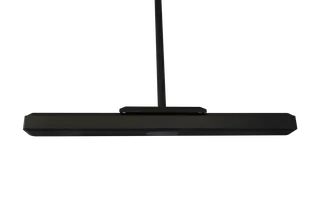
Biamp Parlé CBC 2500 PM Biamp Parlé CBC 2500 PM Pole-Mounted Conferencing Bar
Zoom Certified Microsoft Teams Certified
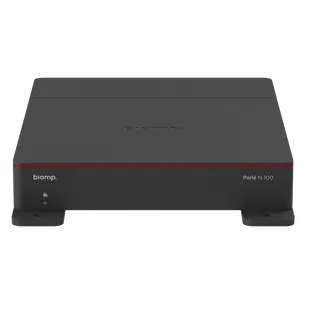
Biamp Parlé N 100 Biamp Parlé N 100 Network and USB Expander for Parlé Conferencing Bars
TAA Compliant
Biamp Parlé PMA 2000-DM Biamp Parlé PMA 2000-DM Display Mount Kit for Parlé 2000 Video Bars
Video bars
Email Call