Thursday, 22 October 2026 · 11 Jumada I 1448 AH Sun – Thu · 9:00 – 18:00
+971 56 914 9477 العربية
WhatsApp
This model is discontinuedThe manufacturer no longer makes it. Request a quote and we will propose the closest current replacement.
Suggested replacements ↓

RoomPanel Plus

Yealink RoomPanel Plus 10.1-inch Room Scheduling Panel

Video
1280x800
Microphones
2 x Microphone
Speakers
2 x Speaker
WhatsApp
Priceon request
QuotationWithin 1 working day
DeliveryConfirmed with your quote, based on stock
PDFDownload datasheet (Yealink RoomPanel Plus Datasheet.pdf)
Overview

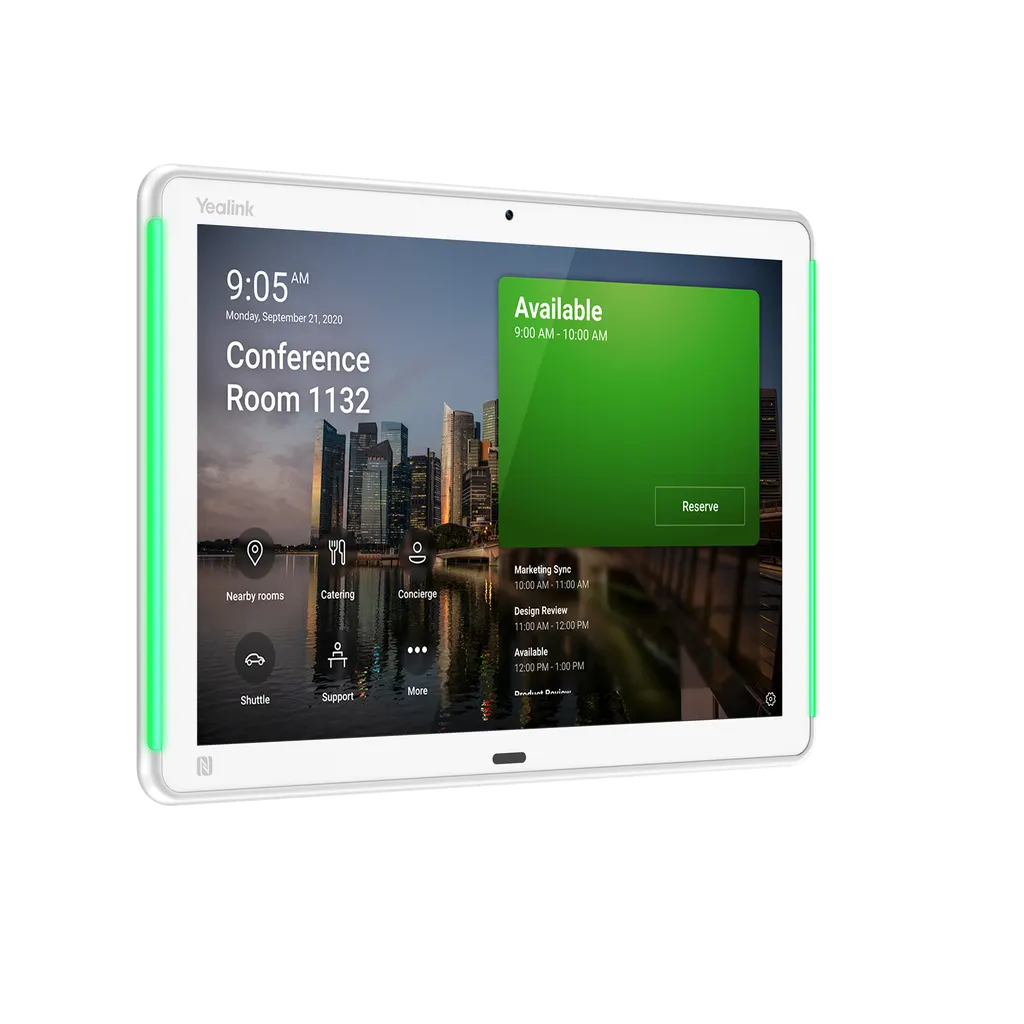
The Yealink RoomPanel Plus is a 10.1-inch meeting room panel that shows room availability and lets staff book a room for an immediate or future meeting right at the door. It runs Android 11, has a 10-point touch screen, full RGB LED status bars, and supports Power over Ethernet or 12V DC power. Yealink has discontinued this model, so organisations that already run it or are comparing options should request a quote for a current replacement.

What the RoomPanel Plus does at the meeting room door

The Yealink RoomPanel Plus is a scheduling panel that mounts beside a meeting room and shows its bookings on a 10.1-inch touch screen. Staff can reserve the room for an ad hoc meeting or a future slot without opening a laptop. The panel runs Android 11 and can work on its own as a gateway to your room booking platform.

Yealink has discontinued this model. Organisations that already own it, and buyers who need a replacement for a room being refitted, should read the notes below before requesting a quote.

Specifications that matter for planning

  • Display: 10.1-inch LCD, 1280x800 resolution, 1000:1 contrast and a viewing angle of ±90°
  • Touch and identity: 10-point capacitive multitouch, RFID and NFC at 13.56MHz, and a 2 million pixel camera for face recognition, which depends on compatible third-party software
  • Room status: full RGB LED bars that are visible from a distance, plus an ambient light sensor and a TOF proximity sensor that adjust brightness and wake the screen
  • Audio: two microphones and two speakers
  • Power and network: PoE to IEEE 802.3af/at or DC 12V/1.25A, one Fast Ethernet port, and Wi-Fi 802.11a/b/g/n/ac
  • Size and weight: 247.6 x 166.36 mm display area and 0.627 kg

Where it fits in Qatar

A government ministry in West Bay with a row of shared meeting rooms can place one panel beside each door, so staff see which rooms are free before walking down the corridor. In Lusail, a consultancy with glass-walled rooms can use the glass mounting option instead of fixing to a solid wall. A hospital or clinic in Al Sadd can use the RFID and NFC reader for ID-based authorisation when booking sensitive consultation or meeting rooms.

What to plan for before installation

  • The operating temperature range is 0 to 40°C, with humidity of 10 to 95% non-condensing. Keep the panel inside air-conditioned rooms, away from direct sun through glass, and out of hot corridors where summer temperatures can exceed 45°C.
  • Choose the mount: a 0° or 20° bracket, a mullion bracket, or a wall, glass or side mount. A free site survey confirms height, cable route and surface type before any drilling.
  • Confirm power: use a PoE switch port that meets 802.3af/at, or a DC 12V/1.25A supply.
  • Check your booking platform against the supported list, which includes Microsoft Teams, Zoom, Gingco, Gobright, Flowscape, Space Connect and Appspace.

Discontinued model: support and the recommended replacement

Yealink stopped accepting new orders for the RoomPanel Plus after 31 December 2024. In the first year after end-of-sale the manufacturer offers technical support and security fixes. From the second to the fifth year it attempts software bug fixes only, and it adds no new features after end-of-life. Yealink recommends the RoomPanel Plus E2 as the replacement. SmartRooms Qatar can quote for that model or another current compatible option, with delivery to all 8 municipalities of Qatar, professional installation, and a quotation usually within one working day. Request a quote today and include your room count, mounting preference and booking platform so we can recommend the right equivalent.

Highlights

  • 10.1-inch LCD, 1280x800 resolution, 10-point capacitive touch
  • Full RGB LED bars show room status from a distance
  • Runs Android 11 with Wi-Fi 802.11a/b/g/n/ac support
  • PoE to IEEE 802.3af/at or DC 12V/1.25A power
  • Operating temperature range 0 to 40°C
  • Discontinued by Yealink; recommended replacement is RoomPanel Plus E2

Room fit

Tell us the room size and platform (Teams, Zoom or BYOD) and we confirm the right combination with your quotation.

Estimated timeline

Quotation within 1 working day · delivery timing depends on stock availability, and we confirm it with your quotation.

Specifications

26 specifications · Source: manufacturer · checked Oct 2026
Basic2
Operating System
Android 11
Details
Power Supply: Power over Ethernet (IEEE 802.3af/at) DC 12V /1.25A
Display6
Size(in)
10.1″ LCD Panel
Resolution
1280x800
Touch Screen
10-point capacitive multitouch
Contrast
1000:1
Viewing Angle
±90°
Anti-Fingerprints
Anti-fingerprint Coating
Sensors1
Details
Ambient Light Sensor TOF Proximity Sensor
Camera1
Pixel
2 million pixels
Connectivity7
Wired network
IEEE 802.1x:
Wi-Fi
802.11a/b/g/n/ac
Bluetooth
5.0
RFID/NFC
13.56MHz
USB
1 x USB-A port
Button
1 x Reset pinhole
Details
1 x Fast ethernet port(10/100Mbps) Network: EAP-MD5 EAP-TLS EAP-PEAP/MSCHAPv2 EAP-TTLS/EAP-MSCHAPv2
Audio2
Microphone
2 x Microphone
Speaker
2 x Speaker
Mounting3
Angle
No inclination or 20-degree inclination
Method
Wall, glass or side mount
Details
0° Mount Bracket 20° Mount Bracket Mullion Mount Bracket
Environmental2
Operating Temperature
0~40℃
Operating Humidity
10~95%,non-condensing
Dimensions2
Display size (mm)
247.6 x 166.36 (9.75″ x 6.55″)
Weight
0.627 Kg (1.38 lb)

Downloads

42 files from the manufacturer
PDF Datasheets Yealink RoomPanel Plus Datasheet.pdf 6.9 MB Yealink RoomPanel Plus datasheets (PDF, 6.9 MB) PDF Manuals & guides Yealink RoomPanel Plus Black Quick Start Guide (EN, DE, FR, ES) V1.0.pdf 451 KB Yealink RoomPanel Plus manuals & guides (PDF, 451 KB) URL Manuals & guides · Opens on manufacturer site Accessibility Yealink RoomPanel Plus manuals & guides (URL) URL Manuals & guides · Opens on manufacturer site Administrator Password Yealink RoomPanel Plus manuals & guides (URL) URL Manuals & guides · Opens on manufacturer site Advanced Network Yealink RoomPanel Plus manuals & guides (URL) URL Manuals & guides · Opens on manufacturer site Backup and Reset Yealink RoomPanel Plus manuals & guides (URL) URL Manuals & guides · Opens on manufacturer site Basic Yealink RoomPanel Plus manuals & guides (URL) URL Manuals & guides · Opens on manufacturer site Certificate Yealink RoomPanel Plus manuals & guides (URL) URL Manuals & guides · Opens on manufacturer site Check In & Check Out for Zoom Yealink RoomPanel Plus manuals & guides (URL) URL Manuals & guides · Opens on manufacturer site Check Out for Microsoft Teams Yealink RoomPanel Plus manuals & guides (URL) URL Manuals & guides · Opens on manufacturer site Controller Quick User Guide for Zoom Yealink RoomPanel Plus manuals & guides (URL) URL Manuals & guides · Opens on manufacturer site Create Account Yealink RoomPanel Plus manuals & guides (URL) URL Manuals & guides · Opens on manufacturer site DHCP Option Yealink RoomPanel Plus manuals & guides (URL) URL Manuals & guides · Opens on manufacturer site Display Yealink RoomPanel Plus manuals & guides (URL) URL Manuals & guides · Opens on manufacturer site Extend the Meeting Reservation for Microsoft Teams Yealink RoomPanel Plus manuals & guides (URL) URL Manuals & guides · Opens on manufacturer site Language Yealink RoomPanel Plus manuals & guides (URL) URL Manuals & guides · Opens on manufacturer site License Yealink RoomPanel Plus manuals & guides (URL) URL Manuals & guides · Opens on manufacturer site Log In and Out Teams Account Yealink RoomPanel Plus manuals & guides (URL) URL Manuals & guides · Opens on manufacturer site Log In and Out Zoom Account Yealink RoomPanel Plus manuals & guides (URL) URL Manuals & guides · Opens on manufacturer site Microsoft Teams Admin Center Yealink RoomPanel Plus manuals & guides (URL) URL Manuals & guides · Opens on manufacturer site Network Diagnosis Yealink RoomPanel Plus manuals & guides (URL) URL Manuals & guides · Opens on manufacturer site Pair Yealink RoomSensor Yealink RoomPanel Plus manuals & guides (URL) URL Manuals & guides · Opens on manufacturer site Power Saving Mode for Microsoft Teams Yealink RoomPanel Plus manuals & guides (URL) URL Manuals & guides · Opens on manufacturer site Proxy Server Yealink RoomPanel Plus manuals & guides (URL) URL Manuals & guides · Opens on manufacturer site Quick User Guide for Microsoft Teams Yealink RoomPanel Plus manuals & guides (URL) URL Manuals & guides · Opens on manufacturer site Register Account Yealink RoomPanel Plus manuals & guides (URL) URL Manuals & guides · Opens on manufacturer site Reserve Meeting Yealink RoomPanel Plus manuals & guides (URL) URL Manuals & guides · Opens on manufacturer site Set Up a Yealink RoomPanel Yealink RoomPanel Plus manuals & guides (URL) URL Manuals & guides · Opens on manufacturer site System Diagnostic and Export Log Yealink RoomPanel Plus manuals & guides (URL) URL Manuals & guides · Opens on manufacturer site Test RoomSensor Yealink RoomPanel Plus manuals & guides (URL) URL Manuals & guides · Opens on manufacturer site Time and Date Yealink RoomPanel Plus manuals & guides (URL) URL Manuals & guides · Opens on manufacturer site Update Yealink RoomPanel Firmware Yealink RoomPanel Plus manuals & guides (URL) URL Manuals & guides · Opens on manufacturer site Update Yealink RoomSensor Firmware Yealink RoomPanel Plus manuals & guides (URL) URL Manuals & guides · Opens on manufacturer site Wi-Fi Yealink RoomPanel Plus manuals & guides (URL) URL Manuals & guides · Opens on manufacturer site Wired Network Yealink RoomPanel Plus manuals & guides (URL) URL Manuals & guides · Opens on manufacturer site Zoom Admin Management Yealink RoomPanel Plus manuals & guides (URL) DXF Drawings & CAD · Opens on manufacturer site RoomPanel Plus CAD Drawings.dxf Yealink RoomPanel Plus drawings & cad (DXF) STP Drawings & CAD · Opens on manufacturer site RoomPanel Plus CAD Drawings.stp Yealink RoomPanel Plus drawings & cad (STP) 55 - Software & firmware · Opens on manufacturer site RoomPanel Plus 269.520.0.55 - Firmware & Release Note Yealink RoomPanel Plus software & firmware (55 - FIRMWARE & RELEASE NOTE) 47 - Software & firmware · Opens on manufacturer site RoomPanelPlus 269.520.0.47 - Firmware & Release Note Yealink RoomPanel Plus software & firmware (47 - FIRMWARE & RELEASE NOTE) URL Other documents · Opens on manufacturer site Rooms Product Family Yealink RoomPanel Plus other documents (URL) PDF Other documents · Opens on manufacturer site Yealink Regulatory Notice V1.2.pdf Yealink RoomPanel Plus other documents (PDF)

Questions about RoomPanel Plus

What is the Yealink RoomPanel Plus used for?
It is a meeting room scheduling panel that shows whether a room is free or booked and lets people reserve it directly at the door, either for an immediate meeting or a later slot. It suits offices, ministries and schools in Qatar that have several shared meeting rooms and want a clear booking display beside each door. The 10.1-inch touch screen runs Android 11.
Is the Yealink RoomPanel Plus still available to order?
No. Yealink discontinued the RoomPanel Plus with an end-of-sale date of 31 December 2024, and it no longer accepts new orders for this model. SmartRooms Qatar can quote for a current compatible replacement instead. Yealink names the RoomPanel Plus E2 as its recommended successor, and that is the first option to ask about in your quotation.
We already have RoomPanel Plus units. Will Yealink still support them?
Support is tiered. In the first year after the end-of-sale date, Yealink provides hardware and software technical support along with bug and security fixes. From the second to the fifth year it attempts software bug fixes only, and no new features are added after end-of-life. Spare parts depend on local distributors and their availability, so plan replacements early for rooms that depend on the panel.
What are the screen specifications?
The panel uses a 10.1-inch LCD with 1280x800 resolution, a contrast ratio of 1000:1 and a viewing angle of ±90°. It has 10-point capacitive multitouch and an anti-fingerprint coating. These figures are suitable for showing a day's bookings clearly at the door, but the text on screen is best read at close range rather than from across a large open-plan area.
Would it suit a busy hospital or clinic meeting room in Al Sadd where staff book rooms quickly?
Yes, if your goal is to show room status and let staff book from the door. The panel includes an RFID and NFC reader at 13.56MHz for ID-based authorisation, plus an ambient light sensor and a TOF proximity sensor that adjust brightness and wake the screen when someone approaches. Confirm that your hospital's booking platform is on the supported list before ordering.
What does pairing with a RoomSensor add?
The panel works alone as a scheduling gateway, but pairing it with a Yealink RoomSensor over its wireless link lets the system detect room occupancy, automate check-ins and release a room that is not being used. These actions depend on the scheduling platform and any third-party applications, so check that your platform supports them before you specify RoomSensors.
Which scheduling platforms are supported?
The manufacturer's data lists Microsoft Teams, Zoom, Gingco, Gobright, Flowscape, Space Connect and Appspace. When the device starts, you choose the UC provider you want to use. Third-party application features can vary, so confirm the exact platform and version your organisation uses with the SmartRooms Qatar team before you request a quotation.
How can the panel be mounted on a wall, glass or mullion?
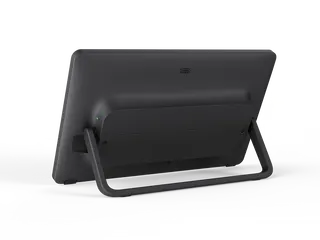
The data lists 0° and 20° mount brackets, a mullion bracket, and wall, glass or side mounting. A 20° bracket tilts the screen toward people standing at a door, while a 0° bracket keeps it upright. A mount bracket is included with the device. A free site survey helps confirm the right bracket, height and surface before any installation work starts.
Will the panel cope with the heat of a west-facing meeting room in summer?
The operating temperature range is 0 to 40°C, with humidity of 10 to 95% non-condensing. Qatar summers can push outdoor temperatures above 45°C, so install the panel inside an air-conditioned room, away from direct sun through glass and out of unconditioned corridors. Ask SmartRooms Qatar to check your room conditions during the site survey before fixing the panel.
What power and network connections does it need?
It accepts Power over Ethernet to IEEE 802.3af/at, or DC 12V/1.25A. It has one Fast Ethernet port at 10/100Mbps, Wi-Fi to 802.11a/b/g/n/ac, and supports 802.1x network authentication with EAP-TLS, EAP-PEAP/MSCHAPv2 and other EAP methods. Confirm your switch port and network authentication method before ordering, because cable routing is simplified when one PoE cable serves the panel.
We are fitting glass-walled meeting rooms in Lusail. What should we check?
Check the glass thickness and type, the door position, and where the cable will run before choosing a bracket. The device supports glass mounting, and the included mount bracket and cable management let you install it with a single cable. A free site survey from SmartRooms Qatar can confirm the mounting method and the power route for every room in the project.
How should a ministry in West Bay plan a multi-room rollout?
Start with a site survey to record the number of rooms, mounting heights, cable routes and available PoE switch ports. Then request one quotation that lists the number of units, bracket type and installation scope. Ministries can issue a purchase order (LPO) or submit through a government tender. Because the model is discontinued, ask for a current compatible replacement in the same quotation.

Suggested replacements

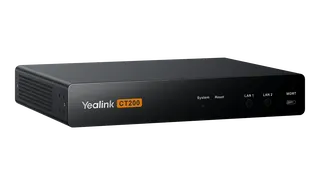
Yealink CT200 Yealink CT200 Room Device Navigator
Control & scheduling
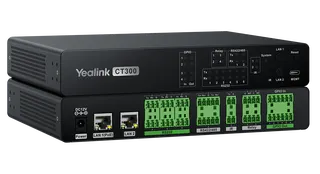
Yealink CT300 Yealink CT300 Advanced Room Device Navigator
Control & scheduling
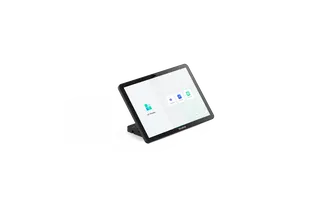
Yealink CTP25 Yealink CTP25 10.1-Inch Touch Console for Meeting Control
1280 x 800
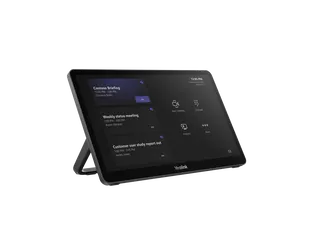
Yealink MTouch Plus Yealink MTouch Plus 11.6-inch 1080P Touch Control Panel
Control & scheduling
Yealink MTouch Plus-EXT Yealink MTouch Plus-EXT 11.6-inch Touch Console Extension Screen
Control & scheduling

Similar models

Biamp Evoko Kleeo Power Supply Biamp Evoko Kleeo Power Supply 910-00800 for Kleeo Desk Manager
Control & scheduling
Biamp Evoko Liso Power Supply Biamp Evoko Liso Power Supply 910-11936 for Liso Room Manager
Control & scheduling
Email Call