Thursday, 22 October 2026 · 11 Jumada I 1448 AH Sun – Thu · 9:00 – 18:00
+971 56 914 9477 العربية
WhatsApp
This model is discontinuedThe manufacturer no longer makes it. Request a quote and we will propose the closest current replacement.
Suggested replacements ↓

UVC40-BYOD

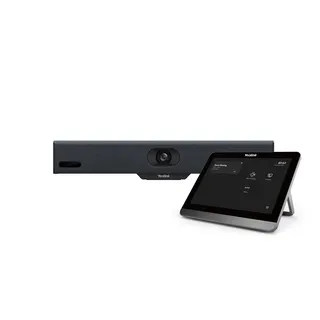
Yealink UVC40-BYOD All-in-One Huddle Room Meeting Kit

Field of view
133°
WhatsApp
Priceon request
QuotationWithin 1 working day
DeliveryConfirmed with your quote, based on stock
PDFDownload datasheet (Yealink UVC40 Datasheet.pdf)
Overview

The Yealink UVC40-BYOD is a discontinued huddle-room kit combining a 20MP SONY 1-inch camera with a 133° field of view, an 8-microphone array and a 5W speaker in one USB video bar, plus a BYOD box with HDMI output. Its end-of-sale date was 31 August 2024. Current owners and buyers comparing options can request a quote for a current equivalent or compatible replacement.

What the UVC40-BYOD offers in a small room

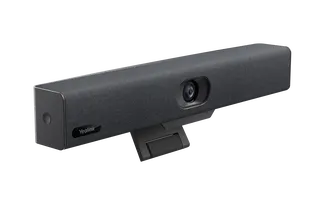
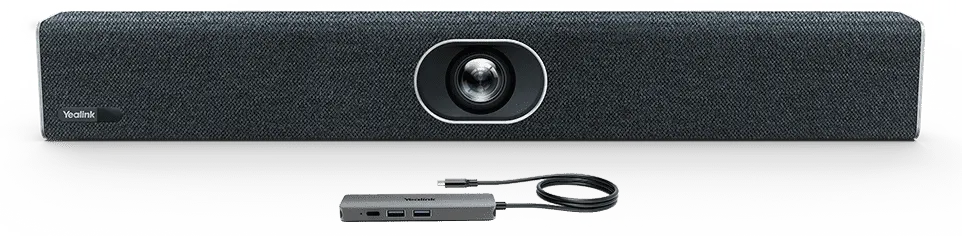
The Yealink UVC40-BYOD is a meeting kit for huddle rooms and small conference spaces. It combines the UVC40 all-in-one USB video bar with a BYOD box, so a laptop can join video calls on most video conferencing platforms through one Type-C connection, with an HDMI output for a screen. Yealink has discontinued this model and no longer accepts new orders after 31 August 2024, so this page serves existing owners who need support, buyers comparing it with newer kits, and anyone looking for a replacement.

Camera, audio and AI features that matter

The camera uses a 20MP SONY 1-inch CMOS sensor with 4K UHD video, a 133° diagonal field of view (120° horizontal and 80° vertical), 8x e-PTZ and camera presets. An electric lens cap opens when a call starts and closes when it ends, which protects privacy when the room is not in use. Auto Framing adjusts the shot to the number and position of people, Speaker Tracking zooms toward the active speaker, and AI Face Enhancement improves brightness in dim or backlit conditions.

Audio comes from an 8-microphone MEMS array with beamforming, echo cancellation and full-duplex operation, which keeps two-way conversation natural when people talk over each other. The built-in 5W speaker has a rated power of 5W and a maximum of 8W, and the unit supports an extension microphone for larger tables. The listed frequency response is 105-20kHz at a 48kHz sampling rate.

Connections and how the BYOD box works

The UVC40 bar provides a USB 3.0 Type-B port, a USB 2.0 Type-A port, a Yealink microphone port (RJ-45), a 3.5mm line-in, a power port, a security lock slot, a reset slot, built-in Wi-Fi and Bluetooth 4.2. The BYOD box adds two USB 3.0 Type-A ports, one HDMI output, a 1.5 m Type-C cable that connects to the laptop and can charge it, and a Type-C port for its power adapter. Built-in Wi-Fi allows remote device management, configuration, diagnosis and upgrades.

Where it fits in Qatar

A six-person meeting room in a West Bay office is a typical fit: a manager can join a call with a team in Lusail or abroad without installing a full conference system. A private school in Al Wakrah could place one in a department head's office, where staff meetings and calls with parents happen across the week. A real estate sales suite in Lusail with a glass frontage is another case, where the team needs clear video and sound at a reception table, provided the room is fully air-conditioned.

What to plan before ordering

Check the operating range before installation. The UVC40 is rated for 0 to 40°C and 10 to 95% humidity. Qatar summers regularly push outdoor temperatures above 45°C, so the room must be properly air-conditioned and the bar kept out of direct sun through windows. The bar measures 600 mm x 68 mm x 82 mm and weighs 2.56 kg, and its wall bracket measures 127.5 mm x 143 mm x 82 mm. The external adapter accepts 100-240V AC and outputs 48V DC at 0.7A. A site survey confirms mounting height and cable routes before drilling, and several rooms can be ordered together on one purchase order.

Support after discontinuation

Under Yealink's end-of-life policy, the first year after end-of-sale includes hardware and software technical support, bug fixes and security fixes. From the second to the fifth year, Yealink attempts software bug fixes but offers no new features, and hardware spares depend on local distributors and inventory. If you need a model with a longer development path, request a quote for a current equivalent. Send your room sizes and planned video platform with your request, and we will prepare a matched kit list.

Highlights

  • 20MP SONY 1-inch CMOS camera with 4K UHD video
  • 133° field of view with Auto Framing and Speaker Tracking
  • 8-microphone array, full-duplex audio and 5W built-in speaker
  • BYOD box with HDMI output and Type-C laptop connection
  • Built-in Wi-Fi for remote device management
  • Discontinued model; end-of-sale date 31 August 2024

Room fit

Tell us the room size and platform (Teams, Zoom or BYOD) and we confirm the right combination with your quotation.

Estimated timeline

Quotation within 1 working day · delivery timing depends on stock availability, and we confirm it with your quotation.

Specifications

26 specifications · Source: manufacturer · checked Oct 2026
Package Content2
Optional
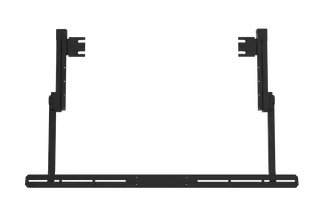
TV mount kit
Details
UVC40 all-in-one USB video bar VCR20 Remote Control, 2 x AAA battery Power adapter Wall bracket and accessories 7m USB cable
Camera4
DFOV
133°
HFOV
120°
VFOV
80°
Details
20MP Camera with SONY 1-inch CMOS 8x e-PTZ camera Electric lens cap Camera presets
Audio9
- Frequency Response
105-20kHz
- Sensitivity
84dB SPL @ 1W @ 0.5 meter
- Sampling Rate
48kHz
- Sound emission angle
Forward-facing
- Total Harmonic Distortion (THD)
at 5W, 1kHz, <5%
- Rated Impedance
4 ohms
- Rated Power
5W
- Maximum Power
8W
Details
Built-in 8 MEMS microphone array Support extension mic Yealink Noise Proof Technology Beamforming directed voice pickup technology Full-deplex Echo cancellation Speaker:   - Built-in 5W high fidelity speaker
AI Technologies1
Details
Auto Framing Speaker Tracking AI Face Enhancement
System Requirement1
Details
Windows7, Windows8.1,Windows10, Mac OS 10.10 or higher Support for standard audio and video device drivers - UAC1.0 - UVC1.0
UVC40 Connections1
Details
1 x USB3.0 Type-B port 1 x USB2.0 Type-A port 1 x Yealink microphone port (RJ-45) 1x 3.5mm Line-in port 1 x Power port 1 x Security lock slot 1 x Reset slot Built-in Wi-Fi Bluetooth 4.2
Manageability1
Details
Yealink RoomConnect management tool Yealink USB Connect management tool Yealink Management Cloud Service/Device Management Platform
Compatibility1
Details
UVC40 applies to most video conferencing platforms, including but not limited to the following: - Microsoft Teams and Skype for Business - Zoom Room and Zoom client - BlueJeans - Google Meet - Cisco Webex - GoToMeeting - Tencent VooV Meeting - DingTalk - Yealink Meeting - Polycom
Product Dimension (W.D.H)3
UVC40
600 mm x 68 mm x 82 mm
N.W/CTN
2.56 Kg; 0.47 Kg
Wall Bracket
127.5 mm x 143 mm x 82 mm
Other Physical Features3
External Yealink Power Adapter
AC 100~240V input and DC 48V/0.7A Output
Operating humidity
10 - 95%
Operating temperature
0 - 40℃

Downloads

11 files from the manufacturer

Questions about UVC40-BYOD

Is the Yealink UVC40-BYOD suitable for a small meeting room in a West Bay office?
Yes, the UVC40-BYOD is designed for small and huddle rooms. A manager or small team can join calls with colleagues in Lusail or abroad using a laptop, with the camera framing the people at the table and the speaker tracking whoever is talking. Because the kit is discontinued, buyers in this situation should compare it with a current huddle-room model before deciding.
Can we still order the UVC40-BYOD from SmartRooms Qatar?
Yealink set the end-of-sale date for the UVC40 at 31 August 2024, and new orders are no longer accepted after that date. If you need a room kit now, send your room size and video platform and request a quote for a current equivalent or a compatible replacement. Existing owners can also ask about the support options that remain under Yealink's policy.
How long will Yealink support this discontinued model?
Yealink's end-of-life policy provides full hardware and software technical support, bug fixes and security fixes during the first year after end-of-sale. From the second to the fifth year, Yealink attempts software bug fixes but does not add new features. Hardware spares depend on local distributors and inventory, so confirm the support status for your serial number before planning replacements.
What camera does the UVC40-BYOD use and how wide is its view?
The UVC40 uses a 20MP camera with a SONY 1-inch CMOS sensor and outputs 4K UHD video. Its diagonal field of view is 133°, with 120° horizontal and 80° vertical coverage, so people across a small table are captured without moving the bar. The camera also offers 8x e-PTZ and camera presets, and its electric lens cap opens when a call begins.
How do Auto Framing and Speaker Tracking behave in a room with a window behind the table?
Auto Framing adjusts the shot according to how many people are present and where they sit. Speaker Tracking zooms toward whoever is speaking, which helps remote participants follow the discussion. AI Face Enhancement improves image brightness in dim or backlit conditions, which is useful in a Lusail sales suite where a window or glass frontage puts light behind the people at the table.
Which laptop connection does the BYOD box use?
The BYOD box connects to the laptop with a 1.5 m Type-C cable that carries audio, video and HDMI output in one cable, and it can charge the laptop over USB-C. The box also has two USB 3.0 Type-A ports, one HDMI output and a Type-C port for its power adapter. A PD power adapter is included, so check that your laptop supports USB-C charging before relying on it.
Does the UVC40-BYOD work with Microsoft Teams, Zoom and Google Meet?
The manufacturer lists compatibility with Microsoft Teams and Skype for Business, Zoom Room and Zoom client, Google Meet, Cisco Webex and GoToMeeting, among others. The UVC40 operates as a standard UAC and UVC device, so it is designed to work with most platforms that accept standard audio and video devices. Confirm your platform in the quotation so the setup matches your existing accounts.
Can the UVC40-BYOD run in a hot Doha office or meeting room?
Its rated operating temperature is 0 to 40°C, with humidity of 10 to 95%. Qatar summers can push outdoor temperatures above 45°C, so the room must have reliable air conditioning, and the bar should not sit in direct sun from a window. Ask your site team to check the room temperature before installation, especially in rooms with a glass frontage that is occupied only during office hours.
Can an IT team in Doha manage several huddle rooms remotely?
Yes. The UVC40 has built-in Wi-Fi that allows remote device management, configuration, diagnosis and upgrades. The manufacturer lists RoomConnect, USB Connect and the Yealink Management Cloud Service or Device Management Platform as management tools. For a school or company with several huddle rooms, central management means the IT team can check and update devices without visiting each room.
Can we connect an external microphone or third-party audio equipment?
The UVC40 supports an extension microphone and has a Yealink microphone port (RJ-45) for it. The manufacturer also states that BYOD mode supports third-party audio devices such as Biamp, Shure, QSC and Extron. Confirm the exact device and cabling with your supplier before purchasing, because compatibility depends on the audio equipment already installed in the room.
What is included in the UVC40-BYOD package?
The package includes the UVC40 all-in-one USB video bar, a VCR20 remote control with two AAA batteries, an external power adapter, a wall bracket with accessories, a 7 m USB cable, the Yealink BYOD box and a PD power adapter. A TV mount kit is listed as an optional item. Ask our team to confirm the package contents for the version you are considering.
How should we plan mounting and ordering when a school or ministry needs several rooms?
The UVC40 measures 600 mm x 68 mm x 82 mm and weighs 2.56 kg, and its wall bracket measures 127.5 mm x 143 mm x 82 mm. A free site survey confirms wall type, mounting height and cable routes before installation. For several rooms, a purchase order or LPO can cover the full set, and each room can be quoted with the same kit list.

Suggested replacements

Yealink MeetingBar A10 Yealink MeetingBar A10 All-in-One Android Video Bar
1080p30 / 720p30 88db SPL@1W
Yealink MeetingBar A25 Yealink MeetingBar A25 Video Bar for Focus Rooms
3840 * 2160 up to 1080p30fps
Yealink UVC34 Yealink UVC34 4K All-in-One USB Video Bar
Video bars
Yealink MeetingBar A30 Yealink MeetingBar A30 Video Bar for Medium Meeting Rooms
120°; 90° 89db SPL@1W
Yealink MeetingBar A40 Yealink MeetingBar A40 All-in-One Video Bar for Small Rooms
3840 * 2160 up to 1080p30fps

Similar models

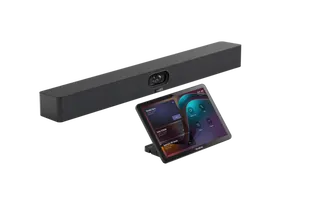
Biamp Parlé ABC 2500a Biamp Parlé ABC 2500a All-in-One Conferencing Audio Bar
Zoom Certified Microsoft Teams Certified
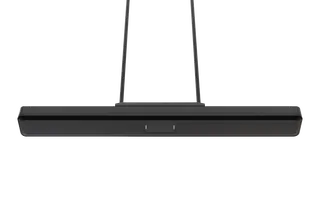
Biamp Parlé CBC 2500 CM Biamp Parlé CBC 2500 CM Ceiling-Mounted Conferencing Bar
Zoom Certified Microsoft Teams Certified
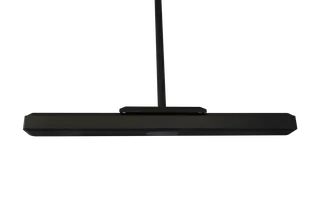
Biamp Parlé CBC 2500 PM Biamp Parlé CBC 2500 PM Pole-Mounted Conferencing Bar
Zoom Certified Microsoft Teams Certified
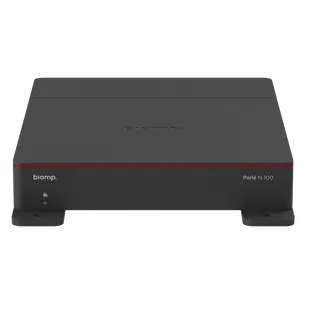
Biamp Parlé N 100 Biamp Parlé N 100 Network and USB Expander for Parlé Conferencing Bars
TAA Compliant
Biamp Parlé PMA 2000-DM Biamp Parlé PMA 2000-DM Display Mount Kit for Parlé 2000 Video Bars
Video bars
Email Call