Thursday, 22 October 2026 · 11 Jumada I 1448 AH Sun – Thu · 9:00 – 18:00
+971 56 914 9477 العربية
WhatsApp
This model is discontinuedThe manufacturer no longer makes it. Request a quote and we will propose the closest current replacement.
Suggested replacements ↓

UVC84-BYOD

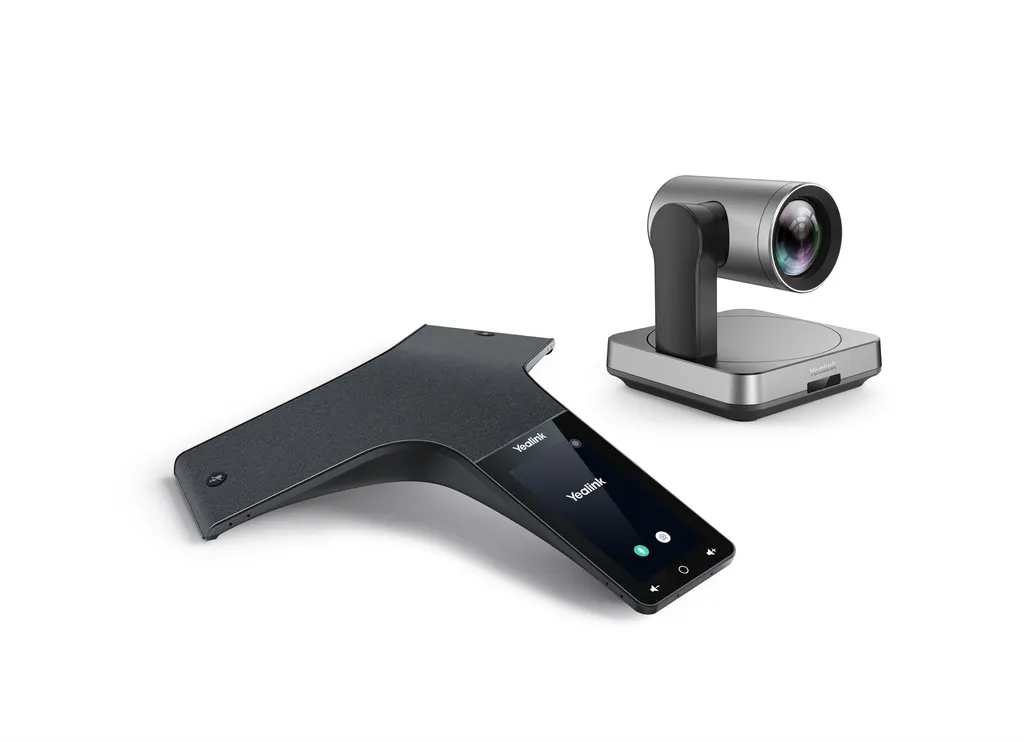
Yealink UVC84-BYOD Meeting Kit for Medium and Large Rooms

WhatsApp
Priceon request
QuotationWithin 1 working day
DeliveryConfirmed with your quote, based on stock
PDFDownload datasheet (Yealink UVC84 Datasheet.pdf)
Overview

The Yealink UVC84-BYOD is a discontinued meeting kit with a UVC84 4K camera, 12x optical plus 3x digital zoom, an 80° field of view and Auto Framing, plus audio devices and a BYOD box for any UC platform. The manufacturer has ended sales, so organisations in Qatar that already own it, or comparing options for medium and large rooms, should request a quote for a current equivalent.

What the UVC84-BYOD kit is built to do

The Yealink UVC84-BYOD is a meeting kit for medium and large rooms. It combines a UVC84 4K camera, audio devices and a BYOD box, so a laptop can run meetings on any UC platform through a single Type-C cable connection. The manufacturer has discontinued this model and has not accepted new orders since its end-of-sale date of 30 June 2025. Organisations that already run it, and buyers comparing it with newer kits, can still request a quote for a current equivalent.

The source listing describes the kit as including audio devices, but the camera package list names only the camera, remote control, power adapter, wall bracket and accessories, and a 7 m USB cable. Confirm the exact contents on your quotation before comparing it with other offers.

Camera performance: zoom, field of view and framing

The camera uses a 4K sensor with 12x optical plus 3x digital zoom, which the manufacturer presents as 36x HD zoom. The 80° field of view covers a full conference table, while the zoom reaches participants at the far end of a long room.

  • Pan ±100°, tilt +45° and -90° for mechanical PTZ control
  • Nine camera presets for recurring seating positions
  • Auto Framing that adjusts the view to the people present
  • Control by the VCR20 remote or the Yealink camera control plug-in

Audio, connections and power

The VCM34 array microphone supports a 20 ft (6 m) pickup range across 360°. The MSpeech USB speakerphone is an alternative for smaller tables, and the source also lists pairing with a Yealink soundbar. The camera offers two USB 2.0 ports (Type-B and Type-A), a Yealink microphone port (RJ-45), a 3.5 mm line-out, a power port, a security lock slot and a reset slot. Power comes from an external adapter rated AC 100~240V input and DC 48V 0.7A output. The camera operates between 0 and 40℃ at 10 to 95% humidity, and measures 156 mm x 156 mm x 156 mm in working position with a working height of 156 to 192 mm. It weighs 2.9 kg.

Where it fits in Qatar

Three situations suit this kit well:

  • A medium boardroom in West Bay where executives join calls with colleagues abroad, using a laptop as the controller.
  • A government office in Msheireb holding structured meetings, where the lens lowers automatically when a meeting ends.
  • A private school in Al Rayyan equipping a meeting room for staff and for remote specialists.

What to plan before you request a quote

Start with the room. Measure the distance from the camera position to the furthest seat, then decide whether the kit will sit on a table, on top of a TV, on a wall, on a ceiling, on a TV stand or on a tripod. A free site survey from SmartRooms Qatar helps confirm the mounting option, the routing of the 7 m USB cable and where the audio pickup should sit.

Plan for the Qatar climate. The camera is rated for 0 to 40℃, and outdoor temperatures in Qatar often exceed 45°C in summer, so install it only in an air-conditioned room and confirm the conditions with the SmartRooms Qatar team before ordering.

Because the model is discontinued, request a quote for a current equivalent or compatible replacement and check spares. The manufacturer's end-of-life notice describes technical support and fixes for the first year after end of sale, then software bug fixes where possible, with no new features. Hardware spares depend on local distributors and stock. Organisations buying several units can issue a purchase order (LPO), and we deliver to all eight municipalities of Qatar.

Request a quote and we will confirm stock, the current equivalent and the exact contents for your room.

Highlights

  • 4K sensor with 12x optical plus 3x digital zoom
  • 80° field of view with Auto Framing
  • Pan ±100°, tilt +45° and -90°, nine camera presets
  • VCM34 array microphone with 20 ft (6 m) pickup range
  • Works with any UC platform through a BYOD box
  • Operating range 0 to 40℃; discontinued by Yealink

Room fit

Tell us the room size and platform (Teams, Zoom or BYOD) and we confirm the right combination with your quotation.

Estimated timeline

Quotation within 1 working day · delivery timing depends on stock availability, and we confirm it with your quotation.

Specifications

12 specifications · Source: manufacturer · checked Oct 2026
Package Content1
Details
UVC84 Camera VCR20 remote control Power adapter Wall bracket and accessories 7m USB cable
Camera2
Pan
±100°, Tilt: +45°, -90°
Details
4K sensor 80° FoV 36X HD Zoom, 12X optical plus 3X digital zoom 9x Camera presets
UVC84 Connections1
Details
1 x USB2.0 Type-B port 1 x USB2.0 Type-A port 1 x Yealink microphone port (RJ-45) 1 x 3.5mm line-out port 1 x Power port 1 x Security lock slot 1 x Reset slot
Product Specification5
- Sleeping Dimensions (W.D.H)
156 mm x 156 mm x 183 mm
- Working Dimensions (W.D.H)
156 mm x 156 mm x 156 mm
- Working Height
156 mm - 192 mm
N.W
2.9 kg
Details
UVC84 Camera:
Other Physical Features3
External Yealink Power Adapter
AC 100~240V input and DC 48V/0.7A Output
Operating humidity
10 - 95%
Operating temperature
0 - 40℃

Downloads

12 files from the manufacturer
PDF Datasheets Yealink UVC84 Datasheet.pdf 308 KB Yealink UVC84-BYOD datasheets (PDF, 308 KB) URL Datasheets · Opens on manufacturer site  Download Yealink UVC84-BYOD datasheets (URL) URL Datasheets · Opens on manufacturer site  Download Yealink UVC84-BYOD datasheets (URL) PDF Manuals & guides Yealink UVC84 Quick Start Guide(EN, CN, DE, FR, ES) V1.3.pdf 3.0 MB Yealink UVC84-BYOD manuals & guides (PDF, 3.0 MB) MP4 Manuals & guides · Opens on manufacturer site Yealink UVC8X Mount kits Unboxing V1.0 .mp4 Yealink UVC84-BYOD manuals & guides (MP4) DXF Drawings & CAD · Opens on manufacturer site UVC84 CAD Drawings.dxf Yealink UVC84-BYOD drawings & cad (DXF) STP Drawings & CAD · Opens on manufacturer site UVC84 CAD Drawings.stp Yealink UVC84-BYOD drawings & cad (STP) 10 - Software & firmware · Opens on manufacturer site UVC84 262.424.0.10 - Firmware & Release Note Yealink UVC84-BYOD software & firmware (10 - FIRMWARE & RELEASE NOTE) 25 - Software & firmware · Opens on manufacturer site UVC84 262.434.0.25 - Firmware & Release Note Yealink UVC84-BYOD software & firmware (25 - FIRMWARE & RELEASE NOTE) URL Other documents · Opens on manufacturer site Rooms Product Family Yealink UVC84-BYOD other documents (URL) PDF Other documents · Opens on manufacturer site Yealink Regulatory Notice V1.2.pdf Yealink UVC84-BYOD other documents (PDF) MP4 Other documents · Opens on manufacturer site Yealink UVC84 Unboxing V1.0.mp4 Yealink UVC84-BYOD other documents (MP4)

Questions about UVC84-BYOD

Is the Yealink UVC84-BYOD still available to order from SmartRooms Qatar?
The manufacturer has discontinued the UVC84-BYOD, and new orders are not accepted after its end-of-sale date of 30 June 2025. We can still provide a quotation for a current equivalent or compatible replacement that fits your room size and conferencing platform. Send us your room dimensions and the platform you use, and our team will reply with options. Availability depends on stock at the time of quotation.
What should I look for in a replacement for a medium or large meeting room?
Compare the features this kit does well: a 4K sensor, zoom that reaches the far end of the table, a wide field of view, automatic framing and a direct connection to a laptop. For a replacement, check the zoom and field of view against your room depth, whether the audio pickup covers every seat, and whether the device supports your UC platform. Our team will review these points with you before quoting.
We already have UVC84-BYOD kits. What support is still available?
The manufacturer's end-of-life notice says that for the first year after end of sale it offers hardware and software technical support, bug fixes and security fixes. From the second to the fifth year it aims to provide software bug fixes where possible, but no new features. Hardware spares depend on local distributors and inventory. Contact us so we can check what is available and quote for a replacement if your kits need repair.
Will the camera cover a medium boardroom in West Bay where executives join calls with colleagues abroad?
Yes, for a room of medium size. The 4K sensor, 12x optical plus 3x digital zoom and 80° field of view let remote participants see everyone seated at the table. Place the camera at the head of the table or on the far wall, then test the framing with the people who will normally sit there. Auto Framing and the nine presets help a single presenter keep the right view during calls to teams abroad.
What is the pan, tilt and PTZ range, and how is the camera controlled?
The camera pans ±100° and tilts +45° and -90°. Control is by the VCR20 remote supplied in the package or by the Yealink camera control plug-in software. Nine camera presets let a room coordinator return to usual seating positions quickly, and Auto Framing reduces manual adjustment. If you plan to control the camera from a PC, confirm the software requirements for the plug-in before ordering.
Our Doha team uses Microsoft Teams and Zoom. Will this kit work with our laptop?
The source describes the BYOD box as suitable for any UC platform, and the listing groups the kit under Microsoft and Zoom devices. The laptop connects to the kit through a Type-C cable, and the manufacturer describes plug-and-play use without extra drivers. Confirm that your laptop has the right port and that your platform version is supported before ordering. We will check this with you during the quotation stage.
What audio is included, and how far does the microphone pick up?
The kit is described as including audio devices. The VCM34 array microphone is named with a 20 ft (6 m) pickup range across 360°, and the MSpeech USB speakerphone is an alternative for medium spaces. The listing also mentions pairing with a Yealink soundbar. The camera package list names only the camera, remote, adapter, bracket and 7 m USB cable, so confirm the exact audio items in your quotation.
We are mounting the camera in a Lusail office above a wall-mounted TV. What should we plan?
The camera can sit on a conference table, on top of a TV, on a wall, on a ceiling, on a TV stand or on a tripod, and the package includes a wall bracket and accessories. Its working height is 156 to 192 mm and it weighs 2.9 kg. Plan the route for the 7 m USB cable and the position of the power adapter, then book a free site survey before drilling. Our installation team can confirm the best position.
Is the camera suitable for a meeting room in Doha during summer?
The camera operates from 0 to 40℃ at 10 to 95% humidity. Outdoor temperatures in Doha often exceed 45°C in summer, so the camera should sit in an air-conditioned meeting room, away from windows that receive direct sun and from spaces without cooling. Confirm your room conditions with the SmartRooms Qatar team before you place an order.
How is the camera powered, and does the adapter suit Qatar's electrical supply?
The camera uses an external Yealink power adapter with an AC 100~240V input and a DC 48V 0.7A output. Qatar's mains supply is 240V at 50 Hz, which falls within that input range. The source data does not state the plug type, so ask us to confirm the plug configuration for your sockets when you request a quote.
Our school in Al Rayyan wants a staff meeting room kit. Can we buy through a purchase order?
Yes. Schools can order through a purchase order (LPO), and we accept bank transfer, cheque or purchase order for payment. Because this model is discontinued, the quotation will name a current equivalent or compatible replacement for your room. Tell us the room size, the number of rooms and your platform, and we will reply with options and a quotation, usually within one working day.
Does the camera protect privacy when no meeting is running?
The source describes the lens lowering automatically when a meeting ends and switching on when the next meeting starts. This suits government offices and corporate boardrooms in Msheireb or Lusail where confidential discussions take place. The behaviour depends on the meeting starting and ending through the connected platform, so test it before a sensitive session, and ask us to compare it with any replacement you consider.

Suggested replacements

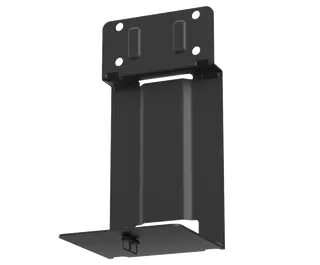
Yealink MD-PTZBracket Yealink MD-PTZBracket MeetingDisplay Mounting Bracket
Cameras
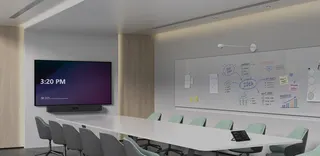
Yealink MSketch Yealink MSketch AI Whiteboard Camera for Meeting Rooms
Cameras
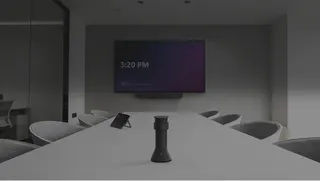
Yealink MTower Yealink MTower Center-View Intelligent Companion Camera
Cameras
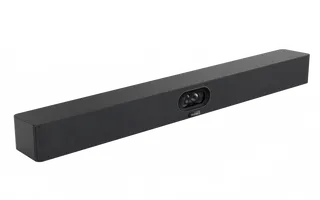
Yealink SmartVision 40 Yealink SmartVision 40 All-in-One Conference Camera
Cameras
Yealink SmartVision 60 Yealink SmartVision 60 360° All-in-One Conference Camera
Cameras

Similar models

Biamp Vidi 100 Biamp Vidi 100 4K Conferencing Camera
Cameras
Biamp Vidi 150 Biamp Vidi 150 4K Conferencing Camera
Cameras
Biamp Vidi 250 Biamp Vidi 250 4K Conferencing Camera
120 Degrees Zoom Certified
Biamp Vidi 280 Biamp Vidi 280 4K Conferencing Camera with Dual Sensors
Ultrawide Lens Zoom Certified
Biamp Vidi Content Cam 250 Biamp Vidi Content Cam 250 4K Whiteboard Content Camera Kit
120° Up to 5x digital zoom
Email Call