Thursday, 22 October 2026 · 11 Jumada I 1448 AH Sun – Thu · 9:00 – 18:00
+971 56 914 9477 العربية
WhatsApp
This model is discontinuedThe manufacturer no longer makes it. Request a quote and we will propose the closest current replacement.
Suggested replacements ↓

86WR6CE

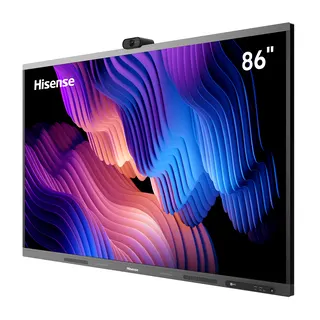
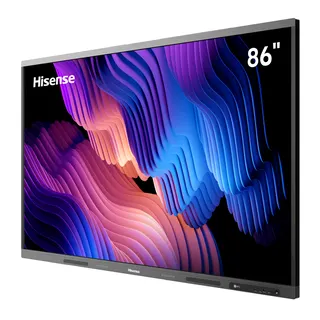
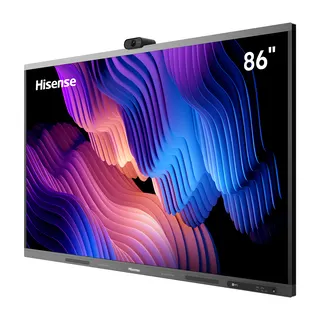
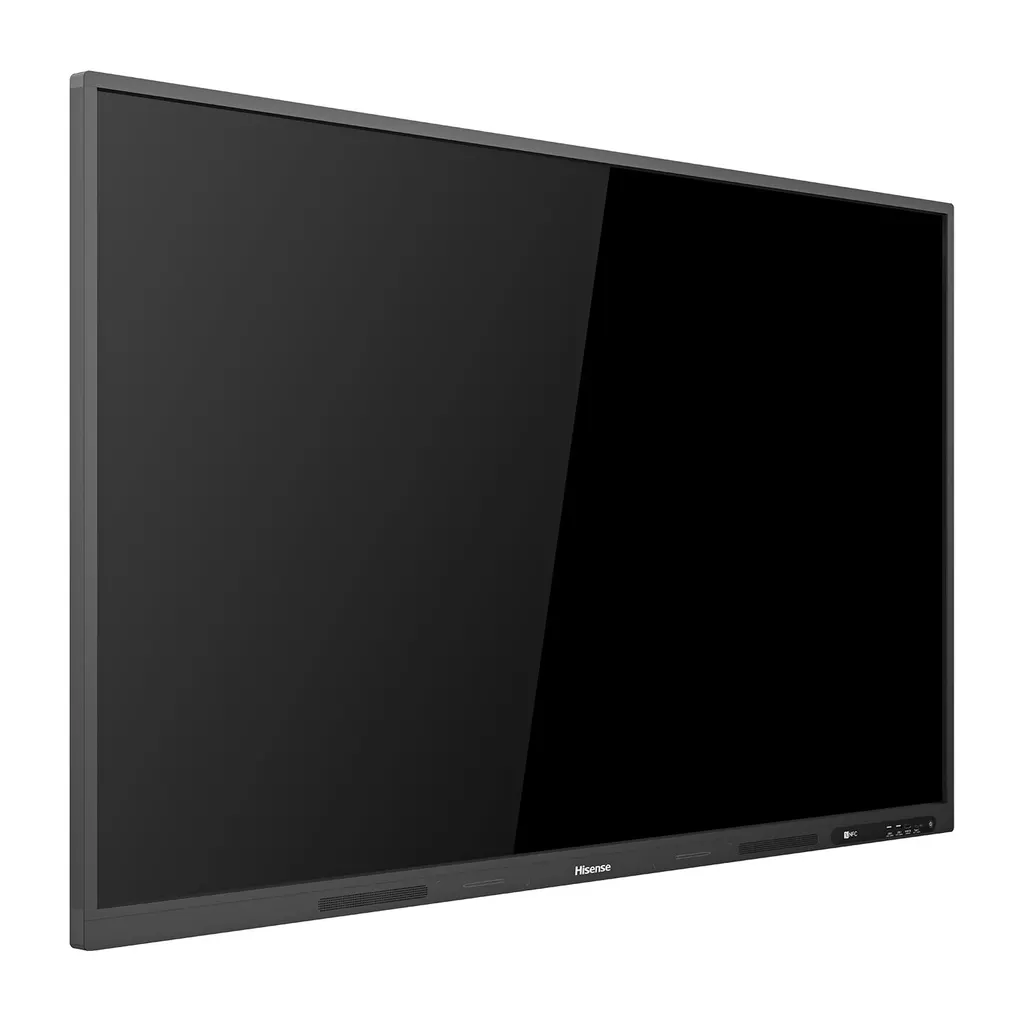
Hisense 86WR6CE 86-inch Advanced Interactive Display

Screen size
86’’
Resolution
3840 x 2160
System
Android 8.0
Brightness
350cd/m²(typ.)
WhatsApp
Priceon request
QuotationWithin 1 working day
DeliveryConfirmed with your quote, based on stock
PDFDownload datasheet (86WR6CE_Datasheet.pdf)
Overview

The Hisense 86WR6CE is an 86-inch 4K interactive display from the WR6CE series. Hisense has discontinued this model, so SmartRooms Qatar can quote a current equivalent or compatible replacement. It pairs a 3840 x 2160 panel with 20-point infrared touch, Android 8.0, NFC-assisted screen transmission and Wi-Fi on 2.4 and 5 GHz. It suits meeting rooms and classrooms in Doha, Lusail and Education City.

What the 86WR6CE is and why its panel matters

The Hisense 86WR6CE is an 86-inch interactive display in the WR6CE series, working as a large touchscreen, a whiteboard and a presentation display in one unit. Hisense has discontinued this model, so this page is written for organisations that already own one, buyers comparing options and anyone who needs a replacement. SmartRooms Qatar can quote a current equivalent or a compatible replacement for your room.

The panel has a 3840 x 2160 resolution and a D-LED backlight, with typical brightness of 350 cd/m² and a typical contrast ratio of 4000:1. An 8 ms response time and 60 Hz refresh rate suit presentations and video, while the 178-degree viewing angle keeps colour consistent for people seated at the sides of a room. The 10-bit panel shows about 1.07 billion colours with a 72% colour gamut, and its lifetime is rated at 50,000 hours.

Touch, writing and group work

The touch layer uses an infrared frame over anti-glare glass. It recognises up to 20 touch points at once, so several people can write, annotate or move objects together. Touch accuracy is rated at 90% within ±1 mm, and objects of 2 mm or more are detected. The built-in whiteboard adds sticky notes, a page list for reordering pages and copying of content between pages. A separate password can lock the settings menu, which stops younger pupils from changing settings by accident. A blue light filter is included to reduce strain during long sessions.

Connectivity and what you can plug in

  • Video inputs: two HDMI 2.0, one DisplayPort 1.2a and one USB-C
  • Other ports: two USB 3.0, one USB 2.0, one LAN, one RS232 and one touch input
  • Outputs: HDMI 2.0 for a second screen, plus S/PDIF and audio out
  • Wireless: IEEE 802.11a/b/g/n/ac/ax Wi-Fi on 2.4 and 5 GHz, and Bluetooth 5.1
  • Expansion: one optional OPS slot

The system runs Android 8.0 with two 15 W speakers. The language list in the manufacturer data does not include Arabic, so confirm the menu language options with our team before ordering for an office that works in Arabic and English side by side.

Where it fits in Qatar

In a classroom at an international school in Education City or Al Wakrah, an 86-inch panel gives students at the back a readable screen. Two HDMI inputs let a teacher switch between a laptop and a second source during a lesson. In a boardroom in West Bay or Msheireb, the touch surface supports live annotation during discussions, while staff share files from their own devices over wireless transmission. A training centre in Lusail can use the same display for team exercises where several trainees work at the board at once.

Planning the installation

The unit measures 1955 x 1060 x 102 mm and weighs 54.5 kg net, so wall strength must be checked before mounting. The box includes a wall mount bracket that fits a VESA 1000 x 600 mm pattern with four M8 screws, and an optional mobile cart is available. Power input covers AC 100 to 240 V at 50/60 Hz, which includes Qatar's 240 V supply, and the unit draws 370 W without OPS, with standby below 0.5 W. Book a free site survey with SmartRooms Qatar to check the wall, cable routes and socket positions.

Because this model is discontinued, the fastest route to the right solution is to send your room size, mounting method and connectivity needs. Request a quote from SmartRooms Qatar for a current equivalent or compatible replacement. Schools and government buyers can issue a purchase order against the quotation, and we will confirm lead times with it.

Highlights

  • 86-inch panel with 3840 x 2160 4K resolution and D-LED backlight
  • Infrared touch recognises up to 20 points at the same time
  • 178-degree viewing angle with a 10-bit, 1.07 billion colour panel
  • Android 8.0 system with two HDMI 2.0 inputs
  • Wi-Fi on 2.4 and 5 GHz with IEEE 802.11ax and Bluetooth 5.1
  • Discontinued by Hisense; a current replacement can be quoted

Classroom fit

At 86″ the farthest student should sit within about 6.4 m (6× the screen height).

Estimated timeline

Quotation within 1 working day · delivery timing depends on stock availability, and we confirm it with your quotation.

Specifications

35 specifications · Source: manufacturer · checked Oct 2026
Interactive Display panel11
Size
86’’
Backlight
D-LED
Resolution
3840 x 2160
Brightness
350cd/m²(typ.)
Contrast ratio
4000:1(typ.)
Response Time
8ms
Refreshing Frequency
60Hz
Viewing angle
178°(H) / 178°(V)
Lifetime
50,000hrs
Color Gamut
72%
Display Colours
1.07B(10bit)
System2
OS
Android 8.0
Language
Chinese, English, Polish, German,French, Italian, Spanish, Finnish, Norwegian, Swedish, Thai, Indonesian, Japanese
Speaker1
Audio Output Power
2x15W
Connectivity4
WI-FI
IEEE 802.11a/b/g/n/ac/ax(2.4G and 5G), IEEE 802.11a/b/g/n/ac(2.4G and 5G)
Bluetooth
BT5.1
Input
HDMI(2.0) IN x 2, DP(1.2a) IN x 1, OPS(optional) x 1, LAN x 1, USB2.0 x 1, USB3.0 x 2, Type-C x 1, Touch x 1, RS232 IN x 1, Service x 1
Output
HDMI(2.0) OUT x 1, S/PDIF OUT x 1, Audio OUT x 1
Power2
Power Requirements
AC 100 V ~ 240 V, 50/60 Hz
Power Consumption Without OPS
370W
Touch7
Sensing Type
Infrared Touch Frame
Surface Protection
Anti-Glare Glass
Infrared Touch
≤20 points
Touch Accuracy
90%(±1mm)
Theory Clicks
Unlimited
Minimum Touch Object
≥2mm
Windows 10/8/7,Android
Multi Touch
Physical6
Housing Color
Black
Product Size (W x H x D)
1955 × 1060 × 102mm / 77.0 x 41.7 x 4.0inch
Package Size (W x H x D)
2158 × 1370 x 302mm / 85.0 x 53.9 x 11.9inch
Net Weight
54.5kg / 120.17lbs
Packed Weight
72.5kg / 159.86lbs
VESA
1000×600mm,4-M8 screw
Optional1
Basic
Mobile cart, OPS
What’s in the box1
Value
User manual Pen x 2 Remote control Wireless Cast x 1 (optional) Power Cable Battery x 2 Wall Mount Bracket x 1
Downloads

3 files from the manufacturer

Questions about 86WR6CE

Is the Hisense 86WR6CE still made by Hisense?
No. Hisense has discontinued the 86WR6CE and lists it among its end-of-life products. SmartRooms Qatar can still quote a current equivalent or a compatible replacement for an 86-inch 4K touch display. Send us your room size, mounting method and the software and ports you use today, and our team will reply with a quotation usually within one working day.
What should we check before choosing a replacement for an existing 86WR6CE?
Start by listing what your current units do: 3840 x 2160 resolution, 20-point touch, Android 8.0, two HDMI 2.0 inputs, a DisplayPort input and wall mounting on a VESA 1000 x 600 mm pattern. A compatible replacement should keep the mounting pattern and cable layout, so existing brackets and cable runs can be reused. Confirm these points with SmartRooms Qatar before requesting a quote for a classroom or boardroom refit.
What are the panel resolution, brightness and contrast?
The panel runs at 3840 x 2160 (4K) with a D-LED backlight. Typical brightness is 350 cd/m² and typical contrast ratio is 4000:1. The response time is 8 ms, the refresh rate is 60 Hz, and the viewing angle is 178 degrees both horizontally and vertically. These figures suit presentations, shared documents and video in a meeting room with ambient lighting.
Is an 86-inch screen right for a classroom in Doha or Al Wakrah?
An 86-inch panel suits a large classroom, lecture room or training room where pupils at the back still need to read clearly. An international school in Education City or an Arabic-curriculum school in Al Wakrah could place it at the front of a room, with the teacher laptop connected to one HDMI input. Measure the room and viewing distance first, and ask the SmartRooms Qatar team to check mounting height before the quotation is finalised.
How many people can write on the screen at the same time?
The touch frame recognises up to 20 touch points at once, so several people can write, annotate or move objects together. The smallest detectable object is 2 mm, and touch accuracy is rated at 90% within ±1 mm. In a training room at a company in Lusail, this allows team exercises at the board without waiting for a turn.
Can the Hisense 86WR6CE display Arabic menus?
The manufacturer's system language list includes English, Chinese, German, French, Spanish, Japanese and several other languages, but it does not list Arabic. Government offices and schools that work in Arabic and English side by side should ask SmartRooms Qatar to confirm the menu and whiteboard language options before placing a purchase order.
Which ports are available for laptops and other sources?
The panel has two HDMI 2.0 inputs, one DisplayPort 1.2a input, one USB-C port, two USB 3.0 ports, one USB 2.0 port, a LAN port and an RS232 input. An HDMI 2.0 output passes the picture to a second display. This layout suits a meeting room that switches between a laptop, a wireless source and a desktop PC.
Does it include a camera or microphone for video calls?
The specification does not list a built-in camera or microphone, so a boardroom that holds calls with teams in other countries should plan for a separate camera and microphone. Confirm the connection method with SmartRooms Qatar, which may use the available USB, HDMI or LAN ports, before requesting a quote.
Is the OPS slot included, and what does it need?
There is one OPS slot, which the manufacturer lists as optional, so it is not part of the standard package list. If you want an integrated computer in the panel, ask for the OPS module to be included in the quotation separately. The unit draws 370 W without OPS, so add the module's power needs to your electrical planning if you install one.
How heavy is the panel and what do we need to mount it?
The net weight is 54.5 kg and the packed weight is 72.5 kg, so at least two people should handle the unit. The wall mount bracket is included, and the panel uses a VESA 1000 x 600 mm pattern with four M8 screws. Book a free site survey with SmartRooms Qatar to check wall strength, cable routes and socket positions in a boardroom in West Bay or Msheireb before installation.
What power does the display need in Qatar?
The power input is AC 100 to 240 V at 50/60 Hz, which includes Qatar's 240 V, 50 Hz mains supply. Consumption is 370 W without OPS, and standby is below 0.5 W. Ask your electrical contractor to confirm a suitable socket near the mounting point before the panel is delivered.
Can we buy several units for a school or government project?
Yes. SmartRooms Qatar accepts purchase orders (LPOs), government tenders including Monaqasat, and payment by bank transfer, cheque or purchase order. Because this model is discontinued, the quotation should name the exact replacement and the quantity for each room, so every classroom or office receives the same specification.

Suggested replacements

Hisense 86MR6DE-E Hisense 86MR6DE-E 86-inch GoBoard Interactive Display
86″ 3840 x 2160 Android 13.0
Hisense 86WE3FE Hisense 86WE3FE 86-inch Advanced Interactive Display
86″ 3840x2160 Android 14.0
Hisense 86WM6FE Hisense 86WM6FE 86-inch GoBoard Live Pro Interactive Display
86″ 3840 x 2160 Android 13.0
Hisense 86MR61DE-E Hisense 86MR61DE-E 86-inch GoBoard Pro Interactive Display
86″ 3840 x 2160 Android 13.0
Hisense 86WM6FE-A Hisense 86WM6FE-A 86-inch GoBoard Live Pro Interactive Display
86″ 3840 x 2160 Android 13.0

Similar models

BenQ CM7505 BenQ Board CM7505 75-inch Interactive Display
75″ UHD 3840 × 2160 pixels Ultra Precision IR
SMART SBID-6286S-V3 SMART Board 6086S-V3 86-inch Interactive Display with iQ
86″ 4K UHD (3840 × 2160) HyPr Touch with InGlass
SMART SBID-6286S-V3-P SMART Board 6086S-V3 Pro 86-inch Interactive Display with iQ
86″ 4K UHD (3840 × 2160) HyPr Touch with InGlass
Clevertouch Clevertouch Edge 65" Clevertouch Edge 65" 4K Interactive Display with Camera and Speakers
65″ 4K UHD (3840x2160 @60Hz) Android 15
Clevertouch Clevertouch Edge 86" Clevertouch Edge 86" 4K Interactive Flat Panel
86″ 4K UHD (3840x2160 @60Hz) Android 15
Email Call