Thursday, 22 October 2026 · 11 Jumada I 1448 AH Sun – Thu · 9:00 – 18:00
+971 56 914 9477 العربية
WhatsApp
This model is discontinuedThe manufacturer no longer makes it. Request a quote and we will propose the closest current replacement.
Suggested replacements ↓
Biamp Video Conferencing Discontinued

Modena Hub+

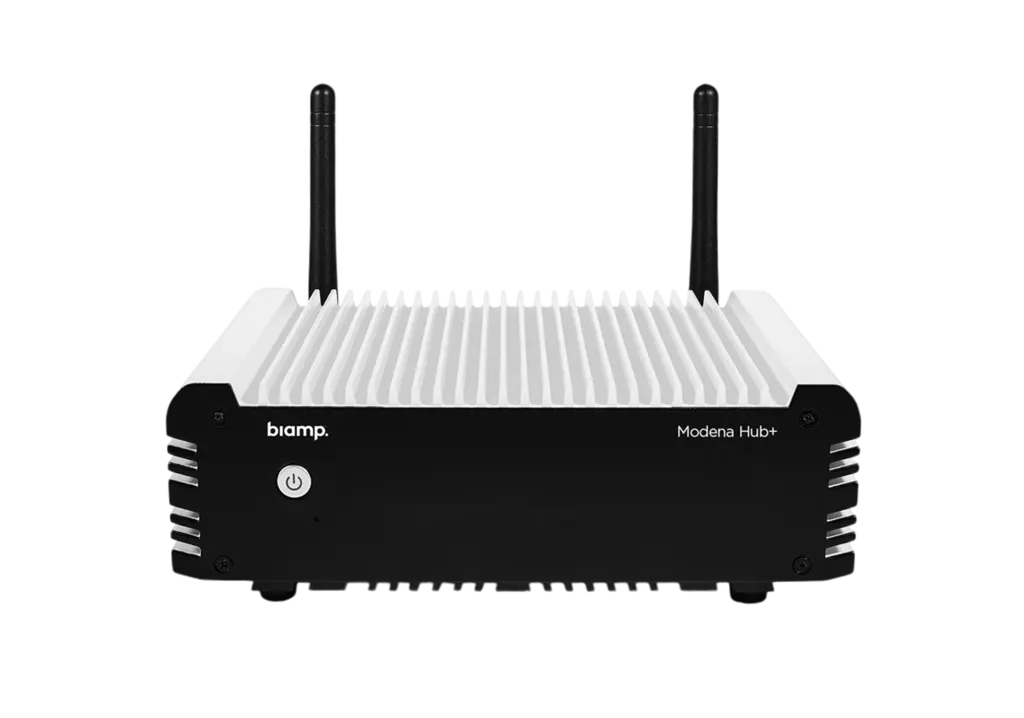
Biamp Modena Hub+ Wireless Presentation Hub

WhatsApp
Priceon request
QuotationWithin 1 working day
DeliveryConfirmed with your quote, based on stock
PDFDownload datasheet (biamp_data_sheet_modena_hub_plus_may21.pdf)
Overview

The Biamp Modena Hub+ is a discontinued wireless presentation hub with an integrated Wi-Fi access point. Participants share content from laptops, tablets and phones onto the room display, and any participant can receive the room's audiovisual streams during a video conference. It offers wireless presentation up to HD 1080p, an Auditorium mode for up to 150 users, and HDMI and USB ports. Organisations in Qatar that already run it, or are comparing alternatives, can request a quote for a current equivalent.

A wireless presentation hub with its own Wi-Fi access point

The Biamp Modena Hub+ lets people in a meeting room share slides and content from their own laptops, tablets and phones without cables. Its Wi-Fi access point is built into the unit itself, so the room gets wireless presentation capability from a single device. It is designed for bring-your-own-device and bring-your-own-conferencing spaces, where participants connect to the room's audiovisual equipment and USB accessories from their personal devices.

Wireless sharing, HDMI and USB from one unit

Wireless presentation supports resolutions up to HD 1080p at 30 fps, and the wireless USB feed runs up to HD 720p at 30 fps. The hub has an HDMI media port for the display side, a USB 2.0/3.0 port for peripherals, and an Ethernet RJ-45 port rated at 1000 Mbit/s. Several USB devices can be connected through a standard USB hub or by adding a Devio SCR-20 or SCR-25. A display can receive content from a computer running the web or software client, from an Android dongle, or directly through the Android TV app on a compatible smart TV. During a video conference, any participant can also receive the room's audiovisual streams wirelessly.

Network planning for a wireless presentation hub

Wireless performance depends on the network around the hub, so check these figures before installation:

  • Wi-Fi standard: IEEE 802.11 a/b/g/n/ac on 2.4 GHz and 5 GHz antennas, with WPA2-PSK authentication. The 5 GHz band is recommended.
  • Bandwidth: 4 Mbps average and 15 Mbps peak per connected client, plus the same allowance for the conferencing host when wireless USB is in use.
  • Signal: RSSI stable above -65 dBm, with better than -60 dBm recommended, and SNR stable above 25 dB, with more than 35 dB recommended.
  • Placement: keep connected devices at least about 1 m (3 feet) from the access point.

In a large room, such as a lecture theatre with many laptops, these figures add up quickly. A free site survey from SmartRooms Qatar can check signal strength at the seats where people will actually sit.

Where it fits in Qatar

  • A lecture theatre in Education City where Auditorium mode serves up to 150 users, letting students share from their own devices during seminars.
  • A ministry meeting room in West Bay where staff and visitors share slides from their own laptops without swapping cables at the table.
  • A hotel conference room in Msheireb where event speakers switch between devices quickly between sessions.

The ambient operating range is 0 to 40 C, with storage from -20 to 60 C and humidity from 0 to 95 percent non-condensing. Summer temperatures in Qatar regularly exceed 45 C outdoors, so keep the unit in an air-conditioned room and confirm the installation environment with the SmartRooms Qatar team when you request a quote.

Planning a replacement or purchase

Biamp has discontinued the Modena Hub+, and its source listing names MAX Connect as the replacement. Organisations that already own this model should review the 5-year warranty listed for it and plan replacements before support needs change. The unit measures 160 mm wide, 132 mm deep and 51 mm high, and weighs 1.1 kg, so it fits on a credenza or shelf. It runs from an external 12 V DC adaptor, so confirm the power arrangement for Qatar's 240 V, 50 Hz supply before ordering.

Request a quote from SmartRooms Qatar for a current equivalent or a compatible replacement. We deliver to all eight municipalities of Qatar, offer free site surveys, and accept purchase orders and government tenders. Send your room layout and the number of units you need, and we usually respond with a quotation within one working day.

Highlights

  • Wireless presentation up to HD 1080p at 30 fps
  • Integrated Wi-Fi access point on 2.4 GHz and 5 GHz
  • Auditorium mode for up to 150 users
  • HDMI media port and USB 2.0/3.0 port
  • Ethernet RJ-45 port at 1000 Mbit/s
  • Discontinued by Biamp; request a quote for a replacement

Room fit

Tell us the room size and platform (Teams, Zoom or BYOD) and we confirm the right combination with your quotation.

Estimated timeline

Quotation within 1 working day · delivery timing depends on stock availability, and we confirm it with your quotation.

Specifications

12 specifications · Source: manufacturer · checked Oct 2026
GENERAL4
Height
2 inches (51 mm)
Width
6.3 inches (160 mm)
Depth
5.2 inches (132 mm)
Weight
2.4 lbs (1.1 kg)
POWER1
Power
Power: External power adaptor 12V DC
NOTES1
Specification Notes
Modena Client requirements: Desktop Client CPU: Intel® i5 equivalent or faster Web browser: Chrome™, Firefox™, Edge™ Windows® (presenter/viewer): Windows 10 .NET® Framework 4.5; Microsoft® Direct3D Mac OSX® (presenter/viewer): Mac OSX 10.11 or higher Mobile Client Android®: Android 8 or higher iOS®: iOS 11 or higher
CONFERENCING2
Conferencing
Modena Hub+ unit specifications: Wireless presentation resolution: Up to HD 1080p@30fps WiFi network interface: IEEE 802.1ac/ a b g n 2.4/5 GHz antennas WPA2-PSK Authentication Wired network connection: Ethernet RJ-45 port, 1000 Mbit/s Media port: HDMI
USB
Wireless USB feed resolution: Up to HD 720p@30fps USB port: USB 2.0/3.0
NETWORK1
Network Connection(s)
Minimum Bandwidth: 4 Mbps average / 15 Mbps peak per connected client (upstream when presenting; downstream when receiving) Additional 4 Mbps average / 15 Mbps peak for the videoconference host when using the Wireless USB feature Wireless Connection: 2.4Ghz 802.11n compatible Wifi interface 5Ghz 802.11ac compatible Wifi interface (recommended) Minimum distance between device(s) and access point: ~ 3 feet (~ 1 meter) Signal Strength: RSSI on connected devices: stable above -65dBm (recommended > - 60dBm) SNR (RSSI - Noise) on connected devices: stable above 25dB (recommended > 35dB)
ENVIRONMENTAL3
Ambient Operating Temperature Range
Ambient Operating Temperature Range: 32 - 104° F (0 – 40° C) Ambient Storage Temperature Range: -4 - 140° F (-20 - 60° C)
Humidity
0-95% relative humidity (non-condensing)
Altitude
0-6,600 ft (0-2000m) MSL

Downloads

4 files from the manufacturer

Questions about Modena Hub+

Is the Biamp Modena Hub+ still sold by Biamp?
No. Biamp has discontinued the Modena Hub+ (item number 920-01737-00001), and its source listing names MAX Connect as the replacement. SmartRooms Qatar can quote a current equivalent or a compatible replacement for your meeting rooms. Owners of existing units can also request a quote to plan spares or upgrades before support needs change. The unit carries a 5-year warranty from the manufacturer.
What is the Modena Hub+ used for?
It is a wireless presentation hub with an integrated Wi-Fi access point. Participants connect from laptops, tablets or phones to share content on the room display, and any participant can receive the room's audiovisual streams during a video conference. It is designed for bring-your-own-device and bring-your-own-conferencing rooms. IT administrators can configure all installed units through a management web interface.
Is it suitable for a lecture theatre at Education City?
Yes, if the room needs many presenters at once. Auditorium mode can be configured for up to 150 users, so students can share from their own devices during seminars. In a large hall, request a free site survey from SmartRooms Qatar to plan signal coverage before installation, and keep devices at least about 1 m from the access point where possible.
Can a ministry meeting room in West Bay use it for visitor presentations?
It suits a ministry meeting room in West Bay where staff and visitors bring their own laptops and need to share slides without cables. The client software supports Windows 10 with .NET Framework 4.5, Mac OSX 10.11 or higher, Android 8 or higher, and iOS 11 or higher. Confirm visitor devices and the room's Wi-Fi plan before requesting a quotation, and book a free site survey first.
Would a hotel conference room in Msheireb suit it?
Yes, because it lets event speakers switch between their own devices quickly between sessions without re-cabling the display. The HDMI media port connects the display, the USB 2.0/3.0 port handles peripherals, and wireless presentation reaches up to HD 1080p at 30 fps. Request a quote that states how many rooms and displays you are equipping so the order matches the event schedule.
Could a private school in Al Wakrah use it in classrooms?
A private school in Al Wakrah could use it in classrooms where students and teachers present from personal devices. At 160 mm wide, 132 mm deep, 51 mm high and 1.1 kg, it can sit on a teacher's desk or a shelf. Each connected presenting client needs about 4 Mbps average and 15 Mbps peak upstream. Schools ordering several units can issue a purchase order (LPO) and request a quotation.
What is the maximum resolution the hub can send?
Wireless presentation supports up to HD 1080p at 30 fps, and the wireless USB feed supports up to HD 720p at 30 fps. These are the maximum rates listed for the unit, so plan your content and video-call sources around them. Using the wireless USB feature also adds bandwidth requirements for the conferencing host, so check the network figures before installation.
Which Wi-Fi standards and bands does it use?
The unit uses IEEE 802.11 a/b/g/n/ac with 2.4 GHz and 5 GHz antennas and WPA2-PSK authentication. The 5 GHz band is recommended. Signal strength should stay stable above -65 dBm, with better than -60 dBm recommended, and SNR should stay above 25 dB, with more than 35 dB recommended. Check these values during a site survey in dense or multi-floor buildings.
How much network bandwidth does each device need?
Each connected client needs a minimum of 4 Mbps average and 15 Mbps peak, upstream when presenting and downstream when receiving. The conferencing host needs an additional 4 Mbps average and 15 Mbps peak when using the wireless USB feature. Budget this for every person likely to connect in the room, especially in lecture halls and large boardrooms.
Which ports and peripherals does it connect to?
The unit has an HDMI media port, a USB 2.0/3.0 port and an Ethernet RJ-45 port rated at 1000 Mbit/s. To connect several USB devices, add a standard USB hub or a Devio SCR-20 or SCR-25. Connect the HDMI port to the room display or AV device, and use the Ethernet port for a wired network connection where your installation requires one.
Which devices and browsers can connect to it?
Desktop clients require an Intel i5 equivalent CPU or faster and work with Chrome, Firefox or Edge browsers. Windows presenters and viewers need Windows 10 with .NET Framework 4.5 and Microsoft Direct3D. Mac users need Mac OSX 10.11 or higher, and mobile clients need Android 8 or higher or iOS 11 or higher. Check these requirements before rolling the hub out to staff devices.
Can it run in a hot, dusty room in Qatar?
The listed ambient operating range is 0 to 40 C, storage is -20 to 60 C, humidity is 0 to 95 percent non-condensing, and altitude is up to 2,000 m. These limits are far below outdoor summer heat in Qatar, which regularly exceeds 45 C, so keep the unit in an air-conditioned room. Confirm the installation environment with the SmartRooms Qatar team before placing your order.

Suggested replacements

Biamp MAX Connect Biamp MAX Connect 910-02278 Wireless Presentation System
CB
Clevertouch CleverCast Clevertouch CleverCast Wireless Presentation Device
Compatible
Clevertouch CleverHub 2 Clevertouch CleverHub 2 Wireless Presentation and Screen Sharing Device
Yes - CleverCast only NRCS
iiyama WP-D002C iiyama WP-D002C USB-C Wireless Presentation Dongle
Wireless presentation
iiyama WP-MEET03M iiyama WP-MEET03M Wireless Presentation Solution
Wireless presentation

Similar models

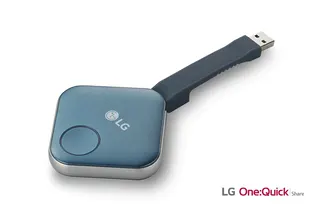
LG SC-00DA LG One:Quick Share SC-00DA Wireless Screen Sharing USB Dongle
USB 2.0 Type A (1)
Maxhub Wireless Box WB05 MAXHUB Wireless Box WB05 Wireless Presentation Box
Wireless presentation
Maxhub Wireless Dongle WT13 MAXHUB Wireless Dongle WT13 4K Wireless Screen Sharing Dongle
Wireless presentation
Newline Newline Click2Cast Newline Click2Cast Wireless Presentation Dongle for Interactive Displays
23QA
Email Call