Thursday, 22 October 2026 · 11 Jumada I 1448 AH Sun – Thu · 9:00 – 18:00
+971 56 914 9477 العربية
WhatsApp
This model is discontinuedThe manufacturer no longer makes it. Request a quote and we will propose the closest current replacement.
Suggested replacements ↓

LiteShow 4 (INLITESHOW4)

InFocus LiteShow 4 (INLITESHOW4) Wireless Presentation Device

WhatsApp
Priceon request
QuotationWithin 1 working day
DeliveryConfirmed with your quote, based on stock
PDFDownload datasheet (LiteShow4-UserManual-05.pdf)
Overview

The InFocus LiteShow 4 (INLITESHOW4) is a legacy wireless presentation product from InFocus, and the manufacturer has discontinued this model. Its user guide remains listed on InFocus's global support pages, which helps organisations already running a unit and buyers comparing options. Schools, universities and offices in Qatar that still rely on this model should request a quote for a current equivalent or a compatible replacement that matches their rooms and displays.

What the InFocus LiteShow 4 is

The InFocus LiteShow 4, model code INLITESHOW4, belongs to the wireless presentation subcategory within InFocus video conferencing products. It is a legacy product, and the manufacturer has discontinued it. InFocus still lists the model on its Global Support page for wireless devices, together with its user guide. This page is written for organisations that already own a unit, for buyers comparing it with newer equipment, and for anyone searching for a replacement.

Facts we can confirm from the manufacturer listing

The source data we hold for this model is limited, so we have not published technical specifications such as resolution, connectivity ports, wireless standards or operating temperatures. Those details are set out in the user guide that InFocus makes available through its support listing. Check the guide before deciding whether to keep or replace a unit, and compare it with the room and equipment the unit has to work with.

  • Model code: INLITESHOW4, within the INLITESHOW4 series.
  • Status: discontinued by the manufacturer.
  • Documentation: user guide listed with the product on InFocus Global Support.

Where a wireless presentation unit fits in Qatar

Wireless presentation units let a presenter show a laptop or mobile screen on a room display without running a cable to the table. In Doha, that can mean a boardroom in West Bay where a visiting team presents from its own device, or a training room in Education City where tutors switch presenters quickly between sessions. Government offices in Msheireb that work in Arabic and English side by side may want the same workflow in several meeting rooms.

Schools, including international and Arabic-curriculum schools, can apply the same approach in staff rooms and classrooms where fixed cabling is hard to install.

What to plan before you replace or reconnect a unit

Confirm three things before ordering: the display or projector in the room, the devices staff bring to meetings, and how the network is set up in that space. Compatibility should be checked against the user guide rather than assumed. If the unit is mounted or cabled into a room, a free site survey from SmartRooms Qatar lets our team check the layout and the existing equipment before anything is ordered.

  • List the display, projector and devices that will connect.
  • Check the user guide for network and operating requirements.
  • Plan for several units if a school or department is replacing multiple rooms.

Replacing a discontinued model

Because InFocus has discontinued the LiteShow 4, the practical choice for most buyers is a current wireless presentation or video conferencing product that suits the room. SmartRooms Qatar can compare a current equivalent or a compatible replacement against the display and devices you already use. Government buyers can work with government tenders, including Monaqasat, and quotations are usually issued within one working day.

Request a quote with the room type, the display in use and the number of units needed, and the SmartRooms Qatar team will reply with a proposal for a current model.

Highlights

  • Discontinued InFocus model with model code INLITESHOW4
  • Part of the INLITESHOW4 series in wireless presentation
  • User guide listed on InFocus Global Support
  • Technical specifications not published in the source data
  • Replacement quotes for current equivalents from SmartRooms Qatar
  • Free site survey before replacing units in existing rooms

Room fit

Tell us the room size and platform (Teams, Zoom or BYOD) and we confirm the right combination with your quotation.

Estimated timeline

Quotation within 1 working day · delivery timing depends on stock availability, and we confirm it with your quotation.


Specifications

Source: manufacturer · checked Oct 2026
The full specification and datasheet for this model are available on request; we send them with your quotation.

Downloads

2 files from the manufacturer

Questions about LiteShow 4 (INLITESHOW4)

Has InFocus discontinued the LiteShow 4 (INLITESHOW4)?
Yes. InFocus has discontinued the INLITESHOW4, so this page covers a legacy wireless presentation product rather than a current model. Organisations that already own a unit can still find its user guide on the InFocus Global Support listing. If you are planning a new purchase, SmartRooms Qatar can quote a current equivalent instead, based on the rooms and displays you use across Doha or any of the other municipalities.
What is the InFocus LiteShow 4 used for?
It belongs to InFocus's wireless presentation subcategory, which is used to share a presenter's screen with a room display without a physical cable. In a meeting room in West Bay, that means a visiting team can present from its own device without connecting anything to the table. Because the model is discontinued, buyers should use this page to understand the category and then compare current options before deciding.
What technical specifications does the INLITESHOW4 have?
The source data we hold for this model does not include detailed specifications, so we do not publish figures such as resolution, ports or operating temperature. The InFocus user guide for the INLITESHOW4 is the best place to check those details before you decide. If you need a precise comparison, send the model name with your quote request and the SmartRooms Qatar team will review the available documentation before quoting.
Where can I find the user guide for the INLITESHOW4?
InFocus lists the INLITESHOW4 on its Global Support page for wireless devices, with the user guide attached to the product entry. Save a copy of the guide with your equipment records so that facilities or IT staff can reconfigure the unit after a restart or when a new laptop is introduced to the room. The guide is also the reference to use when checking network and display requirements.
Who should still consider this discontinued model today?
Its main use now is for organisations that already own it and need to keep it running, or for teams comparing legacy hardware before choosing a replacement. A boardroom in Msheireb or a classroom in Al Wakrah will usually get more value from a current wireless presentation system than from buying a discontinued unit now. Ask SmartRooms Qatar for a quotation that matches the room and the display already fitted.
How would a school in Al Wakrah replace the INLITESHOW4 in its classrooms?
Start with a list of the classrooms and staff rooms that currently use the unit, noting the display or projector in each one. Arabic-curriculum and international schools often share a unit between rooms, so confirm whether the replacement is for a single room or several. Schedule professional installation outside teaching hours so lessons are not interrupted, and keep the user guide with the school's equipment records.
Which replacement should I ask for if I need wireless presentation in a meeting room?
Send the room size, the display or projector already fitted, the devices that will present and whether the room is shared with a second team. These details let SmartRooms Qatar propose a current equivalent or a compatible replacement rather than a model that will not connect to your setup. Quotations are usually issued within one working day, so a complete request gets you a proposal quickly.
Do I need a site survey before replacing the INLITESHOW4?
A site survey is worth requesting when the unit is being replaced in a room with existing cabling, a wall-mounted display or a shared network. SmartRooms Qatar offers free site surveys, and during the visit the team can check the display input, the room layout and where the presenter stands. This helps avoid ordering equipment that cannot connect to the setup already in place.
How should a university in Education City plan a replacement across several labs?
Start by listing which lecture theatres and seminar rooms use the unit today, and note the display in each. Group rooms by display type so that one replacement model can serve several spaces where possible. A single quotation covering all the rooms makes internal approval simpler, and a purchase order can then be raised against it. Ask for an installation plan so each room is checked before equipment is delivered.
Is the LiteShow 4 suitable for an outdoor area or a dusty venue?
The source data does not give an operating temperature or environmental rating for the INLITESHOW4, so we cannot confirm that it suits outdoor or dusty areas. Summer temperatures in Qatar regularly exceed 45°C and dust storms are common, so keep the equipment in air-conditioned rooms unless the user guide clearly says otherwise. For event venues or stadium areas, ask SmartRooms Qatar for a replacement suited to the intended environment.
Is the INLITESHOW4 compatible with my laptop and video conferencing system?
The source data does not list supported operating systems, devices or conferencing platforms for this model, so compatibility should be confirmed against the user guide before you assume it works. Check the laptops and mobile devices your staff use, along with the video conferencing system in the room. If you are replacing this unit, send those details with your quote request so the replacement can be matched to them.
Is a replacement product covered by a warranty?
Products supplied by SmartRooms Qatar are covered by the manufacturer's warranty. That cover applies to the current model you choose as a replacement, not to the discontinued INLITESHOW4. Ask for the warranty details of the proposed model in writing with your quotation, so the decision is based on the terms that apply to the equipment you will actually install in the room.

Suggested replacements

Biamp MAX Connect Biamp MAX Connect 910-02278 Wireless Presentation System
CB
Clevertouch CleverCast Clevertouch CleverCast Wireless Presentation Device
Compatible
Clevertouch CleverHub 2 Clevertouch CleverHub 2 Wireless Presentation and Screen Sharing Device
Yes - CleverCast only NRCS
iiyama WP-D002C iiyama WP-D002C USB-C Wireless Presentation Dongle
Wireless presentation
iiyama WP-MEET03M iiyama WP-MEET03M Wireless Presentation Solution
Wireless presentation

Similar models

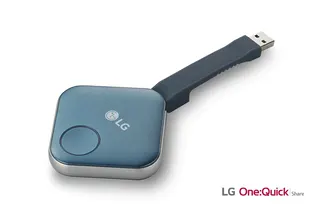
LG SC-00DA LG One:Quick Share SC-00DA Wireless Screen Sharing USB Dongle
USB 2.0 Type A (1)
Maxhub Wireless Box WB05 MAXHUB Wireless Box WB05 Wireless Presentation Box
Wireless presentation
Maxhub Wireless Dongle WT13 MAXHUB Wireless Dongle WT13 4K Wireless Screen Sharing Dongle
Wireless presentation
Newline Newline Click2Cast Newline Click2Cast Wireless Presentation Dongle for Interactive Displays
23QA
Email Call