Thursday, 22 October 2026 · 11 Jumada I 1448 AH Sun – Thu · 9:00 – 18:00
+971 56 914 9477 العربية
WhatsApp
This model is discontinuedThe manufacturer no longer makes it. Request a quote and we will propose the closest current replacement.
Suggested replacements ↓

SimpleShare (INA-SIMS1, INA-SIMPS1, INA-SIMRC1, INA-SIMTM1)

InFocus SimpleShare Wireless Presentation, Discontinued

WhatsApp
Priceon request
QuotationWithin 1 working day
DeliveryConfirmed with your quote, based on stock
PDFDownload datasheet (SimpleShare-User-Guide.pdf)
Overview

The InFocus SimpleShare wireless presentation range is discontinued. It is listed under four model codes: INA-SIMS1, INA-SIMPS1, INA-SIMRC1 and INA-SIMTM1. Organisations in Qatar that already own one of these units can still find the manufacturer's user guides, although InFocus no longer sells them. SmartRooms Qatar can quote a current equivalent or a compatible replacement for meeting rooms, classrooms and boardrooms. Request a quote with your model code and room details.

What the SimpleShare range covers

The InFocus SimpleShare wireless presentation range is listed under four model codes: INA-SIMS1, INA-SIMPS1, INA-SIMRC1 and INA-SIMTM1. The family sits in the video conferencing category, within the wireless presentation subcategory, and belongs to the Simpleshare series. InFocus has discontinued the range, so this page is written for organisations that already own one of these models, buyers comparing options, and anyone who needs a replacement.

Wireless presentation equipment lets a presenter share content from a laptop or mobile device to a room display without running a cable to the screen. That is the core job of this family. Because the source information for these codes is limited, this page does not state resolutions, ports, compatibility or dimensions. Check those details against the user guide for your specific code.

Confirming which model code you own

All four codes share one product name, so the first step for any existing site is to match the code printed on the unit, or recorded in purchase documents, against the list above. InFocus published user guides for these models on its Global Support page under the wireless devices section. Those guides are the best source for setup steps, connection methods and included accessories.

  • Check the label on the unit against the four listed codes.
  • Download the matching user guide from the InFocus support page.
  • List any accessories you already have so the quote covers only what is missing.

Where a legacy wireless presentation system fits in Qatar

A government office in Msheireb with several small meeting rooms may have staff who work in Arabic and English side by side and need to switch between laptops quickly during a session. An international school in Lusail could use wireless sharing in a staff room or training room to reduce cable clutter when teachers present. A corporate office in West Bay that hosts visiting teams from abroad may need content shared quickly before a meeting begins.

Planning a replacement without disrupting meetings

If your existing units still work reliably, keep them in service until you have a replacement plan. If a unit has failed, or you are equipping a new room, a current equivalent or compatible replacement is the practical route. Before ordering, measure the room, note which display the unit connects to, and count how many people present from their own devices each week.

SmartRooms Qatar offers a free site survey, so we can review the room layout and connection points before you confirm quantities. For multi-room projects, a purchase order (LPO) or a government tender through Monaqasat can cover the full order, and we usually issue a quotation within one working day.

Ready to replace or extend your wireless presentation setup? Request a quote from SmartRooms Qatar and tell us which model code you have, the room size and the display you use, so we can recommend a current equivalent or compatible replacement.

Highlights

  • Discontinued by InFocus; a current replacement can be quoted
  • Four model codes: INA-SIMS1, INA-SIMPS1, INA-SIMRC1, INA-SIMTM1
  • Wireless presentation product within the Simpleshare series
  • User guides listed on the InFocus Global Support page
  • Confirm your exact model code before requesting a replacement

Room fit

Tell us the room size and platform (Teams, Zoom or BYOD) and we confirm the right combination with your quotation.

Estimated timeline

Quotation within 1 working day · delivery timing depends on stock availability, and we confirm it with your quotation.


Specifications

Source: manufacturer · checked Oct 2026
The full specification and datasheet for this model are available on request; we send them with your quotation.

Downloads

1 file from the manufacturer

Questions about SimpleShare (INA-SIMS1, INA-SIMPS1, INA-SIMRC1, INA-SIMTM1)

Is InFocus still selling the SimpleShare wireless presentation range?
No. InFocus has discontinued this range, which covers model codes INA-SIMS1, INA-SIMPS1, INA-SIMRC1 and INA-SIMTM1. SmartRooms Qatar can still quote a current equivalent or a compatible replacement for organisations in Qatar that need wireless sharing in a meeting room, classroom or boardroom. Send your model code and room size with your request so the quote matches your space.
Which model codes does this page cover?
This page covers four codes that sit under the SimpleShare name: INA-SIMS1, INA-SIMPS1, INA-SIMRC1 and INA-SIMTM1. Because they share one product name, check the label on your unit or your purchase records before ordering a replacement. If the code does not match what you have, send a photo of the label with your enquiry and the SmartRooms Qatar team will help you identify it before preparing a quote.
What is the SimpleShare range used for?
The range belongs to the wireless presentation category, which means it allows a presenter to share content from a laptop or mobile device to the room display without a direct cable. This suits meetings where attendees arrive with different devices and nobody wants to swap cables at the start of a session. If your room also needs calls with teams abroad, ask for video conferencing equipment alongside the sharing solution.
Where can I find the user guide for my model?
InFocus published user guides for these models on its Global Support page under the wireless devices section. Search for your specific code, then open the matching guide to check setup steps, connection methods and included accessories. If the guide does not make clear how it would work in your room, SmartRooms Qatar can review the options with you before you choose a replacement.
Could the SimpleShare range work in a classroom at an international school in Lusail?
It may suit sharing content in a classroom or staff room, but the source information for these four codes does not confirm connection methods or compatible devices. Check the user guide for your code before relying on it in lessons. If the guide does not meet the school's needs, request a quote for a current equivalent sized to the number of classrooms and the devices teachers use daily.
Is this suitable for a government office in Doha?
It may suit a meeting room in a government office in Doha, particularly where staff work in Arabic and English side by side and need to switch between presenters quickly. Before ordering, check with your IT team which connection methods your network policy allows, because the available data for these codes does not confirm that. SmartRooms Qatar can review those requirements before preparing the quotation.
What room size suits this type of wireless presentation system?
The available data does not give a recommended room size for these codes, so this page does not state one. Measure the room and count the people who present at a typical meeting. Share those numbers when you request a quote, and the SmartRooms Qatar team can match a current equivalent to a small huddle room or a larger boardroom.
Can it connect to video calls with teams outside Qatar?
The available data does not confirm integration with any video conferencing platform for these codes, so this page does not describe that capability. If your boardroom runs calls with teams abroad, ask for a quote covering both content sharing and call equipment. That way the proposed replacement meets the full requirement rather than only part of it.
Does SmartRooms Qatar supply and install a replacement?
Yes. SmartRooms Qatar supplies equipment, delivers it to all 8 municipalities of Qatar and offers professional installation. Installation planning starts with a free site survey, which reviews the room layout and connection points before any quantities are confirmed. Lead times for a replacement are estimates based on stock and are confirmed in the quotation.
Can we keep our existing units running until a replacement is ready?
If the existing units work to your satisfaction, you can keep them in service until you decide on a replacement. If a unit fails or you are adding a room, a current equivalent or compatible replacement is the practical option. Keep a record of each model code and a photo of each label, because this speeds up quotation and avoids guesswork when choosing the replacement.
Will a replacement be covered by warranty?
Products supplied by SmartRooms Qatar are covered by the manufacturer's warranty. The warranty period and terms depend on the specific model proposed, and the data for these discontinued codes does not state them, so this page does not give a duration. Ask for the warranty details in writing alongside your quotation so the decision is based on the exact model you will buy.
How do I request a quote?
Request a quote through the website and include the model code, the number of rooms, their approximate size and the display each unit would connect to. SmartRooms Qatar usually issues quotations within one working day. Payment can be made by bank transfer, cheque or purchase order, and multi-room projects can be handled through an LPO or a government tender on Monaqasat.

Suggested replacements

Biamp MAX Connect Biamp MAX Connect 910-02278 Wireless Presentation System
CB
Clevertouch CleverCast Clevertouch CleverCast Wireless Presentation Device
Compatible
Clevertouch CleverHub 2 Clevertouch CleverHub 2 Wireless Presentation and Screen Sharing Device
Yes - CleverCast only NRCS
iiyama WP-D002C iiyama WP-D002C USB-C Wireless Presentation Dongle
Wireless presentation
iiyama WP-MEET03M iiyama WP-MEET03M Wireless Presentation Solution
Wireless presentation

Similar models

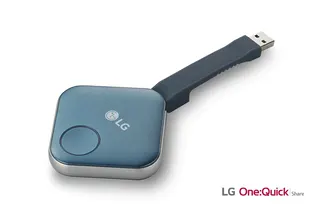
LG SC-00DA LG One:Quick Share SC-00DA Wireless Screen Sharing USB Dongle
USB 2.0 Type A (1)
Maxhub Wireless Box WB05 MAXHUB Wireless Box WB05 Wireless Presentation Box
Wireless presentation
Maxhub Wireless Dongle WT13 MAXHUB Wireless Dongle WT13 4K Wireless Screen Sharing Dongle
Wireless presentation
Newline Newline Click2Cast Newline Click2Cast Wireless Presentation Dongle for Interactive Displays
23QA
Email Call