Thursday, 22 October 2026 · 11 Jumada I 1448 AH Sun – Thu · 9:00 – 18:00
+971 56 914 9477 العربية
WhatsApp
This model is discontinuedThe manufacturer no longer makes it. Request a quote and we will propose the closest current replacement.
Suggested replacements ↓
Sony Video Conferencing Discontinued

PEQ-C100

Sony PEQ-C100 Vision Exchange Wireless Presentation and Active Learning System

WhatsApp
Priceon request
QuotationWithin 1 working day
DeliveryConfirmed with your quote, based on stock
PDFDownload datasheet (PEQ-C100_spec_sheet_en_GB.pdf)
Overview

The Sony PEQ-C100 Vision Exchange is a wireless presentation and active learning system for sharing content from personal laptops, tablets and smartphones. It offers two HDMI inputs, two 1000BASE-T network ports and optional licences for table-based active learning and streaming. Sony has discontinued this model, so universities and corporate meeting rooms in Qatar should request a quote for a current equivalent.

What the PEQ-C100 does in a shared room

The Sony PEQ-C100 Vision Exchange is a wireless presentation hub. Rather than passing one laptop around the table, members of a group connect their own laptops, tablets or smartphones to the system and place their material on the main screen. Annotations drawn on the main view can be saved as snapshots and sent back to a connected device or copied to a USB memory stick, so each participant leaves with a record of the session.

Remote participants can join as well. Zoom and Skype for Business connect natively with the system, so content can be shared with people in other locations while local members keep working from their own devices. This suits teams that work between Doha and offices abroad.

Ports and inputs to plan around

The unit provides two HDMI video inputs for lecterns, document cameras or local computers, plus one HDMI output and one DisplayPort output for the display side. Audio runs through a microphone mini-jack input, a line input mini-jack and a line output mini-jack. Two 1000BASE-T network ports handle wired connections, and the USB layout gives two USB 2.0 ports at the front and four USB 3.0 ports at the rear. The main unit measures 370 x 56 x 245 mm and weighs approximately 3.4 kg. Its DC 19.5 V supply comes from an AC adapter rated for AC 100 V to 240 V at 50/60 Hz, which covers the 240 V, 50 Hz mains used in Qatar. Leave room for cabling and airflow when choosing its position.

Active learning and streaming licences

Two optional licences extend the base unit. The active learning licence lets a lecturer share a presentation to several table displays across the room, watch the activity at each table during group discussion, and send annotated feedback while a student presents. Each table display needs a mini PC running Sony Pod PC software. The streaming output licence sends the main view to a central server for lecture capture, recording or live distribution. HDCP-protected content cannot be shared to the table displays, the remote side or the streaming output, so check source material before a session depends on it.

Where it fits in Qatar

A teaching room in Education City could split students into small groups at separate tables. Each group connects its laptops or tablets wirelessly, builds a shared answer with on-screen annotation or the digital whiteboard, and saves the result to their devices. A corporate conference room in West Bay could run a workshop where colleagues in other countries dial in via Zoom. A seminar room in Al Rayyan could let students add their own notes to the main-screen image after class, while a training centre in the Industrial Area could take presentations directly from trainees' phones and tablets.

Planning before you order

Start with a free site survey. The source data for this unit does not give an operating temperature range, so the SmartRooms Qatar team will confirm the environment with you, including whether the room is air-conditioned and where the main screen, lectern and network points sit. Quotations are usually issued within one working day. We supply and deliver to all 8 municipalities of Qatar, arrange professional installation, and accept purchase orders (LPOs) and government tenders. Because Sony has discontinued the PEQ-C100, request a quote for a current equivalent or compatible replacement. Products are covered by the manufacturer's warranty.

Highlights

  • Wireless sharing from laptops, tablets and smartphones
  • Two HDMI inputs, plus HDMI and DisplayPort outputs
  • Zoom and Skype for Business natively integrated
  • Annotation, whiteboard and snapshots saved to devices or USB
  • Optional active learning and streaming output licences
  • Adapter accepts AC 100 V to 240 V, 50/60 Hz

Room fit

Tell us the room size and platform (Teams, Zoom or BYOD) and we confirm the right combination with your quotation.

Estimated timeline

Quotation within 1 working day · delivery timing depends on stock availability, and we confirm it with your quotation.

Specifications

10 specifications · Source: manufacturer · checked Oct 2026
General Specification3
Dimensions(W x H x D)
370 x 56 x 245 mm 14 5/8 x 2 1/4 x 9 3/4 inches
Mass
Approx. 3.4 kg (7.5 lb)
Power
DC 19.5 V (AC Adapter : AC 100 V to 240 V, 50/60 Hz)
OSD lanuguage1
OSD lanuguage
English, Japanese, Simplified Chinese, German, French, Spanish
Interface6
Video Input
HDMI x 2
Video Output
HDMI x 1, DisplayPort x 1
Audio Input
Microphone Input Mini-jack x 1 Line Input Mini-jack x 1
Audio Output
Line Output Mini-jack x 1
Network Port
1000BASE-T x 2
USB Port
USB 2.0 x 2 (Front) USB 3.0 x 4 (Rear)

Downloads

16 files from the manufacturer
PDF Datasheets PEQ-C100_spec_sheet_en_GB.pdf 151 KB Sony PEQ-C100 datasheets (PDF, 151 KB) PDF Manuals & guides Technical Manual - Web Service API Reference_46995751M.pdf 991 KB Sony PEQ-C100 manuals & guides (PDF, 991 KB) PDF Manuals & guides Technical Manual_46995741M.pdf 849 KB Sony PEQ-C100 manuals & guides (PDF, 849 KB) 0 (F Manuals & guides · Opens on manufacturer site Help Guide (Web manual) - Version 1.0 (for end users and administrators) Sony PEQ-C100 manuals & guides (0 (FOR END USERS AND ADMINISTRATORS)) 1 (F Manuals & guides · Opens on manufacturer site Help Guide (Web manual) - Version 1.1 (for administrators) Sony PEQ-C100 manuals & guides (1 (FOR ADMINISTRATORS)) 1 (F Manuals & guides · Opens on manufacturer site Help Guide (Web manual) - Version 1.1 (for end users) Sony PEQ-C100 manuals & guides (1 (FOR END USERS)) 2 (F Manuals & guides · Opens on manufacturer site Help Guide (Web manual) - Version 1.2 (for administrators) Sony PEQ-C100 manuals & guides (2 (FOR ADMINISTRATORS)) 2 (F Manuals & guides · Opens on manufacturer site Help Guide (Web manual) - Version 1.2 (for end users) Sony PEQ-C100 manuals & guides (2 (FOR END USERS)) 3 (F Manuals & guides · Opens on manufacturer site Help Guide (Web manual) - Version 1.3 (for administrators) Sony PEQ-C100 manuals & guides (3 (FOR ADMINISTRATORS)) 3 (F Manuals & guides · Opens on manufacturer site Help Guide (Web manual) - Version 1.3 (for end users) Sony PEQ-C100 manuals & guides (3 (FOR END USERS)) 4 (F Manuals & guides · Opens on manufacturer site Help Guide (Web manual) - Version 1.4 (for administrators) Sony PEQ-C100 manuals & guides (4 (FOR ADMINISTRATORS)) 4 (F Manuals & guides · Opens on manufacturer site Help Guide (Web manual) - Version 1.4 (for end users) Sony PEQ-C100 manuals & guides (4 (FOR END USERS)) URL Manuals & guides · Opens on manufacturer site Help Guide (Web manual) - macOS audio mirroring Sony PEQ-C100 manuals & guides (URL) PDF Brochures Vision%20Exchange%20brochure%20EN.pdf 7.9 MB Sony PEQ-C100 brochures (PDF, 7.9 MB) PDF Other documents D743100011.pdf 516 KB Sony PEQ-C100 other documents (PDF, 516 KB) PDF Other documents Vision-Exchange-pdf_121.pdf 339 KB Sony PEQ-C100 other documents (PDF, 339 KB)

Questions about PEQ-C100

What is the Sony PEQ-C100 Vision Exchange used for?
It is a wireless presentation and collaboration system for rooms where several people share material at once. Students or team members connect their own laptops, tablets or smartphones and send content to the main screen, where they can annotate it. It suits universities, colleges and corporate conference rooms that run group discussions rather than single-presenter talks.
Has Sony discontinued the PEQ-C100?
Yes. Sony has discontinued the PEQ-C100 Vision Exchange, so this exact model is no longer available from the manufacturer. SmartRooms Qatar can quote a current equivalent or a compatible replacement for universities and corporate rooms that need workgroup presentation. If your organisation already runs a PEQ-C100, send us your room layout and we will advise on the options.
Can remote participants join through Zoom or Skype for Business?
Yes. Zoom and Skype for Business are natively integrated with the Vision Exchange, so content can be shared with participants wherever they are. Those services are third-party, so their network connection, terms and features are governed by the providers and may change. Confirm your preferred platform with us before requesting a quote so the room set-up matches how your team meets.
How could a university in Education City use it for group projects?
Lecturers can split students into small groups working at separate tables. Each group connects its laptops or tablets wirelessly, builds a shared answer using on-screen annotation or the digital whiteboard, and saves the result as a snapshot to its devices. The lecturer controls what appears on the main screen with simple drag-and-drop gestures, so the class can review each group's work in turn.
Would a West Bay boardroom suit a workshop with colleagues abroad?
Yes, within the limits of the system. A boardroom in West Bay could run a workshop where local staff bring their own devices and colleagues in other countries join through Zoom. Content from both sides can be shared, though HDCP-protected material cannot be shared to the remote side. Request a quote with your room plan and the number of local participants so we can confirm the input count.
How could an Al Rayyan college use it in a seminar room?
Students can bring their own laptops to a discussion, capture the main-screen image and add their own notes. The image and notes are stored on their devices for later review, which helps when students revise between sessions across a Sunday to Thursday timetable. A college planning several seminar rooms can request a quote for multiple units, with the number of rooms and the desk layout confirmed in advance.
Is it suitable for a training centre in the Industrial Area?
It can suit a training centre running technical courses or safety briefings where trainees share photos, drawings or reading material from their phones. Two HDMI devices can connect to the main unit, and wireless sharing means trainees do not have to wait for a single laptop. Request a quote after confirming where the main screen will sit and where network and power points are located.
Can a Lusail university record and stream lectures with it?
Recording or live distribution needs the optional streaming output licence, which sends the main view to a central server for lecture capture, recording or live distribution. A university in Lusail that records lectures for later viewing would add this licence when requesting a quote. HDCP-protected content cannot be streamed out, so check lecture material before recording.
What ports does the PEQ-C100 provide?
The unit has two HDMI video inputs, one HDMI output and one DisplayPort output. Audio uses a microphone mini-jack input, a line input mini-jack and a line output mini-jack. Networking uses two 1000BASE-T ports. USB includes two USB 2.0 ports at the front and four USB 3.0 ports at the rear. Dimensions are 370 x 56 x 245 mm and the mass is approximately 3.4 kg.
Does the PEQ-C100 work with Qatar's 240 V, 50 Hz power?
The unit runs on DC 19.5 V from an AC adapter rated for AC 100 V to 240 V at 50/60 Hz. That input range covers the 240 V, 50 Hz mains supply used in Qatar. Confirm the plug and socket arrangement with the SmartRooms Qatar team before installation, since Qatar uses BS 1363 (Type G) sockets.
Can HDCP-protected video be shared or streamed?
No. HDCP-protected content cannot be shared to workgroup screens, the remote side or the streaming output. Check the source of any licensed video before a session that depends on it. This matters for universities and companies that show protected media in lectures or training, where the session can be affected if the material is restricted.
What should we check in the room before requesting a quote?
Start with a free site survey. The source data does not give an operating temperature range for this unit, so the SmartRooms Qatar team will confirm the environment with you, including whether the room is air-conditioned and where the main screen, lectern and network points sit. Quotations are usually issued within one working day, and purchase orders are accepted for universities and government bodies.

Suggested replacements

Biamp MAX Connect Biamp MAX Connect 910-02278 Wireless Presentation System
CB
Clevertouch CleverCast Clevertouch CleverCast Wireless Presentation Device
Compatible
Clevertouch CleverHub 2 Clevertouch CleverHub 2 Wireless Presentation and Screen Sharing Device
Yes - CleverCast only NRCS
iiyama WP-D002C iiyama WP-D002C USB-C Wireless Presentation Dongle
Wireless presentation
iiyama WP-MEET03M iiyama WP-MEET03M Wireless Presentation Solution
Wireless presentation

Similar models

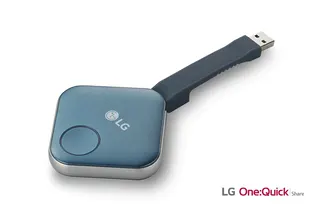
LG SC-00DA LG One:Quick Share SC-00DA Wireless Screen Sharing USB Dongle
USB 2.0 Type A (1)
Maxhub Wireless Box WB05 MAXHUB Wireless Box WB05 Wireless Presentation Box
Wireless presentation
Maxhub Wireless Dongle WT13 MAXHUB Wireless Dongle WT13 4K Wireless Screen Sharing Dongle
Wireless presentation
Newline Newline Click2Cast Newline Click2Cast Wireless Presentation Dongle for Interactive Displays
23QA
Email Call