Thursday, 22 October 2026 · 11 Jumada I 1448 AH Sun – Thu · 9:00 – 18:00
+971 56 914 9477 العربية
WhatsApp
This model is discontinuedThe manufacturer no longer makes it. Request a quote and we will propose the closest current replacement.
Suggested replacements ↓
Sony Video Conferencing Discontinued

PEQA-C10

Sony PEQA-C10 Active Learning License for Vision Exchange

WhatsApp
Priceon request
QuotationWithin 1 working day
DeliveryConfirmed with your quote, based on stock
PDFDownload datasheet (PEQA-C10_spec_sheet_en_GB.pdf)
Overview

The Sony PEQA-C10 Active Learning License is a software licence for PEQ-C100 and PEQ-C130 Vision Exchange main units. It supports workgroup lessons: students mirror their devices and share content with other tables under the lecturer's control, while the main unit displays every group table. Sony has discontinued this model. Schools and universities in Qatar that run these main units, or need a replacement, can request a quote.

What this licence adds to Vision Exchange classrooms

The Sony PEQA-C10 Active Learning License is a software licence for the PEQ-C100 and PEQ-C130 Vision Exchange main units. It is built for workgroup lessons, where students sit at group tables, share their own work and stay connected to the lecturer and the main presentation screen. Sony has discontinued this model, so this page is written for organisations that already run these main units, buyers comparing collaboration options, and anyone who needs a replacement.

Features that matter during a workgroup lesson

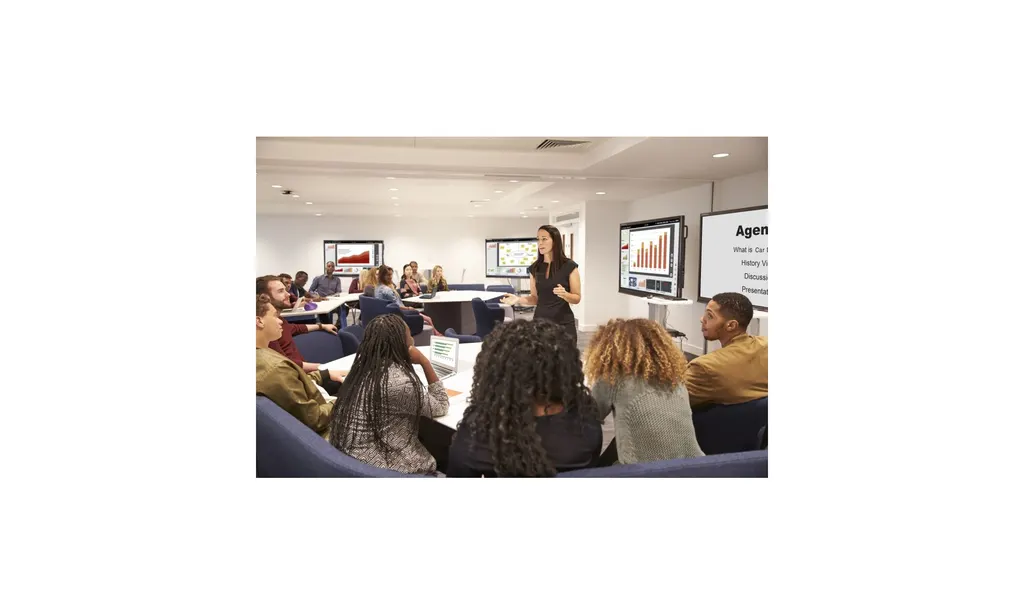
Students can mirror their own devices and send content to other groups in the room or to the main presentation screen with simple drag-and-drop gestures. The lecturer controls these transfers, which keeps the lesson focused when several tables are working at the same time.

Each workgroup table can be viewed on the main Vision Exchange unit, so the lecturer can check progress across the room from one place. The reverse also works: the main view can be shared with every group table, so one explanation, instruction or example reaches the whole class at once.

The annotation function lets lecturers mark up shared material and give students extra support during the session.

Where it fits in Qatar

  • A private school in Al Rayyan running practical science sessions, where each group works at its own table and the teacher reviews all tables from the main unit.
  • A training centre in Doha delivering vocational courses, where instructors share one group's solution with every table as a worked example.
  • A university seminar room in Education City, where tutors mark up student group work on the main screen and discuss it with the whole cohort.

What to plan for before you order

Confirm the exact model of each main unit in the room, because this licence is written for the PEQ-C100 and PEQ-C130 Vision Exchange units. Note how many group tables each room has and where the main unit sits in relation to them. A free site survey from SmartRooms Qatar can confirm the layout, and it is especially useful when several classrooms are being fitted out in one project. Since the room conditions that matter are those of the main unit, ask our team to check the installation environment, particularly in areas exposed to heat or dust.

Discontinued model: request a quote for a current alternative

Sony has discontinued the PEQA-C10 Active Learning License. If your organisation already runs PEQ-C100 or PEQ-C130 units and needs this licence, or you are planning new workgroup classrooms, send your room details to SmartRooms Qatar. Our team will advise on a current equivalent or compatible replacement and send a quotation, usually within one working day. Orders can be placed by LPO or bank transfer, and we deliver to all eight municipalities of Qatar. Request a quote today to compare your options before you commit.

Highlights

  • Licence for PEQ-C100 and PEQ-C130 Vision Exchange main units
  • Each workgroup table can be viewed on the main unit
  • Students mirror devices and share content by drag-and-drop
  • Lecturer controls transfers between groups and the main screen
  • Main view can be shared with all group tables
  • Annotation function gives lecturers support tools; discontinued by Sony

Room fit

Tell us the room size and platform (Teams, Zoom or BYOD) and we confirm the right combination with your quotation.

Estimated timeline

Quotation within 1 working day · delivery timing depends on stock availability, and we confirm it with your quotation.


Specifications

Source: manufacturer · checked Oct 2026
The full specification and datasheet for this model are available on request; we send them with your quotation.

Downloads

1 file from the manufacturer

Questions about PEQA-C10

What is the Sony PEQA-C10 Active Learning License used for?
It is a licence for the PEQ-C100 and PEQ-C130 Vision Exchange main units that supports workgroup-based lessons. Students at group tables can mirror their own devices and send content to other groups or the main presentation screen, while the lecturer controls these transfers. It suits classrooms and training rooms where students work in groups.
Is the PEQA-C10 still available from Sony?
No. Sony has discontinued the PEQA-C10 Active Learning License. Organisations that already run PEQ-C100 or PEQ-C130 units and need this licence, or buyers looking for an alternative, can request a quote. SmartRooms Qatar will advise on a current equivalent or compatible replacement and usually responds with a quotation within one working day.
Which main units does this licence work with?
The licence is designed for the PEQ-C100 and PEQ-C130 Vision Exchange main units. Before requesting a quote, confirm the exact model of each main unit in your room so the quotation matches your existing hardware. If you are unsure which model you have, the SmartRooms Qatar team can help you check during the enquiry.
How do students share their work with other groups?
Students can mirror their own devices and send content to other workgroup tables in the room or to the main presentation screen using simple drag-and-drop gestures. The lecturer keeps control of these transfers, so the teacher decides which work reaches the main screen during a lesson.
Can the lecturer see what each group is doing?
Yes. Each workgroup table can be viewed on the main Vision Exchange unit, so the lecturer can check progress across the room from one place. A private school in Al Rayyan running a science practical, for example, could review every table's work from the main unit without moving between groups.
Can the lecturer send one view to every group?
Yes. The main view can be shared with all group tables, so a single explanation, instruction or worked example reaches every table at the same time. This suits an opening briefing before groups start their tasks, or a correction that applies to the whole class.
How does the annotation function help in class?
The annotation function lets lecturers mark up shared material to give students extra support during the session. A tutor in a university seminar room in Education City could add notes to a group's submitted work on the main screen and talk through them with the whole cohort.
Is this licence suited to a large lecture hall?
The licence is aimed at workgroup lessons, where students sit at group tables and share work. A lecture hall with fixed rows and a single presenter follows a different layout. For a classroom or training room with clusters of tables, such as a training centre in Doha running practical courses, the workflow matches the product's purpose. Confirm your layout before ordering.
Do I need a site survey before ordering?
A site survey helps confirm the number of group tables, where the existing Vision Exchange main unit sits relative to them, and whether the room suits workgroup use. SmartRooms Qatar offers free site surveys, which are especially useful when several classrooms in the same school or campus are being fitted out in one project.
Can a school or ministry in Qatar order this with a purchase order?
Yes. Orders can be placed with a purchase order (LPO), and payment can be made by bank transfer, cheque or purchase order. For government or tender-based purchasing, state this in your enquiry so the quotation follows your procurement process. Delivery covers all eight municipalities of Qatar.
What information should I include in a quote request?
Include the number of Vision Exchange main units, their model (PEQ-C100 or PEQ-C130), the number of group tables in each room, and the location in Qatar where the licence will be used. With these details, the SmartRooms Qatar team can quote for this licence or recommend a current equivalent or compatible replacement.

Suggested replacements

Biamp MAX Connect Biamp MAX Connect 910-02278 Wireless Presentation System
CB
Clevertouch CleverCast Clevertouch CleverCast Wireless Presentation Device
Compatible
Clevertouch CleverHub 2 Clevertouch CleverHub 2 Wireless Presentation and Screen Sharing Device
Yes - CleverCast only NRCS
iiyama WP-D002C iiyama WP-D002C USB-C Wireless Presentation Dongle
Wireless presentation
iiyama WP-MEET03M iiyama WP-MEET03M Wireless Presentation Solution
Wireless presentation

Similar models

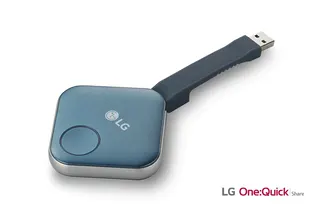
LG SC-00DA LG One:Quick Share SC-00DA Wireless Screen Sharing USB Dongle
USB 2.0 Type A (1)
Maxhub Wireless Box WB05 MAXHUB Wireless Box WB05 Wireless Presentation Box
Wireless presentation
Maxhub Wireless Dongle WT13 MAXHUB Wireless Dongle WT13 4K Wireless Screen Sharing Dongle
Wireless presentation
Newline Newline Click2Cast Newline Click2Cast Wireless Presentation Dongle for Interactive Displays
23QA
Email Call