Thursday, 22 October 2026 · 11 Jumada I 1448 AH Sun – Thu · 9:00 – 18:00
+971 56 914 9477 العربية
WhatsApp
This model is discontinuedThe manufacturer no longer makes it. Request a quote and we will propose the closest current replacement.
Suggested replacements ↓
Sony Video Conferencing Discontinued

PEQA-C20

Sony PEQA-C20 Remote Communication License for Vision Exchange

WhatsApp
Priceon request
QuotationWithin 1 working day
DeliveryConfirmed with your quote, based on stock
PDFDownload datasheet (PEQA-C20_spec_sheet_en_GB.pdf)
Overview

The Sony PEQA-C20 is a software license that switches on videoconferencing for Sony PEQ-C100 and PEQ-C130 Vision Exchange main units. Once active, a workgroup can join calls with sites running standards-based videoconference systems, and share a wireless or HDMI source with annotations or whiteboard images. Sony has discontinued this model, so Qatar organisations that already run these units, or need a current equivalent, should request a quote.

What the PEQA-C20 license adds to Vision Exchange

The PEQA-C20 is a Remote Communication License, a software key rather than a piece of hardware. Its job is to activate the videoconferencing function of compatible Vision Exchange main units, the PEQ-C100 and PEQ-C130. Without the license active, that function is not available on those units. With it, the same workgroup can place and receive calls with remote sites.

The license suits meeting rooms where a team already uses a Vision Exchange unit to share content and now needs to connect with colleagues or partners at other locations. It extends a unit you already own or have specified; it is not a standalone conferencing system.

Connecting to standards-based videoconference systems

Once active, a Vision Exchange unit can connect with other sites that run traditional standards-based videoconference systems. This matters in Qatar, where a Doha team often needs to join a session with a branch, a regional office or a university partner that uses a conventional codec-based room system. The license means the Vision Exchange room does not have to be the only system on the call. Before each meeting, confirm with the remote site which system they use and how the call will be set up.

Sharing wireless and HDMI content with annotations

The license lets the local room send an input source to the remote site. That source can be an image shared wirelessly from a laptop or other device, or an image coming through an HDMI connection. Participants at the far end see the shared content, and the presenter can add overlaid annotations or send whiteboard images to make a point clearer.

In practice, this suits sessions where a reviewer needs to mark up a drawing, a financial table or a site plan while the other side watches live.

Where it fits in Qatar

Three scenarios show where the license earns its place:

  • A government authority in Msheireb whose project team reviews drawings with a contractor abroad and marks up changes on the same screen.
  • A university campus in Education City where a research group joins sessions with partner institutions that run conventional videoconference rooms.
  • An energy company in Mesaieed or Ras Laffan that links an operations meeting in Qatar with its head office, sharing HDMI-fed dashboards and whiteboard notes.

What to plan for before you request a quote

Because Sony has discontinued the PEQA-C20, start by confirming your hardware. The license is designed for the PEQ-C100 and PEQ-C130 main units only, so check the model label and whether videoconferencing is already enabled on your unit.

  • Confirm the main unit is a PEQ-C100 or PEQ-C130.
  • Agree with the remote site which standards-based system they use.
  • Plan the network path between the room and the remote site before the session.
  • Test HDMI and wireless sharing with your own devices before the first live call.

SmartRooms Qatar can supply a current equivalent or compatible replacement, deliver to all eight municipalities of Qatar and arrange professional installation. A free site survey is available, and quotations are usually returned within one working day. Request a quote and tell us your main unit model and the room you have in mind.

Highlights

  • Activates videoconferencing on PEQ-C100 and PEQ-C130 Vision Exchange units
  • Connects workgroups with standards-based videoconference systems
  • Shares wireless or HDMI sources with remote sites
  • Supports overlaid annotations and whiteboard images during calls
  • Discontinued by Sony; request a quote for a current equivalent

Room fit

Tell us the room size and platform (Teams, Zoom or BYOD) and we confirm the right combination with your quotation.

Estimated timeline

Quotation within 1 working day · delivery timing depends on stock availability, and we confirm it with your quotation.


Specifications

Source: manufacturer · checked Oct 2026
The full specification and datasheet for this model are available on request; we send them with your quotation.

Downloads

1 file from the manufacturer

Questions about PEQA-C20

What is the Sony PEQA-C20?
The PEQA-C20 is a Remote Communication License, a software license rather than a camera, display or codec. It activates the videoconferencing function on Sony PEQ-C100 and PEQ-C130 Vision Exchange main units, so a workgroup can connect with other sites. Sony has discontinued this model, so organisations in Qatar that need new capacity should request a quote for a current equivalent.
Which Sony units does the PEQA-C20 work with?
The license is designed for the Sony PEQ-C100 and PEQ-C130 Vision Exchange main units. Check the model of your main unit before ordering. If your room uses a different unit, tell the SmartRooms Qatar team before you request a quote so you do not buy a license that cannot be applied to your room.
Can a Vision Exchange room call systems that are not Vision Exchange units?
Yes. Once the license is active, a Vision Exchange unit can connect with other sites that use traditional standards-based videoconference systems. This is useful in Doha when a team needs to join a session with a branch, a regional office or a partner university that runs a conventional room system. Confirm the remote system type before the meeting.
What content can be sent to the remote site?
An input source can be shared with the remote site, including images sent wirelessly from a device and images from an HDMI connection. Presenters can add overlaid annotations or share whiteboard images, so the far end sees the same marked-up view. Test both the wireless and HDMI sources with your own laptops before the first live call.
How would a project team in Lusail use annotations during a call?
A project team in Lusail reviewing a construction drawing with a design partner abroad can show the drawing from an HDMI source, then add annotations to flag changes. Whiteboard images can capture agreed notes at the end of the session. Both sides work from the same marked-up view, which keeps the discussion focused on open points.
Is the PEQA-C20 a good fit for a boardroom in West Bay?
A boardroom in West Bay that holds regular calls with overseas offices is a typical fit, provided it already has a PEQ-C100 or PEQ-C130 main unit. The license adds videoconferencing to that unit, while content sharing and annotations work alongside it. Larger lecture halls usually need a different setup, so discuss the room size when you request a quote.
How could a university research group in Education City use it?
A research group in Education City that meets partner universities running conventional videoconference rooms can join those sessions from a Vision Exchange room once the license is active. Annotated figures and whiteboard images help explain data during the call. Ask the partner which standards-based system they use so the connection is set up before the session starts.
Can the room be near windows or outdoor areas in summer?
The source data for this license does not give an operating temperature range, and the license itself is software. The environmental limits that matter are those of the PEQ-C100 or PEQ-C130 main unit, which this page does not cover. Summer temperatures in Qatar can exceed 45°C, so confirm the room conditions and cooling with the SmartRooms Qatar team before installation.
What should an organisation do if it already owns a PEQ-C100 but can no longer buy this license?
Sony has discontinued the PEQA-C20, so the best route is a quote for a current equivalent or a compatible replacement. SmartRooms Qatar will confirm what is available at the time of your request, and lead times are confirmed with the quotation. Send us the model of your main unit and the number of rooms involved so the quote matches your setup.
How would an energy company in Mesaieed set up a call with its head office abroad?
An operations team in Mesaieed linking a control room with a head office abroad needs a standards-based system at the far end, a stable network path and a Vision Exchange room with the license active. Agree the connection details with the head office in advance. Dashboards sent over HDMI and whiteboard notes can then be shared from the same room.
What should we plan before the license is activated?
Confirm that the room's main unit is a PEQ-C100 or PEQ-C130 and that its network connection can carry a live call to the remote site. Decide which HDMI sources and wireless presenters will use the room, and test them before the first call. A large building in Doha may need its network team involved early in the planning.
Can a government body or school order this license through an LPO or Monaqasat tender?
Yes. SmartRooms Qatar accepts purchase orders (LPOs) and supplies government tenders, including Monaqasat. Payment can be made by bank transfer, cheque or purchase order. Include the exact main unit model on the purchase order, because the license is designed only for the PEQ-C100 and PEQ-C130. Request a quote to start the process.

Suggested replacements

Biamp MAX Connect Biamp MAX Connect 910-02278 Wireless Presentation System
CB
Clevertouch CleverCast Clevertouch CleverCast Wireless Presentation Device
Compatible
Clevertouch CleverHub 2 Clevertouch CleverHub 2 Wireless Presentation and Screen Sharing Device
Yes - CleverCast only NRCS
iiyama WP-D002C iiyama WP-D002C USB-C Wireless Presentation Dongle
Wireless presentation
iiyama WP-MEET03M iiyama WP-MEET03M Wireless Presentation Solution
Wireless presentation

Similar models

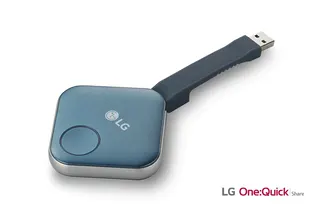
LG SC-00DA LG One:Quick Share SC-00DA Wireless Screen Sharing USB Dongle
USB 2.0 Type A (1)
Maxhub Wireless Box WB05 MAXHUB Wireless Box WB05 Wireless Presentation Box
Wireless presentation
Maxhub Wireless Dongle WT13 MAXHUB Wireless Dongle WT13 4K Wireless Screen Sharing Dongle
Wireless presentation
Newline Newline Click2Cast Newline Click2Cast Wireless Presentation Dongle for Interactive Displays
23QA
Email Call